
Watch Dogs 2 Guide Training Part 8: Enemies And Combat
Tagging Enemies
A particularly helpful way to keep track of all the enemies (aside from attack dogs) in a restricted area is to cycle through the security cameras and focus on each guard until a red outline surrounds them. Use the camera or apply the NetHack view until the guard is “scouted” or “tagged.” Now the guards show up in your view when you start to infiltrate.
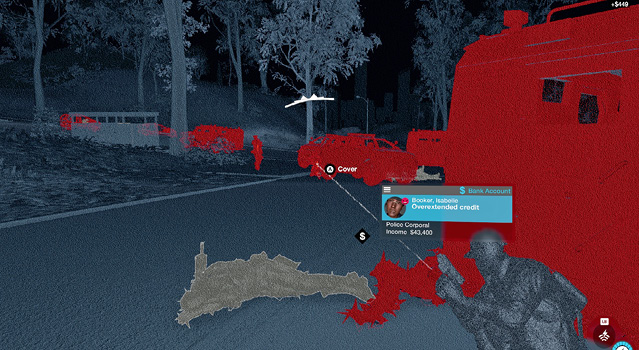
Note that some restricted areas may not allow you to tag all enemies; some may be out of range of the cameras. In all cases, use this additional information to aid you but expect nontagged enemies too!
Remember that enemies also appear on your minimap as blue arrows once you tag them. These change to flashing red arrows if you’re in conflict with enemies. It’s also worth obtaining the Proximity Scanner ability (./Research app), which allows the Quadcopter to complete the same task but much more proficiently.