
Watch Dogs 2 Guide Training Part 6: Gadgets And Weapons
Weapons
There are various types of firearms, from the nonlethal stun gun to outlandish sniper rifles. Learn how to use them properly and discover their shortfalls in relation to stealth tactics.
Finding Weapons (DedSec): There are two types of weapons—those Wrench creates at any DedSec Hackerspace (which you must purchase) and those built at the 3D printer. See the 3D Printer Items table for a complete list of these weapons.
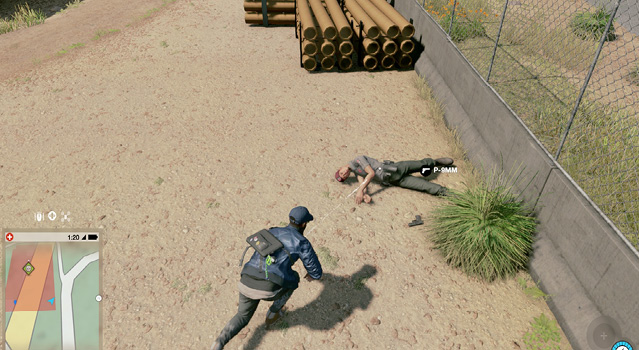
Finding Weapons (Enemies): The other weapons you find on foes. Any time you defeat an enemy, he or she drops a weapon. Pick it up if you haven’t acquired it before, but be aware that you swap it with the weapon you’re currently carrying. Usually, you pick up ammunition as well, which is most helpful if your operation is turning into a protracted firefight; it also means you don’t need to visit pawnshops or spend as much on ammunition between operations. The operations and any restricted areas are the optimal spots for obtaining enemy weaponry. This allows you to choose guns immediately, without paying for the DedSec equivalent.
Equipping Weapons
You equip weapons automatically when you find and pick up new ones or buy them from the 3D printer. Once you purchase a weapon or swap it for a different weapon (from an enemy’s body), you need to revisit the 3D printer to equip it again (at no cost) or find it on the ground where you dropped it, assuming you didn’t leave the immediate area.
Enemy weapons aren’t “saved” anywhere; you keep them as long as you carry them. They are discarded when you swap them and move away from where you dropped the enemy weapon.
Your Equipment Wheel allows you to carry three weapons. The first is your 2EZ Stun Gun (taser), which is always in the upper slot. To the left and the right are slots 1 and 2, allowing two more weapons. You can use any weapon you like in either slot.
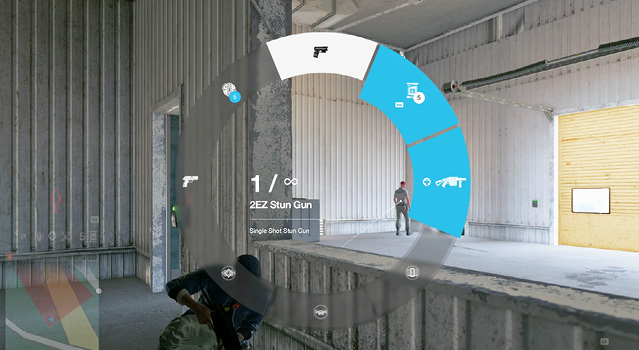
To begin, you usually have a pistol in slot 1 and a machine gun, shotgun, or sniper rifle in slot 2. As you grow accustomed to using certain combinations of weapons, you can switch these out (e.g., a machine gun in slot 1 and a grenade launcher in slot 2). Pick weapons that complement your play style, along with your projectiles and mass hacks. Need to know a few battle-ready combinations of weapons? These are known as loadouts and are listed later in this chapter.
Using Weapons And Holstering
When Marcus has a gun out, you’re susceptible to citizens spotting this, freaking out, and calling the cops. So it’s best to keep weapons holstered until you’re in a restricted area or want to coax the police out.
Aiming And Headshots
Raise your gun when you want to fire at a target (e.g., an enemy, an explosive pallet, a vehicle, or a junction box). Sprinting is no longer viable, your reticle turns red when a human target is lined up, and you can fire. If you’re too far from an enemy, your reticle will remain white even if you have your target lined up—move closer.
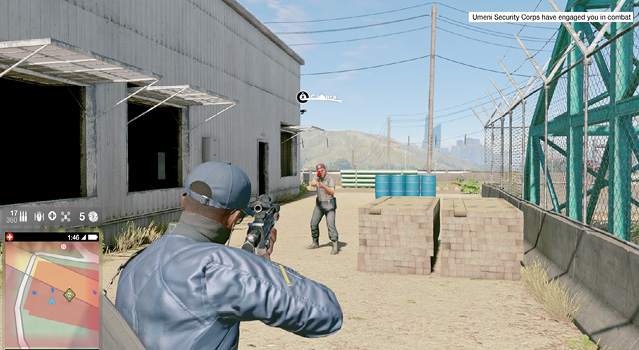
You want to aim at a target’s head, almost always. This ensures you’re striking with maximum damage and the enemy won’t survive. Armored enemies are especially tough (some can survive an entire clip into their torsos), but shooting one in the head is usually an instant kill.
Aiming And Cover
Unless you’re behind a piece of cover that obstructs your aim, in which case you should move to a different cover point, you can use cover and fire. However, the way in which you fire from cover is important.
Use the camera thumbstick to line up a target’s head while you’re still in cover. When you’re ready to fire, aim to bring the weapon (and yourself) out of cover slightly, and fire just as you fully aim; this essentially fires the round off at the earliest possible point while still being accurate. Then release and duck back into cover.
Your weapon may have a scope. Check this by using your left thumbstick to toggle between a scope and normal views, where available.