
Watch Dogs 2 Guide Training Part 1: Navigation And Driving
Cover Navigation
Entering Cover And Cover Interactions
Entering Cover
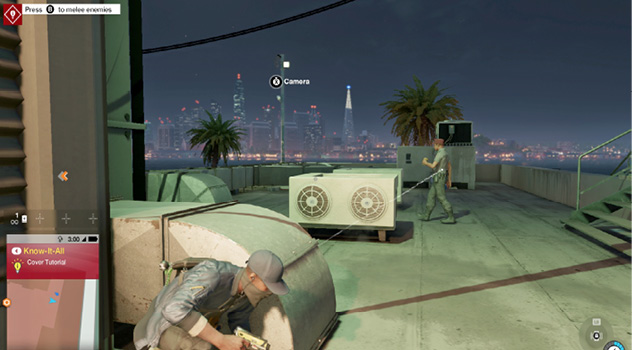
Use this button when you want to move into cover, such as while inspecting a location without raising the alarm, hiding from foes during an infiltration, or stopping yourself from being struck by enemy fire during a fight. Almost every wall, pillar, post, box, hedge, vehicle, and other bit of scenery is useful and can be used as cover; however, some cover, such as wooden pallets, can break under explosive or rapid fire, and others, such as glass walls, obviously don’t provide cover from foes. Look for the onscreen prompt that signifies cover is available, and move from an upright to a crouched position.
Cover Interactions
When you’re in cover, you should primarily use this button and your camera to “steer” yourself through the environment. Pan the camera around slowly to see additional cover opportunities, and tap the button to move to them. Remember, these can be above or below you as well, though you must have a clear path to reach the next cover spot. If you’re near a corner, an onscreen prompt (“corner”) allows you to move around the corner. If there’s a small gap between cover opportunities, an onscreen prompt (“swap”) allows you to move between them.
You don’t need to be right up to a piece of cover to crouch by it; run and hit the Cover button multiple times until you can gauge the distance to where Marcus hides behind a cover spot. Unless you’re exposed to an enemy’s gaze during this time, you’re usually hidden. Practice these movements for a while before using them during a more dangerous operation.