
Watch Dogs 2 Guide Training Part 2: Hacking
Profiling
By holding down the Hack button, you can use your profiler to learn facts about people and objects. Anything you target with information about it will appear on your screen.
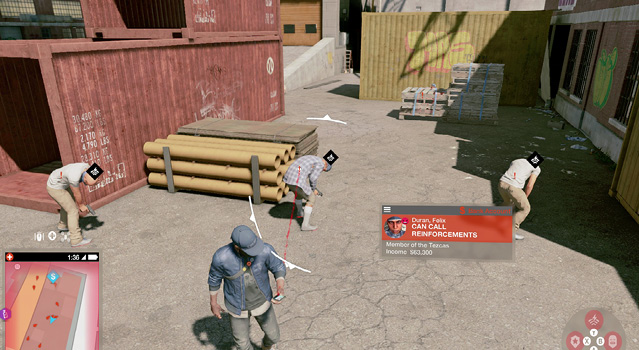
Citizens: Those with a gray box have little valuable information. Citizens with a blue box have some type of information to impart (see Hacking: People, previously). The type of information is listed in the box.
Enemies: These have similar information, in a blue or red box. If you’re profiling an enemy, this shows which foes can call in reinforcements, thus making them primary targets for “removal. If you’ve tagged a foe for the police or a rival gang to take out, this information supplants the previous information.
Vehicles: These have their model and make, which is handy to check against your Car on Demand app; if you like a vehicle, profile it to see the make, and order it with the app after visiting a car dealership.
Objects: These have a gray box detailing what hacks are possible. A scissor lift, for example, reveals it can be remotely controlled. An AC unit can be hacked to deliver a nonlethal shock.