
Battlefield 3 Premium Guide Essentials Basics
Spawn Screen
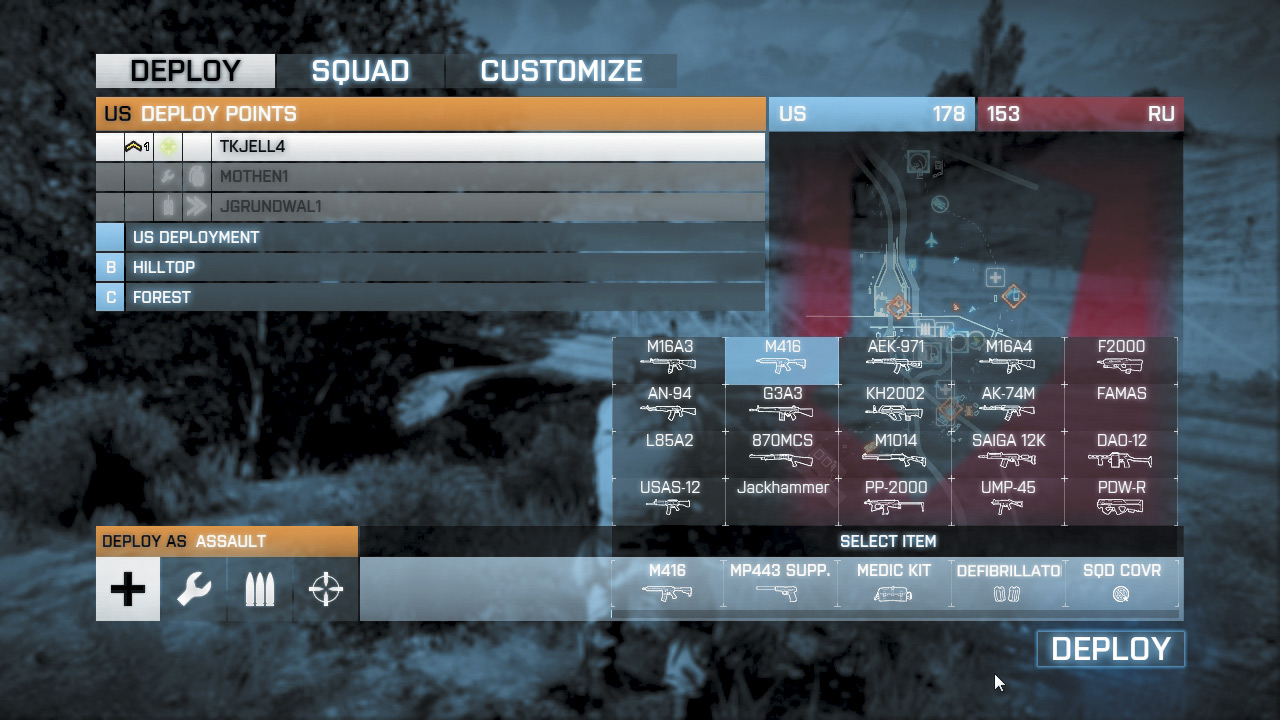
When you first join a game, the spawn screen is where it all begins. Before immediately jumping into the game, take a few seconds to choose your class and gear.
It’s possible to switch primary weapons from the spawn screen, but if you want to make more adjustments to your kit, choose the Customize option. This opens a new screen allowing you to select different sidearms, gadgets, and specializations.
You can also customize your primary weapon with accessories you’ve unlocked.
Once you’re finished adjusting your loadout, return to the spawn screen and figure out where you want to join the fight. If you’re in a squad, you can spawn on any living squad member.
Or if a recon squad member has deployed a Radio Beacon, you can spawn at its location. Depending on the game mode, there are also bases, deployment areas, and control points where you can spawn.
New to Battlefield 3, if there are jets or helicopters available, you can spawn directly into the pilot’s seat of these idle aircraft.
US troops can also spawn directly into the AAV-7A1 AMTRAC, an armored vehicle that serves as a mobile spawn point. As you can see, the spawning options are numerous. In most instances you should spawn on or close to your squad so you can provide support.
But if your squad is in a tense firefight, sometimes it’s safest to spawn at a less dangerous location, otherwise you may get killed as soon as you spawn into the game.