
Assassin's Creed Origins Guide The Essentials
Tools
Bayek carries a limited number of each tool, which can be increased by upgrading the tool pouch. The table displays the maximum number available at each level of the pouch. Tools can be refilled at any ammo stand or purchased from shops.
Six tools become available as you purchase the corresponding abilities: berserk, firebomb, flesh decay toxin, poison darts, sleep darts, and smoke screen. These abilities can be improved with other abilities on the Master Seer side of the skill tree. See Abilities in the “Reference and Analysis” chapter for more information.
Available Tools
| Tool | Max # (Lv 0/1/2/3/4/5) | Description |
|---|---|---|
|
Berserk |
3/3/4/5/6/9 |
Use this substance on careless enemies to turn them against their allies. |
|
Firebomb |
3/3/4/5/6/9 |
Throw this bomb to set your enemies ablaze. While in game, hold left on D-pad to equip this tool. |
|
Flesh Decay Toxin |
5/6/7/8/10/15 |
Use this substance to infect a dead body and allow it to contaminate nearby enemies. |
|
Poison Darts |
3/3/4/5/6/9 |
Launch these darts to disable an enemy and spread poison to nearby enemies. While in game, hold left on D-pad to equip this tool. |
|
Sleep Darts |
3/3/4/5/6/9 |
Launch these darts to put lower-ranked enemies or animals to sleep and move past them without being detected. While in game, hold left on D-pad to equip this tool. |
|
Smoke Screen |
3/3/4/5/6/9 |
Firebomb
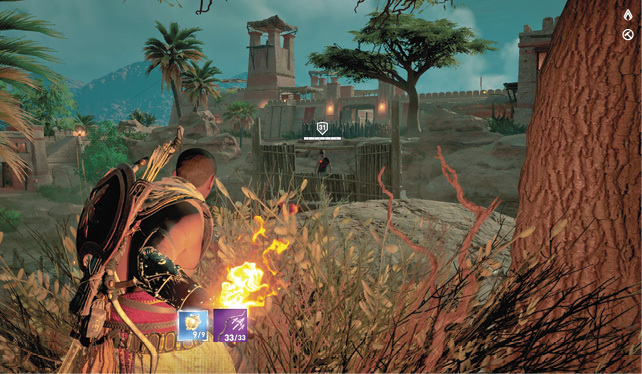
Firebombs set enemies and certain flammable objects on fire upon impact, causing extra elemental damage. Be careful, as Bayek can catch on fire just the same, so steer clear of the hazard. Fires are good for damaging your rivals, and they can create a barrier between enemies and yourself. Bayek can fling these a decent distance, so keep them in mind whenever infiltrating an enemy base. Be sure to aim above a distant target, as gravity brings the projectile to the ground.
Smoke Screen
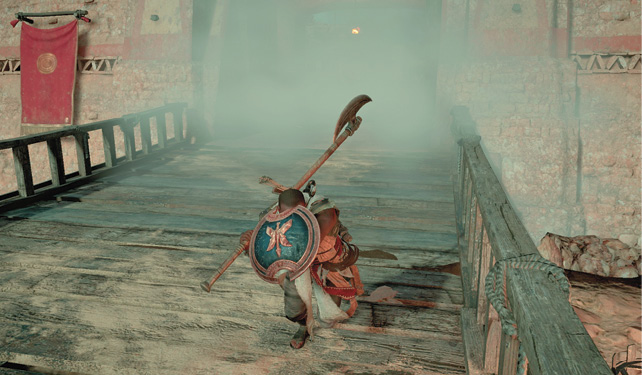
Once you have the Smoke Screen ability, you can add a cloud of smoke to a fight after performing a successful melee attack or dodge roll. Quickly press the Loot button after these actions to use the powder, stunning nearby enemies and creating a smoke screen. With the Smoke Screen Damage ability, this tool becomes more valuable—damaging any enemy caught in the cloud.
The smoke breaks line of sight, allowing you to flee trouble, so it is best to have at least one available for fights that become overwhelming. Also note that you cannot target an enemy in a smoke screen.
Certain soldiers will use their own smoke bombs to create these clouds, so keep an eye out for incoming smoke—indicated by the yellow circle.
You can keep an enemy staggered by alternating melee attacks and smoke screens, though this will run through your supply quickly.
Sleep Darts
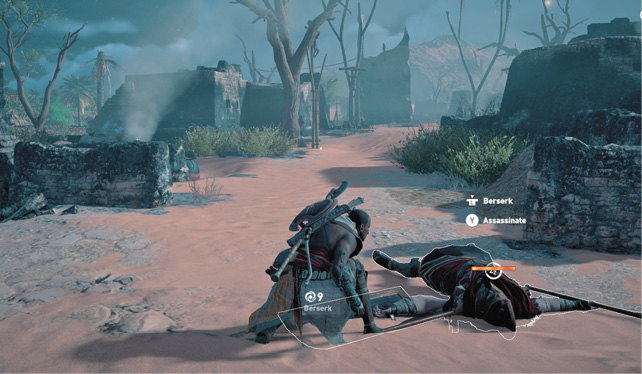
Sleep darts are incredibly useful in battle, especially when facing multiple foes. Enemies or animals at your level or lower will fall asleep with a successful hit. Use it on a lone rival and sneak past while he snoozes or hit one or two targets so that you can concentrate on another.
With the Animal Taming ability, you can use a sleep dart to get a companion. Put the animal to sleep and then hold the indicated button to make it your pet. Predators and defensive animals will fight by your side.
A meter counts down the time that the enemy or animal remains asleep. A slumbering foe will awaken with an arrow or melee attack, and you can assassinate them by pressing the Loot button. You can also apply Berserk to a sleeping enemy.
Flesh Decay
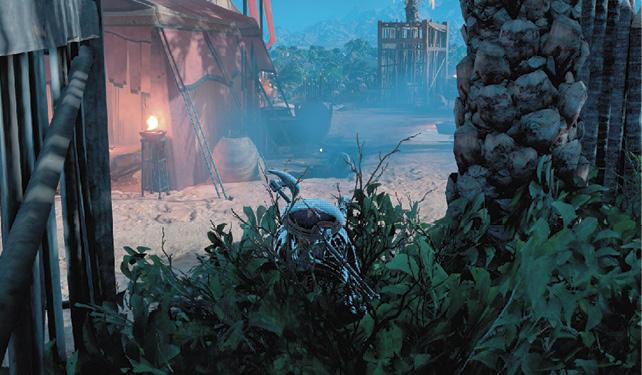
When standing next to any corpse, click the left stick to apply the Flesh Decay ability. These poisoned corpses contaminate nearby NPCs, staggering anyone caught in the gaseous cloud. When a group of enemies are incoming, infect a body between them and you—giving yourself extra time to get away or go in for easy kills.
Berserk
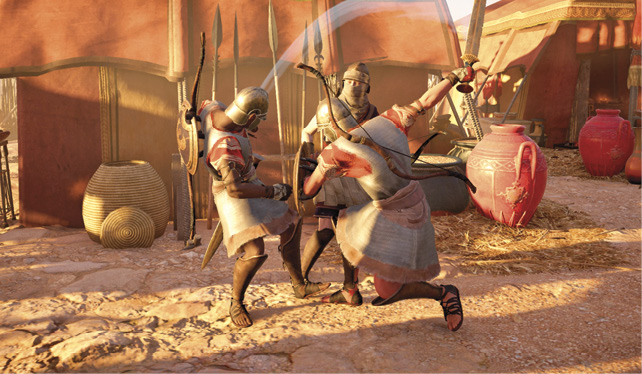
Approach an enemy undetected and click the left stick to turn him berserk instead of assassinating him. This causes the foe to attack his nearest target. Note that this cannot be applied to captains and commanders at enemy bases.
Use this ability to cause chaos when infiltrating a stronghold. Note that you have a moment to apply berserk while being detected by a nearby guard. This is considered a hostile act, so if you use it on a soldier in an unrestricted area, they will come after you.
Poison Darts
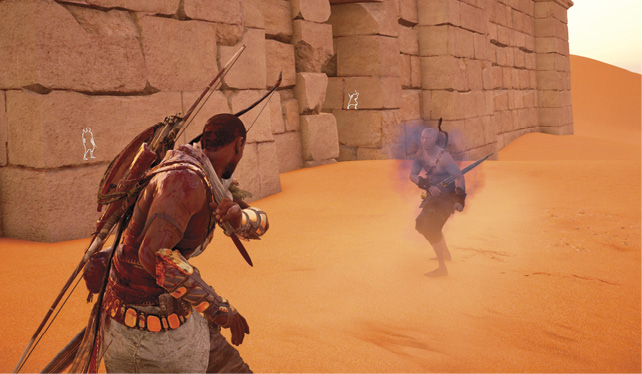
Hitting an enemy with a dart inflicts poison that periodically deals damage and contaminates nearby foes. This is a great way to begin a fight; hit a couple guards with the poison and let it spread to others. Bayek may not appreciate the smell, but the poison does not hurt him.