
Mobile Gaming Guide — Tips, Tricks, and Strategies for Today's Hottest Mobile Games Vainglory 5v5
What You Need to Know
The In-Game Interface
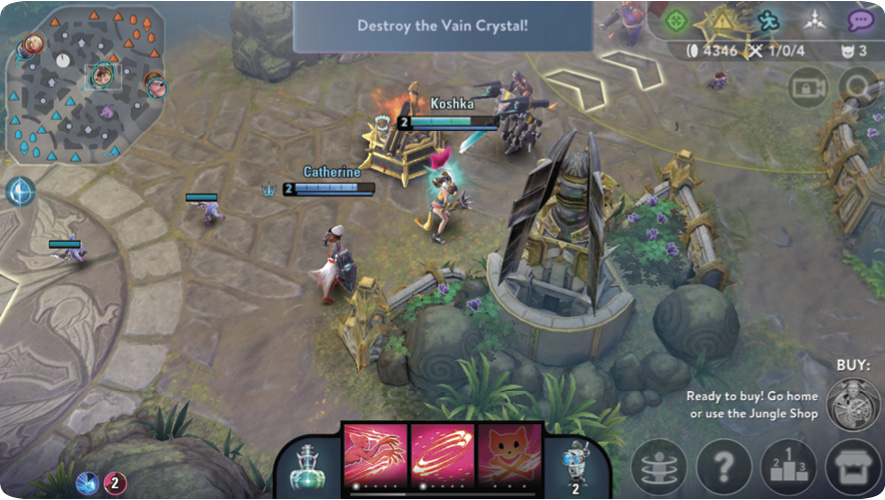
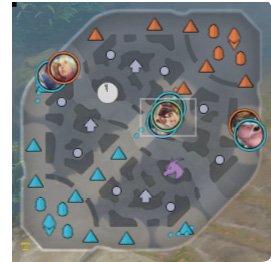
The Vainglory HUD is fairly standard. The items presented (from left to right) are: the map, usable items, healing flask, skills, scout cams, indicators and quick chat, home base teleport, help, scoreboard, the shop, and the quick-buy button. Above your hero a green bar showcases your current health level and a blue bar shows your current mana.
Map
The map shows the location of the three lanes and the two bases. The heroes’ locations are indicated by small portraits.
Usable Items
Items that have active effects are shown on the left side of the screen. Tap to activate an item you want to use.
Indicators and Quick Chat
Five options at the top right of the screen can be used for quick communication with your teammates: a green icon that can be used to indicate something of interest, a yellow danger icon to indicate that a teammate should get away from some kind of danger, a blue icon to indicate that you are headed somewhere, and a white icon to indicate that your teammates should converge on a location. The purple speech bubble contains a list of many quick chat options that may be helpful.
Healing Flask
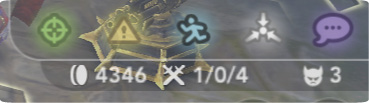
On the left side of the bar that houses your skills there’s the button for the healing flask. This item grants you a small amount of healing but has a 120-second cooldown.
Skills
Your skills are located in the bottom middle of your screen. Every hero has two skills and an ultimate ability.
Scout Cams
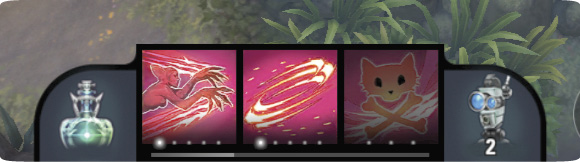
Everybody starts the game with two scout cams. Scout cams can be placed to provide vision in an area for a certain amount of time or until destroyed by the other team. Additional scout cams can be purchased at the fountain shop.
Home Base Teleport
Located in the bottom right corner of the screen alongside other icons is the warp icon, which allows you to teleport back to your Vain crystal after a set amount of time. This teleport can be interrupted if your hero takes damage.
Help
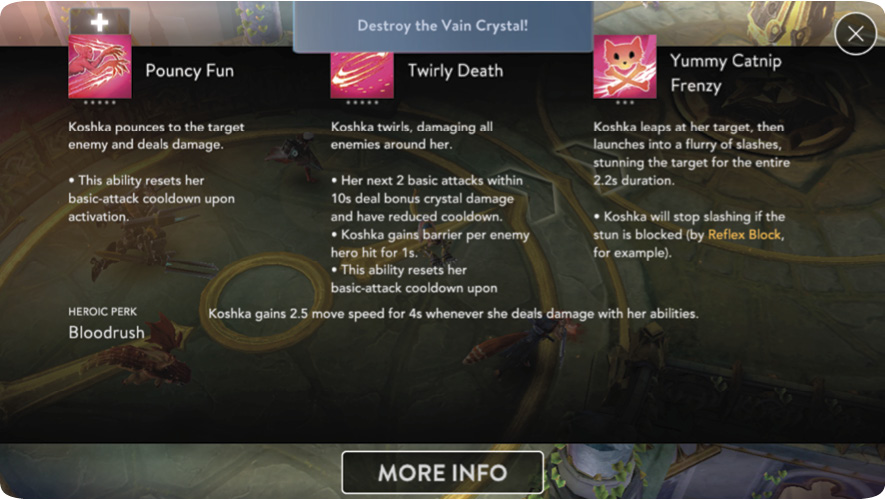
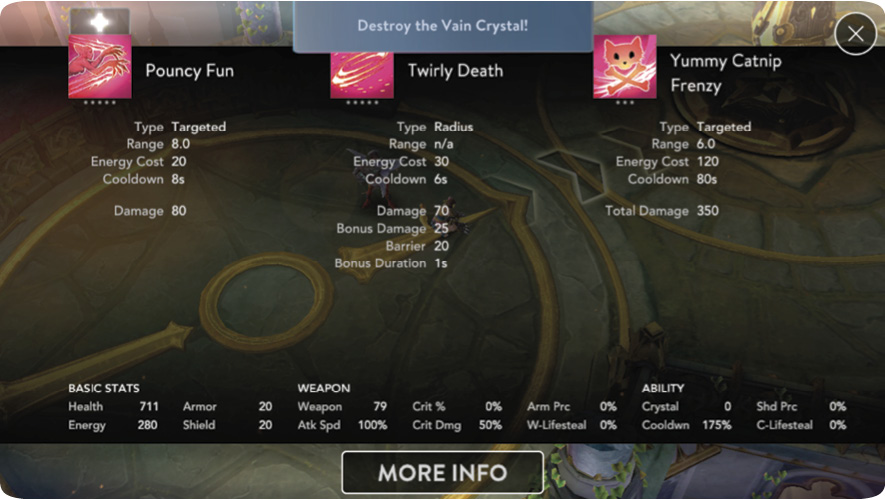
Next to the teleport icon is the help icon. Tapping it shows you a page with information detailing your selected hero’s skills and passive perk. The button labeled More Info shows you the damage type, energy cost, damage value, and cooldown of the skills and ultimate ability of the selected hero. This page also shows the stats of your selected hero, such as health, energy, and armor.
Scoreboard
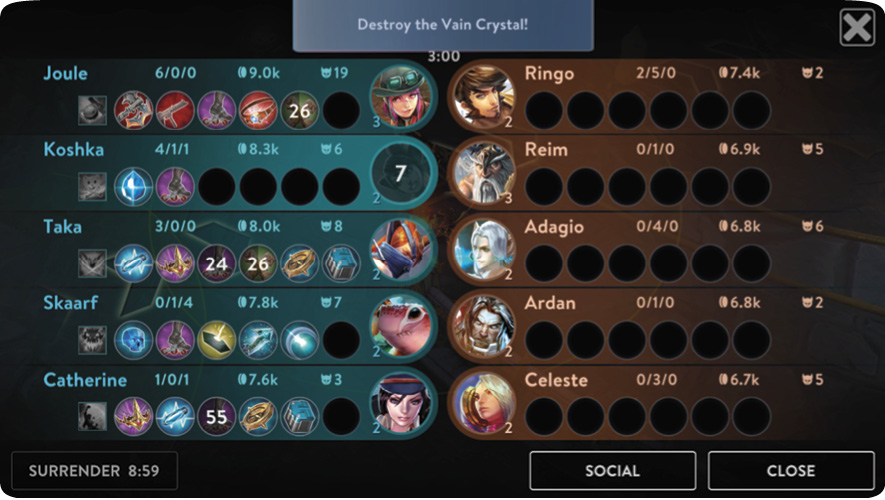
The scoreboard shows a great deal of helpful information about the current state of the battle. It shows you and your teammates’ purchased items as well as your team’s and the opposing team’s current kill/death/assist values.
Shop
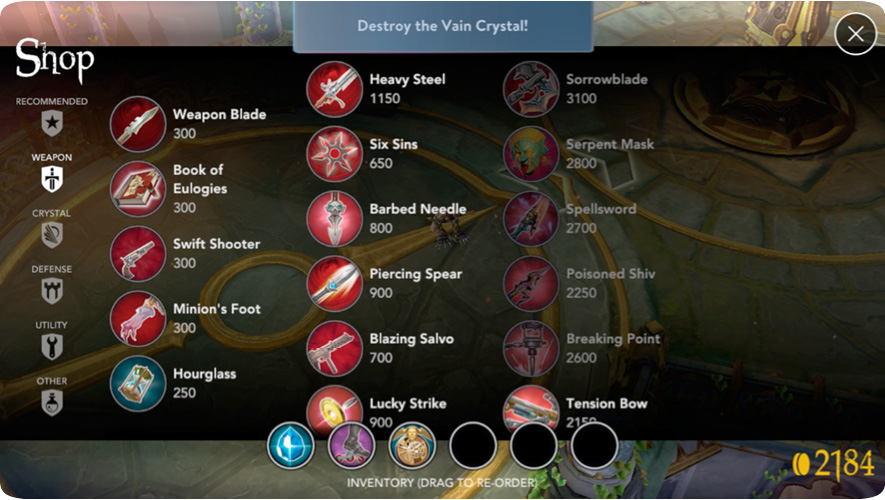
Tapping the shop button takes you to the shop page, which features several categories of items that can be used to add beneficial effects and skills to your character. The Recommended tab helps choose an item build that best benefits your selected hero. The Weapons tab presents you with items that are usually built for increasing your hero’s damage. The Crystal tab shows items that increase the strength of abilities.
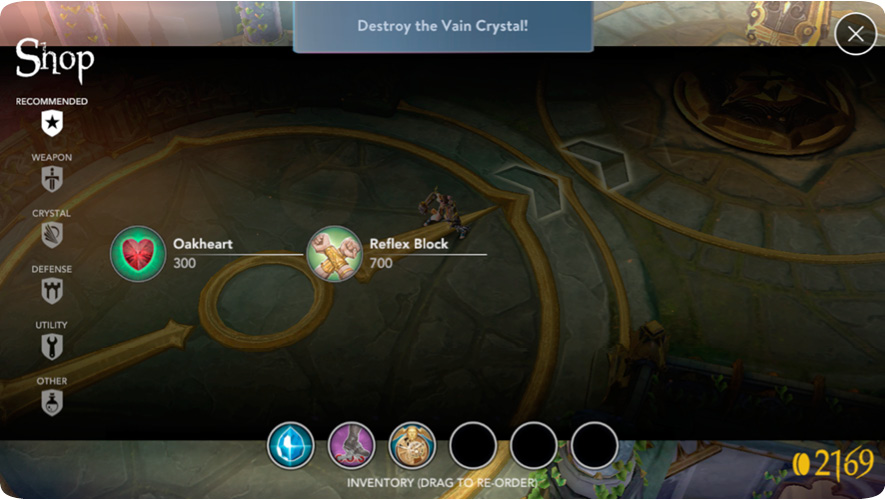
The Defense tab deals with items that generally make your hero more durable. The Utility tab shows items that might be helpful, but their usefulness may vary greatly depending on the situation. The Other tab shows items that are consumable (like the weapon or crystal infusion, which temporarily boosts attack power or cooldown speed, respectively), provide vision (like the scout cam), and provide less intensive temporary skills (like the contracts).
Quick Buy Button
The quick buy button is on the right side of the screen and features an image of the next item up on the Recommended tab of the shop page. This allows you to swiftly purchase the next item necessary for your selected hero’s build without having to navigate the shop menu.
Modes
5v5
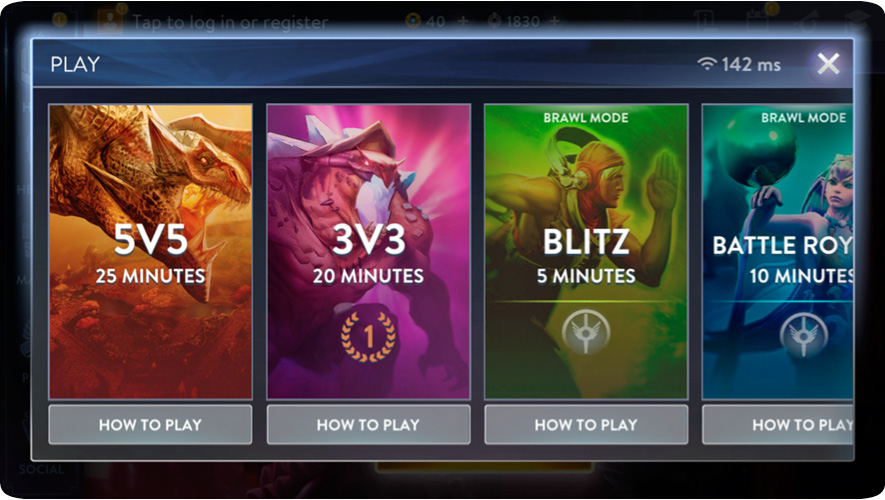
This is the standard 25-minute Vainglory battle mode. In 5v5 you and your team must attempt to win the three lanes from the other team as you push your way toward the opposing team’s base turrets and then finally to their Vain crystal, where you attempt to deplete its health bar.
In this game mode, there are also jungles where your team can secure extra gold by defeating neutral enemies, but these neutral enemies and their gold can also be taken by the opposing team. A river separates the sides of the map. Along the river there are two shops with powerful items, as well as spawn points for dangerous but rewarding neutral foes. When moving with the flow of the river your hero has increased movement speed.
3v3
This 20-minute game mode is much the same as the 5v5 except there are only three members on each team, and at different times there’ll be unique creatures that spawn. First there’s a sentry that’ll protect your team’s jungle and attack any enemies that get too close. The next enemy to spawn is the gold miner, who accumulates gold over time and provides a great gold reward to the team that manages to defeat him. The final enemy to spawn, the kraken, is very useful. The kraken is very tough to defeat, and doing so may require the help of your teammates, but when she is defeated she’ll fight for the team that defeated her and will help to push toward the Vain crystal and destroy turrets.
Blitz
This five-minute game mode is designed for a quick and fun brawl. The team’s objective is to reach 15 points. Players earn one point for defeating an opposing player and three points for destroying the opposing crystal sentry, the middle sentry, or enemy turrets. In Blitz players start at a higher level and have more gold to help escalate the level of play early on.
Battle Royale
In this 10-minute game mode players constantly clash in a single lane as they attempt to destroy the opposing team’s turrets and make their way to the enemy’s Vain crystal. Heroes are selected at random from the entire Vainglory roster, for everyone in the game. In Battle Royale, players can purchase items at the start, but once they leave a barrier surrounding the sanctuary they cannot return to purchase items until they respawn.
Heroes Tab
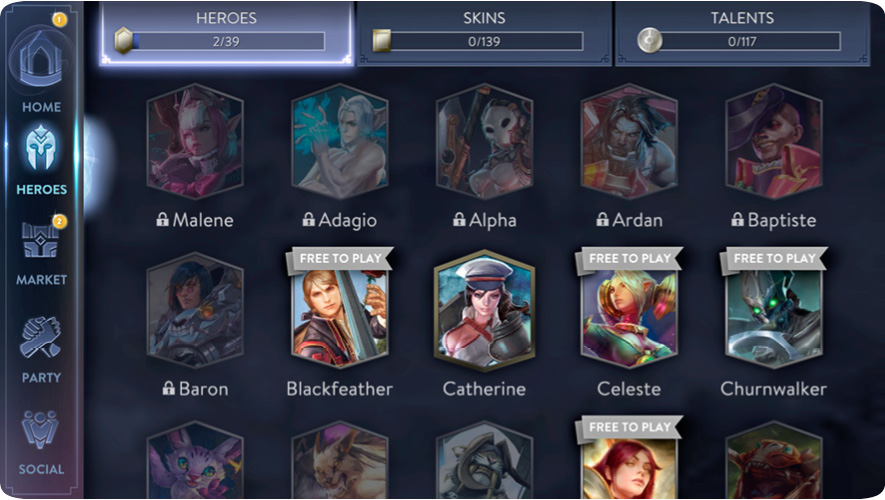
Tap this option to be taken to the entire Vainglory hero roster. From this page, you can select new heroes to purchase as well as a wide array of cosmetics for each hero. You can also select a hero to see their abilities and even get general tips on how to play them. You can also purchase talents for each hero that are usable in certain game modes.
Party and Social Tabs
In the Social tab, you can see and add new friends as well as join a guild or a team. From this list of friends, you can create a group and start playing from the Party tab.