Mobile Gaming Guide — Tips, Tricks, and Strategies for Today's Hottest Mobile Games Battle Of Polytopia
Conquer the World
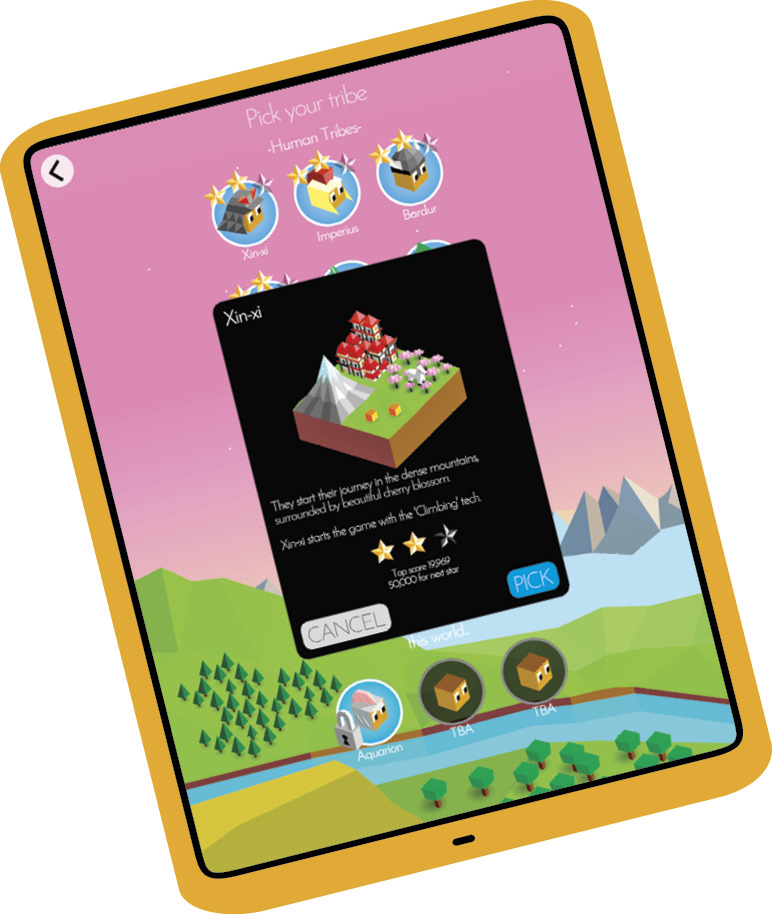
Each game takes place on a map with randomly generated terrain that is tailored to the tribe in a given area of the map. Each playable tribe has a starting advantage (see table) and distinct looks for their units. There are four tribes available immediately—Xin-Xi, Imperius, Bardur, and Oumaji—but the rest must be purchased. As an incentive, purchasing a tribe also unlocks multiplayer.

| Tribe | Free / Buy | Starting Advantage |
|---|---|---|
|
Xin-Xi |
Free |
Climbing tech |
|
Imperius |
Free |
Organization tech |
|
Bardur |
Free |
Hunting tech |
|
Oumaji |
Free |
Riding tech |
|
Kickoo |
Buy |
Fishing tech |
|
Hoodrick |
Buy |
Archery tech |
|
Luxidoor |
Buy |
Level 3 city + city wall |
|
Vengir |
Buy |
Smithery tech |
|
Zebasi |
Buy |
Farming tech |
|
Ai-Mo |
Buy |
Meditation tech |
|
Quetzali |
Buy |
Shields tech |
|
Aquarion |
Buy |
Modified technology tree, unique water units |
Each turn begins with harvesting the resource (stars), which you may expend in different ways. Stars are used to harvest natural resources, construct buildings and improvements, muster military units, and research technology. Since your stars are limited, you must balance how they are spent in order to maximize their benefit to your tribe.
Cities
There are two ways to add cities to your empire. The most common way is to send out your military units to find villages, which become level 1 cities after conversion. The other way is to invade another tribe’s city and convert it. More cities, and larger cities, mean more star production per turn and greater potential production of the units necessary to explore and conquer.
There are two ways to grow individual cities: harvesting natural resources and constructing buildings and improvements. There’s no downside to growing a city larger, other than expending stars that could be used elsewhere.
Harvest Natural Resources
Natural resources don’t grow over time, which means you should harvest them as early as possible. All you need to do is learn the requisite technology and have enough stars available to complete the work. The majority of resources increase the nearest city’s population when they’re harvested. A few, notably whales, turn into stars.
Construct Buildings
Buildings require more planning because each square can hold only one building, meaning you’re limited by the borders of each city. Farms, mines, ports, lumber huts, and temples add population. Sawmills, windmills, and forges also add to your population, but they can’t be built until after one of the previous buildings has been constructed. Customs houses increase star production for every port adjacent to one.
Connected Capital
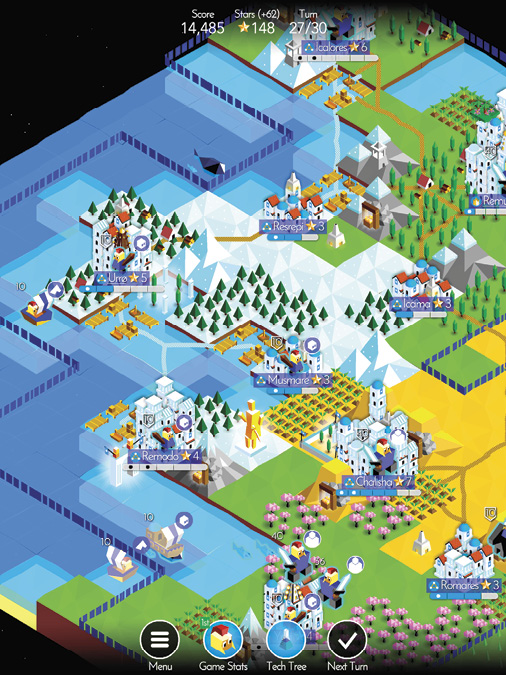
Roads and ports also boost the populations of your capital and each city connected to it. All you need is an unbroken path (roads and white-colored shipping lanes in the water) to make the connection. Roads can be built on improved squares without impacting the buildings on them. Shipping lanes pop up between two friendly ports with a shared coastline. For inland cities, connect your city to its port with a road.
Units
Units perform two functions: They explore the world and project force. Since there are no peace treaties in Battle of Polytopia, you’re essentially at war with every other tribe on the map at all times.
Send out units to explore the world, convert villages, and engage with enemy units. Keep some units in your home territory. Without protection, your cities will fall into the hands of your enemies.
Each city can produce one unit per turn, and each city can support only as many units as it has population notches. Black dots inside notches indicate the number of units currently supported by each city.
Naval Units
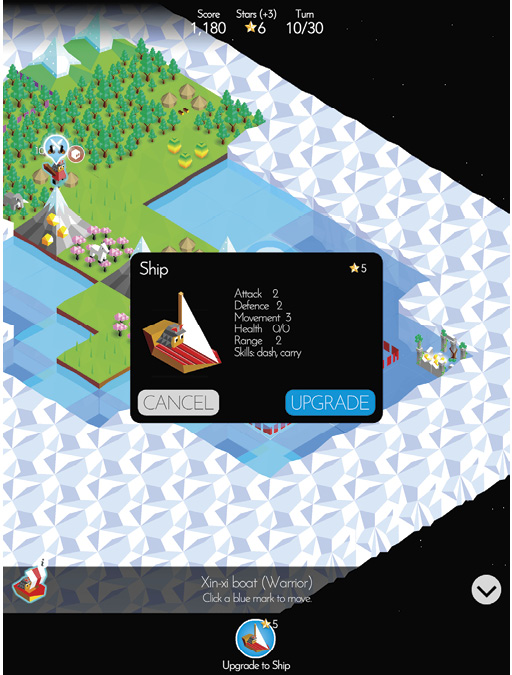
Ground units that move onto ports become boats. At the cost of stars, boats can be upgraded to ships, and ships can be upgraded to battleships. Any upgrades are lost when a unit returns to land. If a previously upgraded unit returns to port, it starts over as a boat.
Attack, defense, and movement for naval units are based on the type of naval unit (boat, ship, battleship), but the unit’s health carries over. For example, a giant at sea, whether as a boat, ship, or battleship, has the same health as the giant on land.
Unit Skills
The skills for a unit appear on the Build window (when you muster one in a city). For naval units, they appear on the Upgrade window.
| Skill | Description |
|---|---|
|
Carry |
Unit can travel on coastal water squares. After Navigation has been researched, unit can travel on all water squares. |
|
Convert |
Unit converts opponent into a friendly unit. |
|
Unit may attack after moving. |
|
|
Escape |
Unit may move after attacking, even if it moved prior to attack. |
|
Heal |
Unit restores health to friendly units in adjacent squares. |
|
Persist |
Unit may attack again provided its previous attack killed an opponent. |
|
Scout |
Unit has wider field of view. |
|
Swim |
Unit moves freely between land and water (Aquarion-only ability) |
Tech Tree
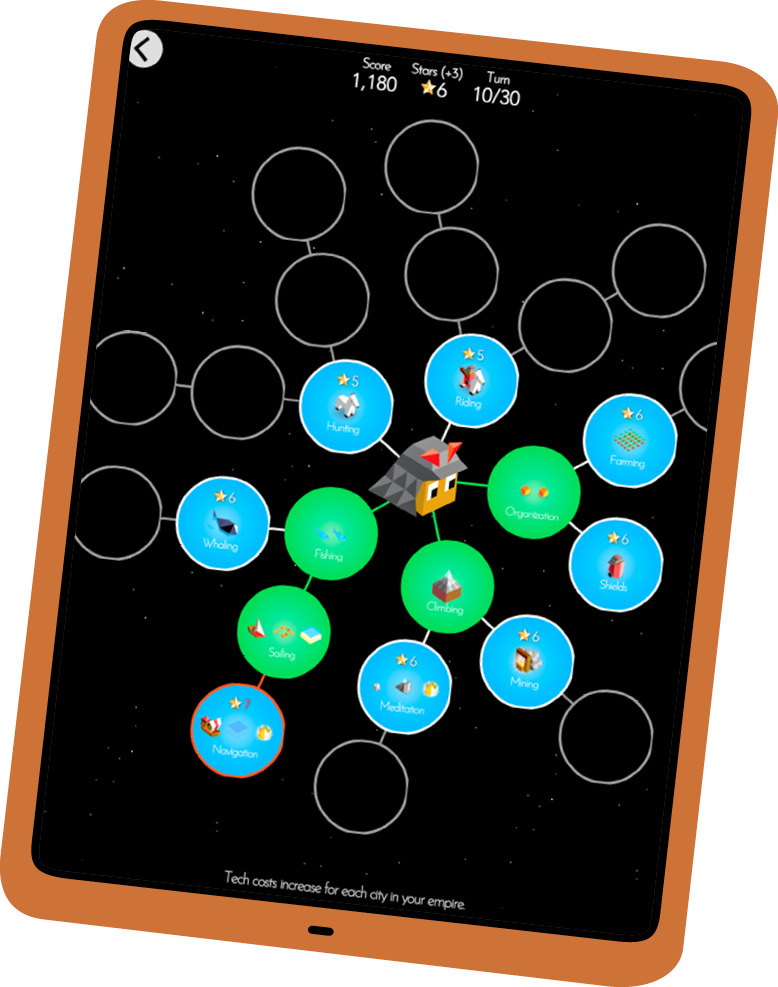
Tap the flask at the bottom of the screen to bring up the Tech Tree. The circles represent all the technologies in the game, which are organized into three tiers. Tier 1 technologies are closest to the center. Individual tier 2 technologies become available after certain tier 1 technologies are purchased. Tier 3 technologies are unlocked with tier 2 technology purchases.
Tier 1 technologies have an initial research value of five stars. Tier 2 ones cost six, and tier 3 techs cost seven. However, each city added to your empire increases those costs by one, two, or three depending on the tier. A tier 3 technology, Philosophy, decreases the cost of research.