
Mobile Gaming Guide — Tips, Tricks, and Strategies for Today's Hottest Mobile Games Crashlands
What You Need to Know
General
• To move, tap where you want to go on your screen or simply hold down on the screen.
• To destroy, tap on the material you want to harvest.
• To attack, tap on the thing you want to attack.
• To build, tap the land you want to build on.
UI
• Inventory is in the bottom left. This is where you keep all your items that aren’t being used in building.
• Quest and data logs are located above the inventory. This tab displays recently spoken dialogue, current quests, stats, and data on materials and creatures on the planet.
• Building mode is to the right of the quest and data logs. This tab is where your building structures are located and where you select them for placement.
• The map is below building mode and to the right of the inventory. This is used to navigate around the planet.
• Your equipped items are displayed in the four blocks at the bottom of the screen. Tap a block to equip it or use it.
• The menu is in the bottom right corner. Use it to pause and change settings.
• Time is located above the menu.
• Your health bar is on the top right.
• Tracked crafting recipes are in the top right corner. The recipes show you what materials are needed to craft the item.
Crafting and Building
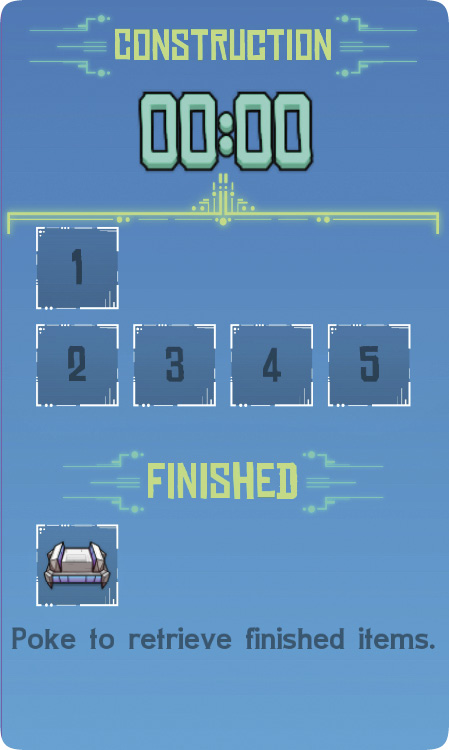
Crafting is very straightforward. Go to the crafting station required for the type of item you want to build, gather the materials you need, click on the item, and press Build. Once you have finished crafting it, it’ll show up under the finished section in the Construction tab. Collect it from there to place it in your inventory.
Once you’ve crafted a structure for building, enter the Building menu and select that item. Place it on the ground in a desired location for the construction. Keep in mind that building wood floors in your structures keeps enemies from spawning up in that area in the future.
Incubators
Eggs drop from certain enemies and can be crafted in one of the crafting stations. Incubators are made to hatch animal eggs. Once an egg is placed in the incubator, you need to wait a certain amount of time before it hatches. When it does hatch, you can name the animal and it becomes your companion. The companion can aid you during battles. If you don’t want it to follow you, you can put the animal back in its nest. Other options are available, like milking it.
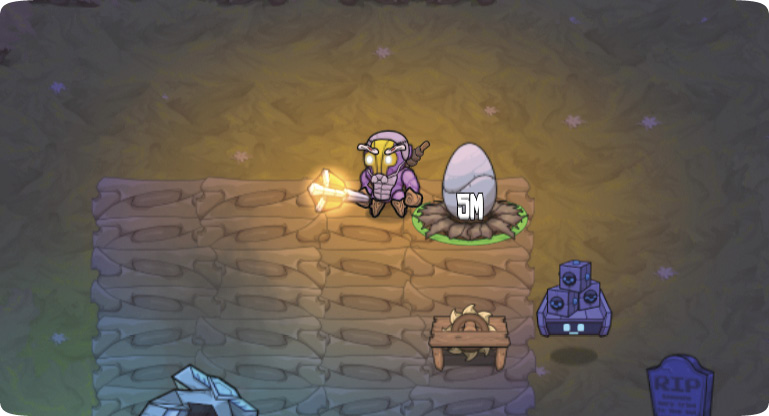
If you get enough essence orbs from your animal companion, then you can upgrade your companion—it takes a lot of orbs but it’s worth it. Upgrading your companion makes it stronger in battles.
Farming
To be able to farm you need to make “furdle durt.” Furdle durt allows you to plant seeds. For one batch of furdle durt (four units) you need eight units of dirt and four of sawdust. Your partner, JuiceBox, gives you the blueprints for this when you collect approximately 30 to 40 seeds.