
Mobile Gaming Guide — Tips, Tricks, and Strategies for Today's Hottest Mobile Games Linelight
Two-Dimensional Puzzle Solutions
If you’re using a touchscreen device, then that is your controller. Keep a finger or thumb on the screen and your cursor (the bright line) moves with it. If the controls feel too touchy, or not responsive enough, you can adjust that in the settings.
Guide your cursor along the track until a puzzle stops your progress. Two types of complications make up the puzzles: computer-controlled cursors of various colors (“enemies”) and obstacles built into the environment. Initial puzzles will have one or maybe two of these complications. As you progress deeper into each world, the game combines multiple mechanics into complex puzzles.
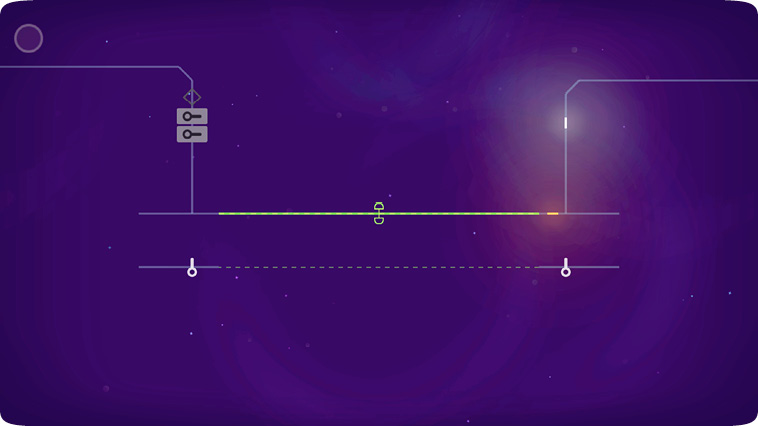
Enemies
These colored cursors are tagged as enemies because if they touch your cursor, you are sent back to the start of the puzzle. Of course, you can’t simply avoid them. The solutions to many puzzles involve tricking these colored cursors into opening locks or toggling lines to open a path you couldn’t otherwise create. Enemy cursors come in four colors: red, orange, purple, and pink.
Red cursors move in set patterns. When you encounter them, observe the path they follow a few times before you get too close. Getting past red enemies generally requires quick reflexes and precise timing.
Orange cursors also move in set patterns, but they generally don’t move unless your cursor is in motion. To view their patterns and judge their speed safely, double tap the screen and hold your finger steady. Your cursor won’t move, but the orange cursors will.
Purple cursors are magnetic. They move when you double tap and hold down your finger. They attempt to reach your cursor but can only follow the existing lines. They are often limited by boundary lines.
Pink cursors are mimics. You spawn them by entering a narrow rectangle that briefly turns your cursor pink. Any action you take while your cursor is pink (a quick flash lets you know when the time is about to expire) is repeated by the pink cursor that emerges from the rectangle. After the pink cursor completes its task for you and it’s in the way, double-tap and hold until it dissipates.
Obstacles
An obstacle is anything that impedes a cursor’s progress, either completely stopping it or altering the way it moves. Obstacles affect all cursors equally, even those controlled by the computer.
When you encounter moving dashed lines that are the same color as the track, note the speed at which they move. When any cursor is on them, the cursor speeds up or slows down to match the lines.
Solid lines of various colors are controlled by a nearby toggle or toggles. With multiple lines and toggles, the colors of each indicate the toggle(s) that controls a given line. Moving through the toggle changes the location or size of the corresponding line. The line switches location or size each time a cursor passes through the toggle, regardless of the direction it enters.
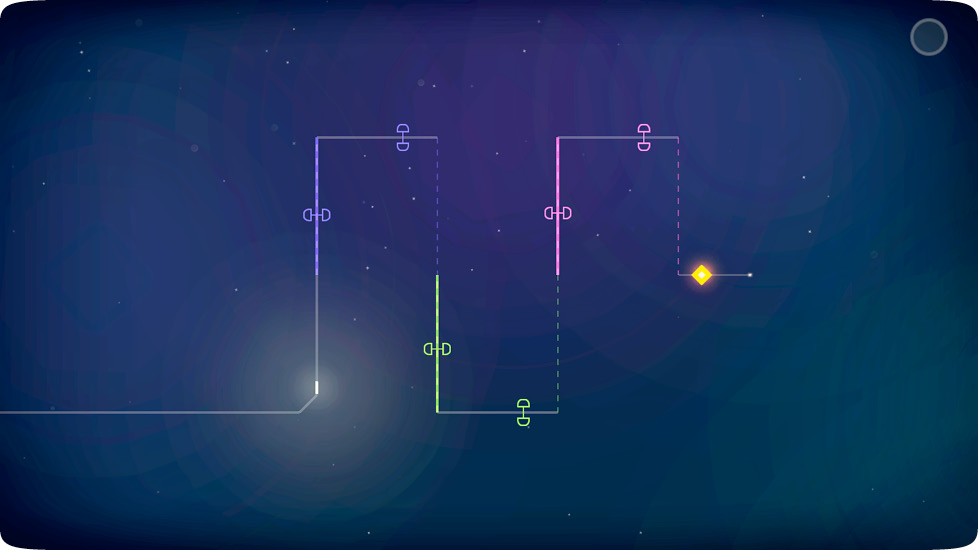
A common obstacle you encounter is a rectangle that blocks the path. There are a few varieties, and each requires a different action to remove it and open the path ahead.
For rectangles with a key shape in them, there will be a key nearby that unlocks it. If you are struck by an enemy after obtaining the key but before opening the lock, the key resets to its original position.
To open rectangles with colored outlines, guide a cursor into a patch of track outlined in the same color as the rectangle. The number of lights inside the rectangle indicates how many patches of track must be activated at the same time to open the rectangle. For any number of lights greater than one, you must enlist the help of other cursors.
Rectangles filled with a color are removed upon contact with a cursor that matches the fill color. The challenge with these rectangles is guiding the enemy cursor to it without getting your cursor caught in between.
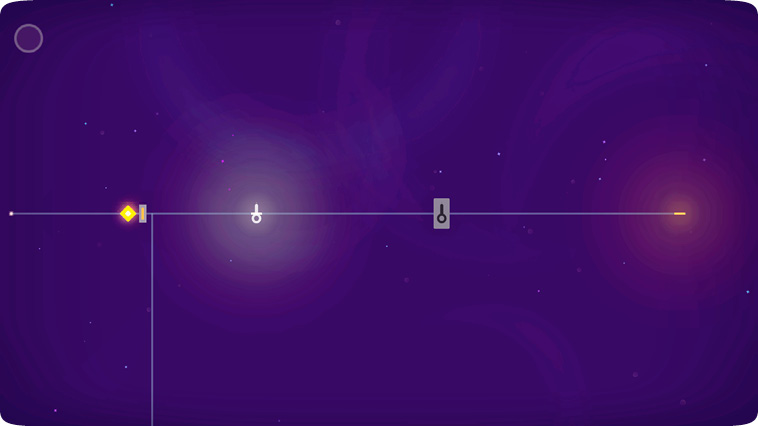
A Smaller You
The final tool you employ in solving puzzles is a curled line that crosses over the path. Going through the curls in the proper direction generates a smaller version of the cursor that passed through it. The smaller cursor follows whatever it has copied and will leave traces of itself in certain intersections.
Only a lit up curl will generate the smaller version, so if you encounter one that looks empty, you must locate another curl and move its smaller cursor to fill it by going through backward. Colored cursors will also gain a tail if one passes through a lit up curl.