
Battlefield Hardline Guide Multiplayer: Getting Started
Squad Play
If you’ve played past installments of Battlefield, you know the benefits of joining a squad. A squad is a five-player unit that can communicate with each other over headsets. Being able to talk to the other players in your squad allows you to discuss each situation and respond as a single unified fighting force. Beyond the obvious tactical advantages, being in a squad allows you to earn the squad bonus points, boosting your score and fast-tracking promotions. But if you’re new to Battlefield and the squad system, let’s take a look at how they work.
Joining a Squad
Upon joining a match, you’re automatically assigned to a squad. Chances are your new squadmates are complete strangers, so say hi and discuss loadouts before the match starts. If you prefer playing with friends, you can create a squad from your friends list before even joining a game. You don’t need five players to form a squad, so feel free to join a game once you have at least one friend on your side. However, if you have less than five players in your squad, the extra slots could be filled by strangers. Once formed, squads can be locked, preventing others from joining without an invite.
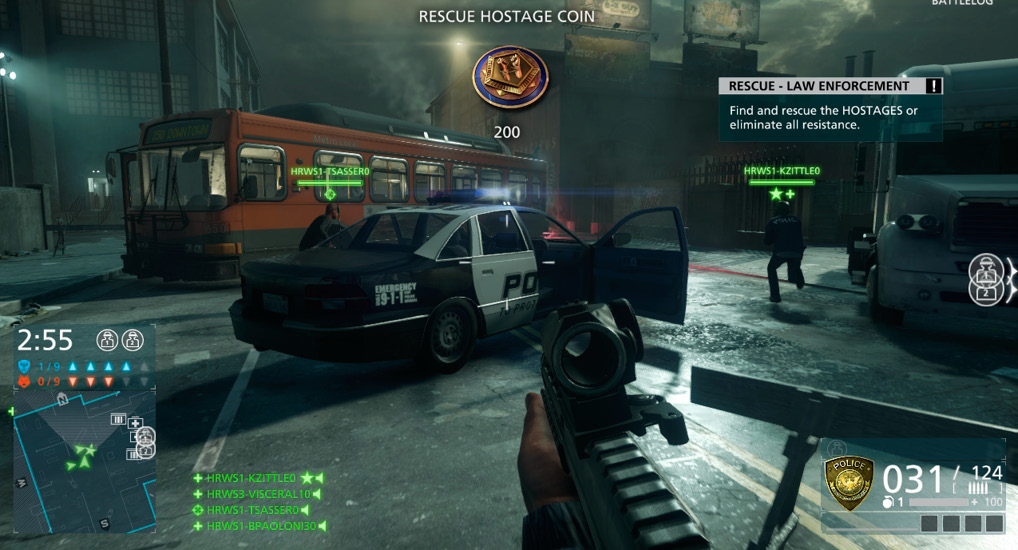
Your squadmates have green name tags above their heads; don’t wander too far from your buddies.
Squad Spawn
One of the huge benefits of playing in a squad is the ability to spawn on any squadmate. In the deployment screen you can see a number of spawning options, including your team’s base and vehicles. If you don’t want to spawn at one of those static locations, select one of your squad members, represented by a green icon on the deploy screen. As you select their icon, the camera view in the left corner of the deployment screen switches to the selected squad member’s perspective. Before spawning on a squad member, make sure they’re in a safe location. The last thing you want to do is spawn in the middle of an enemy kill zone. You can also spawn on any squad member who is in a vehicle with unoccupied seats. Satellite phones, deployed by mechanics, can also serve as spawn points. These gadgets can be placed almost anywhere on the map and serve as forward spawn points for your squad. This is a great way for attackers to maintain a presence close to an objective, especially during Heist matches. But don’t let enemies see where your satellite phone is placed, otherwise they may camp nearby and pick-off your squadmates as they enter the game.
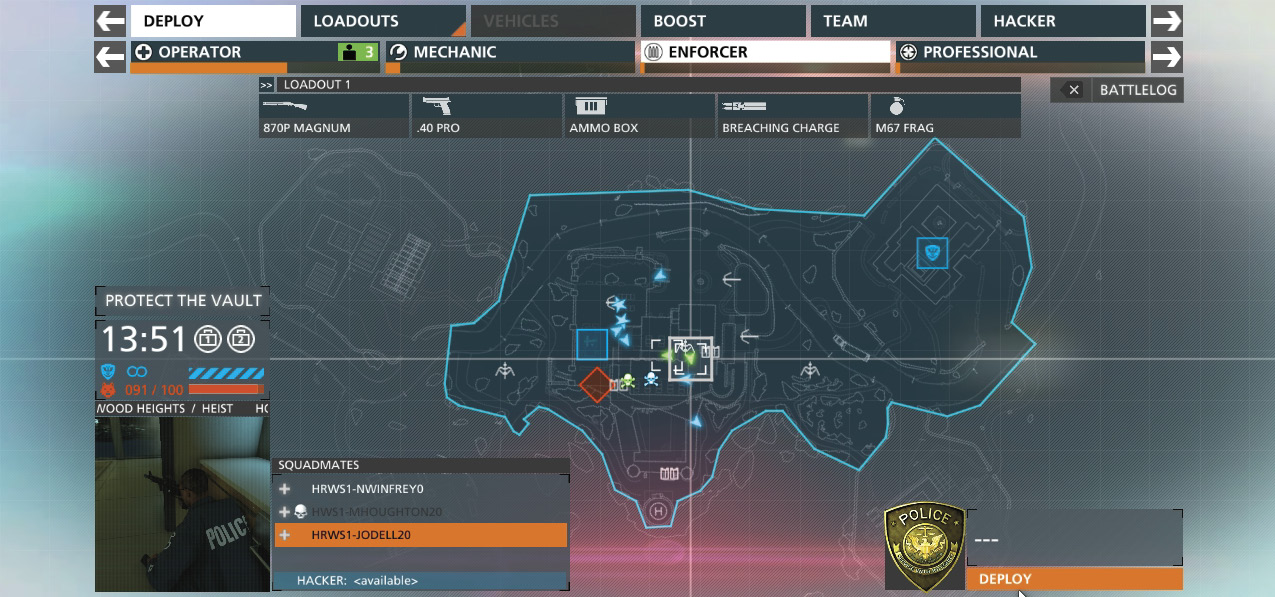
From the deployment screen, you can spawn directly on any of your squadmates, but make sure they’re in a safe location before spawning.
Squad Leader
Each squad has one squad leader tasked with issuing attack and defend orders. The first player to form a squad is the squad leader. When you’ve been selected as the squad leader, a message appears on the screen informing you of your new job. Your name also appears at the top of the squad list on the left side of the HUD, marked with a star icon. Serving as squad leader you can better direct your squad by placing attack or defend orders on objectives. Once an order has been placed at a location, any kills that occur within a wide radius of the given order results in points for both you and your squad. It’s a simple mechanic, but it’s a great way to keep your squad focused on one objective. And if promotions and scoreboard placement is important, a squad that uses orders effectively will easily out-score those who don’t.
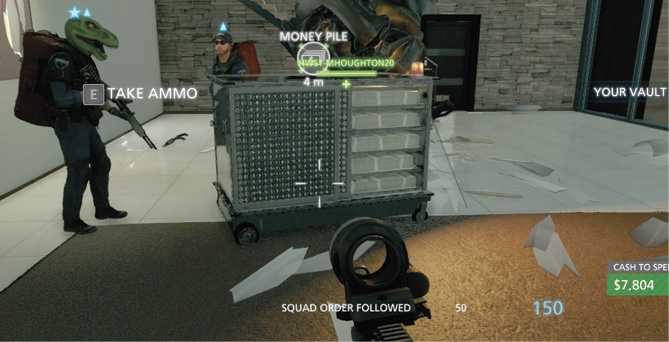
When serving as a squad leader, don’t forget to issue orders to your squad; aim at an objective and press the spot button/key to issue an order.
Teamwork
Once in the game, you can identify your squadmates by the green name tags above their heads accompanied by their kit icon. They also show up as green triangles on the minimap. Other teammates have blue name tags above their head, while enemies appear as red. Stay close to your squad so you can support one another, but don’t cluster around each other too tightly or all five of you can be eliminated by an explosive attack. Instead, try to stay within each other’s line of sight. By simply communicating and working together you can gain a huge advantage over your opponents, especially those that wander off by themselves.
In addition to talking to each other over your headsets, use the target spotting system to tag enemies and issue attack/defend orders. Only the squad leader can issue orders so watch for blinking boxes around objectives like vaults, money piles, Hotwire vehicles, and control points. If no order has been issued, ask your squad leader to place an order on an objective. Kills performed within close proximity of an objective marked with an attack/defend order result in a squad order bonus, worth 50 additional points. So if you’re the squad leader, don’t forget to issue orders to help your squad’s scores. Otherwise you’re just leaving points on the table.
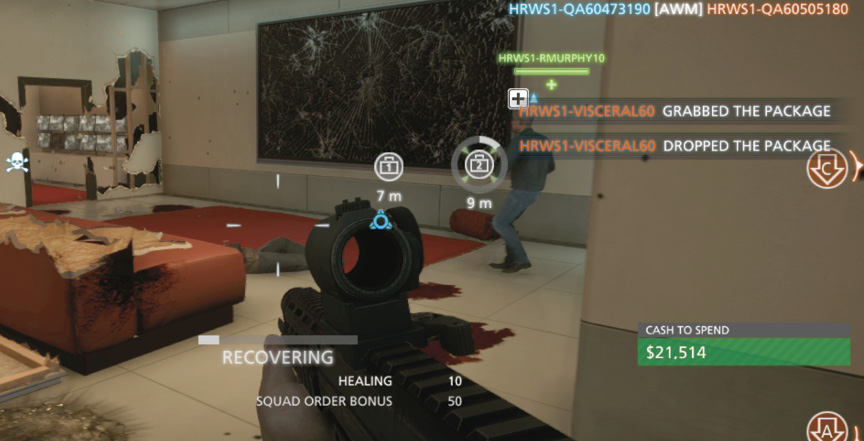
You’ll score more points when assisting members of your squad. So stay together so you can support one another.