
Battlefield Hardline Guide Multiplayer: Getting Started
Progression and Economy
Every action performed in a multiplayer match earns you points. But unlike previous Battlefields, points also earn you money. The amount of cash you score is equal to the amount of points earned. For example, if you score a kill, worth 100 points, you also get $100. You can then use money to purchase new weapons, gadgets, grenades, attachments, and vehicle accessories in the loadout screen or on Battlelog. The better you perform, the faster you move up the ranks and the more money you earn. So at the end of a round, check out your overall performance in the End of Round screens. These screens show your current rank as well as your progress toward achieving the next rank. It also has statistical breakdowns of your score, showing how many points were earned with each class and vehicle. The scoreboard shows where you ranked among teammates and opponents. Your progress toward completing assignments is also shown.
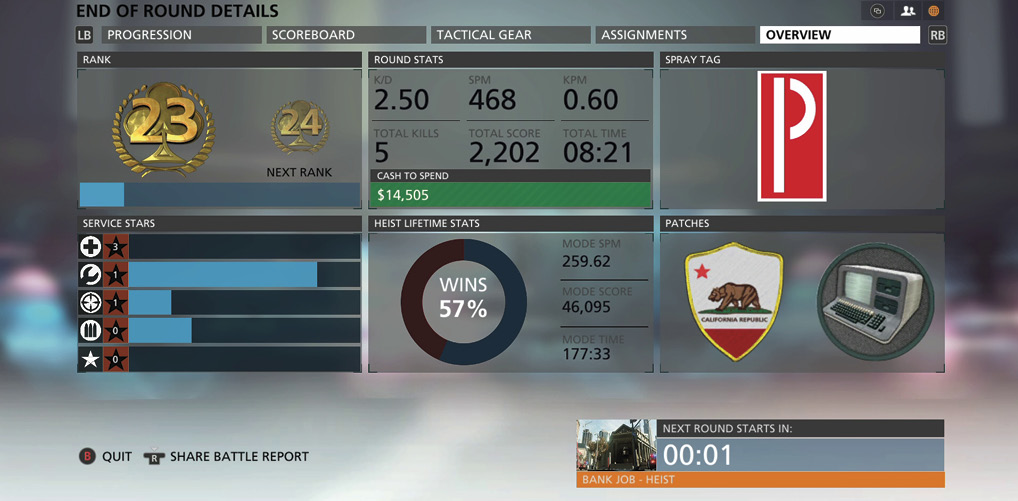
After a match, review the End of Round screens for a detailed overview of your performance.
Awards
| Award | Name | Description |
|---|---|---|

|
Ranks | New ranks are achieved at regular intervals by earning points. Some ranks offer Battlepacks as a reward. |
|
Coins | You earn a coin when you accomplish an in-game objective such as getting a certain number of kill assists or headshots. coins are earned on a per-match basis and can be received multiple times. |
|
Bounties | You are awarded with a bounty once you have collected a certain amount of coins of the same type. Bounties represent milestones for good performance and can be earned multiple times. |
|
Assignments | Similar to coins and bounties, assignments have multiple criteria which must be met before they are completed. Upon completion you’re awarded with a patch or weapon. |

|
Patches | Every player in Hardline has a left and right patch, providing a way to customize your character. These function like dog tags from previous Battlefields. You can collect new patches by completing assignments or opening Battlepacks. You can also get your opponents’ patches by taking them down with a melee weapon. |
|
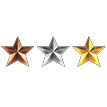
Service Stars | Bronze, silver, and gold service stars are awarded for each class, weapon, vehicle, and game mode. Each service star nets you points, allowing you to rank-up faster. |
|
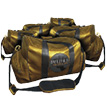
Battlepacks | Battlepacks contain random combinations of new camos, patches, melee weapons, XP boosts, and vouchers for attachments. These items are designed to add customization options and give you some personalization on the battlefield. Battlepacks are earned through progression or promotion. They can also be purchased for in-game cash. |
Reputation Perks
The field upgrade system from Battlefield 4 has been overhauled, allowing players to choose their own in-game perks, providing a variety of enhancements. All classes have four reputation levels, each with two perks per level. Just like field upgrades, reputation perks are tied directly to your performance in a round. The more points your score, the more reputation levels you unlock. At each level you’re prompted to choose from one of two perks. For example, at reputation level one, the operator can choose from the Extra Magazines or Fast Climb perks. Make a habit of choosing your perks as soon as they’re available. Otherwise you don’t benefit from their enhancements. At the end of the round your reputation perks are reset, requiring you to start over. If you have a good round, you should have no problem reaching level two, but you may need some help from your team’s hacker to achieve the higher levels. The hacker’s Squad Upgrade ability awards squads with one reputation level. The reputation boosts, awarded in Battlepacks, can also help you reach those higher levels.
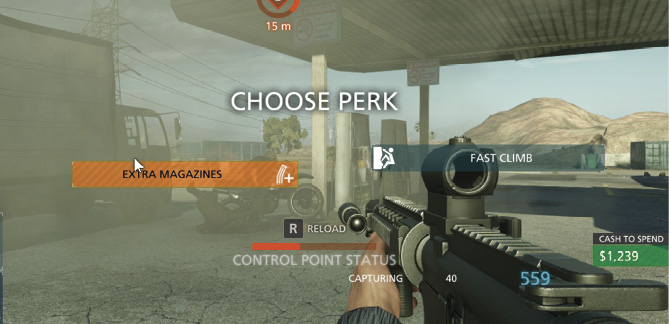
An on-screen notification appears when you have reached a new reputation level, prompting you to choose a new perk.
Boosts
Boosts are back, but they function a little differently than they did in Battlefield 4. There are now seven different kinds of boosts, each providing a unique benefit. Boosts are unlocked through Battlepacks and can be applied during a match from the Boost tab. Here you can choose a class for which you wish to apply a boost—this boost is only active while playing the assigned class. Boosts remain active for 30 minutes and provide an XP multiplier for specific actions. For example, the elimination boosts provide a multiplier for kills you score. Boosts are offered in 25%, 50%, and 100% variants—special 200% boosts are awarded during special community events. Make a habit of applying boosts at the start of a match. Remember, the more points you score, the more cash you earn.
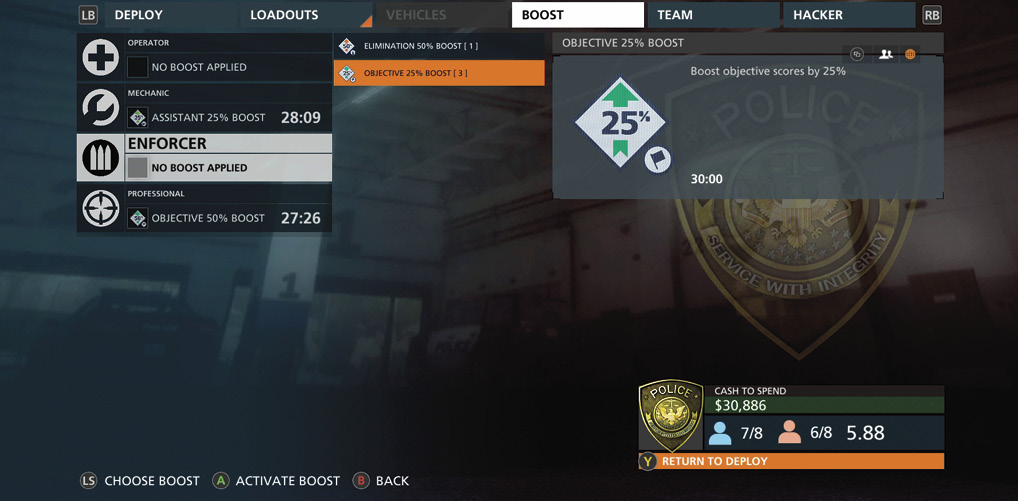
Before starting a match, apply any boosts you’ve received from Battlepacks; these can really increase your score/cash.
Boosts
| Boost | Name | Description |
|---|---|---|

|
Quick Draw | Boost any score from a kill modifier by 25%, 50%, or 100%. |

|
Assistant | Boost any score from an assist by 25%, 50%, or 100%. |

|
Elimination | Boosts scores from kills by 25%, 50%, or 100%. |

|
Gearhead | Boost any score from vehicle activities by 25%, 50%, or 100%. |

|
Objective | Boosts objective scores by 25%, 50%, or 100%. |

|
Reputation | Boost how fast perks are earned on the Reputation track by 25%, 50%, or 100%. |

|
Teamplay | Boost any score from team-aiding actions or gadgets by 25%, 50%, or 100%. |
Purchasing Weapons and Gear
After playing only a few rounds of multiplayer, you probably have accumulated several thousand dollars. Instead of admiring your growing pile of cash, spend it on new weapons and gear. From the game’s multiplayer menu, choose the customize option to bring-up the loadout screen. This can also be accessed during a match, from the deployment screen. Here you can purchase new primary and secondary weapons as well as gadgets, grenades, and melee weapons. Select any of these categories and browse through the available options. It’s important to note that the law enforcement and criminal factions have slightly different weapons and gear. Some weapons are exclusive to each faction. For example, if you buy a law enforcement exclusive weapon, like the M16A3 assault rifle, it won’t be available when playing as the criminals. However, this is only the case with weapons. Gadgets and grenades are shared across both factions. You can also purchase vehicle enhancements including weapons, upgrades, countermeasures, and optics. So no matter how much you play Hardline, you’re unlikely to run out of things to buy. For complete pricing information and analysis of each item reference the Class and Weapons and Vehicles chapters.
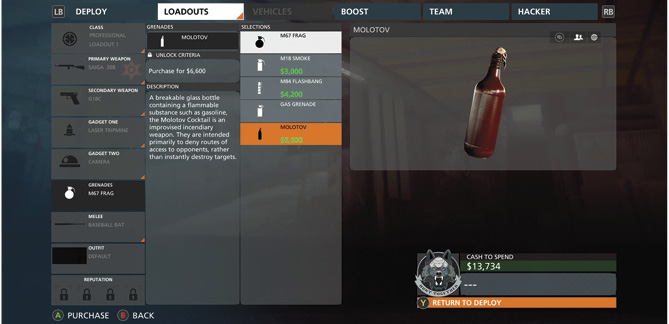
New purchases can be made directly from the loadout screen or from Battlelog.