
Battlefield Hardline Guide Multiplayer: Getting Started
Extended Play
With the additions of Hacker Mode, Spectator Mode, and Battlelog, there’s plenty to do, and you don’t even have to be in front of your PC or console to take part. Whether taking command of your team and leading them to victory, or simply watching a battle unfold from the sidelines, these features offer more ways to experience and make new Battlefield moments.
Hacker Mode
Hackers are vigilantes, above the war on the streets and helping whichever side of the law suits them. Their arsenal consists of subroutines, used to gain access to useful systems such as GPS tracking on phones, CCTV cameras in buildings, and many others. With their plethora of subroutines, an expert hacker has as many actions per minute as their agent counterparts on the streets below. To become a hacker, select a server from the server browser then select the Join as Hacker option.
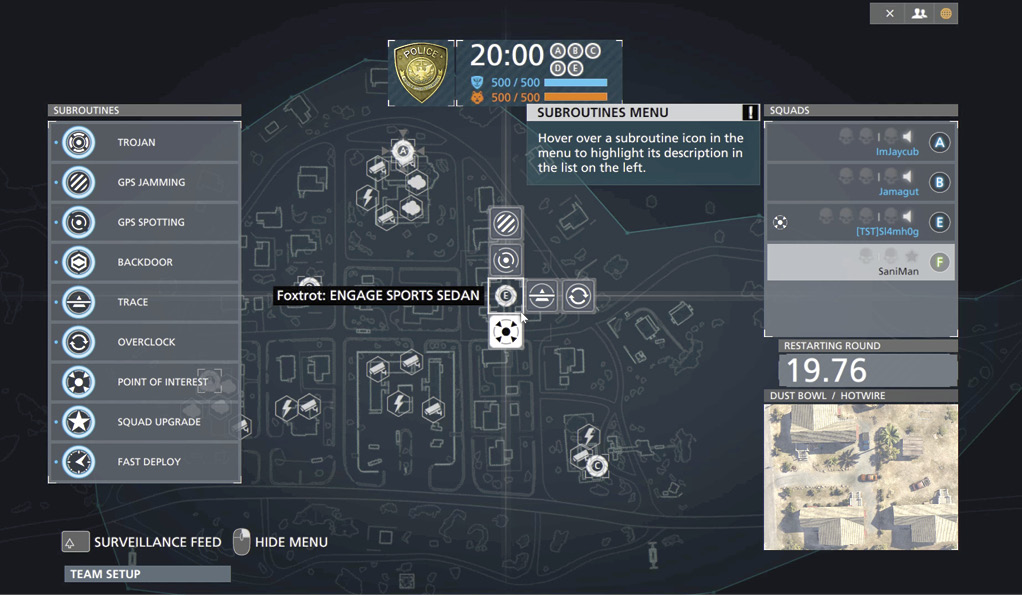
Order friendly squads to engage points of interest and objectives that you can see are most important. Try to keep your squads organized and spread out.
Hacker Subroutines
| Subroutine | Name | Description |
|---|---|---|
 |
Trojan | Speed friendly interaction and slow enemy interaction; nullify enemy subroutines instantly. |
 |
GPS Jamming | Eliminate passive spotting by scrambling your team’s GPS coordinates. |
 |
GPS Spotting | Reveal enemy locations by gaining access to their GPS devices. |
 |
Backdoor | Gain control of an automated in-world object by exposing a backdoor vulnerability. |
 |
Trace | Reveal High Value Targets and enemy Hacker subroutines with an area scan. |
 |
Overclock | Decrease the cooldown on all subroutines. WARNING: some subroutines may overheat after use. |
 |
Point of Interest | Highlight an important objective for one of your Squads through an AR overlay. |
 |
Squad Upgrade | Boost the Reputation of every Squad member to the next tier by upgrading their firmware. |
 |
Fast Deploy | Decrease the deploy time for a Squad by rerouting traffic. |
Overview
Knowledge is power, and this truth is obvious when playing as the hacker in Battlefield: Hardline. You are the most powerful weapon on your team because you can see more than anyone on the streets. You must work together with your team’s squad leaders and support them in any way possible.
Lead them to points of interest that they may not have the ability to see from their point of view. Upgrade squads to raise their reputation, giving them valuable bonuses or granting them fast deploy when they’re in a pinch for reinforcements.

Sever hacker connections by destroying enemy hacked in-world objects. This helps your team against the enemy hacker and makes the friendly hacker’s job a little easier.
When you’re not coordinating with your team you have the ability to trace the battlefield for major hotspots or vehicles racing around the objectives. Use this information and drop a GPS spotter which allows you to hack their GPS devices in a small area of the map, revealing their location to anyone nearby. The more you use the hacker abilities, the more you can do with them once they are upgraded based on your performance.
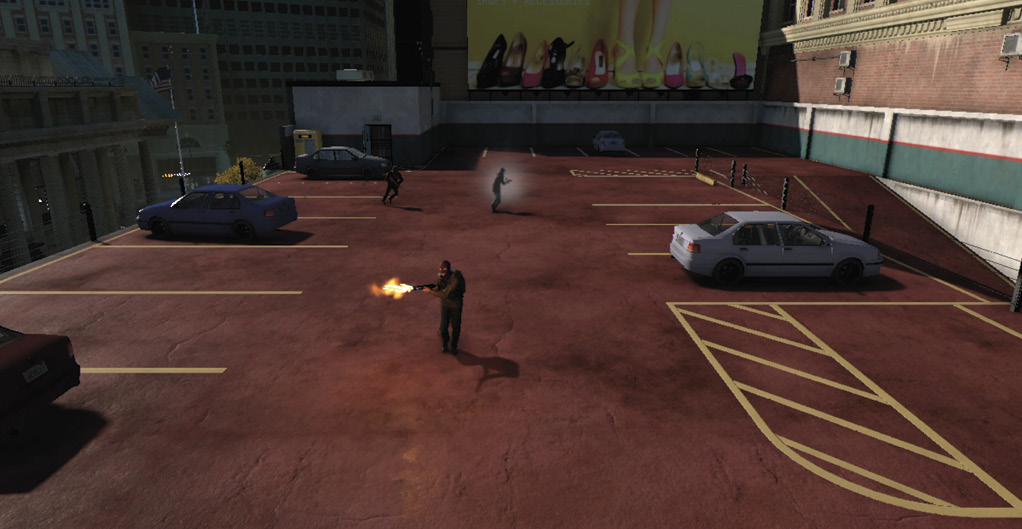
Use the surveillance feed to get a better view of the battlefield, helping you judge the best plan of action in each area.
The third major feature that you should pay attention to is insulating yourself and your team against the enemy hacker. Yes, there is someone else with the same abilities on the other team, attempting to support their team and keep you from supporting yours. As the hacker, you have special abilities which allow you to hack into items and fixtures all around the map. This includes security cameras that automatically spot enemies, gas systems that are essentially proximity gas grenades that explode when an enemy gets close, and power transformers which are proximity based and temporarily blind enemies nearby, just like a flashbang. You have access to all of these map objects, however, so does the enemy hacker. It is like a chess match as you work to outsmart the enemy, based on timing and which objects are most important for your team to have on their side.
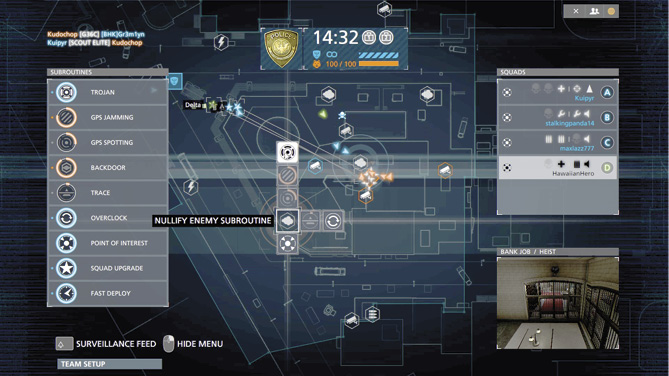
If you see the enemy hacker using the backdoor to take a valuable object, use the Trojan to nullify the enemy subroutine.
Hacker abilities like GPS jamming, overclock, and Trojan are your most valuable abilities when battling the opposing hacker. Pay attention to your team’s locations. If they are doing something that should desperately stay hidden, drop a GPS jamming device right on top of them to keep the enemy team from being able to spot them. Use overclock when your team is in a pinch and you need your subroutines to come back up as quickly as possible. Overclock is also a good move when your timing is slightly behind the enemy hacker, allowing you to push ahead and be able to counter anything the other team can use. Finally, you have the Trojan, something that can really jam a monkey wrench into the enemy hacker’s operation. Be ready to give everything you’ve got once you activate the Trojan. This is when you have the most opportunity as it speeds up all of your subroutines while also slowing the enemy’s at a detrimental rate. Use the Trojan carefully because it has a long cooldown and you don’t want the enemy to counter it.
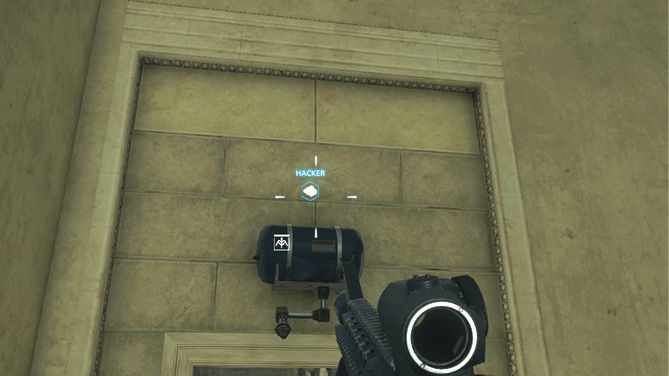
Friendly hacked in-world objects appear with a blue icon above them indicating that they are working for you. Do not destroy these objects, but keep your distance so that when they are activated you can jump in and take down the affected targets.
The hacker’s job is to support the team in any way possible. Your teammates must be the ones to kill enemy forces and take over the objectives, but in a large number of situations your team can’t finish the job without your help. Keep those fingers busy and hack away as you outsmart the enemy and defeat them.
Spectator Mode
Spectator Mode returns in Hardline, offering players the opportunity to simply watch a match unfold. Each server supports up to four spectators per match. To start Spectator Mode, open the server browser and select a server you’d like to spectate. You must access the Server Info screen to join the server as a spectator. Like playing as the hacker, joining as a spectator does not count against the server’s maximum player count, so neither team will be short players. Once in Spectator Mode you have four camera perspectives to choose from. The Table Top view looks similar to the deployment screen, giving you a broad view of the map, complete with the ability to zoom all the way in and watch pitched battles from a satellite-like perspective.
With the first-person camera, you can switch to the perspective of any player on the map, seeing exactly what they see in real-time. The third-person perspective puts you behind any player on the map, along with a player card which shows their current weapon, attachments, health, and ammo. Finally there’s the free cam, tied to no single perspective. Instead, you can simply fly around the battle and choose any perspective you like. This is perfect for those seeking to make videos. Whichever perspective you choose, Spectator Mode offers a unique way to experience Battlefield. Consider sitting-in on some matches and watch how others play. You may learn something new.
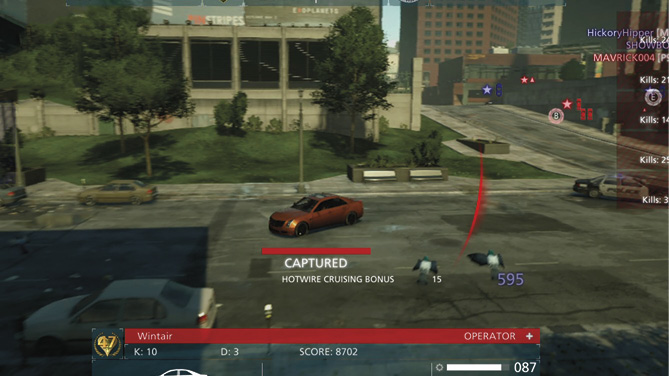
Use Spectator Mode’s third-person perspective to follow players around the map.
Battlelog
Battlelog extends your Battlefield experience by enhancing your gameplay, tracking your progression throughout your multiplayer career, and allowing you to compete with millions of Battlefield players around the world. Battlelog is available in-game, on the web, and through tablet and smartphone apps. Battlelog can track all rounds you have played, your unlocks, stats, awards, assignments, and much more. You can complete missions and compete with your friends to see who the best driver is, or use the Geo Leaderboards to compete against people in your city or country. You can even customize your loadout and find a server in the Server Browser that is right for you. You can always bring up Battlelog in-game too. You can check your stats, your friends’ stats, see how your suggested or tracked unlocks are progressing, create and join missions, see how you are doing in the Geo Leaderboards, and much more.
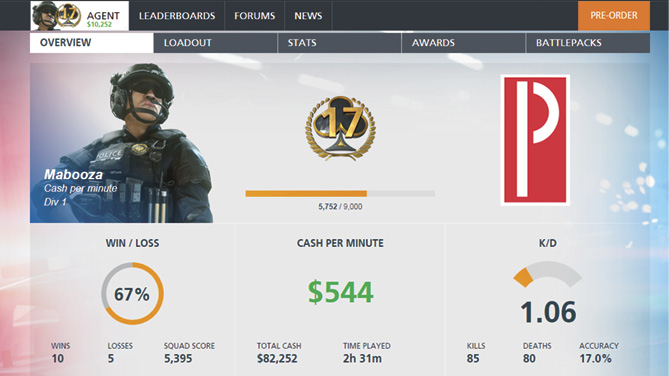
Battlelog’s overview page provides a wealth of statistical data at a glance.
Emblems
The emblem is a feature that gives you an additional identity marker. The emblem is displayed on vehicles, weapons, and characters. You can even use your emblem as a spray tag, marking your territory in-game. Create your unique emblem with the Emblem Editor on Battlelog. Use the provided shapes and symbols to create complex designs; more symbols can be unlocked through Battlepacks. You can create several emblems and then choose between them before entering a server.
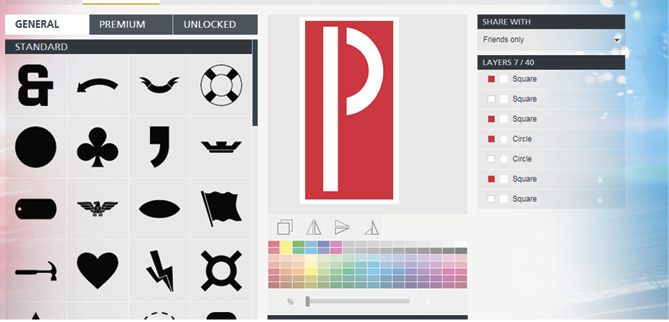
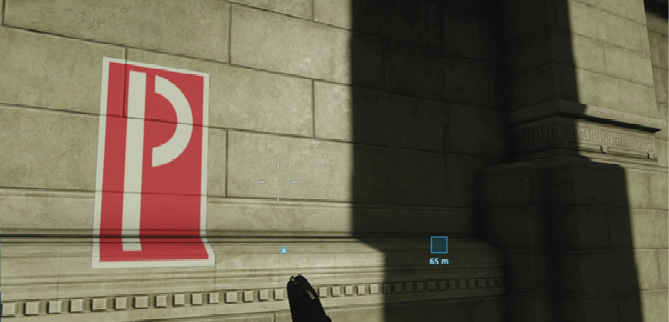
Design a custom emblem on Battlelog then use it as a spray tag in-game.
Community
The Battlefield community is very active, and always a good source of information for game news, software updates, patch notes, and even unorthodox tactics. Here’s a few good sources to check-out for the latest Battlefield news:
Official Battlefield Twitter
Get the latest tweets from the game’s developers.
Battlefield Blog
This is the official blog maintained by employees of DICE and Visceral. Go here for all the latest information on the game straight from the developers.
Primagames.com
Check back with the Prima team for blogs and videos, offering even more insight on classes, weapon, vehicles, and evolving tactics.