
Halo 5: Guardians Guide Spartan Training
The HUD
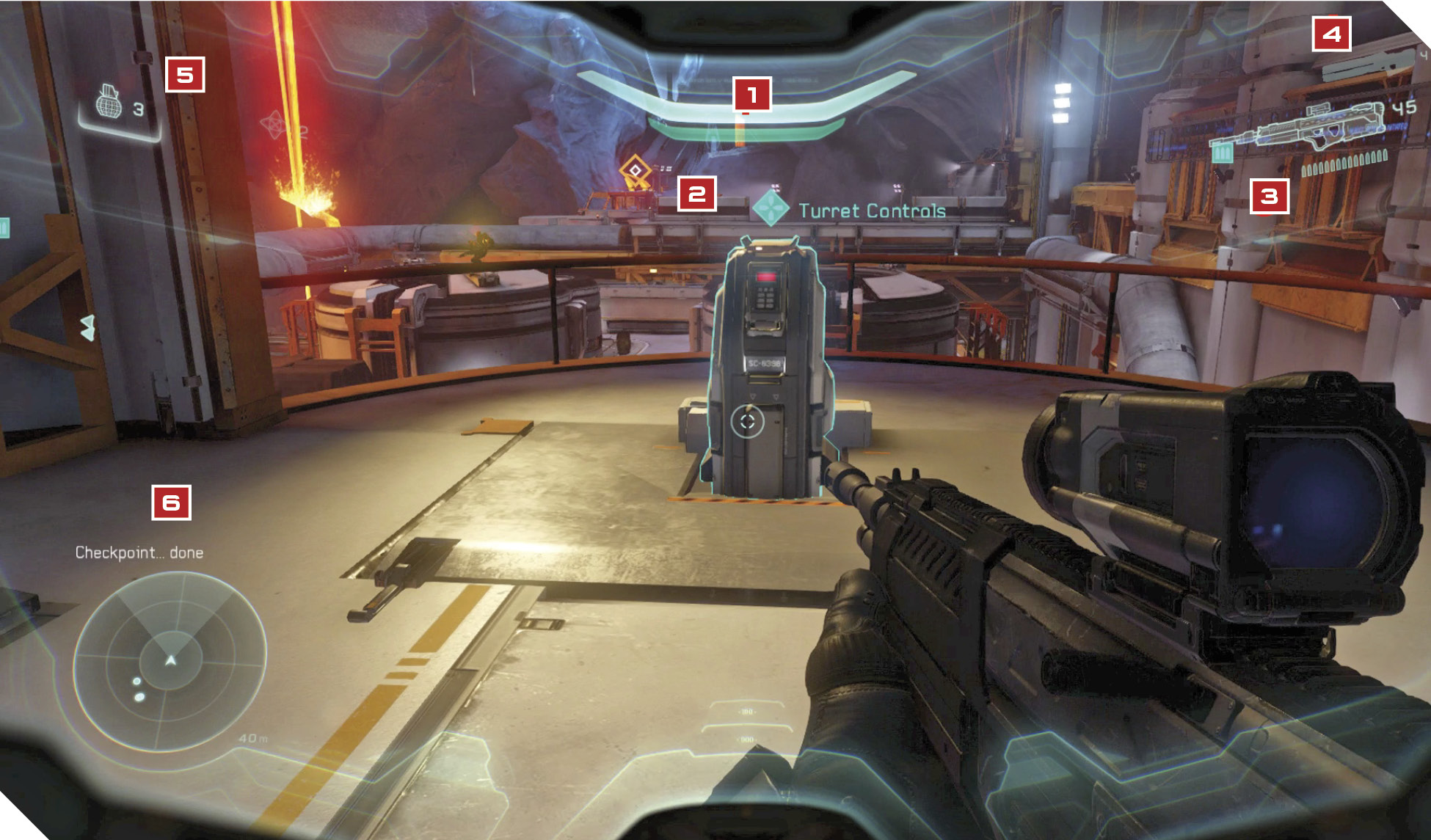
The various icons and indicators that appear on your screen during gameplay are collectively known as the HUD (heads-up display). Here’s what they represent:
 Health and shields. The top bar represents your shields; the bottom bar signifies your health. Energy attacks drain shields; physical attacks shred health. Master Chief regenerates health and shields faster than Spartan Locke.
 Objectives. Press the Tracking button to identify the current objective, along with any other items of interest in the vicinity. Spartan Locke’s Artemis Tracking system is more advanced and helpful than the Master Chief’s.
 Primary weapon. This weapon is shown on-screen and fired when you press the Fire button. Press the Reload button to reload. Press the Switch Weapon button to switch to your secondary weapon.
 Secondary weapon. A backup to your primary weapon. Press the Switch Weapon button to equip it. You can only carry two weapons at a time. Try to carry one that’s good for ranged combat and one that’s good at close or medium range.
 Grenades. Powerful thrown explosives. Up to two of each kind can be carried; however, Spartans Locke and Fred can each carry up to three Frag Grenades.
 Motion Tracker. An invaluable tool that alerts you to nearby hostile activity. Enemies in the vicinity appear as red blips on your Motion Tracker whenever they move.