
The Legend of Zelda Majora's Mask 3D Guide How to Play
Game Screens
There’s a lot to know about professional adventuring, and this chapter teaches you all of the basics. From understanding the game screens to controlling Link like a pro, this section covers the most important aspects of gameplay.
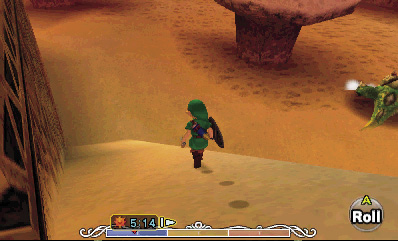
In The Legend of Zelda: Majora’s Mask 3D, all of the action takes place on the top screen of your 3DS. Your view is centered on Link, giving you a clear view of his surroundings. The current time of day is shown at the bottom of the screen (more on that in a bit), and the actions that Link will perform when you press  or
or  are shown in the lower-right corner.