
Playing With Super Power: Nintendo Super NES Classics Guide Kirby’s Dream Course
Confidential Information
Speedrunner
10ooki
World Records Held: Any%, Any% All Golds, Extra%, 100%
When “10ooki” was younger he used to rent Kirby’s Dream Course each weekend, yet he could never quite finish the game. “I loved the combination of mini-golf, abilities, Kirby cuteness, and—at the time—cutting-edge pseudo-3D gameplay,” says 10ooki. “Every time I’d rent it I’d get a little bit further, but it was not an easy playthrough at all and I’d usually return it to the video store stuck somewhere in the very challenging course 7. When I got into speedrunning a few years ago, after I had got some strong times in classic 2D Mario platformers (SMB3, SMB1) I was looking for something really unique and different from other games and this game just seemed like a really quirky and original choice to me. This is, after all, a mini-golf puzzle platformer that features a boss battle! Once I started playing through it several times and started to think about how to go faster, I really started to appreciate the complexity and depth of the game’s physics. I became obsessed with figuring out ways to pull off insane shots consistently, and with a total of 128 holes in the game, there’s no shortage of optimizations to find.”
Currently a multiple speedrun world record holder for Kirby’s Dream Course, 10ooki provides invaluable tips for flashy hole-in-ones and quick completion times. For instance, did you know that hole-in-ones are actually slower than hole-in-twos?
Basic
Here is a brief guide to getting started with playing Kirby’s Dream Course. The emphasis is on speedrunning but the same movement tricks and insights also apply to getting “best scores.”

Movement Explained
The key to becoming a super Dream Course player is understanding how movement in the game works. The golf inspiration might make you think that after you initiate your shot, you just watch and hope it goes as planned, but in Kirby’s Dream Course that’s not the case! You can actively affect the trajectory of Kirby by pressing A to “boost” even after you’ve started rolling, or you can use an ability to change up your shot completely! In some cases, taking advantage of this fact is the only way to get a hole-in-one or pull off a dramatic shot. I’ll explain the two types of shots below, and the effect that “boosts” have on each type of shot and how you can use it to pull off a super shot.
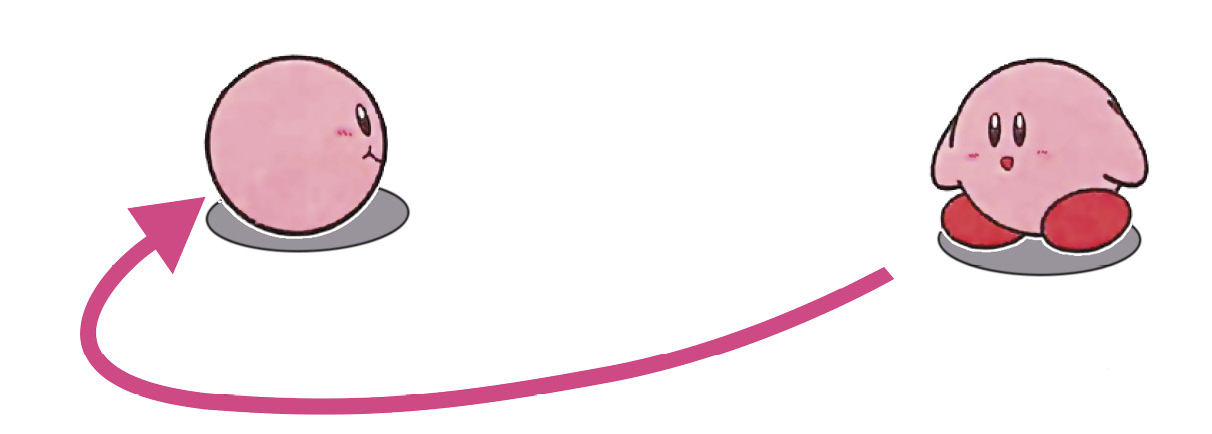
Ground Shot
In this shot mode, Kirby simply rolls along on the ground. It’s a good idea to get a feel for how far Kirby will go on a ground shot given a particular power level on the shot. Once you have a good idea for how far 25%, 50%, 75%, and 100% get you, it is a lot easier to aim, shoot, and go into the hole.
You can apply right or left-handed spin to your shot to curve around obstacles. Your shot-preview gives you a sense of what your trajectory will look like. However, be warned that if you put too much spin on the shot, Kirby can start going in circles or in less predictable ways. For beginners, avoid putting too much spin on the shot and try to see what you can do with aim for the most part.
On a ground shot, “boosting” by pressing A after your shot has started has the effect of maintaining your current speed for exactly three frames. What this means is that if you didn’t put enough power on your shot, you may be able to compensate by boosting. If you can tell you’re going to run out of steam before you reach the hole, try boosting rapidly and see if you can inch your way into the cup! It also means that if you do a full power shot and constantly boost throughout your shot you can potentially go much farther and maintain much more speed than you otherwise could, enabling you to pull off maneuvers that would otherwise be impossible.
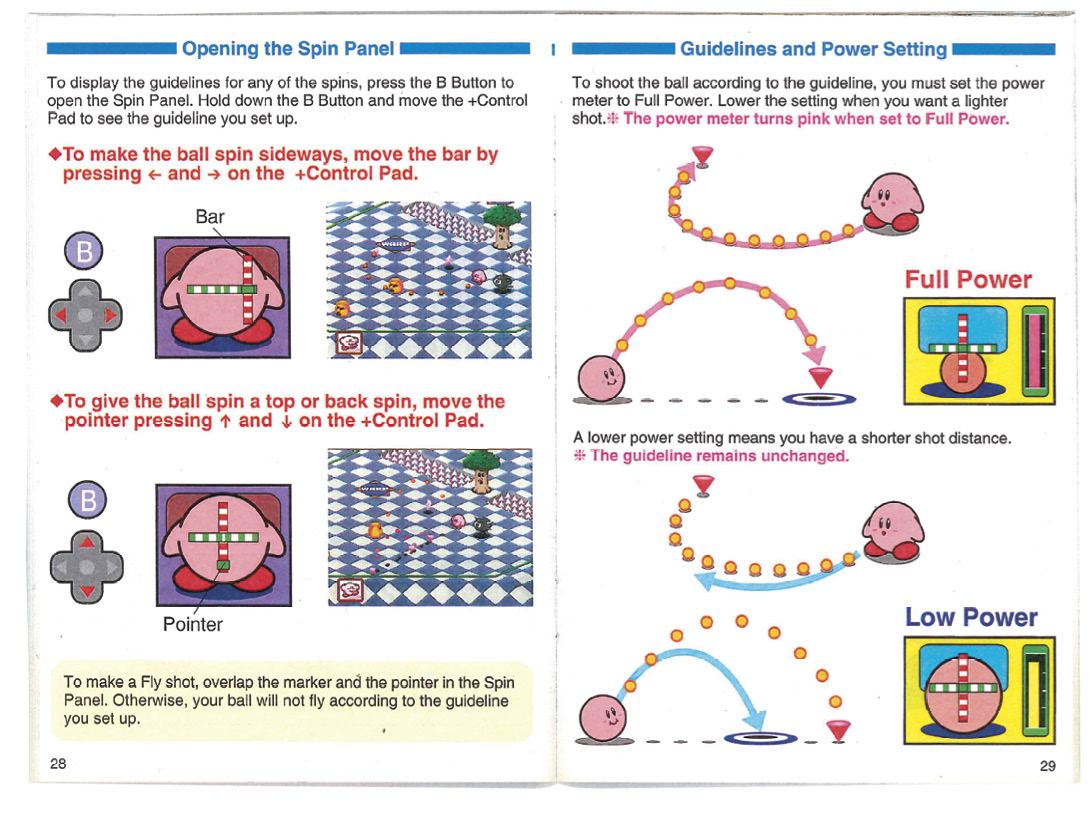
Jump Shot
In this shot mode, Kirby takes an airborne trajectory like a golf shot. Just like with ground shots, it’s a good idea to practice a bit to figure out how high and far you go for 25%, 50%, 75%, and 100% shots.
Jump shots can also be equipped with both left/right spin as well as top/back spin. The effect of the spin occurs only when Kirby hits the ground, altering his normal bouncing trajectory. Put top spin on your shot to make Kirby zip forward when he hits the ground to cover more distance. Put back spin on your shot to make sure Kirby doesn’t bounce too far forward—or with enough backspin he can go backwards on his bounces instead of forward. This is very useful when a jump shot is required but going too far would shoot you off the map. In all cases, shot preview can help you gauge what’s going to happen when you take your shot.
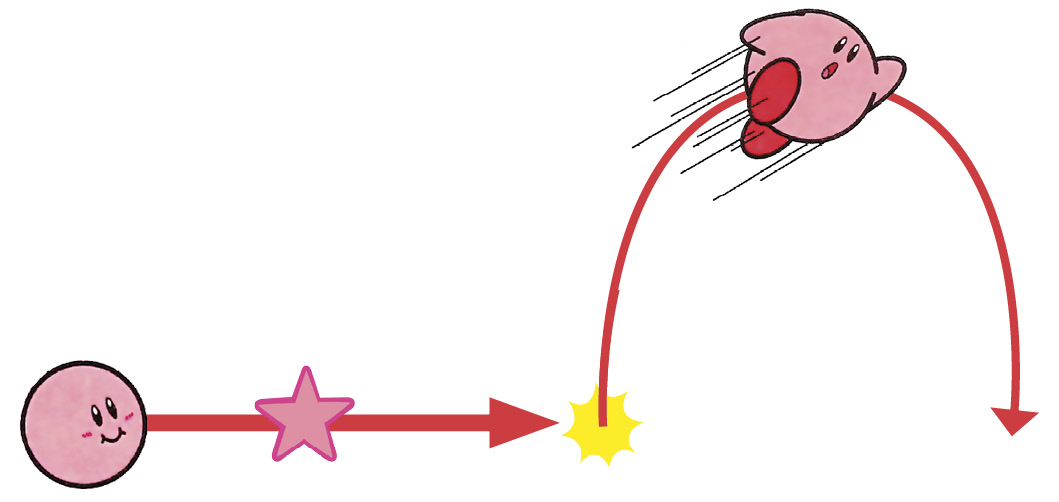
There is also “boosting” for jump shots when you press A, however you have to press A right when you’re about to hit the ground. When Kirby boosts from a jump shot, he bounces much farther than he would otherwise. Sometimes this is required to be able to clear a gap or scoop up a sequence of enemies on a challenging hole.
Getting a feel for how to control both of these shot types is key to becoming a super player. One way to practice these is to just try out different types of shots and learn by experimenting. It may seem silly to spend an hour shooting around on the first hole of course 1, but you can learn a lot of valuable things that will help you out down the road!
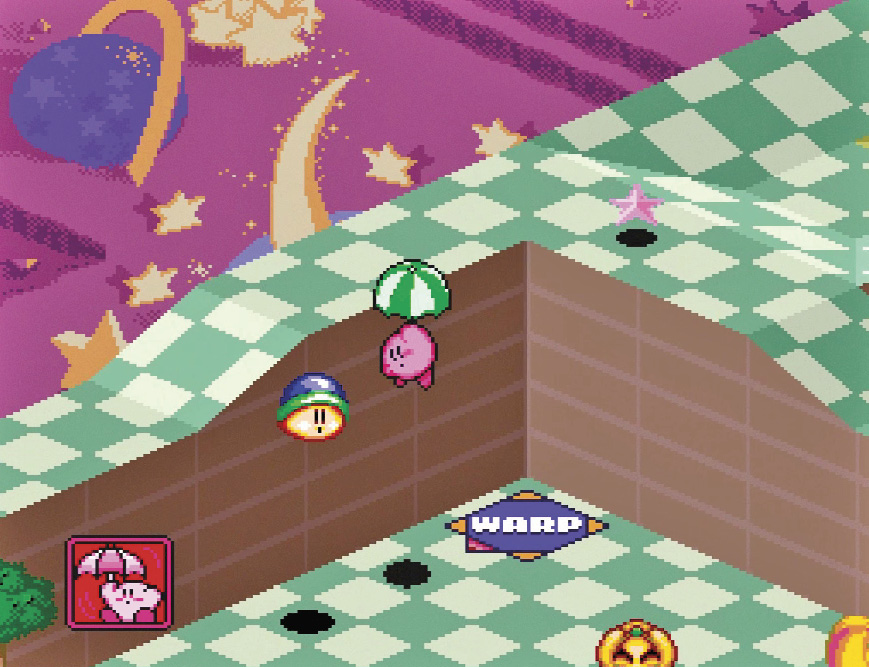
Know Your Abilities!
One of the things that makes Dream Course different from almost any other mini-golf game is the inclusion of special abilities. You obtain a Copy Ability by rolling over an enemy that provides one, and whatever enemy you roll over replaces the ability you already have. Abilities are activated by pressing B once a shot has started, and each ability does its own unique thing. It’s important to learn what every ability in the game does, when the best time/place to use it is, and how to control that power to your best advantage. Many of the abilities are self-explanatory, but others like the UFO require some practice to get used to. Getting the fastest possible shot or some tricky hole-in-ones often requires a carefully deployed ability, so don’t forget to incorporate them into your game!
How to Beat King Dedede
OK so you finally beat all eight courses and you’re ready to fight King Dedede! But…how come this guy never dies? How many shots does he take!?! When I first played this I was really confused why I couldn’t seem to beat King Dedede, but in fact it’s quite simple. King Dedede only takes damage when you hit him in his face/upper body. This means that you have to hit him with a well-timed jump shot; a grounder will not suffice. The simplest way to beat Dedede is to wait for him to get fairly close to you, and then pummel him with jump shots from there. There’s a faster way to beat him outlined in the advanced section, but as a beginner this will work just fine. It takes exactly four hits to take King Dedede down, eight hits if you’re fighting him in Extra Mode.
Advanced
OK, so now you’re getting good. You can reliably beat the game and want to go faster or pull off crazier shots. Here are some advanced techniques that will help you achieve those goals:
Power Meter Revisited
As you improve, you’ve probably started making notes for yourself on what type of shot you want for each hole. But have you noticed that sometimes the exact same power level on the power meter seems to give you a different result? What gives? It turns out that each visual of the power meter can encode two levels of power: a low value and a high value. So you might have thought you hit exactly 75% power based on the meter, but your actual value could be a “low 75%” or a “high 75%”. Keep this in mind as you develop your strategies!
Slope Boosts
Watch a top-tier run of Dream Course and you might notice that it’s possible to get a lot more amplitude when rolling from a flat surface up a slope than you might have thought. What gives? It’s a trick called ‘slope boosting’ in which a well-timed boost right at the junction between a flat and sloped surface can send you zipping up the slope extra fast. A great example of slope boosting can be seen in the 3-8 hole-in-one, in which a slope boost at the very beginning gives you the amplitude and speed needed to get into the hole.
Soft Resets
If you’re doing speedruns, you’re obviously in a hurry. When you beat a course, you don’t have time to Kirby dance around; you’ve got to get to the next course! Fortunately, the developers had speedrunners in mind with this game and gave us a gift: the soft reset. After your ball goes into the cup on the final hole of a course, hold the left and right shoulder buttons + Start + Select and the game takes you back to the title screen. Your progress through the game, however, will have been recorded, enabling you to start the next course as quickly as possible.
Hole-in-Ones Are Slower
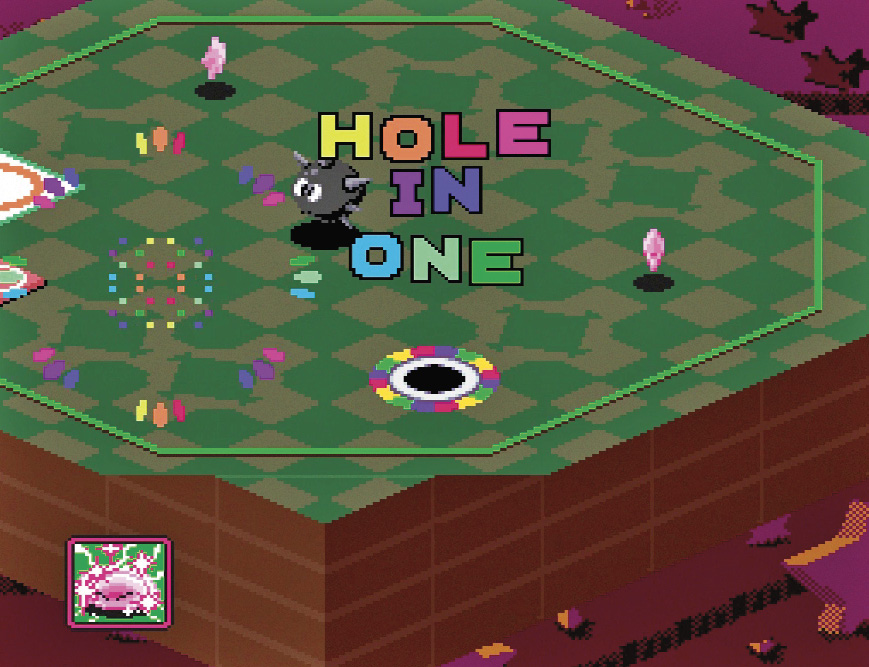
Why do the top runs often take two shots instead of one? Why do they whiff the first shot before making a hole in one? The answer is simple: getting a hole-in-one is usually slower than getting a hole-in-two! This is because of the lengthy fanfare animation that plays when you get a hole-in-one. So for speedruns, it’s worth taking two shots instead of one in most cases; think of it like waiting to avoid fireworks in Super Mario Bros. 1 or 3. Note that for the last hole of any course you don’t need to do this since the soft reset strategy outlined above skips the hole-in-one fanfare anyways. If you’re still learning, I don’t recommend skipping hole-in-ones as they give you lives, which can come in handy on some of the more challenging courses. However, once you’re ready, you should start performing these strategies as soon as possible to save all the frames you can.
Adjusting Your Spin
It takes time for the game to draw your shot preview as you tweak spin settings. Save frames by knowing what spin you want in advance, and adjusting it ‘blind’ when you initiate your shot.

How to Beat King Dedede Fast
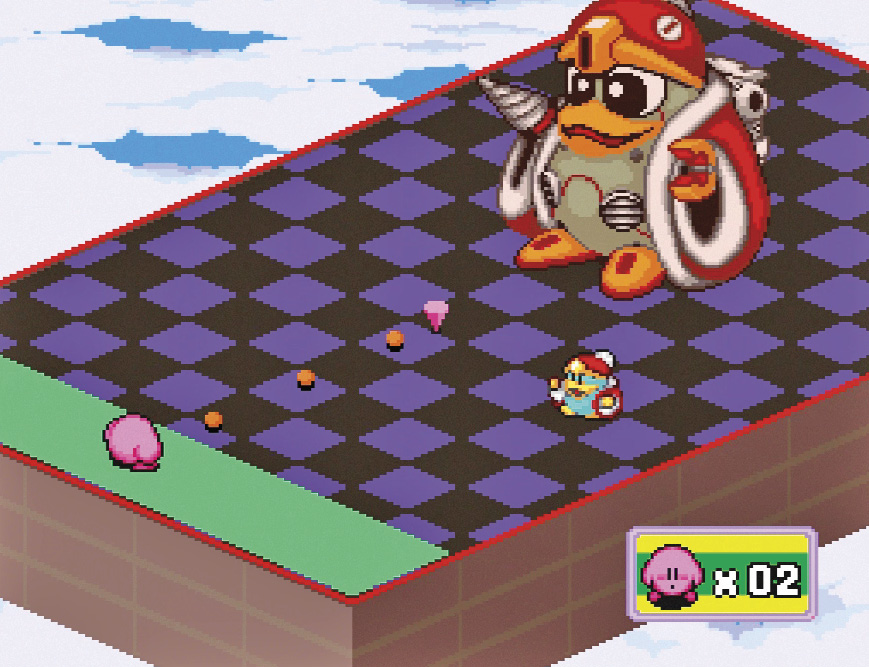
You already know how to beat King Dedede, but did you know you could do it much faster? Instead of waiting for Dedede to get close to you to hit him, it’s possible to perform a bank shot off the divider to hit him immediately without waiting at all. This saves a good five seconds of time. To execute it, perform the following inputs: Up -> Right Shoulder button -> Left D-pad -> Left D-pad; initiate your shot and hold left on the D-pad until you get a full left spin, neutral top/back spin and fire the shot. Kirby sails toward the green divider on the right-hand side of the screen. Perform a boost right before he impacts the divider. If the inputs were performed quickly enough, Kirby banks off the divider and delivers a hit to King Dedede’s ugly mug. Do this a total of four times and you’ll beat King Dedede as fast as the pros!
Expert
So you’re a super player and now you want to go for the world record! Here are some advanced tricks and glitches that can be used to push your time to the limit.
Aim Less
Try to plan your shots so that you need to aim as little as possible, ideally not at all. Aiming wastes time. If you need to aim for a shot, try using spin as it requires fewer inputs to achieve.

UFO Course 7
This was an idea developed by my Dream Course partner in crime, “r0bd0g”, which saves a good chunk of time. Instead of doing course 7 the intended way, perform 7-1 such that you obtain the UFO ability and carry it with you through to the next several holes. The UFO allows for high speed and clear-cut paths to scoop up enemies as quickly as possible. Be warned though, controlling the UFO requires a lot of practice and tests your reflexes!
Speed Inheritance Glitch
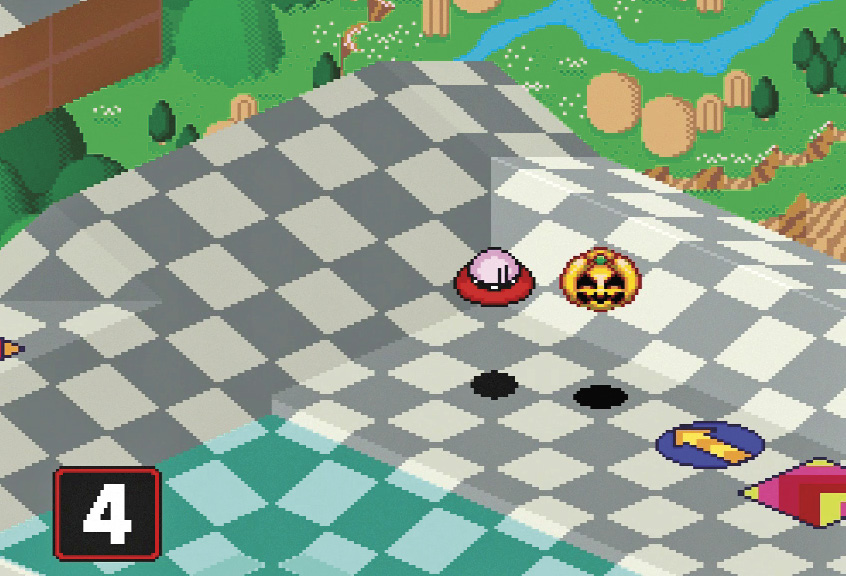
Sometimes it’s possible for insane speeds to be achieved for extended periods of time by taking advantage of the “speed inheritance glitch”. When you activate some abilities, such as Spark and UFO, they have the property that sustains the speed you were going at when you activated the ability. Thus, if there is a way to momentarily go faster than you normally would and then switch to one of these abilities, that momentary super speed now becomes your overall speed, enabling you to save lots of time!
A great example of this trick can be seen in 6-5. In this case, we take advantage of the fact that when a tornado hits a bumper, it is ejected backward in a way that momentarily has an insanely fast speed. By switching to the Spark ability during this window of time, you are able to shoot Kirby around the map at near-relativistic speeds. This can also be easily achieved by using the UFO ability after rolling onto a booster panel. Be warned, however, the high speeds obtained with these methods require very precise planning or super-fast reflexes to control; otherwise you might find yourself launched off the map!
Water Memory Glitch
By now you’ve probably done a jump shot with some spin over a water hazard in the game. You probably noticed that when you hit the water and have some top spin, you bounce ahead much like a stone skipping across a pond. What you probably didn’t know is that the game stores in its memory what it thinks should happen if you hit the water, even if you don’t actually hit the water on that shot. Remarkably, this value is left stored in the memory even after your shot is completed, meaning that if on some future shot Kirby rolls into a water hazard where he would normally sink if there is a value stored in this memory it will actually cause him to unexpectedly skip like a stone instead!
We can take advantage of this “water memory” to execute otherwise completely impossible trick shots. As an example, in a top tier run, a jump shot in 3-5 is performed over water with a specific spin setting to store a water memory for a later hole. In 3-7, we exploit this water memory to enable Kirby to reach an island in the middle of the water that he would not normally be able to reach by a ground shot, saving almost two seconds compared to the intended strategy.
Rounding Error Glitch
Because Dream Course is an isometric game, trigonometric calculations underlie much of the game’s physics. However, if your speed is suitably high, the trigonometric tables available to the game cannot accurately compute your trajectory. This means that in some instances, Kirby is offset from his intended path when he bounces off a wall or divider owing to a “rounding error” in the trigonometric table. A classic example of this that frustrates people is in 6-1, in which the obvious strategy to get a hole in one (use the Fireball ability) often misses the hole apparently for no reason. This happens because the rounding error glitch has displaced Kirby off of the path that you’d expect. However, this rounding error can also be used to your advantage. This trick is used in 3-4 to put Kirby just a tiny bit closer to the hole for his second shot, enabling you to pull off a shot that wouldn’t work otherwise.
Optimal Shot Trees
This isn’t a glitch so much as the main approach to obtaining high-level optimized times in the game. The key is to develop strategies for which it is possible for the shot to succeed across a range of power settings on the meter, ideally, five frames of power meter. Each power setting may require its own specific sequence and timing of boosts to make the shot work, or may require using an ability in one case but not in the other. You will have to learn to recognize which power meter level you obtained quickly if you need to adjust on the fly; or you will need to learn to recognize which power level you got based on where Kirby stops to know how to make your next shot work. The deeper you work out your shot tree, the greater your chances of squeezing out a little extra time for a hole are. However, it can take a lot of work to memorize all the possibilities and react in time to pull them off. Some optimized shot-trees have as many as a dozen possibilities for a single hole. As you improve at the game, continue to add more depth to your shot-trees at a rate that makes sense to you until there’s no situation you can’t handle!