
Interface
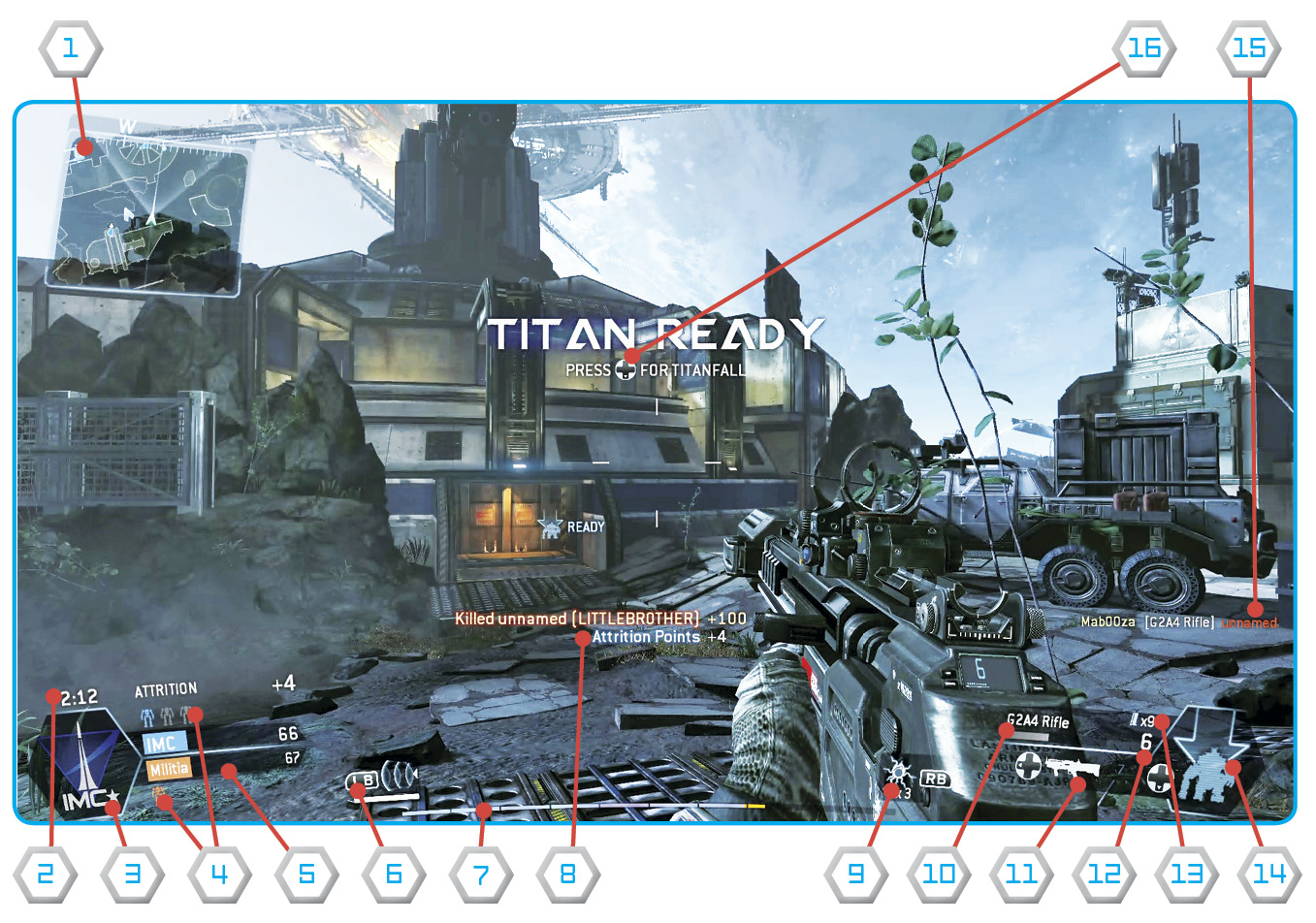 Pilot Interface
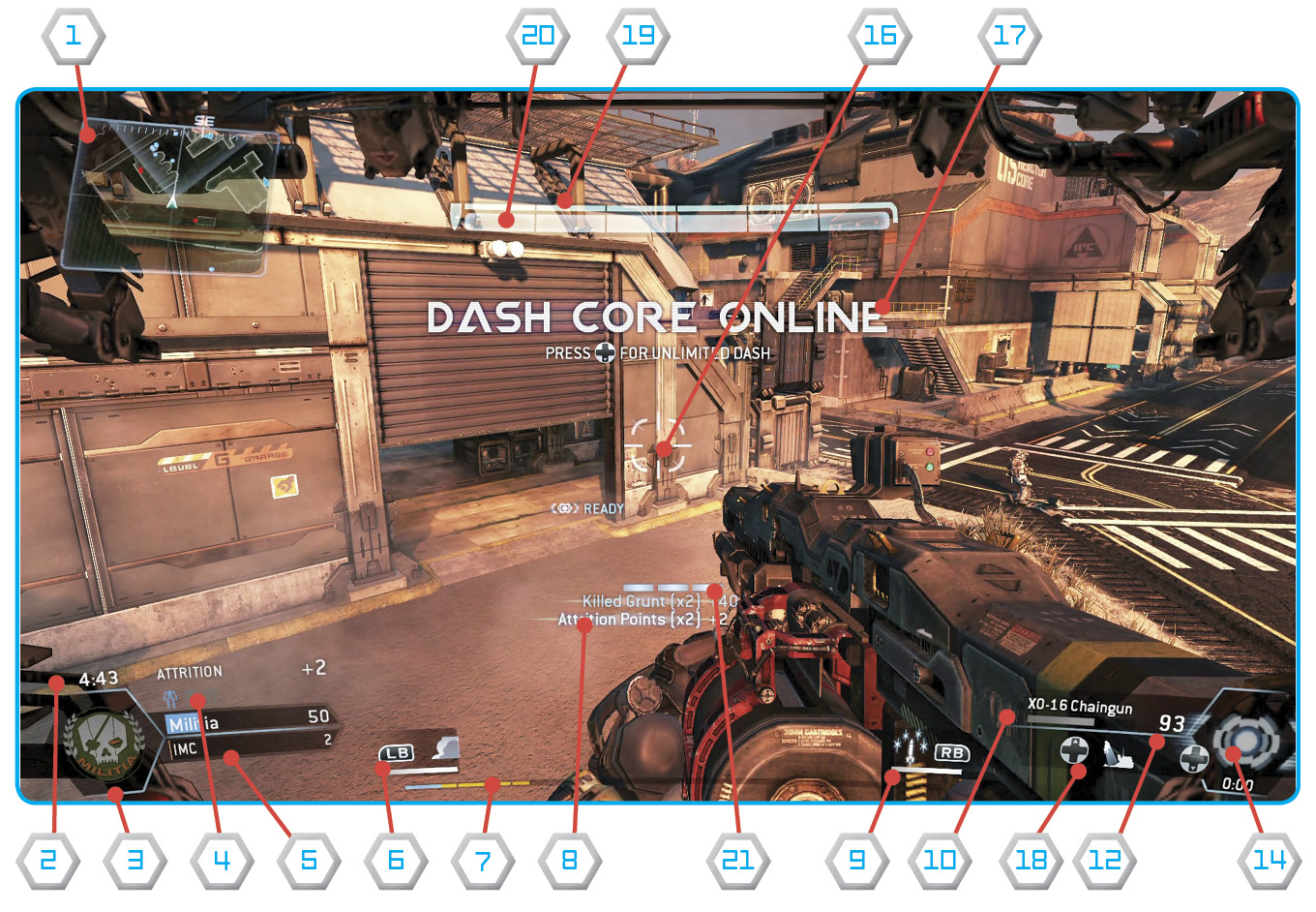 Titan Interface
 Minimap: This map provides a rudimentary top-down perspective of your current position on the map. Friendly units appear as blue icons while hostile units are represented by red icons.
 Match Timer: This shows how much time is left in the current match.
 Faction: This insignia shows which faction you’re representing—Militia or IMC.
 Active Titans: These icons show how many Titans are on the map. Colored icons show active Titans while gray icons represent Titans ready for Titanfall.
 Game Mode Info: This display shows the current score for the selected game mode.
 Tactical Ability: The selected Tactical Ability is shown here along with the input required to activate it.
 XP Bar: This bar fills from left to right as XP is earned through various actions. When the bar is completely filled, the Pilot levels up.
 Scoring Update: Every time a Pilot scores points or earns XP, a text notification appears beneath the reticle.
 Ordnance: The selected ordnance is shown here along with the input required to deploy it.
 Equipped Weapon: The name of the Pilot’s equipped weapon.
 Anti-Titan Weapon: A silhouette of the Pilot’s Anti-Titan weapon appears here along with the input required to equip it.
 Ammo Count: This number represents how much ammo is left in the selected weapon’s magazine.
 Magazine Count: This number shows how many magazines are remaining for the selected weapon.
 Build Timer: This shows how much time is remaining before a Pilot’s Titan or Titan’s Core Ability is available for deployment.
 Kill Notification: Recent Pilot kills/deaths are reported here.
 Reticle: This is your weapon’s aiming reticle. The reticle expands while moving, indicating an unstable firing stance. The reticle constricts while stationary or crouched, representing a stable firing stance.
 Status Update: A variety of status updates appear here, reporting game mode information as well as leveling up, completion of challenges, and Titan/Core Ability availability.
 Core Ability*: When your Titan’s Core Ability is available, this icon appears along with the input required to activate it.
 Bodyshield Bar*: This bar represents your Titan’s bodyshield—once depleted it can be regenerated by taking cover.
 Health Bar*: This bar represents your Titan’s health—unlike the bodyshield, it can’t be regenerated.
 Dash Bars*: These bars represent how many dashes your Titan has. These bars slowly replenish after each dash.
* = Titan only