
Controls
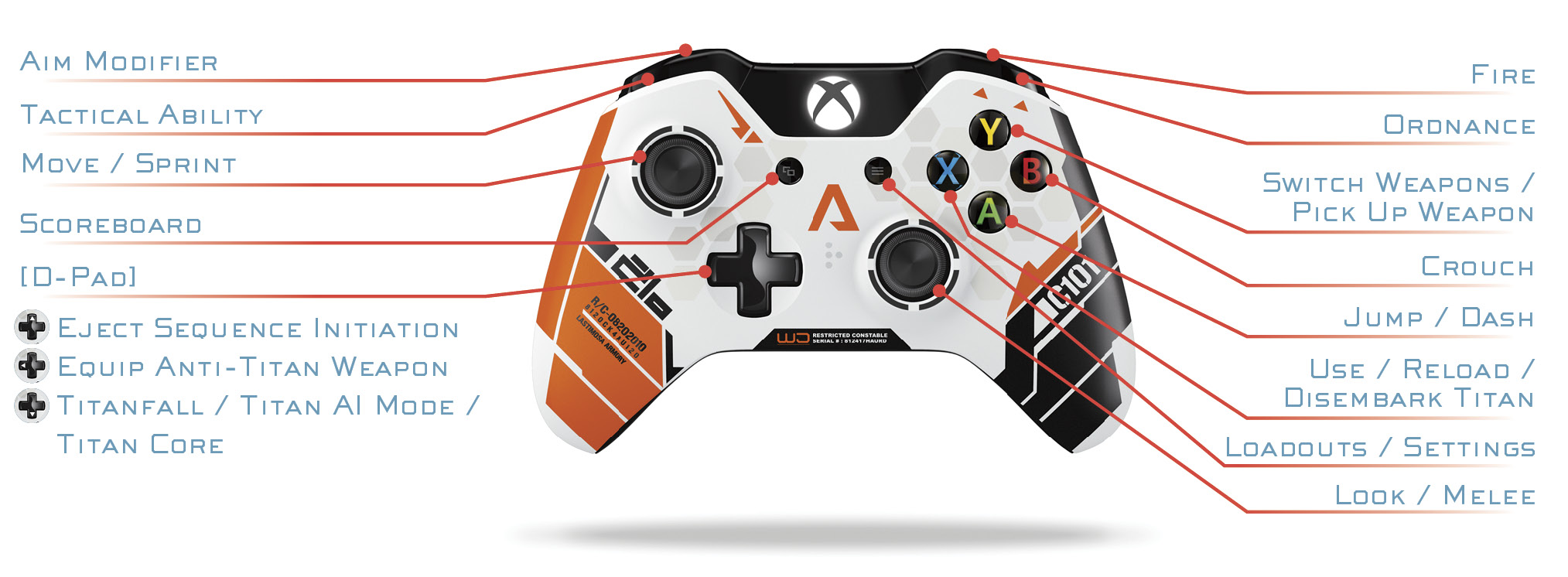
Xbox One
Xbox 360
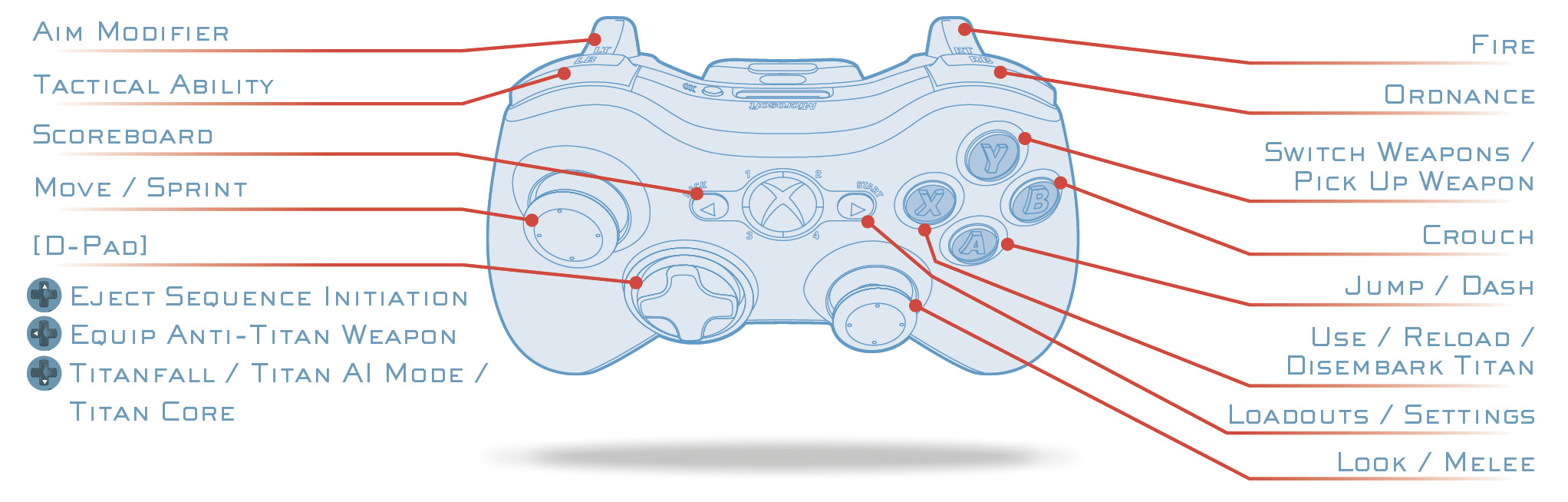
Bumper JumperThe Bumper Jumper button/stick layout, accessible through the game’s Options menu, is perfect for Titanfall since you’re constantly jumping and wall running. If you are not familiar with this button/stick layout, it switches your Jump button ( |
 ) with your Tactical Ability button (
 ). With this layout you can keep your right thumb on the right analog stick at all times, while jumping with
 PC: Default Key Bindings
| Actions | Key |
|---|---|
| Actions | Key |
| Fire | Mouse 1 |
| Aim | Mouse 2 |
| Melee | C |
| Ordnance | F |
| Tactical Ability | Q |
| Use/Disembark Titan | E |
| Reload | R |
| Eject | X |
| Titanfall/Titan AI Mode/Titan Core | V |
| Weapons | |
| Switch Weapons | Mouse Wheel |
| Equip Primary Weapon | 1 |
| Equip Sidearm | 2 |
| Equip Anti-Titan Weapon | 4 |
| Pick Up Weapon | G |
| Movement | |
| Move Forward | W |
| Move Back | S |
| Move Left | A |
| Move Right | D |
| Sprint | Shift |
| Jump/Dash | Space |
| Crouch | Ctrl |
| Miscellaneous/Communication | |
| Scoreboard | Tab |
| Push To Talk | T |
| Chat Message | Y |
| Team Chat Message | U |