
Far Cry Primal Guide Surviving the Wild
The HUD
Your HUD, or Heads Up Display, gives you all the information you need to help you stay alive on Oros.
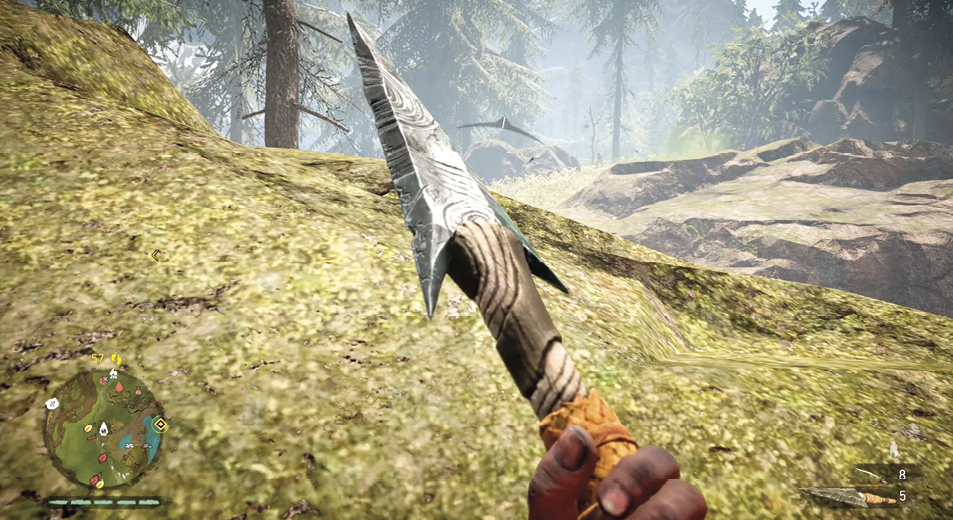
Mini-map
The mini-map is located in the lower left corner of the screen, just above your health bar. Initially the mini-map shows the location of your beast and any marked enemies. As the game progresses and you unlock more skills, the mini-map gains the ability to show you the locations of resources and herbs.
If you have a Wolf as your companion, the mini-map shows a larger radius, allowing you to spot resources and topographical features from farther away.
Health
Your health bar is below your mini-map in the lower left of the screen. Each bar starts as green and goes black when you’ve taken enough damage to lose that bar. The amount of bars you have depends on the Skills you have learned. Some skills add health bars, allowing up to a total of six.
Current Weapon/Ammo
Your current amount of weapons or ammo for the selected weapon appears on the bottom right of the screen. This only shows briefly after you’ve chosen the weapon, or recently thrown or used the weapon.
Enemy Awareness
Small white arrows appear on screen and begin to fill when an enemy becomes aware of your presence. When the arrows are filled all the way, the icon flashes and the enemy begins attacking.
When the arrow isn’t full, you can conceal yourself to make it rapidly fade away, allowing you to continue sneaking around the area undetected.
Crafting Icons
Crafting Icons appear above the area that displays your ammo count. A hammer with a tent  means you have the ability to upgrade a hut back in your village. The hammer with a bag
  means you have the ability to upgrade one of your weapons or pieces of gear.
As you play, the time of day cycles. You can rest at campfires around the map, allowing you the choice to wake up at dawn or dusk.