
Gears of War 3 Guide Basic Training
Campaign Modes & Difficulties
Gears of War 3 contains no fewer than four primary gameplay modes, and each one features numerous options. These include Campaign, Multiplayer Versus, Horde, and Beast modes. There’s simply no denying the incredible variety of available gameplay, but understanding it all may be a bit daunting for newcomers. The Multiplayer Introduction chapter later in this guide covers everything you need to know about playing the game’s Versus, Horde, and Beast modes. Meanwhile, the remainder of this chapter focuses exclusively on Campaign mode, as well as some universal tips and tactics.
Campaign
The main story campaign contains a single-player option, a Cooperative mode that allows you to play with up to three other people via Xbox Live, and even an Arcade mode that adds a scoring element to the mix. You can play Arcade mode alone or cooperatively with two to four players in total.
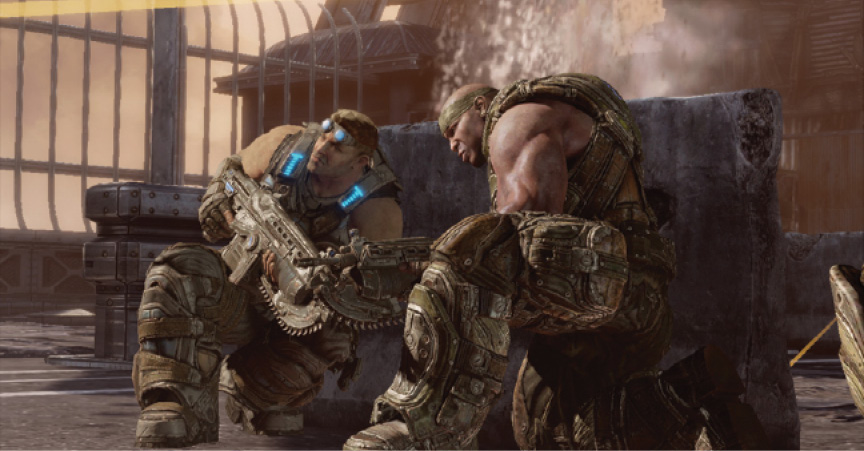
The campaign’s story is divided into five Acts, each containing an average of six chapters. The campaign contains dozens of collectibles and Achievements that you can find and unlock in any of the three variants.
- Solo Play: You control each chapter’s primary protagonist, either Marcus or Cole. However, you don’t have to fight the Locust and Lambent alone. The in-game AI controls the rest of the Gears. They help revive you, offer covering fire, and are even willing to trade weapons with you. Frequent checkpoints and auto-saves mean you never have to replay lengthy portions of the game if you fall victim to a Locust attack.
- Co-op: Play with up to three of your friends. Players aren’t required to have played through prior on their own, and each player is free to choose the difficulty setting that suits his or her skill. Players are divided across the four characters that star in any given scene, with the party host taking the lead role. In areas where the path splits, Players 1 and 2 split up to lead the way along separate paths. Player 3 accompanies Player 1, and Player 4 accompanies Player 2. Note that the game spawns additional enemies into some encounters when you play with three or four players.
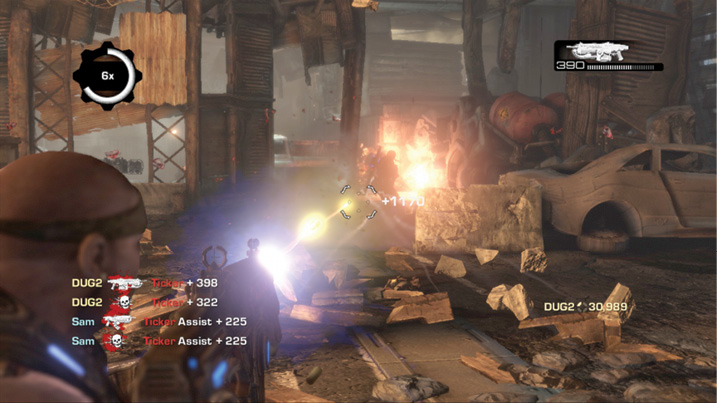
- Arcade: Arcade mode plays similarly to Solo and Co-Op with the addition of a scoring system. The team contributes toward a single pool of points and a score multiplier. Each enemy and some objectives are worth a predetermined number of points. The more enemies you kill, the higher the multiplier grows, thus increasing the value of each kill. Be careful, though, as the multiplier meter gradually drains each time a player takes damage. The multiplier drops far more rapidly when a player is downed, forcing others to revive him quickly. Lastly, the multiplier resets to 1x if a player is killed in battle, and the game then resumes from a checkpoint.
Campaign Difficulty Modes
Gears of War 3 features four different difficulty settings: Casual, Normal, Hardcore, and Insane. We recommend that newcomers to the series try the game’s Normal difficulty, especially if they have previous action game experience. Those who are brand new to modern videogames should probably start on Casual mode, then adjust upward if it feels too easy. Veterans of the series, depending on their skill, should feel at home on Normal or Hardcore mode during their first play-through. Hardcore offers just enough challenge without too much frustration. Insane difficulty is best left to very experienced players, and only after they’ve completed Hardcore mode.
Campaign Difficulty Differences
As a rule of thumb, there are no global behavioral differences in the enemies throughout the campaign from one difficulty to the next. The differences are almost entirely statistical. In short, you inflict less damage and have less health on harder difficulty settings. This reinforces the need to stay in cover and keep your enemies at a distance. It also forces you to conserve ammo. Pick your shots carefully and practice those headshots!