
HUD
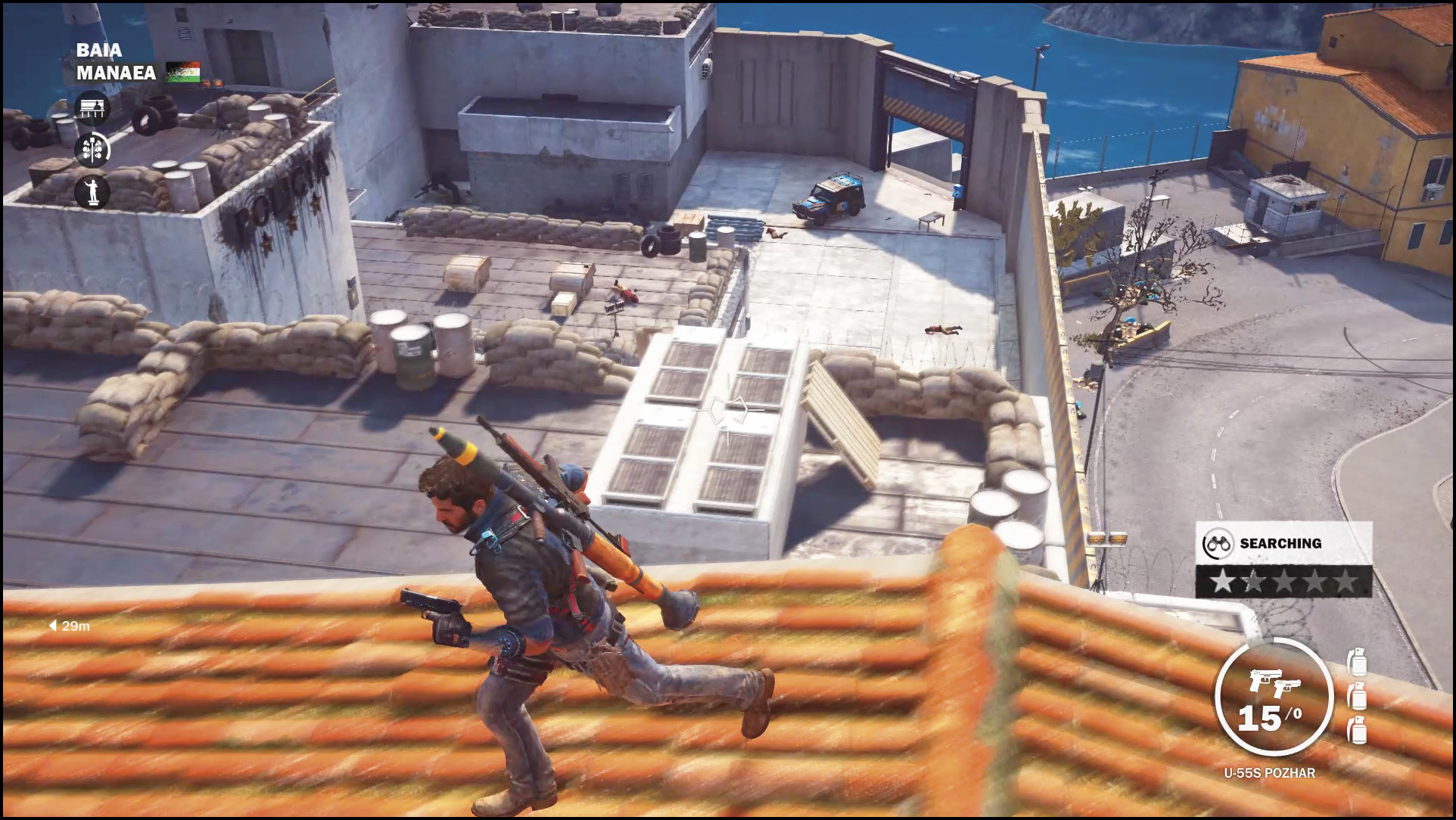
Your Heads Up Display or “HUD” constantly updates the player on the status of critical things such as ammo, objectives, and health.
Health
While there is no “Health Bar” visible on the screen, taking damage slowly causes the green to turn red before changing to a black and white perspective when near death.
Near Death
When you’re near death, you enter slow motion and the environment changes to black and white, leaving your enemies in full color.
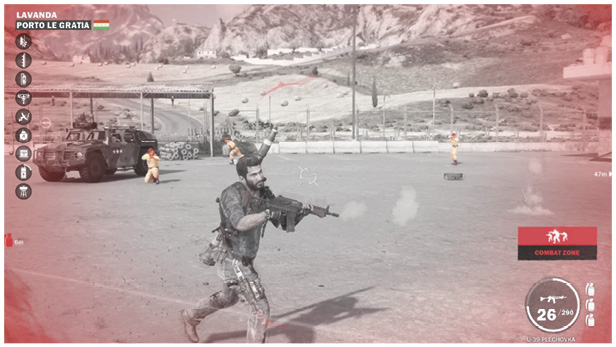
Use your tether to pull yourself away from the fight, activating your parachute to escape quickly. However, raising yourself into the air may make you easier to hit. Using your wingsuit when near death is not recommended as striking any object results in death.
Weapon Selection
Press and hold the D-Pad to bring up the Weapon Selection screen. Tapping any direction on the D-Pad quickly selects the weapon.
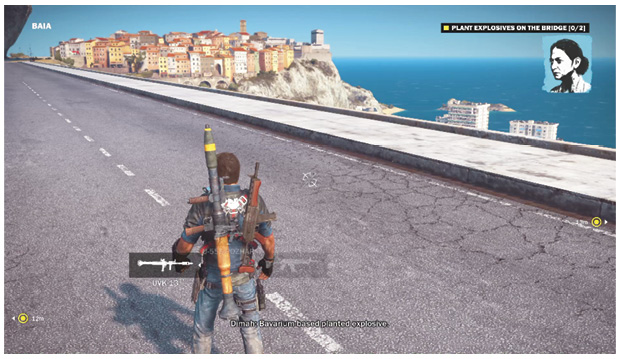
 Special Weapon
 Two-Handed Weapon
 Dual Wield Weapon
 GE-64 Explosives
Ammo Count
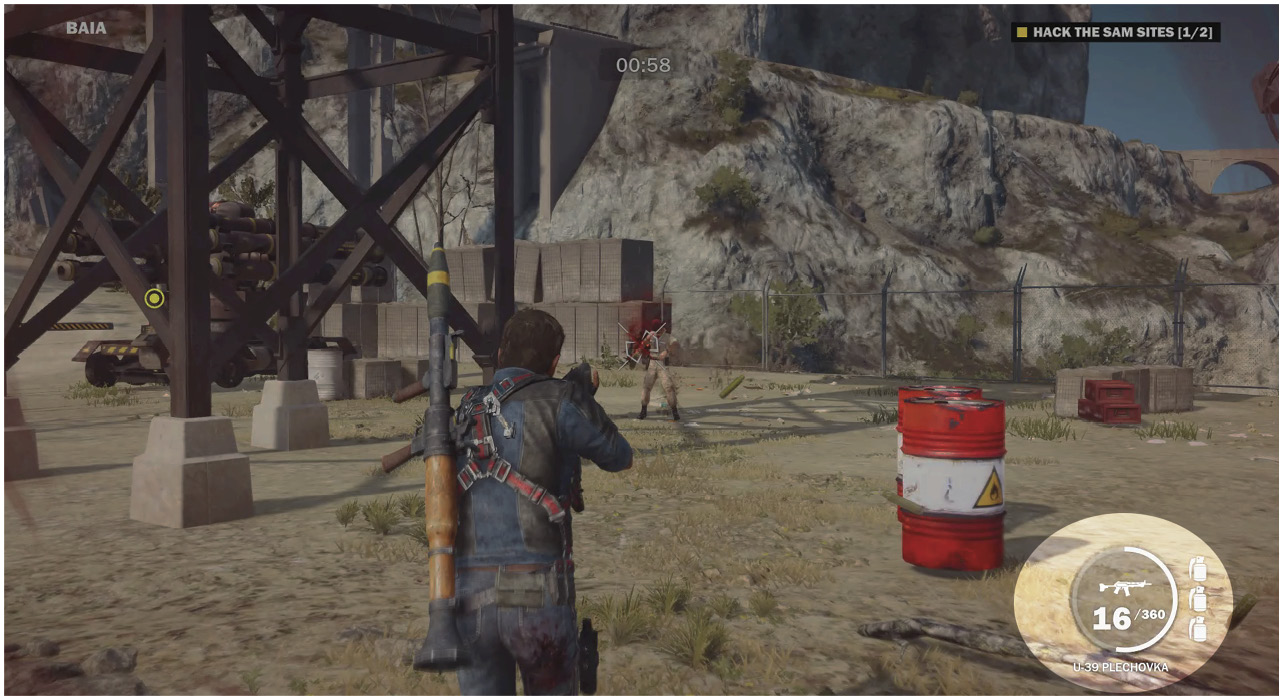
Your current gun and amount of ammo is displayed in the bottom-right corner of the screen. The left number is the amount of ammo left before you need to reload, the number to the right is the amount of ammo left in your reserve.
Detector
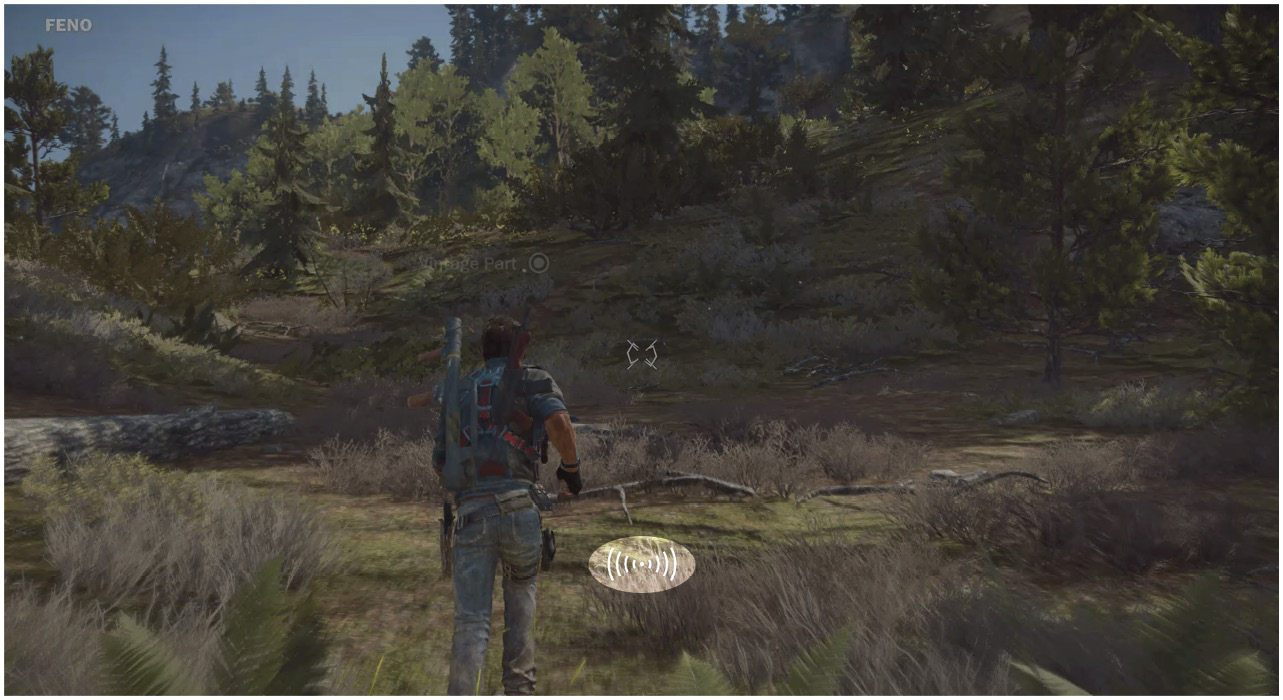
The detector is a multi-stage icon that begins to glow when you’re near the objective, which is then highlighted with a white circle that marks its exact location.
This initially works for collectibles. When using the Vehicle Detector, the same effect happens when you’re close to a vehicle that you have not brought back to your garage yet.
Grapple Crosshair
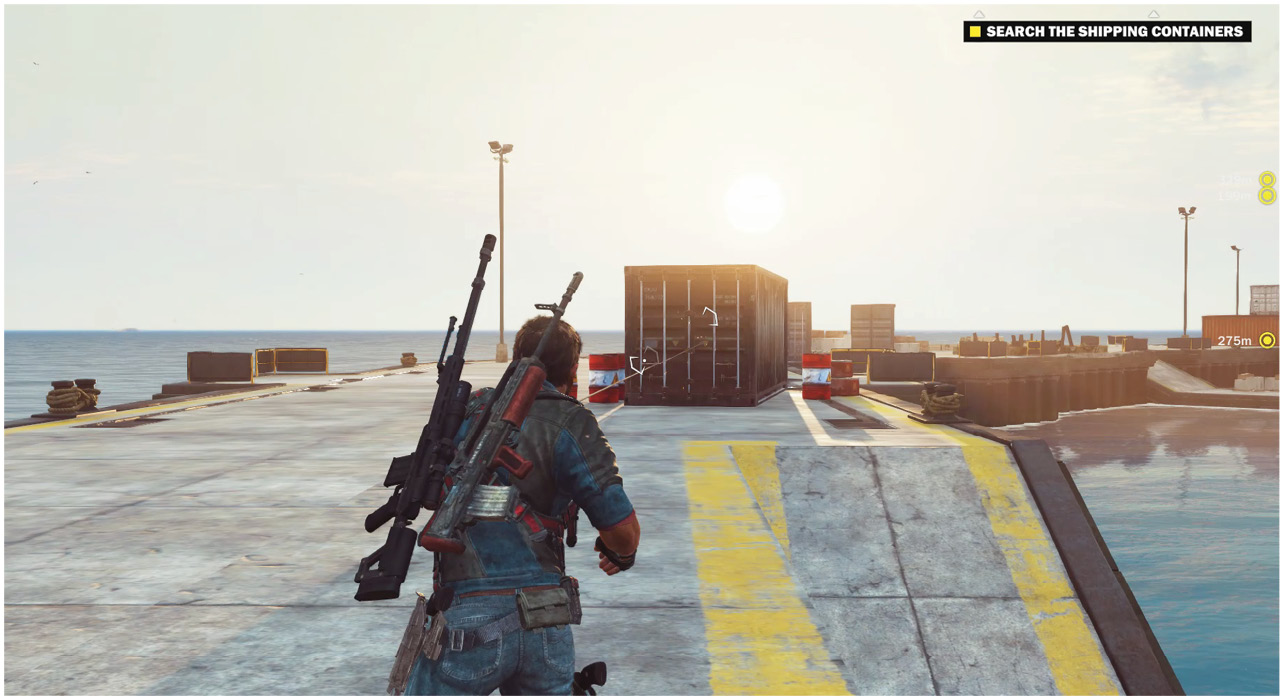
The Grapple crosshair appears in the center of the screen on the object you are aiming at, or the furthest possible object you can grapple. When you initiate a dual grapple, half of the crosshair illuminates while the other half remains dark until you release the second grapple.
Heat
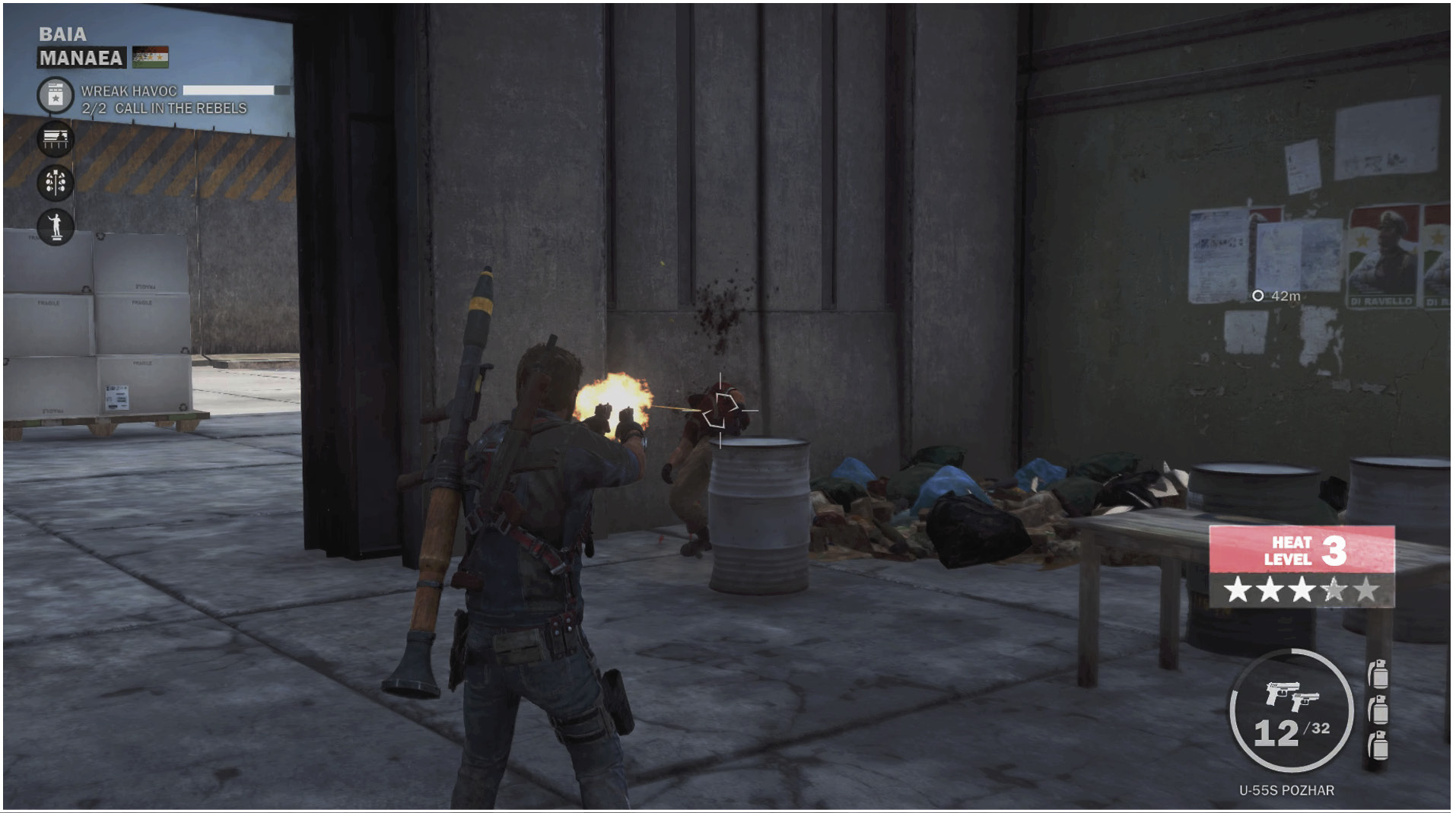
Heat is the amount of attention you have attracted from Di Ravello’s military. This appears as a row of five stars that light up as you hit each level of Heat. Each Heat level comes with a different response from the enemy, sending stronger units as you increase in level.
Aside from each level of stars, the Heat Meter also lets you know when you’re in view of Authorities, which means you will be immediately met with resistance if you decide to do anything violent. While in a Combat Zone, all enemies immediately begin to attack without warning.
During engagements, the enemy begins to call reinforcements. Eliminate all enemies in the area to prevent the reinforcements from being called, or escape the area to avoid the fight. Once they have lost visual, the heat meter turns white and a small circle indicates the amount of time remaining before your Heat clears. This meter resets if you are spotted.
Enemy Response by Heat Level
| Stars | Land | SEA | Air |
|---|---|---|---|

|
Military Jeep/Private | Light Patrol Boat/Private | N/A |
|
|
Military Jeep/Private | Light Patrol Boat/Private | N/A |
|
|
Military bike/Scout | N/A | N/A |
|
|
Military Jeep/Private | Light Patrol Boat/Private | Machine gun helicopter/helicopter pilot |
|
|
Military bike/Scout | Heavy Patrol Boat/Private | N/A |
|
|
Military Jeep/Private | Light Patrol Boat/Private | Machine gun helicopter/helicopter pilot |
|
|
Military bike/Scout | Heavy Patrol Boat/Private | Rocket helicopter/helicopter pilot |
|
|
Military mounted gun Jeep/Elite, Private | N/A | N/A |
|
|
Small tank/tank driver | N/A | N/A |
|
|
Military Jeep/Private |
Light Patrol Boat/Private |
Machine gun helicopter/helicopter pilot |
|
|
Military bike/Scout |
Heavy Patrol Boat/Private |
Rocket helicopter/helicopter pilot |
|
|
Military mounted gun Jeep/Elite, Private |
Corvette |
Machinegunner helicopter/helicopter pilot |
|
|
Small tank/tank driver |
N/A |
N/A |
|
|
Medium tank/tank driver |
N/A |
N/A |