Evolve Official Strategy Guide BASICS
Using the Map
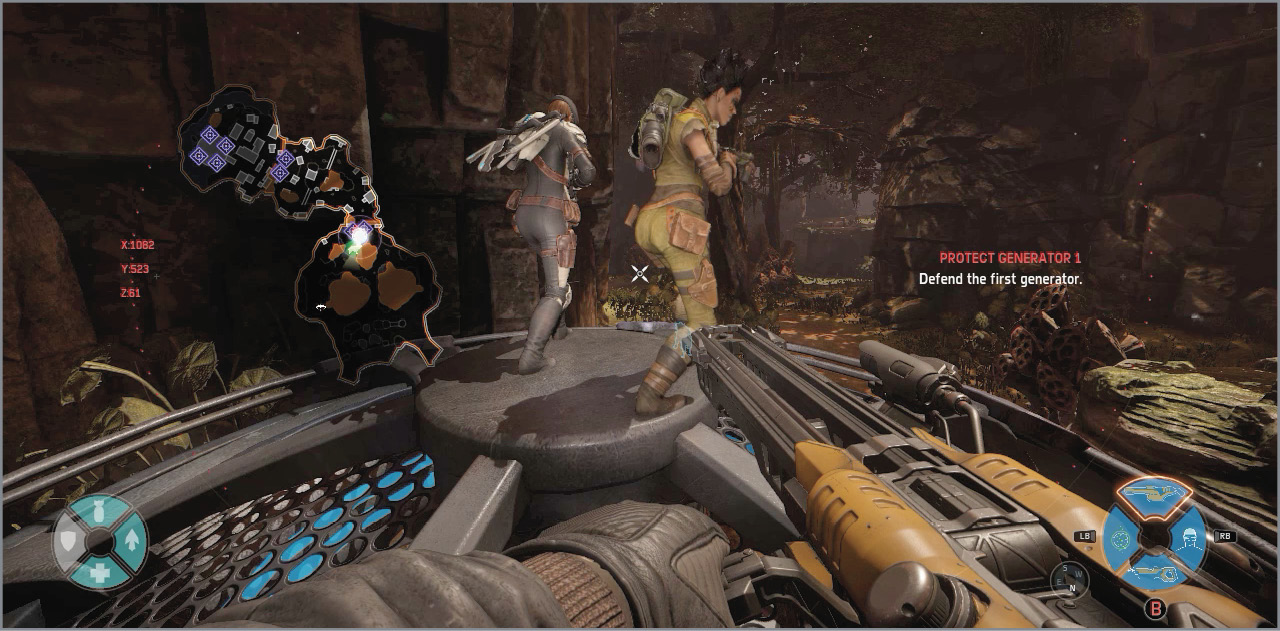
Press the Toggle Minimap button to bring up the map during a game, along with your current objective and buff. Your coordinates are shown just to the left of the map in case you need to give a more accurate location.
The bright big white dot is your character, with a cone showing the direction you are facing. Similar yellow dots show the rest of your team, and a Trapjaw icon shows Daisy’s location (if applicable). More icons appear as you spot the Monster and the birds are spooked. Objectives are also shown on the map.
Learning your way around each map is a huge help when hunting down the Monster. Knowing where the edges of the map and inaccessible areas are allows you to better guess the beast’s next movement. Similarly, the Monster can lose the Hunters more easily with knowledge of the map.
|
Icon |
Represents |
|
|
Player |
|
|
Hunter |
|
|
Incapacitated Hunter or Survivor |
|
|
Dead Hunter or Survivor |
|
|
Daisy |
|
|
Drop Ship |
|
|
Monster Spotted |
|
|
Tagged Monster |
|
|
Marked Creature |
|
|
Tagged Creature (Abe’s Tracking Dart Pistol) |
|
|
Marked Location |
|
|
Spotted Elite Wildlife |
|
|
Available Buff |
|
|
Scattered or Attracted Birds |
|
|
Bucket’s UAV |
|
|
Griffin’s Sound Spikes |
|
|
Power Relay, Generator, Power Source (Hunt Mode, Defense Mode) |
|
|
Egg (Nest Mode) |
|
|
Survivor Location from Distance (Survivor Mode) |
|
|
Survivor Incoming Transport (Survivor Mode) |
|
|
Survivor Extraction Point (Survivor Mode) |
|
|
Sentry Gun, Defense Turret (Bucket’s Turret, Defense Mode, Map Effect) |
|
|
Attack Drone (Map Effect) |
|
|
Colonist, Ebonstar Ally, Survivor(Map Effect, Survivor Mode) |
|
|
Forcefield (Map Effect) |
|
|
Minion (Defense Mode, Nest Mode, Map Effect) |
|
|
Medbay (Map Effect) |
|
|
Mutated Plants (Map Effect) |
|
|
Teleport Gate (Map Effect) |
|
|
Teleport Rift (Map Effect) |