Evolve Official Strategy Guide BASICS
Controls
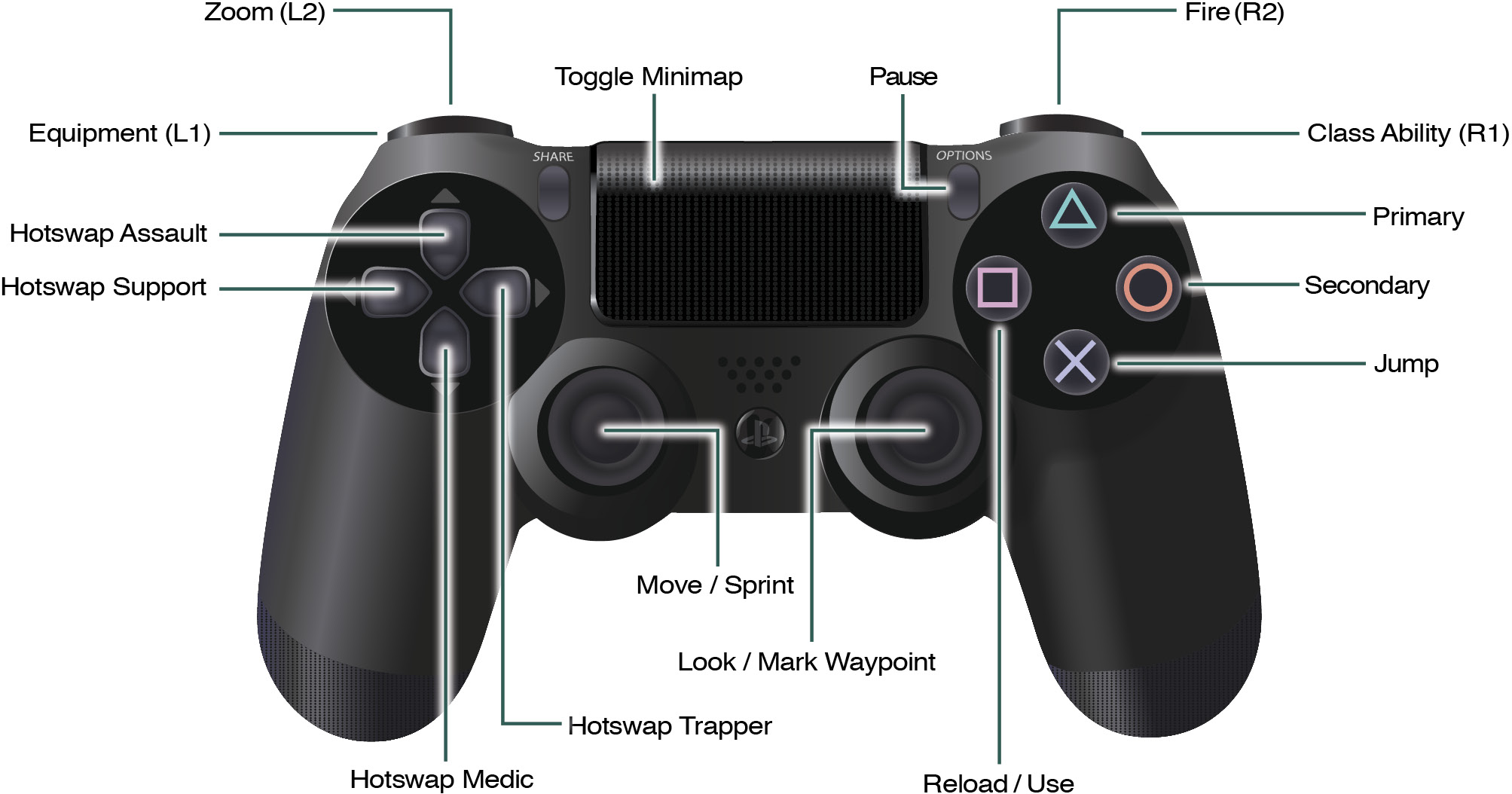
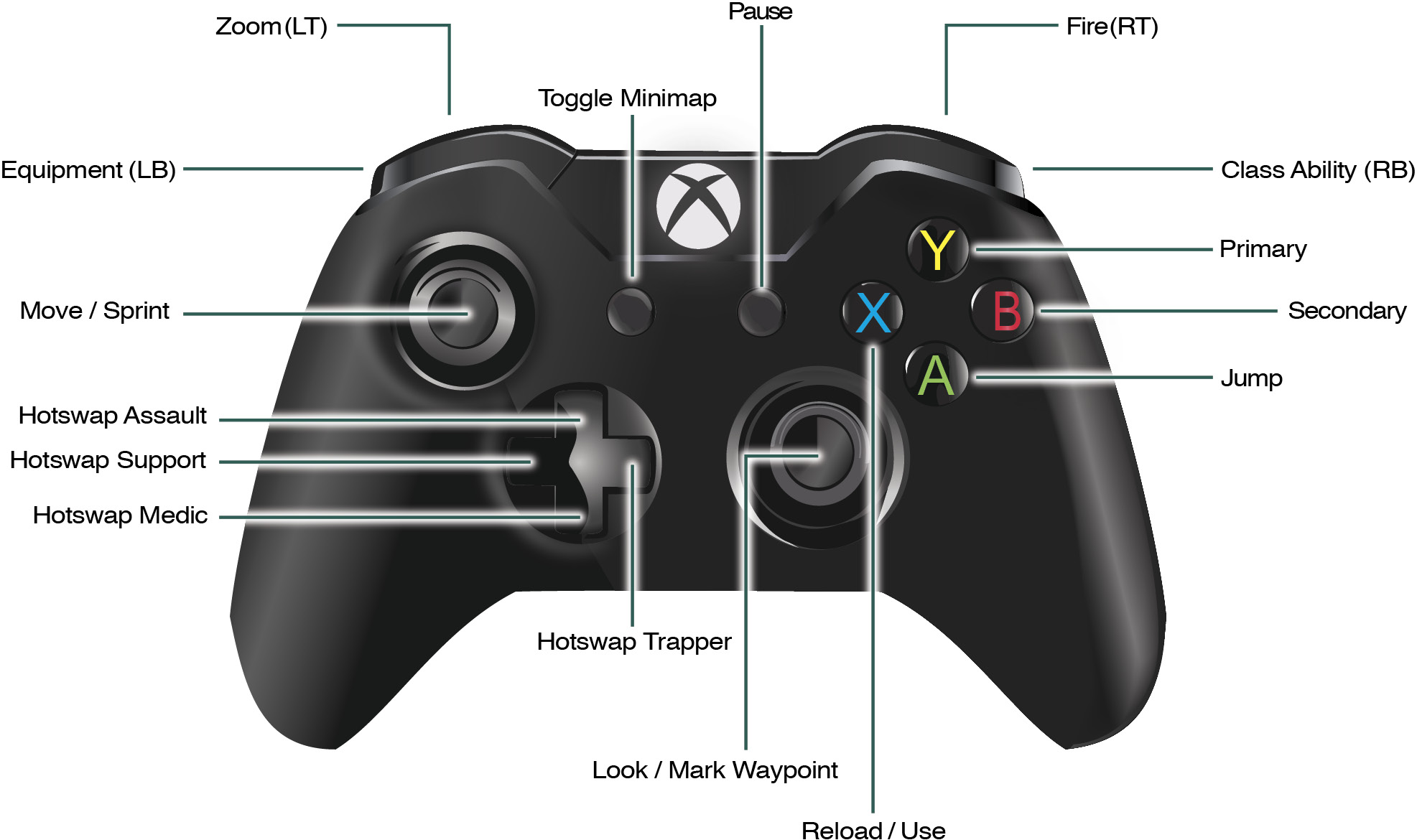
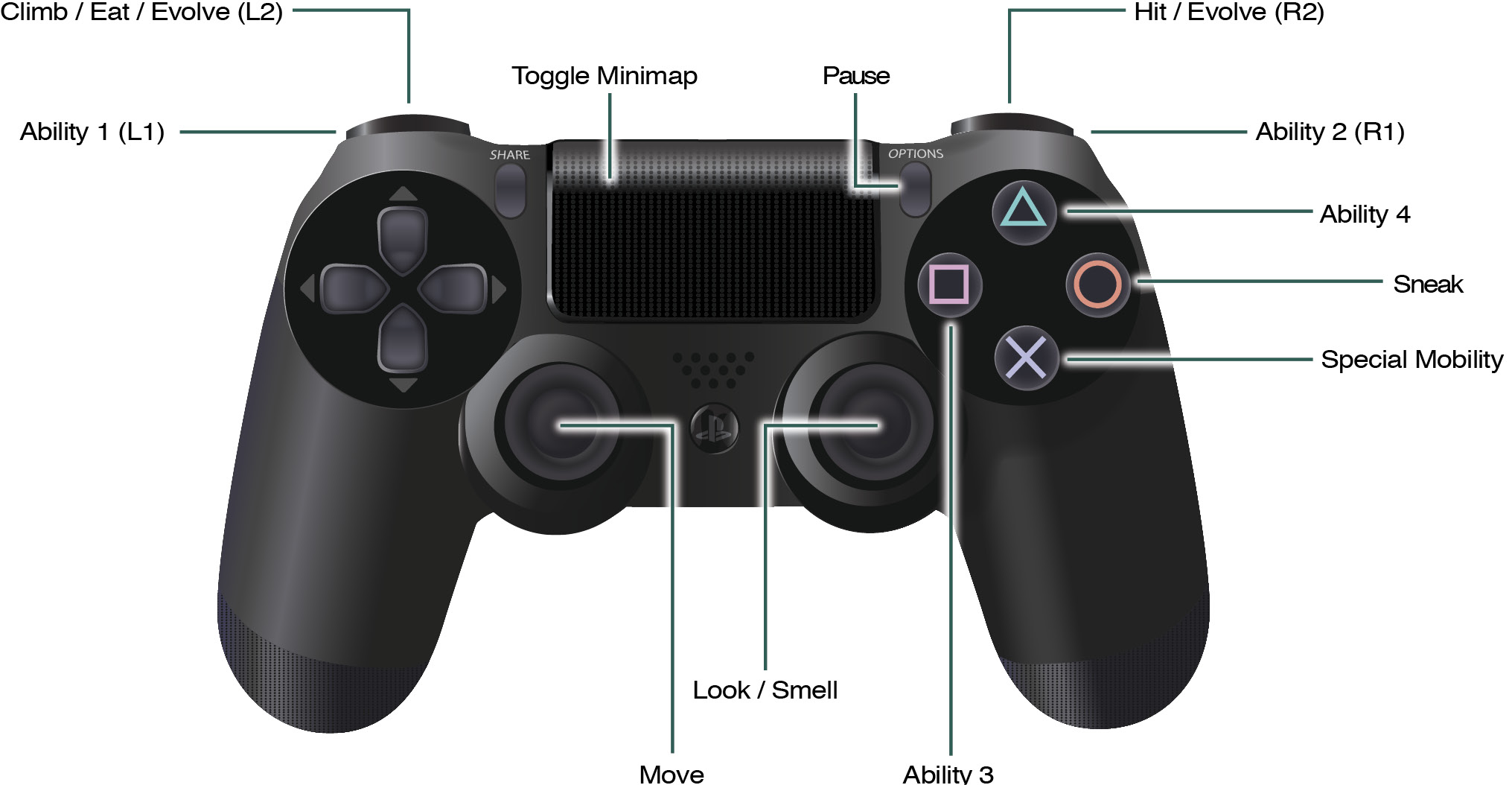
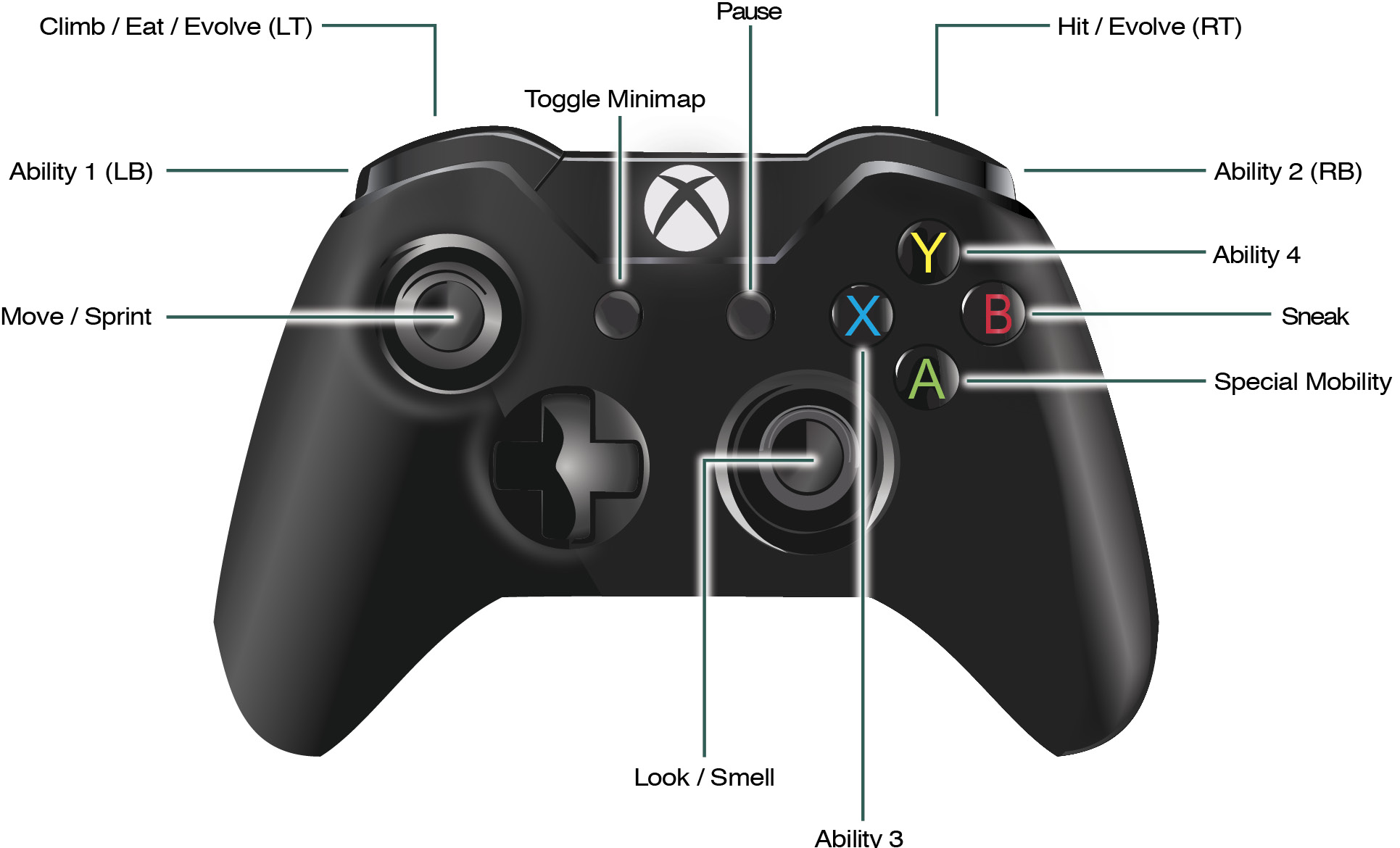
The following tables list the default controls for PC, Xbox One, and PlayStation 4. You can change button layouts and key bindings in the Options.
PC
These are the default controls when using the keyboard and mouse. You can also hook up a controller if preferred.
Global Inputs
| Push to Talk | G |
Shared Inputs
| Move Forward | W |
| Move Backward | S |
| Move Left | A |
| Move Right | D |
| Toggle Minimap | Tab |
| Player List | T |
Hunter Inputs
| Sprint | Left Shift |
| Use | E |
| Jump | Space |
| Fire | Mouse Button 1 |
| Zoom | Mouse Button 2 |
| Reload/Use | R |
| Next Weapon | Mouse Wheel Up |
| Previous Weapon | Mouse Wheel Down |
| Primary | 1 |
| Secondary | 2 |
| Equipment | 3 |
| Ability | 4 |
| Mark Waypoint | Q |
| Hotswap Assault | 5 |
| Hotswap Trapper | 6 |
| Hotswap Medic | 7 |
| Hotswap Support | 8 |
| Respawn | B |
Monster Inputs
| Eat | E |
| Climb | Left Shift |
| Hit | Mouse Button 1 |
| Special Mobility | Space |
| Sneak | Left Ctrl |
| Ability 1 | 1 |
| Ability 2 | 2 |
| Ability 3 | 3 |
| Ability 4 | 4 |
| Evolve | V |
| Smell | Mouse Button 2 |
Xbox One and PlayStation 4 Controls
The default controller layouts for both the Monster and Hunters.
Monster controls
Hunter controls