
World of Warcraft: Warlords of Draenor Signature Series Strategy Guide WORLD DUNGEONS
Dungeon Journal
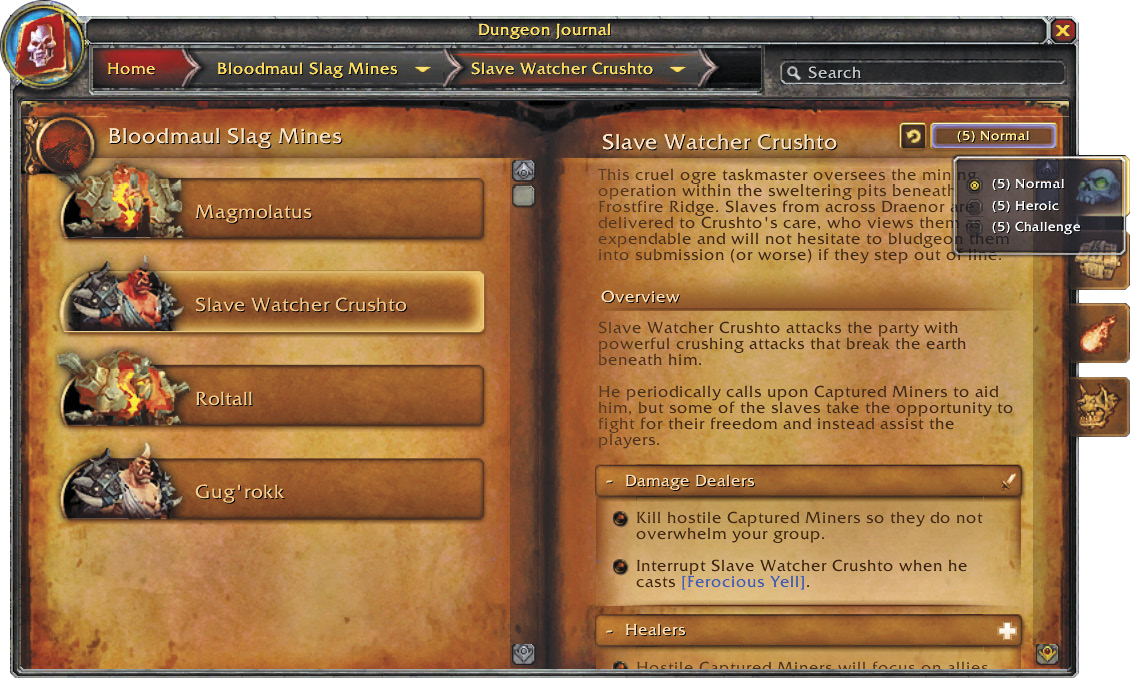
The Dungeon Journal contains a wealth of information about various dungeons, raids, and world boss encounters you’ll come across in Draenor. To open the Dungeon Journal, simply click on the book icon in the interface bar, or hold down Shift and press the letter “j.” Alternatively, you may also click a boss icon while viewing a dungeon’s map to bring up the Dungeon Journal entry for that boss.
Navigate the Dungeon Journal by using the dropdown bar to choose between expansions and dungeons. To learn more about a particular boss, choose the dungeon in which the boss is located, and click on the boss icon. You can then view abilities and what to pay attention to during the encounter, along with a loot list with drops that are relevant to you. The Dungeon Journal also includes a list of helpful icons to denote which abilities require close attention.
Icons in the Dungeon Journal
 |
Heroic Ability Only |
 |
Enrage |
 |
Deadly |
 |
Important |
 |
Magic Effect |
 |
Poison Debuff |
 |
Curse Debuff |
 |
Disease Debuff |
 |
Damage Dealer Alert |
 |
Healer Alert |
 |
Tank Alert |
 |
Interruptable Ability |