
World of Warcraft: Warlords of Draenor Signature Series Strategy Guide Introduction
Picking the Right Realm
Millions of people can’t all play in the same place at the same time, so it makes sense that World of Warcraft isn’t hosted from a single computer. Instead, servers around the world host the many realms where World of Warcraft is played. Each realm is a separate copy of the game where several thousand people play.
Your first act, after you register, patch, and load the game, is to select a realm. If you have friends already playing, contact them and ask which realm to join. Otherwise, you are strongly encouraged to try out one of the realms marked for NEW PLAYERS.
Tuesday Downtime
The Realm Selection Screen
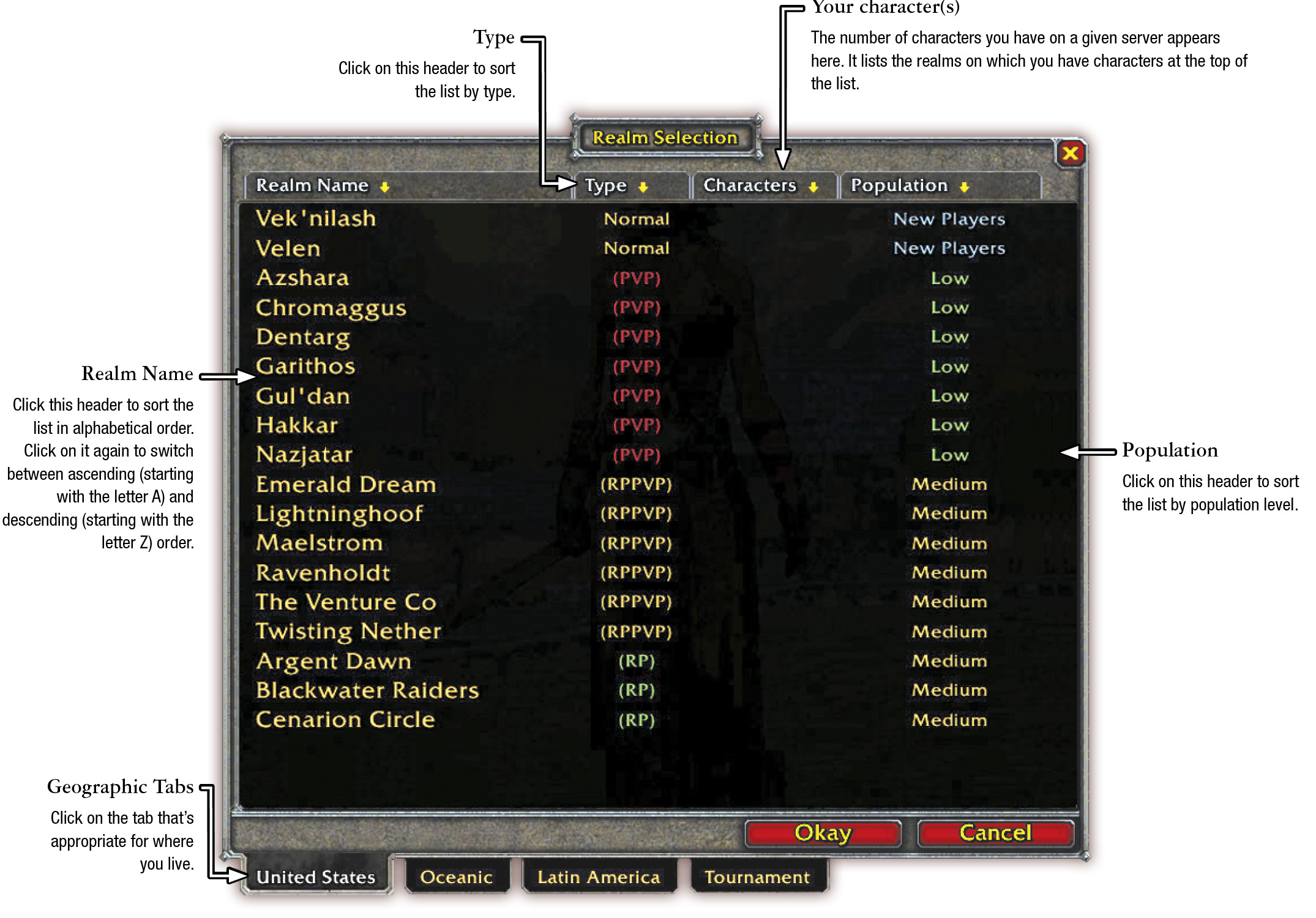
Types of Realms
The list of available realms may be daunting the first time you scroll through it. Use the following information to find the right realm for you.
| Normal | Normal realms are also known as PvE (Player-versus Environment) realms. If you’re new to the game, strongly consider a Normal server before trying any other type. |
| PvP | Player-versus-Player servers. In addition to all the standard aspects of the game, players from opposite factions are free to attack each other in most areas. If you don’t know what PvP is, don’t choose it. |
| RP | Roleplaying servers. Environments that encourage players to stay “in character” while playing the game. There are additional rules in place that govern player names and behavior in public areas. There aren’t any mechanical processes that force you to roleplay your character well (or at all), but it is encouraged in these realms. |
| RPPVP | These servers combine the RP crowd with a PvP rule set. |
Population
The last variable to consider is the player population of a server.
| Full | New accounts are unable to create characters on Full servers. |
| High | A large number of players. There’s always someone around who might help, but you may be waiting in a queue to log in some nights. |
| Medium | A robust player base but not too crowded. |
| Low | Sparse player base. You will always be able to do your tasks, but there may not be many people around to help you. |
| New Players | Newer servers with a lower overall population. |
| Offline | Grayed out servers are briefly unavailable, but will likely be online again soon—save for Tuesday downtimes. |
To Make Your Selection
Click on the realm to highlight it, and click Okay. You are now logged into that server. Since you have no characters, this screen is currently empty. Press Create New Character in the lower-right corner, and read the next section for help in creating your character.