World of Warcraft: Warlords of Draenor Signature Series Strategy Guide Introduction
Making Your Character
The Character Creation Screens
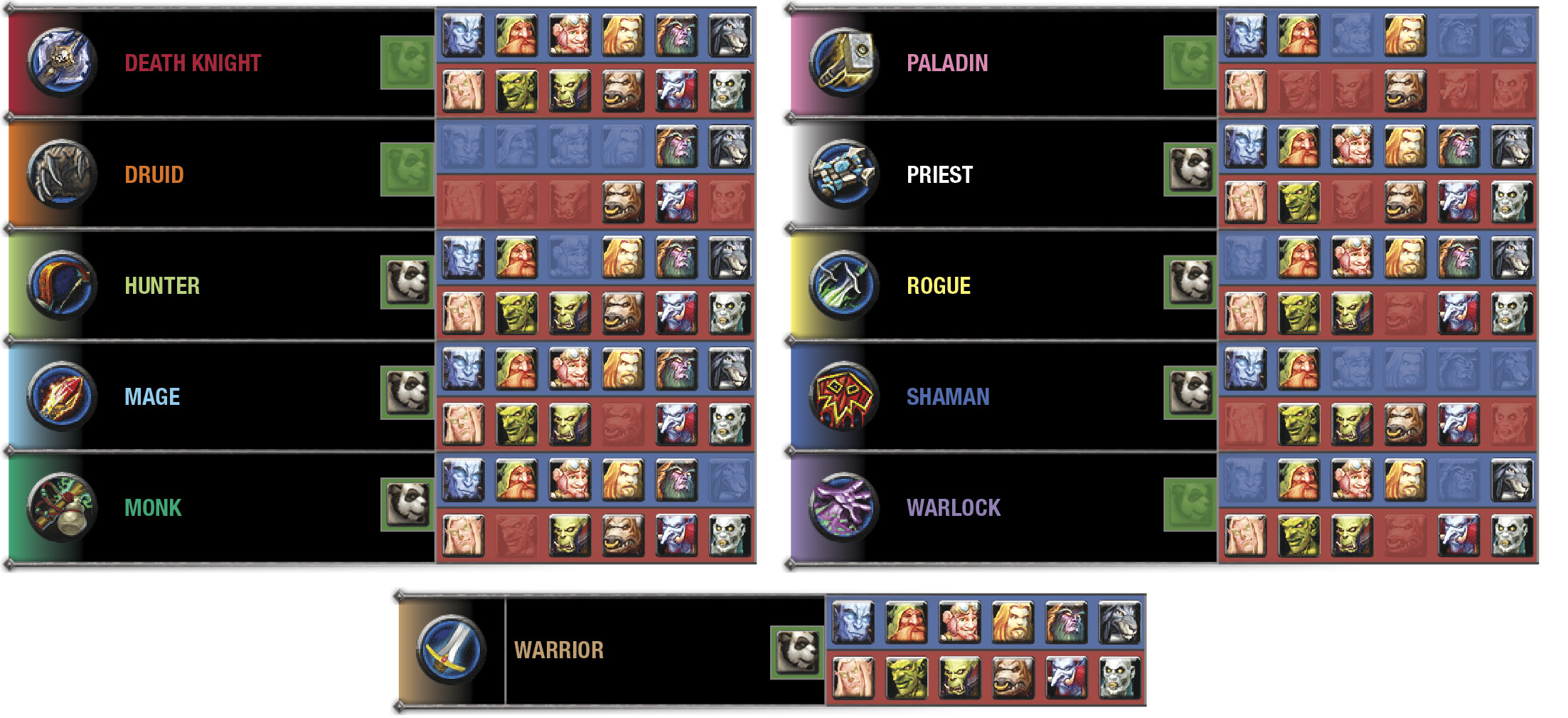
The character creation screen is divided into two screens. You begin with a random character (which appears in the center) that you can customize in multiple ways. The first screen lets you pick your race, class, and gender.
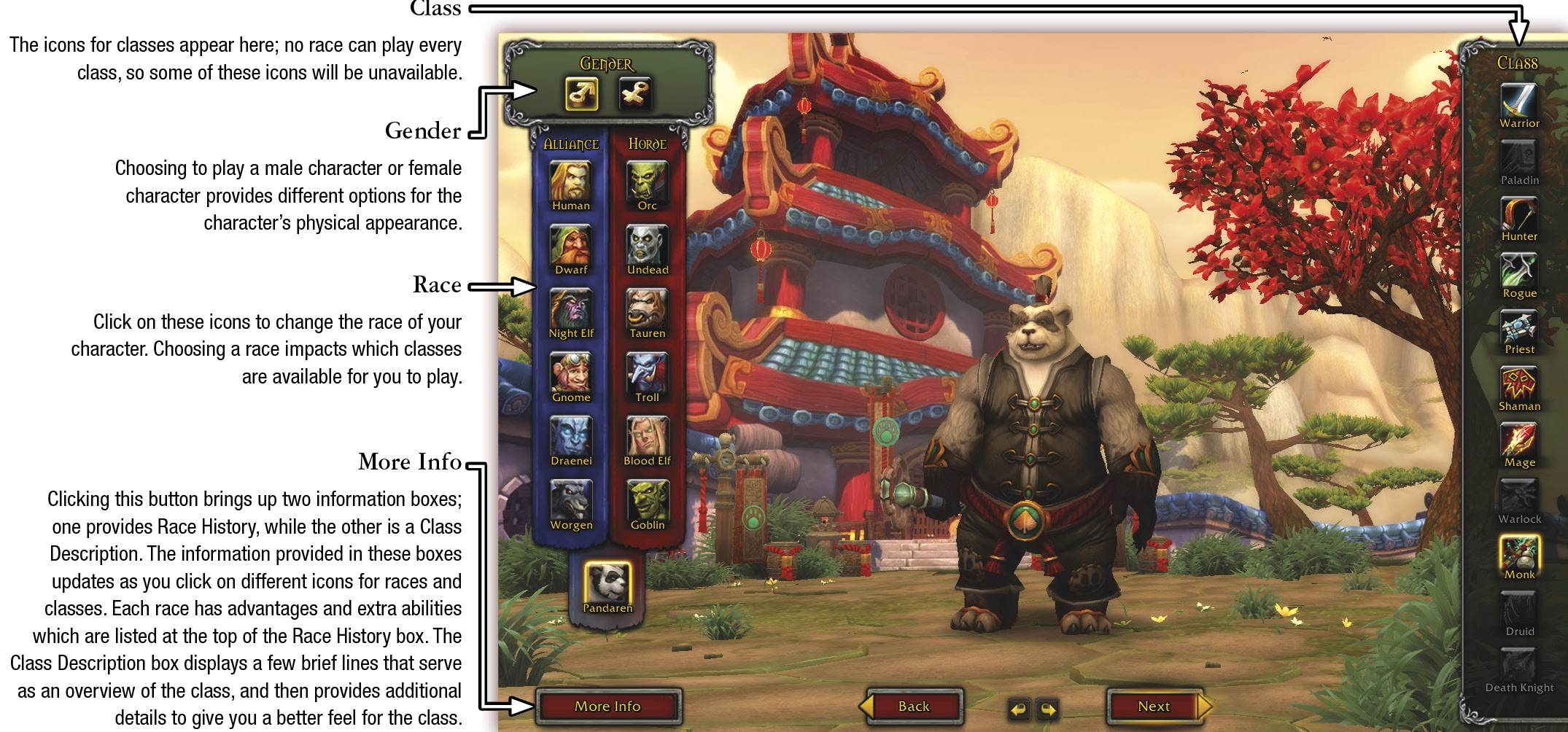
For More Information
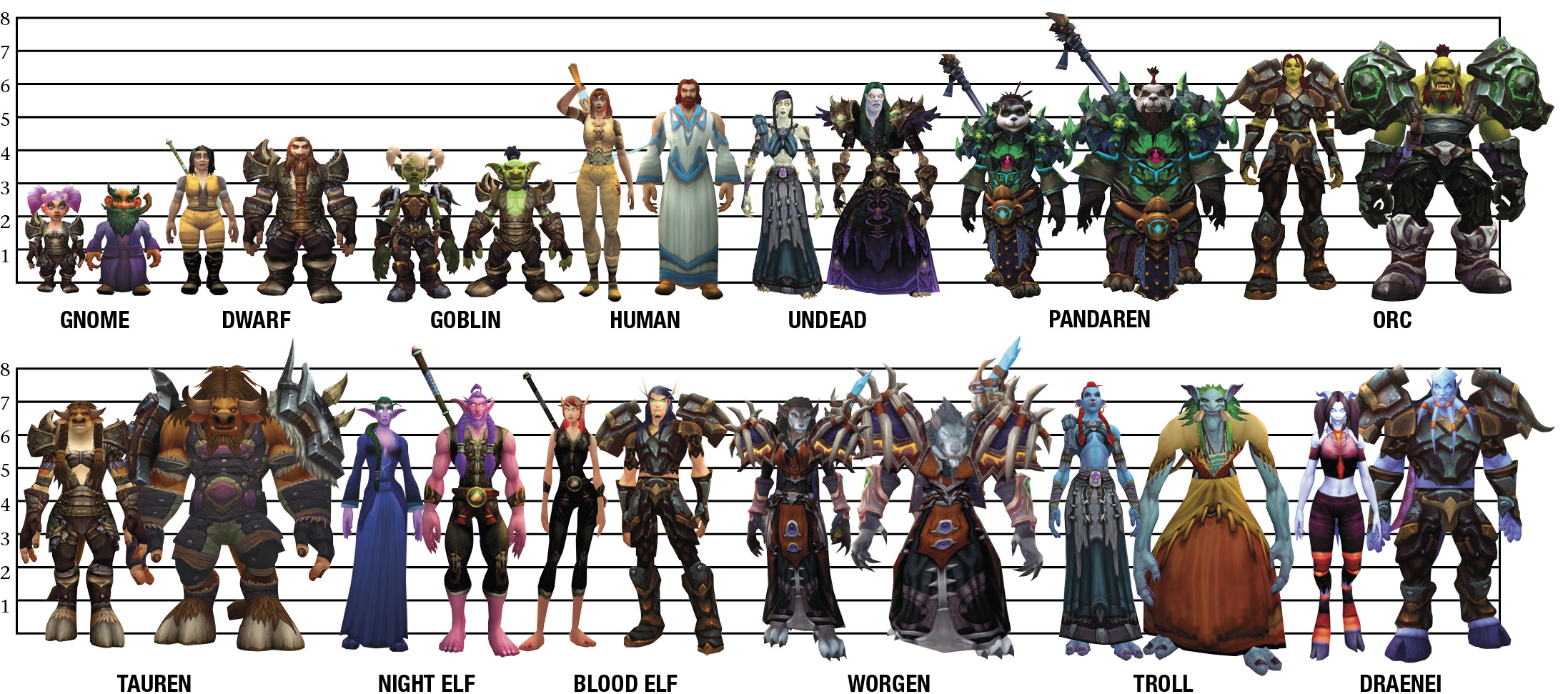
If you are most interested in playing a specific faction or race, turn to the Races section of the guide. If you are most interested in playing a specific class, turn to the Character Classes section to read about the available classes and their significant characteristics.
Character Appearance and Name
When you are comfortable with your character’s class and race, click Next to bring up the second character creation screen. This screen allows you to change your character’s gender and appearance. When you click an option on the left side of the screen (under the Gender window), the available options for that category appear on the right. The number of options available varies by race.
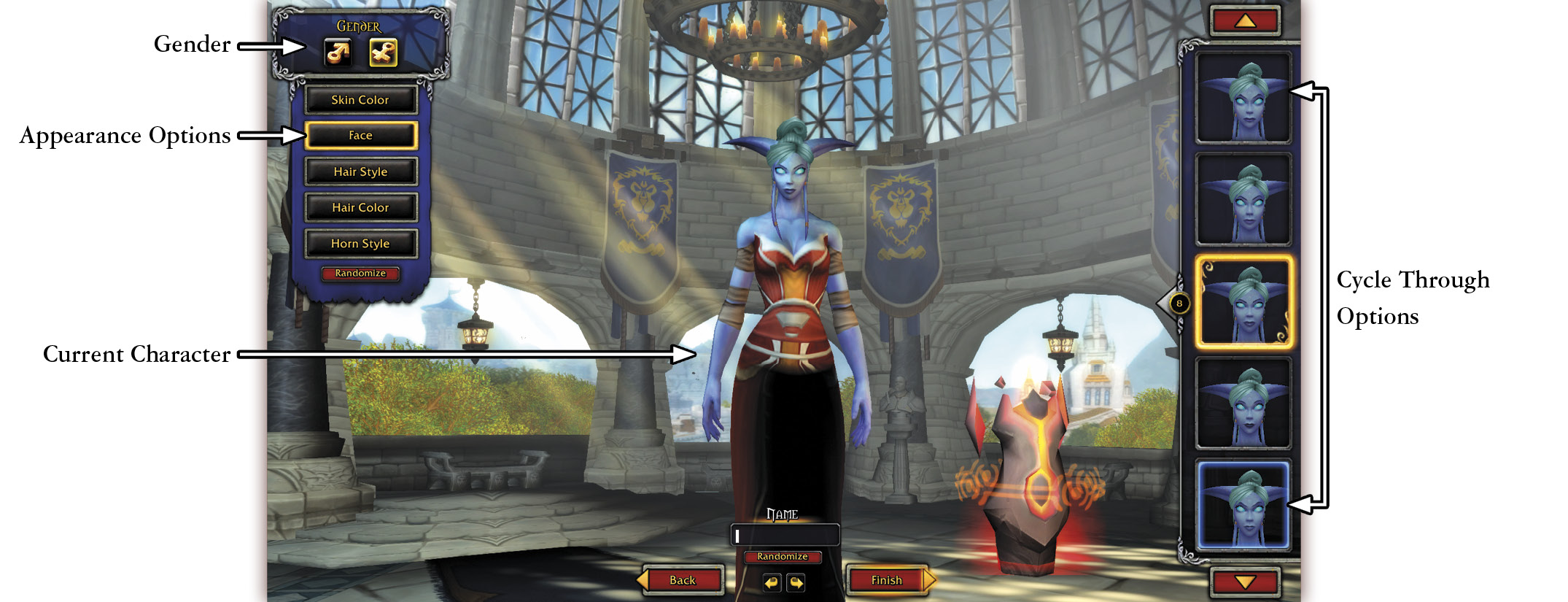
Current Character
Each time you click on a new option for race, gender, class, or physical appearance, the character displayed here is updated. The gender and the physical appearance choices you make for your character are purely cosmetic—they have no impact on how your character performs in the game. Have fun choosing your hair color and markings. After all, this is your in-game persona—you want to like what you see! You can press Randomize to let the game show you some options.
When you’re satisfied with your character’s class, race, and appearance, it’s time to select a name. When choosing a name, consider that your character’s name is the first impression others have of you in the game. Blizzard has a “Naming Policy” that is designed to discourage players from using character names that are inappropriate to the game. In general, you want to avoid real-world names (like celebrities), offensive names, names from other fictional words, or trademarked names. If you really can’t think of a name that you want, or if all of your good ones are already taken, try the Randomize button under the bar. It might give you a few suitable suggestions that are available.