
World of Warcraft: Warlords of Draenor Signature Series Strategy Guide Introduction
Quests
Quests tell the stories of the World of Warcraft inhabitants and sometimes reveal in-game secrets. Questing is an efficient way to increase your character level, earn money, and acquire improved gear.
What’s With All The Punctuation?
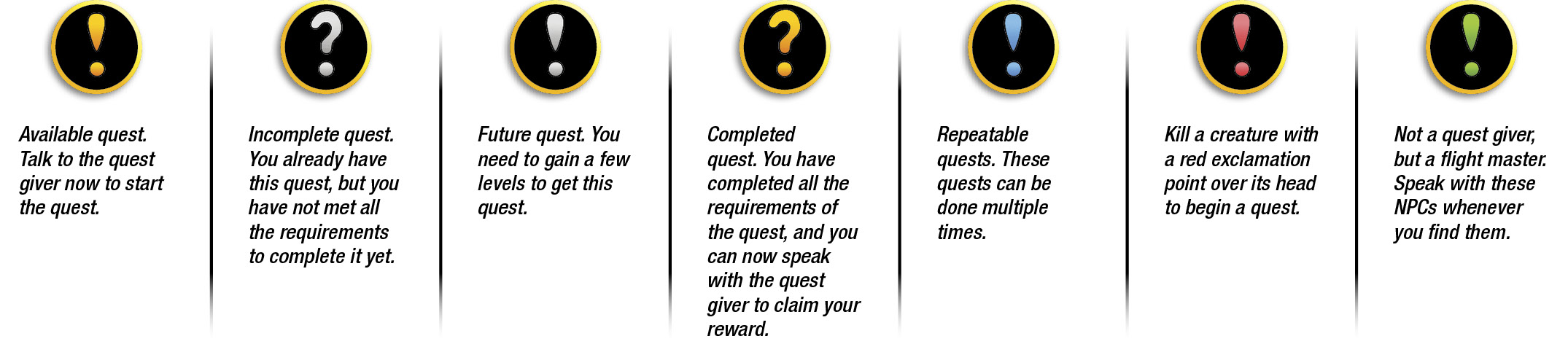
Finding Quests
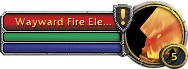
For most quests, right-click on the person or item, read the quest, and (if you don’t automatically accept the quest) click Accept to add the quest to your log. There are many sources of quests, so keep an eye out for any of the following characters or objects. You may get some quests simply by entering a new zone! Watch for a prompt under your minimap when traveling to new areas.

Quest Givers
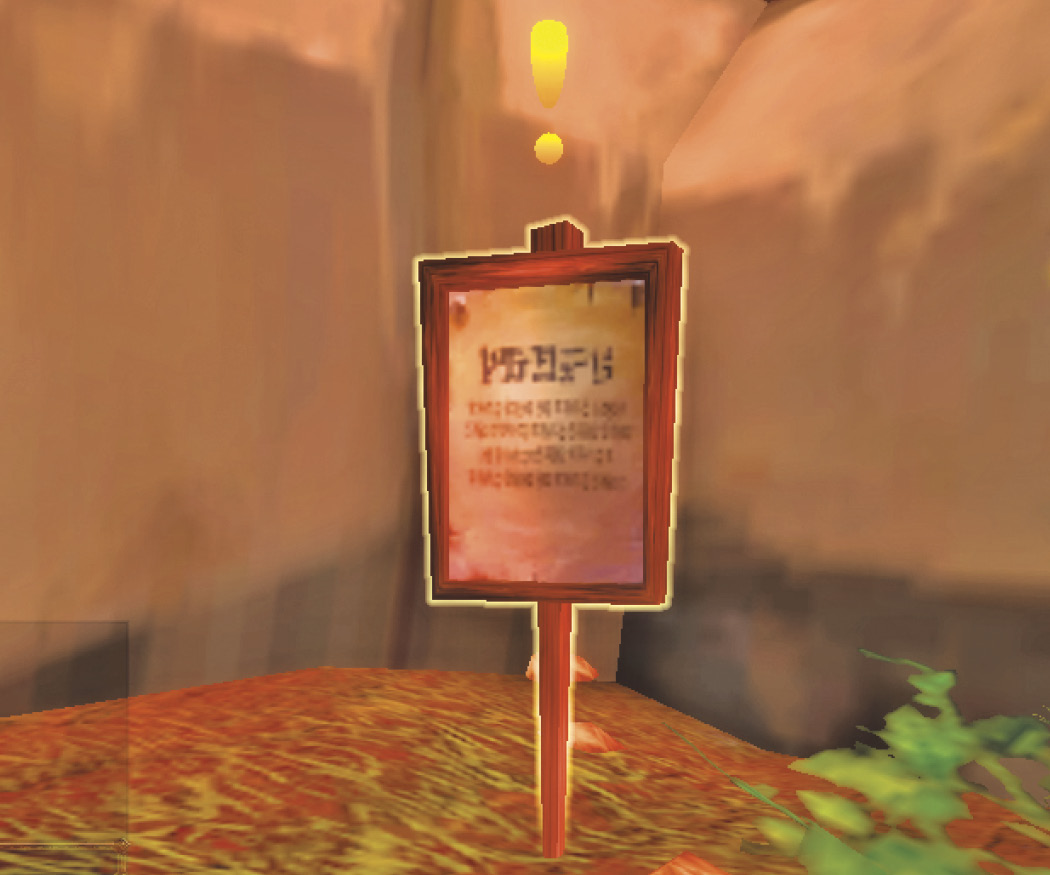
Quest givers are identified by the exclamation point floating over their heads. Many quest givers offer more than one quest. Some quests even come from items!
Items as Quest Givers
The most common item that gives quests is a Wanted Poster. These appear in highly populated areas, frequently offering rewards for local villains who need tracking and killing. There are also items found in the open, or in a camp of creatures that give out quests. All these items have golden exclamation points that appear over them.
Dropped Items
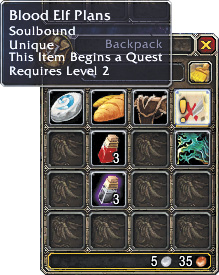
Some enemies drop items that initiate a quest. Any item that begins a quest has a gold exclamation point integrated into its icon. Right-click the item to see the quest it offers.
Types of Quests
Most quests are designed so you can complete them on your own and do them only once. There are other types of quests, however. Your Quest Log identifies certain quests as one of the following:
Dungeon
Quests that must be completed inside an instanced dungeon (the earliest you’ll see a dungeon is level 15) are marked with the Group Finder icon. You must enter the dungeon and complete these quests as part of a group.
Raid
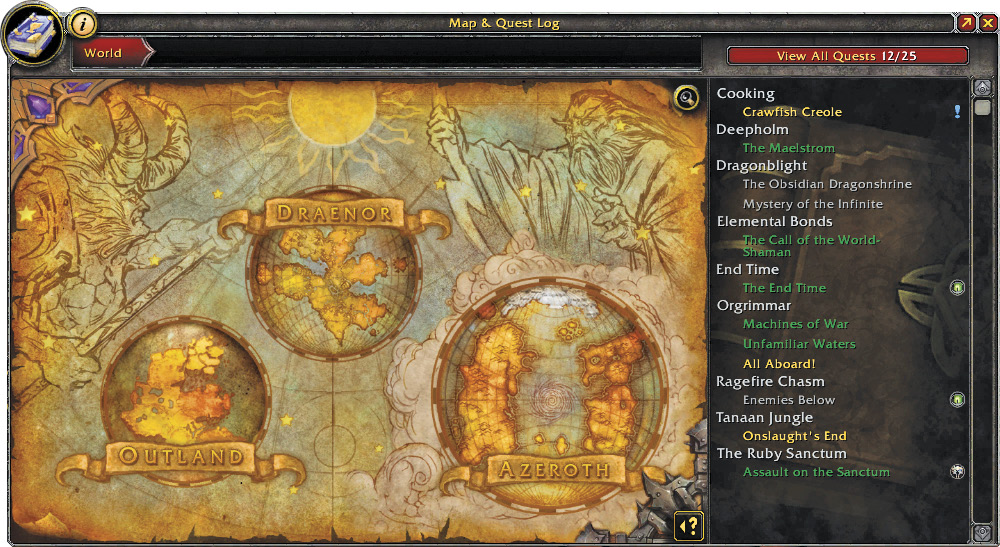
Quests that must be completed with a raid group are marked with a different icon. Raid groups are essentially multiple groups joined together. You won’t need to worry about raid quests until you reach a much higher level.
Daily
Quests marked with blue exclamation points in your Quest Log can be completed once each day. These quests come from the quest givers with blue exclamation points over their heads.
Class
Some quests are available only to a specific class. These quests often lead to learning a new class skill or acquiring a nice piece of gear.
Seasonal
Quests that are available during certain events during the year. Check the in-game calendar for information about events.
More Quest Types
While the game doesn’t categorize quests in the following ways, most quests fall into one of the following types:
Breadcrumb quests require you to speak with another character, or take an item to another character. They are called breadcrumb quests because they are designed to lead you to a new zone or a different area with more quests in the same zone.
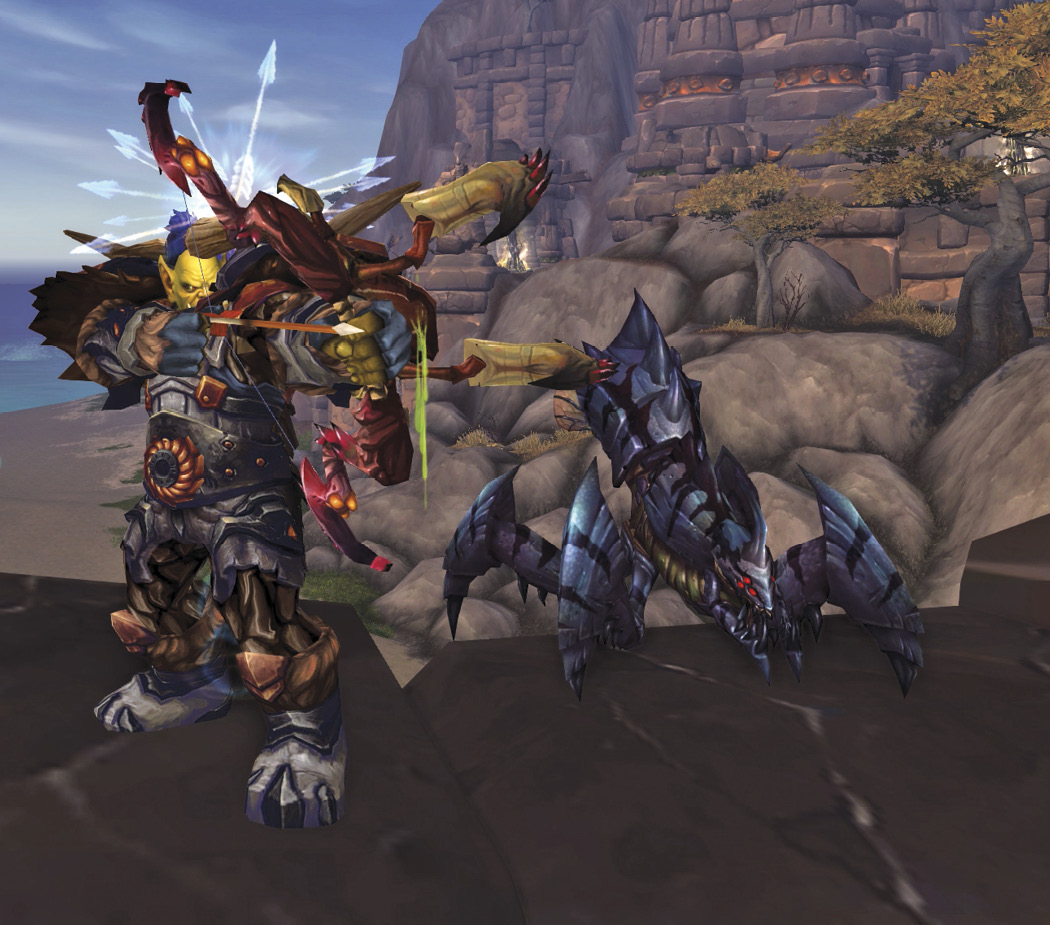
There are two types of collection quests. The first type does not require you to fight. After accepting the quest, look for objects that sparkle. Put your mouse pointer over the object and right-click on it to put it in your backpack. The second type of collection quest involves items that are carried by enemy characters. These enemies must be killed before they surrender their item. Just like the objects in the first type of collection quest, defeated enemies sparkle when they have items for you to pick up.
The object of kill quests is to eliminate a number of a specific kind of enemy. These quests are simple and straightforward. Once you find the right type of enemy, it’s a matter of taking them down in combat.
In an escort quest, you free an in-game victim and lead the character to safety. These quests are usually encountered in out-of-the-way locations while completing other quests.
A quest chain is a series of quests that must be completed in a certain order. Chained quests aren’t marked as such in your Quest Log, but it’s easy to tell when you’re in the midst of a quest chain when you speak with the same quest giver many times. Completing a long quest chain can be one of the most satisfying aspects of the game.
Quest Levels
Your Quest Log also indicates the level of difficulty of your quest using corresponding colors. The level of difficulty is a comparison between the level of the quest and your current level. As you gain levels, the quest becomes relatively easier, so the color changes.
|
Quest Color |
Description |
|---|---|
| Gray | Very easy quest, but not worth much XP. |
| Green | Easy. Simple to complete solo. |
| Yellow | Normal. Likely to complete solo. |
| Orange | Hard. Consider finding help for the quest. |
| Red | Very Hard. Don’t try this quest without some help. |
If a quest is too difficult for you currently, leave it in your log as long as you can spare the room. The benefit to tackling red and orange quests is that the XP reward is greater; in fact, if you wait until a quest turns gray to complete it, it’s worth only 10% of the XP had you completed it as a Red quest!
 Completing Quests
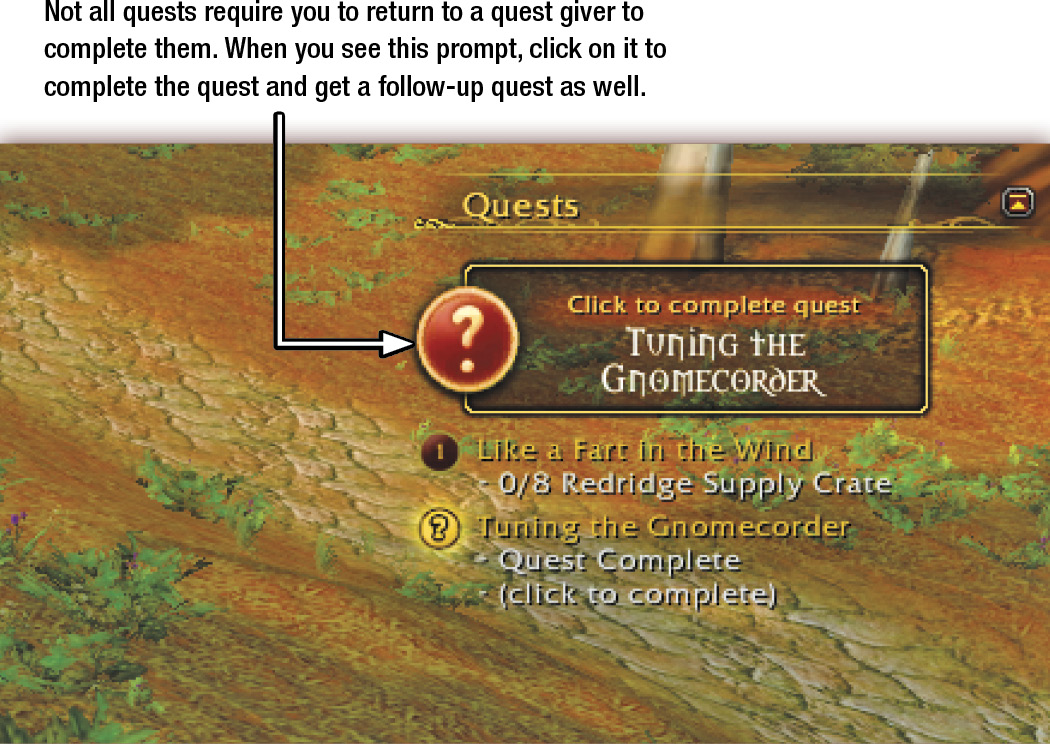
Remember to read the quest text carefully. If you complete several quests simultaneously, you can turn them in at the same point and time. When you complete a quest, the quest tracker points you to where to turn in the quest for your reward. Frequently, you return to the original quest giver, who is indicated with a gold question mark.
Phasing
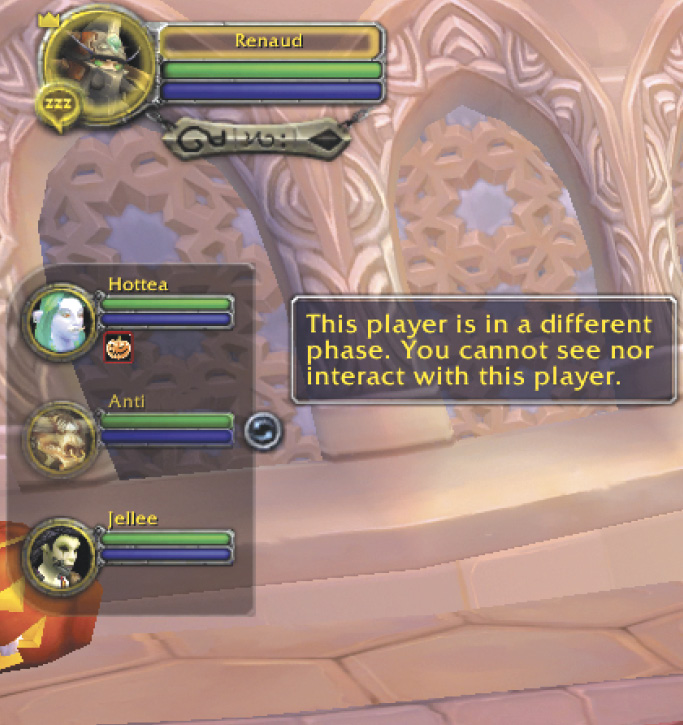
Tracking Your Quest Progress
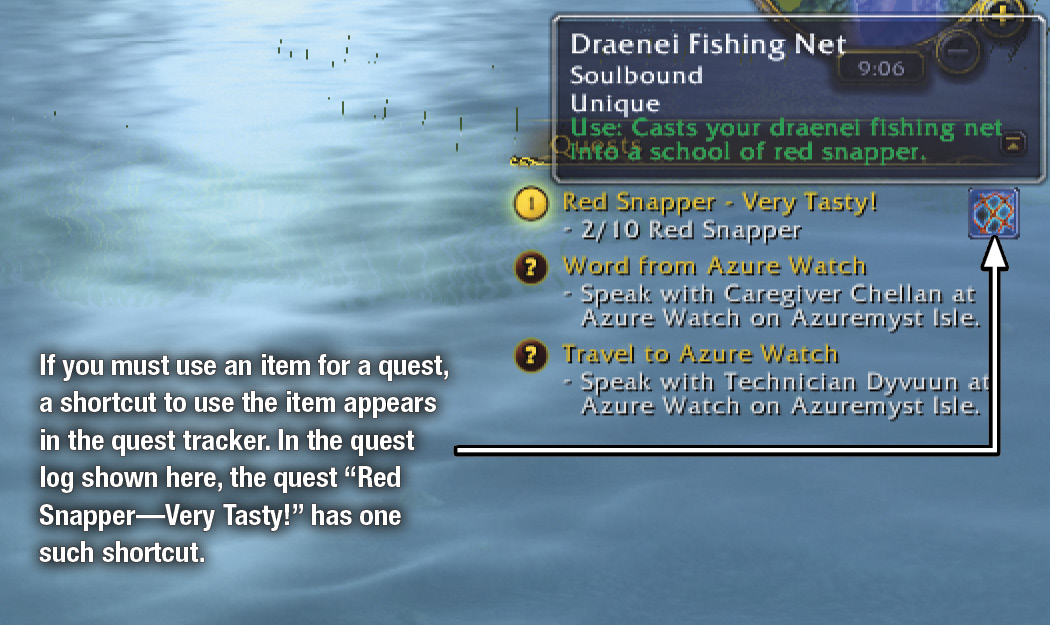
When you accept most quests, look for a quest tracking window to appear under your minimap. The text here summarizes the objectives needed to complete the quests in your log. Not every quest has objectives that can be tracked, so not all quests appear here; every active quest always appears in your Quest Log.
If you need more information about a specific quest, click on the text (not the numbered circle) to open a new window with additional details. Clicking the numbered circle to each quest’s left changes which quest you are actively tracking on your map and minimap. If you want to change the order in which the quests appear (or stop tracking a certain quest), right-click on the quest you want to change to bring up an option menu.
Using the Map to Find Quest Objectives
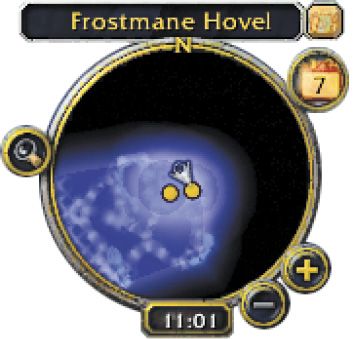
After accepting a quest, a yellow arrow often appears on your minimap. This arrow indicates the direction to travel to complete the quest. The region map displays even more information, in the form of either a yellow question mark or a numbered icon.
The numbered icons on the region map are tied to the quests which are being tracked. Mousing over one of the numbered circles brings up the objectives for that quest. The yellow arrow on the minimap points you in the direction of the currently selected quest you are actively tracking. If you want to track a different quest, click on that quest’s numbered circle (either on the region map or in your quest tracking list). If you need to find multiple items or kill multiple enemies for a quest, the area in which those items or enemies appear is shaded blue on your map and minimap.
The yellow question marks are locations to turn in completed quests. The circle question mark indicates the turn-in for the quest, which appears at the top of your quest tracking window. As you approach the indicated area, the yellow question mark appears on your minimap, providing the exact location for you to complete your quest.
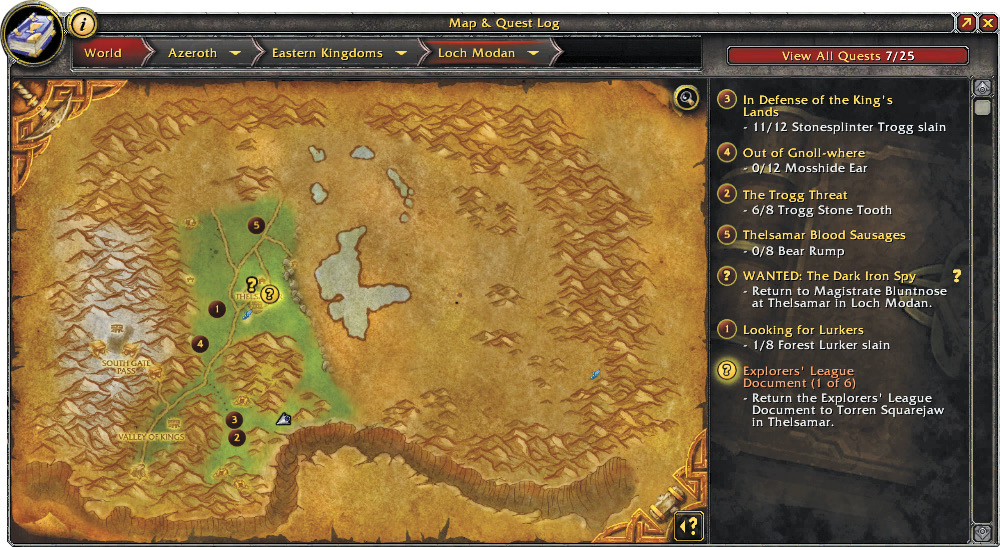
Click on any quest name in the Map & Quest Log to bring up more information about that quest while leaving the map view the same. Click on the arrow near the Close Window button (the x in the top-right corner) to hide the list of quests and expand the map to fill your screen.
Dark Yellow Dots on the Minimap
Quest Rewards
You sometimes have a choice of the rewards you can take, but not all rewards are available to all classes. When you mouse over the available quest rewards, a great deal of information is revealed.
If you mouse over the item that interests you, the game compares that item with your currently equipped item, so you can see whether it’s an improvement.
Soulbound Items
If an item is shown in red, your character/class can’t use it. Try to find items that are ideal for your character. For instance, a Warrior can use any type of armor (cloth, leather, mail, or eventually plate). However, quest rewards that are cloth or leather are trash to Warriors. Don’t be hasty when picking a quest reward. See if there is something awesome before making a final decision.
When there aren’t any perfect rewards, think about sell values. It’s wise to select the most expensive quest reward if you aren’t going to use it.
Faction Rewards
After completing some quests, you receive notices in your General Chat Log, indicating that your reputation with certain factions has increased or decreased. This is a way of quantifying which groups in the game have been helped or hindered by your work in the quest.
Failed Quests
It’s possible to fail to meet the goals outlined in a quest. The quest stays in your log and is marked as Failed. Don’t despair! Just abandon the quest (right-click on it), and you can pick it up again from the quest giver.
A Final Word on Quests
There are thousands of quests in World of Warcraft. You don’t have to do them all! In fact, you cannot do them all. Some quests are specific to certain classes, and some are faction specific, so you can’t do them without making a character that joins the other side.
You get to decide which quests you want to complete and which you don’t. The game leads you through many adventures, but there’s nothing stopping you from wandering on your own and finding quests off the beaten path. You never know when you might find a message in a bottle that leads to a new quest!