World of Warcraft: Warlords of Draenor Signature Series Strategy Guide Introduction
Advancing Your Character
For now, all of your possessions are equipped on your character or are being carried in your backpack. Press Shift plus the letter “b” to open your backpack and see what’s inside. Another way to do this is to left-click on the backpack icon on the right-hand side of your action/interface bar.
Managing Your Inventory
Eventually, you acquire additional bags to expand your inventory. Characters can each carry up to four additional containers. Some professions allow characters to craft their own bags, or sell them in the Auction House. There are in-game bag vendors, who can provide storage, but inventory space is at a premium—more slots cost more money.
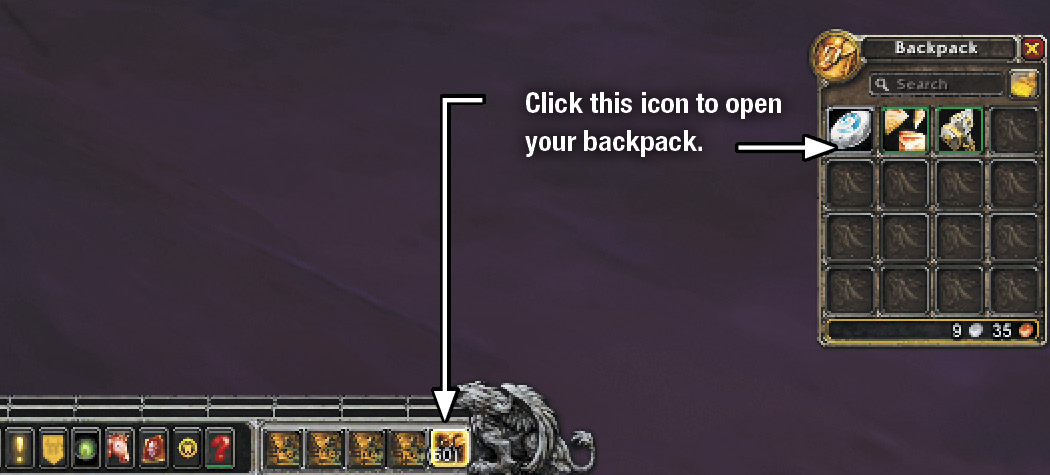
As you explore Azeroth, questing and looting defeated foes, your backpack will quickly fill with items. When your backpack is full, you can’t accept anymore loot, and the game will tell you, “Inventory is full.” To make some room, look for a vendor who will buy your useless items. If you aren’t near a vendor but still need room, left-click + drag an item to pull it out of your backpack and click on the desktop. You get a message asking whether you want to delete the item. Click Yes.
If you get a quest reward, or a loot-drop of a bag of any kind, keep it! It’s far more valuable to you for storage than the money you could get from a vendor by selling it. Drag new bags into any of your Equipment Container slots.
Hearthstones
Selling to Vendors
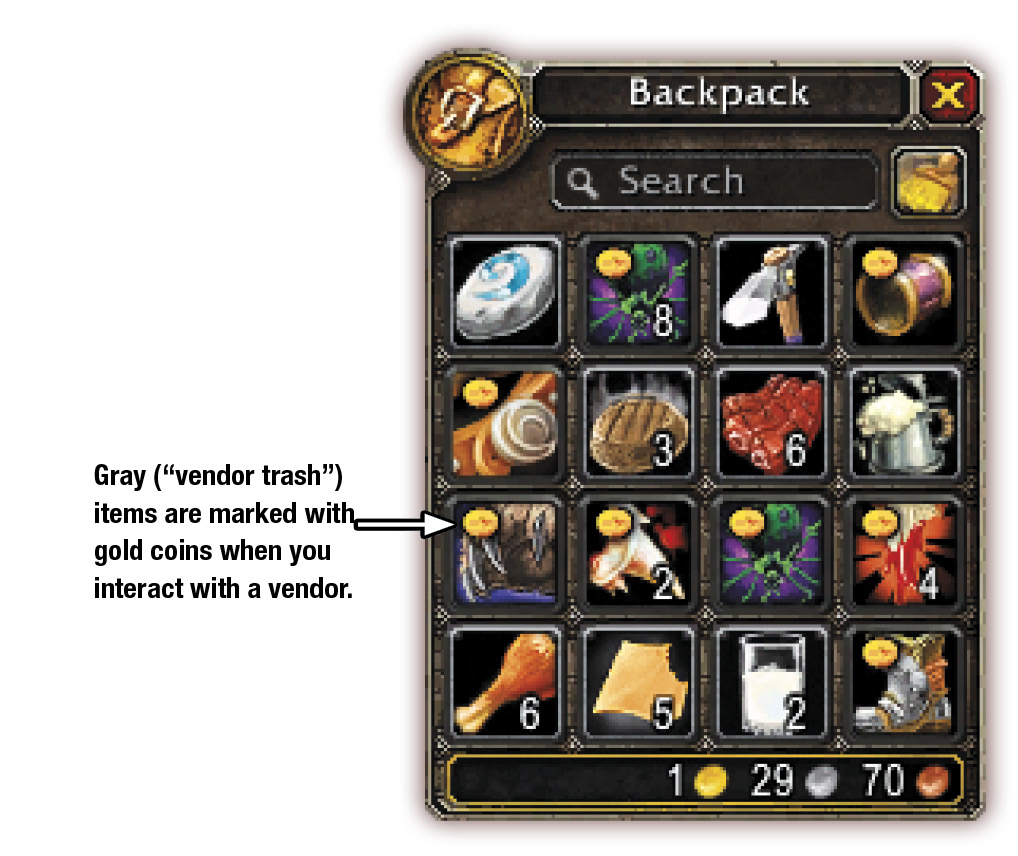
To complement the coppers collected from defeating enemies, you can earn money by selling unneeded items collected from slain foes. Since your bag space is limited, plan to return to your starting area to sell these items. Get into the habit of selling your unwanted loot when turning in quests; that way, you’ll have bag space when traveling into the world again. Although each vendor sells only a specific type of merchandise, they buy anything that you have. Items that aren’t considered gear come in two colors: gray and white.
Gray items are often called “vendor trash” because they have no real purpose other than to be sold to vendors.
White items are useful in some way if you plan to take on a crafting profession (look for light-blue text in the item’s description to see if it’s a Crafting Reagent), but there’s usually no harm in selling the items at this point.
I Didn’t Mean to Sell That!
|
Item Color |
Quality |
|---|---|
| Gray | Poor |
| White | Common |
| Green | Uncommon |
| Blue | Rare |
| Purple | Epic |
| Tan | Heirloom |
| Orange | Legendary |
Gear
All new characters start with minimal weaponry, armor, and clothing. In the starting zone, there are three sources of improved gear: looting enemies, completing quests, and armor vendors. For most starting players, the vendors aren’t an option because you don’t have much money and it’s more important to save it for training new abilities as you gain levels. If you do have the money and would like to have your character’s outfit match, then check out what the vendors have to offer.
You can tell if an item is a new piece of gear because its tooltip includes information about where you wear it (hands, back, chest, etc.). When you find a piece of gear, open your bags and mouse over the item. The color of the first line (and the outline of the icon in your inventory) tells you about the quality of the item. At early levels, you are likely to find only gray, white, and green items.
The next color to look for is red. Red text on an item indicates that you are unable to equip it. It could be that it’s a weapon or type of armor you can’t use, or that you are not high enough level to equip it. If you might be able to use an item after gaining levels, keep it. If you are playing with friends, see if anyone else could use the item. Otherwise, find a vendor and sell your unusable gear.
Color-Coded Information
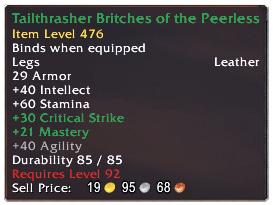
This tooltip for Tailthrasher Britches of the Peerless provides some basic information using colors. The name in green means the item is Uncommon quality. The green stat text shows which secondary stats are improved by these leggings. The gray text shows which stat bonuses are useless to your character’s current specialization. The red text states why you can’t use the item. In this case, the character doesn’t meet the item’s level requirements.
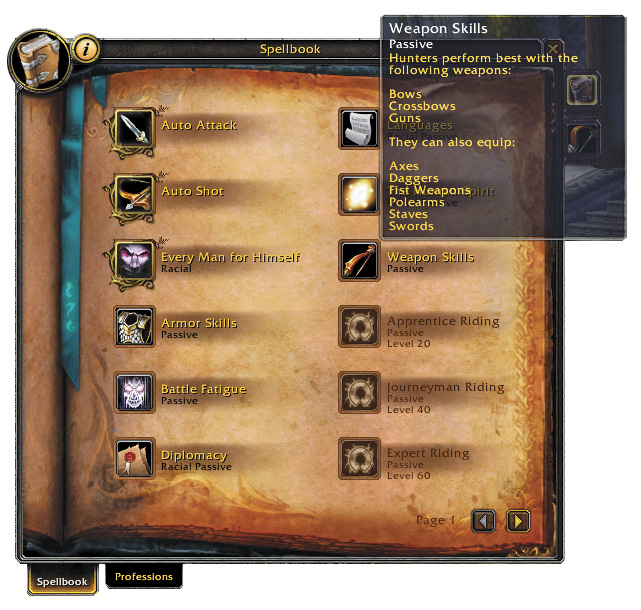
Weapon Skills and Armor Proficiencies
Comparing Equipment
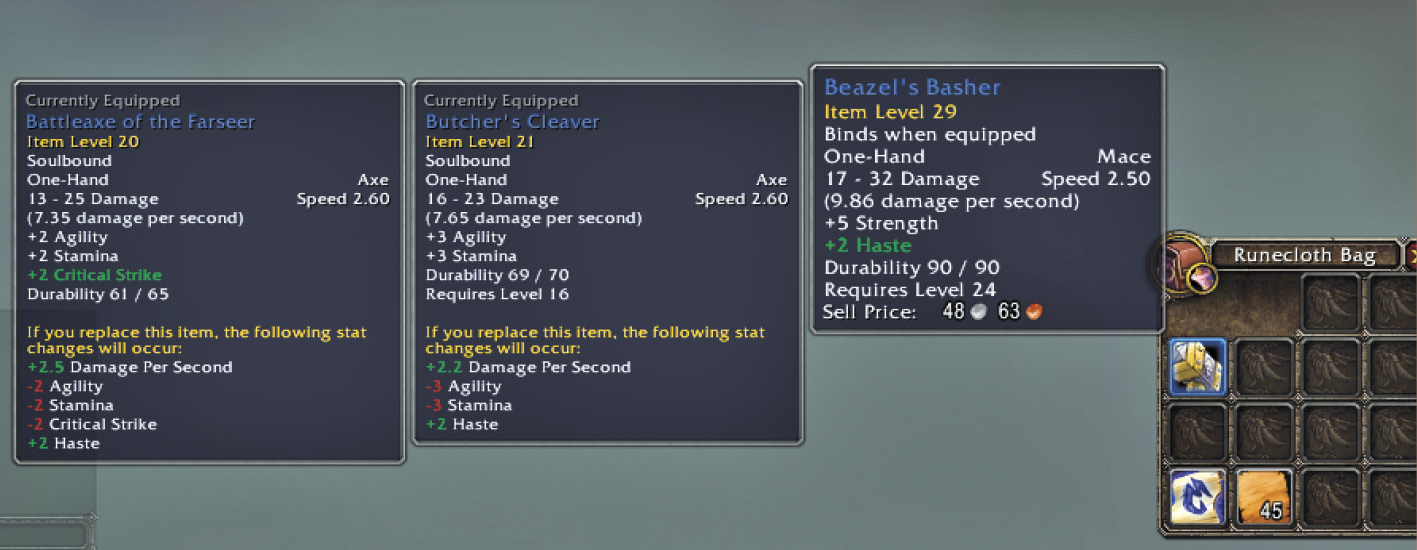
When you mouse over current or new equipment, details about its attributes appear. At early levels, equipment has an Armor stat only, so you can choose the piece with the higher level of armor protection. Later in the game, you begin to find armor that has other stat increases as well.
Hold down the Shift key while highlighting a potential upgrade. This compares your currently equipped gear with the new item. The game automatically gives you a summary of the stat changes that would occur if you switched.
At early levels, you are likely to find only Poor (gray), Common (white), and Uncommon (green) items. If you cannot use a gray item, sell it. If you find a white or green item, hopefully, you can wear it. If you cannot use a white or green item, consider selling it to an individual or through the auction house for more money.
After passing through the earliest game levels, Poor and Common items stop being acceptable for use. You want to switch to Uncommon gear exclusively (i.e., all greens for your weapons, armor, and peripheral equipment).
After level 20, you start seeing more than an occasional blue item. These Rare pieces are quite nice for their time, and you should seek them out. However, it isn’t until much later in your career that they become baseline equipment.
Epic gear exists before level 60, but it’s not plentiful. Don’t even worry about it unless you’re doing something specific. Unless you’re stuck at a given level, such as being at the cap, Epic gear isn’t necessary. This is equipment that rewards someone for staying a given level and doing an exceptional level of content over time. Thus, you level past the utility of Epic gear throughout most of the game.
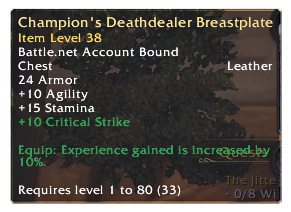
Heirloom Items
Armor
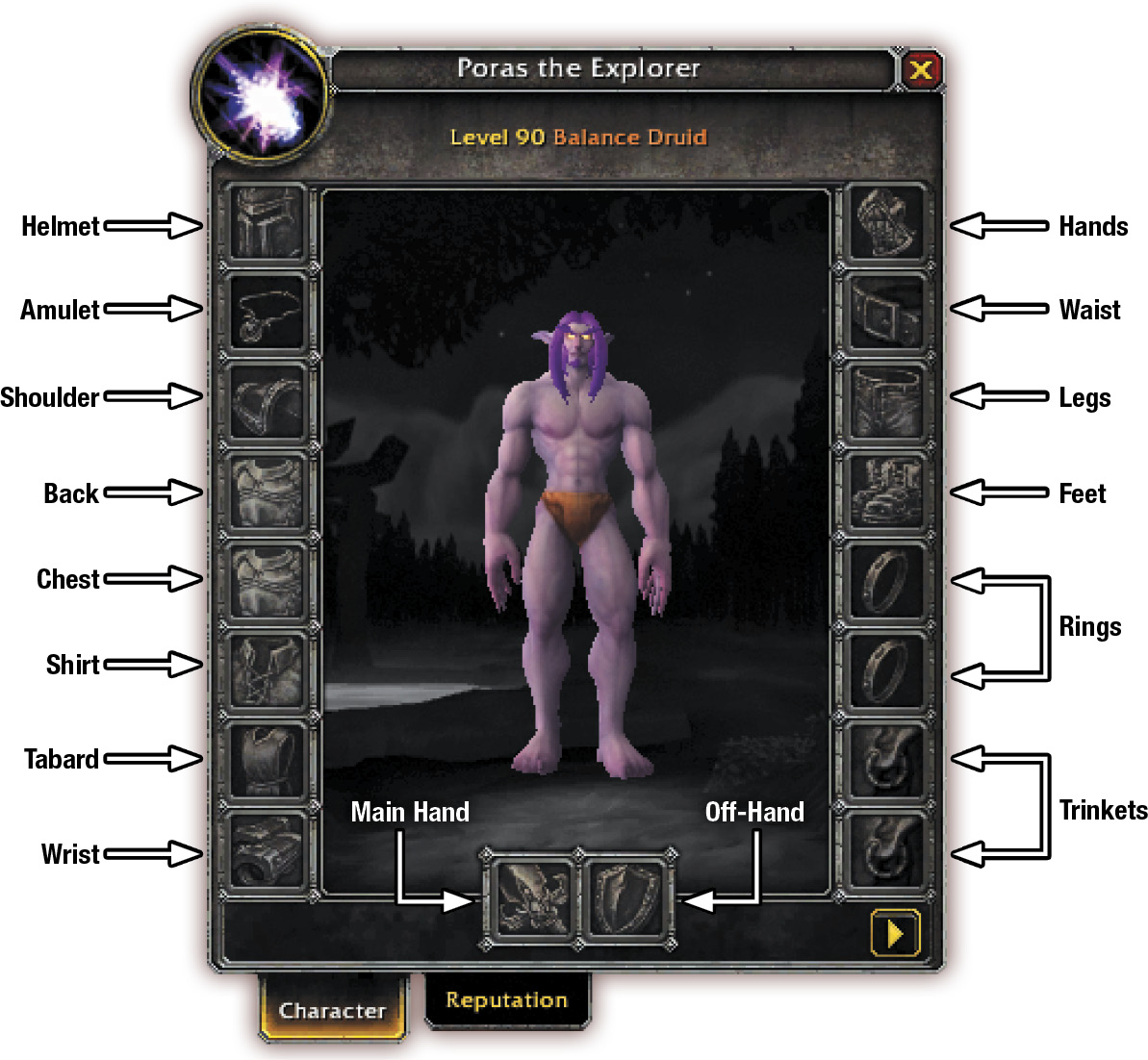
When you start the game, most of your armor slots are empty. Eventually, you find pieces for your head, shoulders, back, chest, waist, legs, feet, wrist, and hands. If a shield is held in the off-hand the character is limited to using weapons that require only one hand to use, but shields provide an amazing amount of armor as well.
Clothing
Clothing pieces fill up your shirt and tabard slot. These don’t often have any influence on your character’s progression, but they decorate your avatar. Tabards can identify your affiliation with a guild. They can also show an association with certain in-game factions.
Weapons
All characters have a main hand and an off-hand inventory slot. These are taken up by a two-handed weapon, two one-handed weapons, or a weapon and an off-hand item, such as a shield. Class selection determines a great deal of what you end up equipping here.
Amulets, Rings, and Trinkets
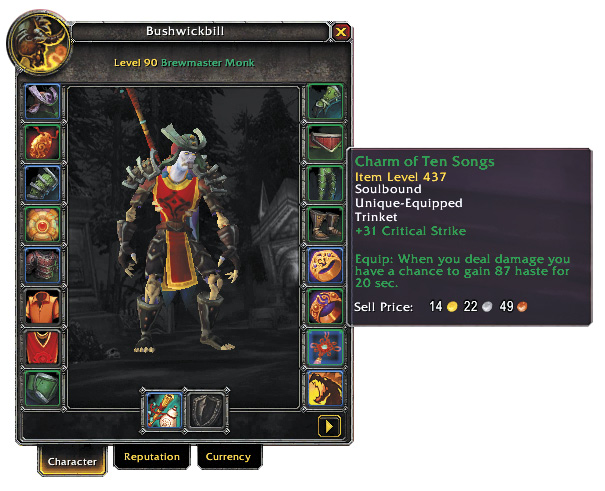
These are higher level item slots. You get two slots for each type, and some of these are quite active. For example, many trinkets grant abilities that you can put on your action bar to give your character a sudden boost in one aspect of play.
Don’t worry too much about these until you reach a somewhat higher level.
Repairing Your Equipment
As your gear loses durability, a paperdoll of your armor appears on the screen. Yellow means damaged; red means broken. When your armor is broken, that piece no longer protects you in combat.
To repair your armor, mouse over different vendors until your mouse pointer turns into an anvil. Anvils indicate vendors who are capable of repairing your gear. When you right-click this type of vendor, two icons appear in the vendor window, showing the cost for repair. Click on Repair All Items. At low levels, you don’t really need to worry about repairing your gear because you should replace it quickly. As you start gaining levels, repairing your gear becomes more important.
Other Ways to Improve Your Character
There are other ways to give your character an edge. These items don’t need to be equipped. Instead, they’re used (often permanently) to boost your character or your character’s equipment. Some effects are temporary, others are more permanent.
Some of the following suggestions discuss professions. Consult the Professions section of this guide to learn more.
Potions, Elixirs, and Food
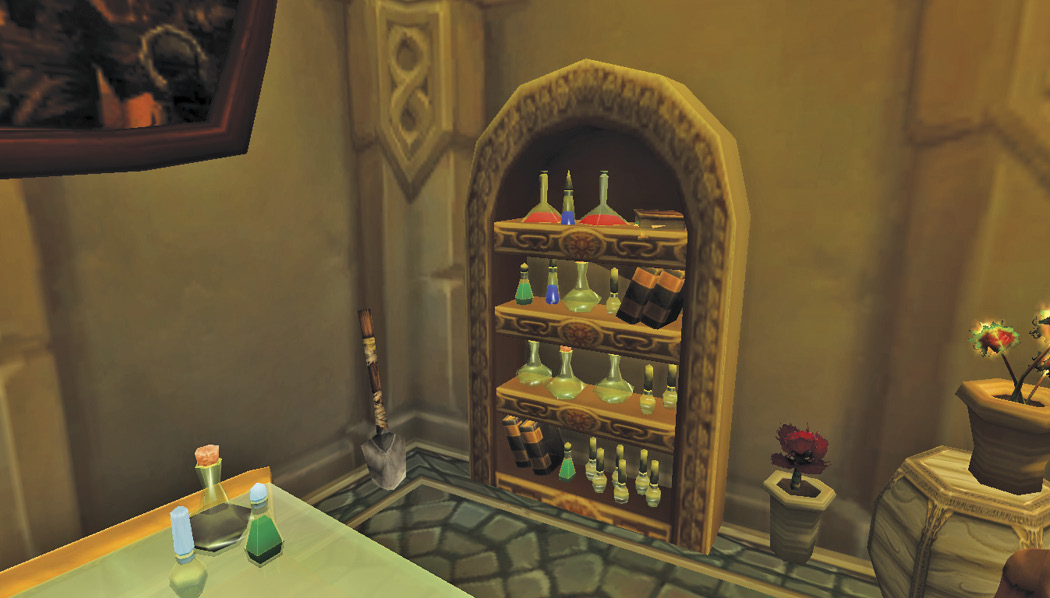
Characters drink potions and elixirs to enhance their performance. Potions, elixirs, and flasks can be made by those with the Alchemy profession or purchased through the Auction House. If you’re lucky, they can sometimes also be found in treasure chests.
Potions have short-term benefits, only working for the moment after you drink them. These restore health or mana, and they can get you through some nasty times. Potions can be taken during combat, but there is a cooldown timer for their use. You can’t bring 10 potions into a fight and hope to keep yourself alive indefinitely.
Elixirs buff your character for a somewhat longer period. They can enhance a number of things, including armor, health regeneration, attributes, and so forth.
There are other drinkable items called flasks. These are incredibly expensive because they demand many more reagents during creation. Flasks persist through death and are a common aspect of dungeon runs and raid play.
Food is purchased, or created with the Cooking profession. Some food items have short-term effects and typically enhance character attributes. Regardless of the type of statistical bonus provided by food, its buff is always called Well Fed.
Armor Kits
Some armor pieces can be permanently improved by adding armor kits. These kits are produced with the Leatherworking profession. Early armor kits mainly provide additional armor, but the later ones have much more substantial benefit.
Spellthreads
Spellthreads are made by characters with the Tailoring profession. These are similar to armor kits in that they enhance armor and can provide attribute benefits, but they can only be attached to leg slot items. Applying either enhancement makes an item soulbound.
Shoulder Inscriptions
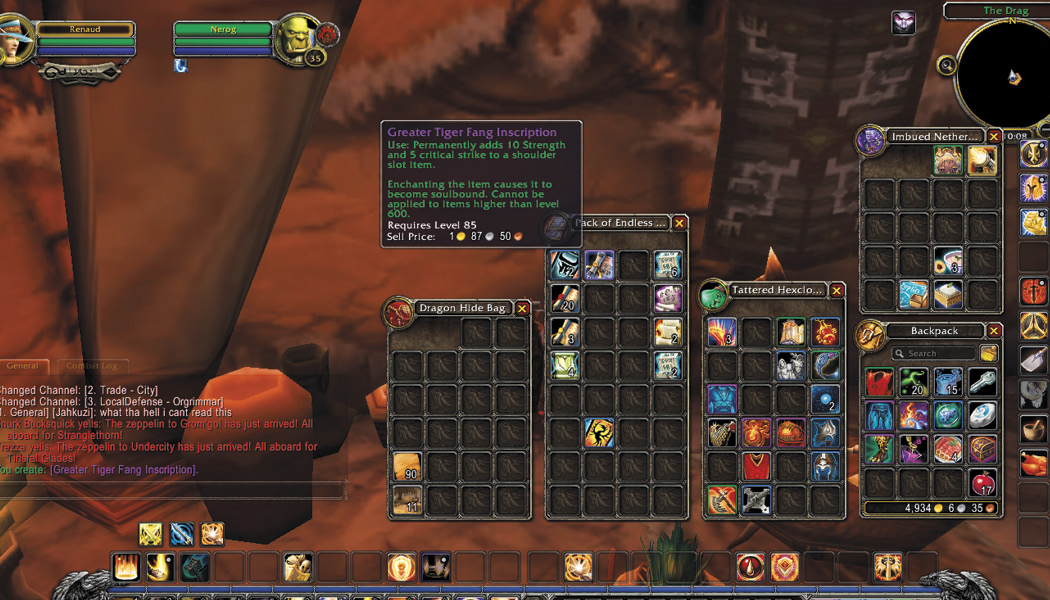
The Inscription profession creates special Inscriptions that are applied to shoulder armor. Just like Spellthreads, these Inscriptions cause items to become soulbound. You won’t see your first shoulder armor Inscription until your character is a much higher level.
Enchantments
Another way to permanently enhance equipment is to have it enchanted. Almost every equippable slot can carry some type of enchantment. Though the temporary cost is quite high, the long-term benefits are substantial if you have most of your gear enchanted. This raises attributes, adds damage to weapons, and is fun to pursue, especially if you have some cash to spare.
Glyphs
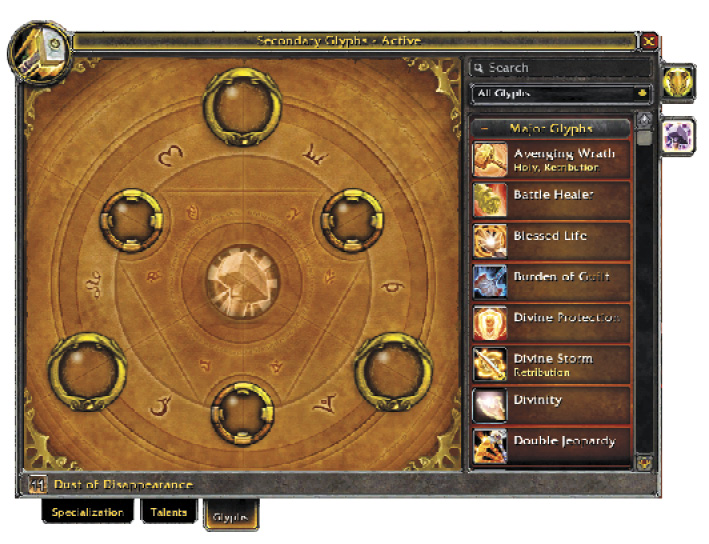
As you progress through the levels, Glyphs start coming more into play. Press the letter “n” to bring up the Specialization window. From there, select the Glyphs tab to see which ones are open for your character. Your first Glyph slots open at level 25. Additional Glyph slots open at levels 50 and 75.
Glyphs allow you to further customize the effects of some of your abilities. In some cases, especially for the Minor Tier Glyphs, these effects include slight alterations to your spell’s visual effects.
Transmogrification
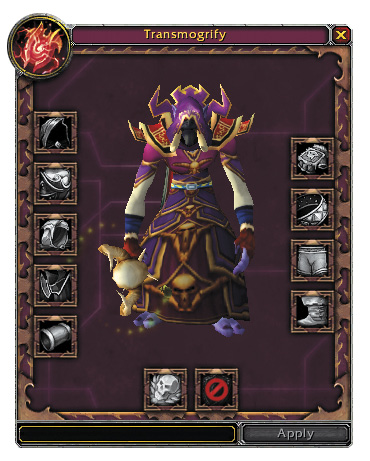
One last form of item improvement, though it’s purely aesthetic, is Transmogrification. For a price, you can transform your equipment into a look you find more visually pleasing. There are restrictions on some equipment appearances, and the transmogrified item must be the same type item. For example, you cannot transmogrify a one-hand sword to look like a two-hand sword.