World of Warcraft: Warlords of Draenor Signature Series Strategy Guide WORLD DUNGEONS
Dungeon Finder
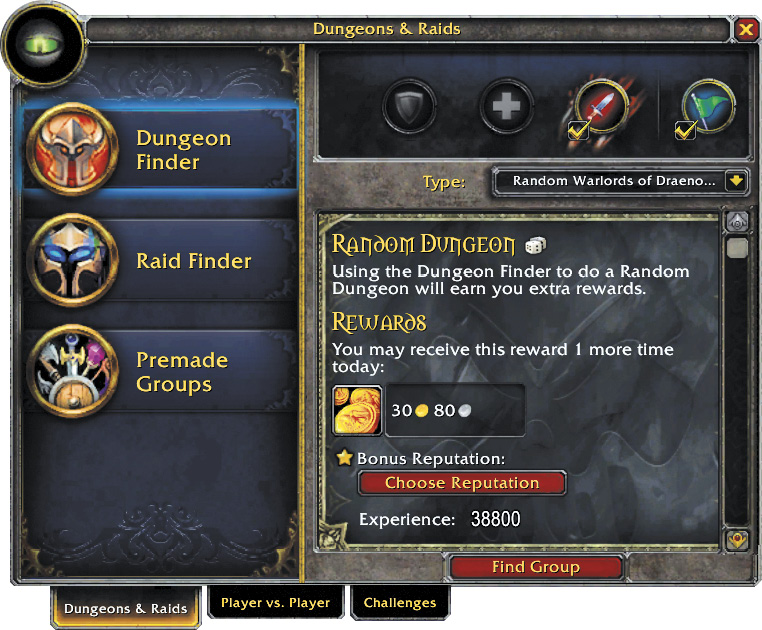
The Dungeon Finder tool now makes it even easier to locate a group for a dungeon. Click the green Dungeon Finder icon or press the letter “i” to open the interface and begin. Through the Dungeon Finder, you may queue for any of Draenor’s dungeons and raids. Choose your preferred role or roles (Tank, Healer, Damage) by clicking on the appropriate icon.
If you are choosing more than one role, make sure to note which role you have been chosen to fill upon entering a dungeon. If you are comfortable with dungeons and don’t mind giving other players guidance on encounters, you may also check the green flag icon to indicate you are willing to be a dungeon guide.
You may choose between queueing for specific Draenor dungeons, or random dungeons. If you would like a specific dungeon, check the desired dungeon from the full list. Choosing a random dungeon only queues you for dungeons for which you meet the minimum requirements, so no need to worry about being too low-level or under-geared to successfully complete a dungeon.
Premade Groups
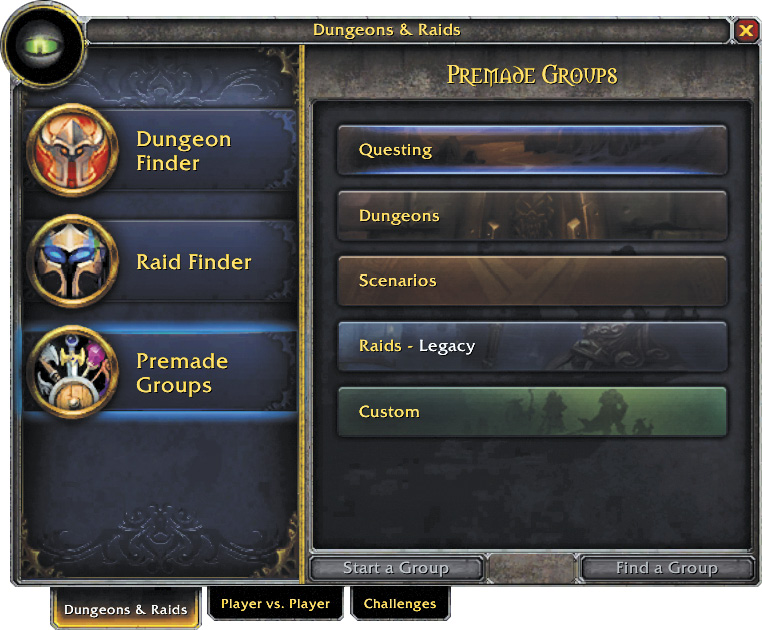
In addition to dungeons and raids, the Dungeon Finder now features a Premade Groups option. The Premade Groups feature allows you to put together a group for virtually anything you can do in World of Warcraft: questing, classic dungeons and raids, current dungeons and raids, or any other content that you’d like to complete. With the Premade Groups feature, you can either search for a group already in progress or create your own customized listing for other interested players to find.
To create a Premade Group, select the type of content you wish to create a group for: Questing, Dungeons, Scenarios, Legacy Raids, or Custom. Click Start a Group, and fill in the blanks to let players know where you are going, what you are hoping to accomplish there, any additional details they might need to know, and the minimum item level you’d like to see for players to participate. Once you’re finished, click List Group and wait for others to join.
If you don’t want to put together your own group listing, search to see if anyone is currently looking for more players to do the content you’d like to complete. When you find an appropriate group, ask to join.