
Mass Effect 2 Guide Essentials TRAINING
Transportation and Commerce
Interstellar Travel
Shepard is the commanding officer on the Normandy SR2 , a re-creation of the Normandy SR1 ship that helped the Alliance defeat Saren and save the Citadel.
The Normandy SR2 includes all of the systems of the original, including a mass effect FTL drive that allows it to use mass relays to travel between distant points in the galaxy almost instantaneously.
Although the Normandy has a dedicated pilot, you are the final call when it comes to navigation.
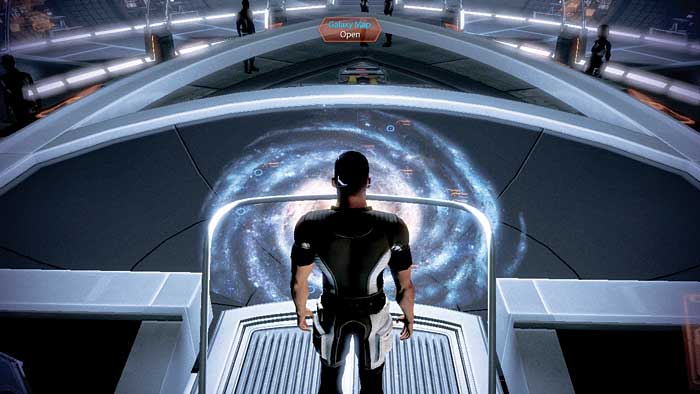
You set the course for the ship all across the cosmos via the galaxy map, the central feature in the combat information center (CIC) of the ship.
This multi-level map allows you to start with a galaxy view of known space and then drill down through various tiers, including clusters and systems, until eventually deciding on a specific planet to orbit.
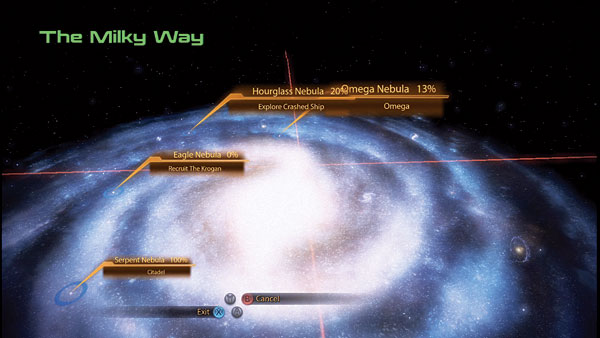
Galaxy View: When a cluster is discovered through a mission or the purchase of a star chart, it appears on the galaxy view.
If the cluster has an active mission, the name of the mission appears on the cluster and on every level down.
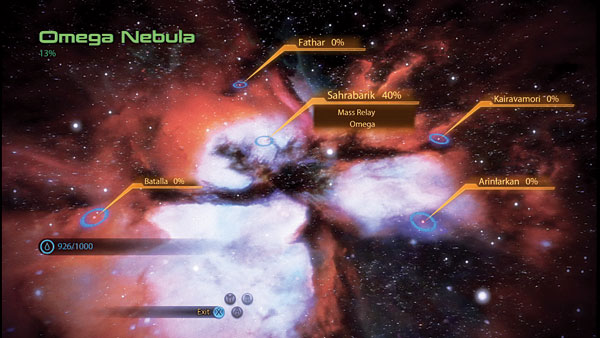
Cluster View: A collection of systems is called a cluster. Cluster view is actually bypassed when selecting a cluster; instead you drill down to the system within the cluster that contains the mass relay.
This view is only seen when you exit a system by traveling to the edge of the map.
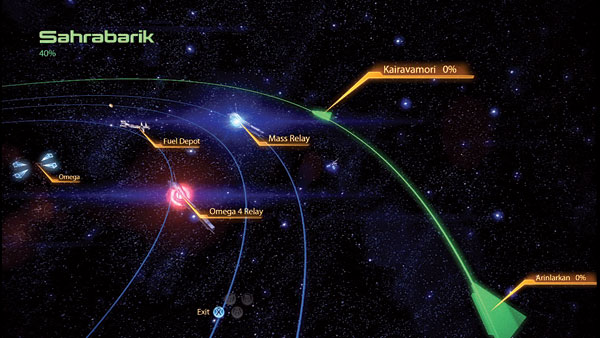
System View: This view shows all planets within a system, orbiting around a central star. The number of planets explored/scanned is noted with a percentage.
Other systems within the cluster can be accessed by traveling to the edge of the system. This returns you to cluster view.
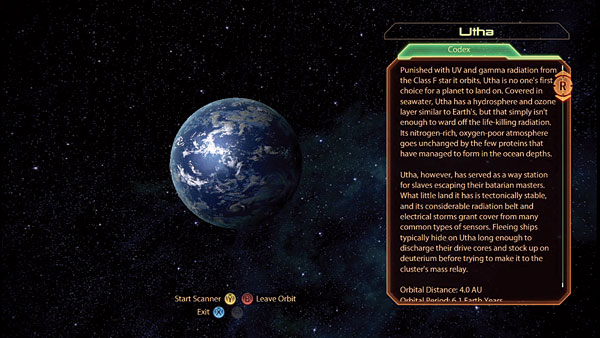
Orbital View: From this view, you can either scan a planet for resources or land on a hospitable planet with a landing zone.
Just dropping into orbital view adds a planet to your “known” registry and counts toward the percentage of the system considered explored.
Travel Between Systems
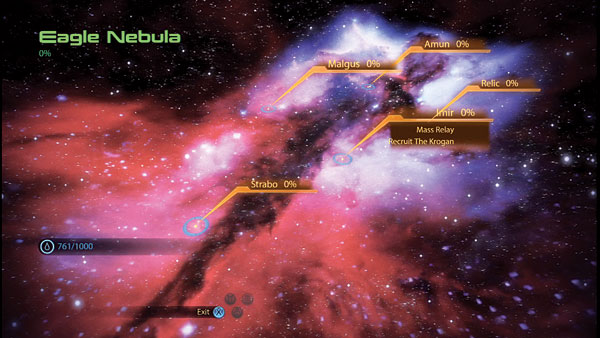
When you select a cluster from the galaxy map, you bypass the cluster view and instead enter the system with the mass relay within that cluster.
Each cluster has a single mass relay, which is the “warp” point you access when using the mass relay network. To travel to another system within a cluster, you must physically steer the Normandy to it.
To travel to another system within a cluster, direct the Normandy to the arrow marked with the name of the system. This sends you to cluster view. Steer the Normandy to the desired system and then select it to drop into system view again.
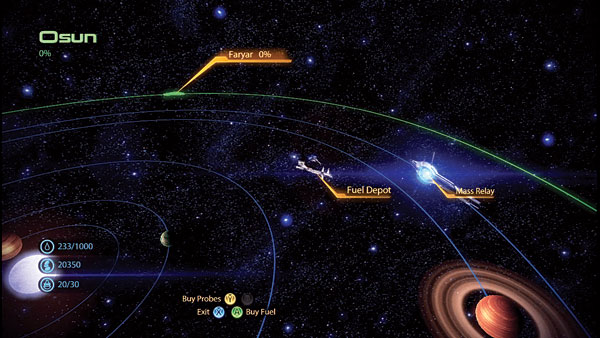
Traveling within a system does not consume any fuel. However, traveling across the void between systems does. You must purchase fuel from Fuel Depots. There is a Fuel Depot in every system with a mass relay.
At first, the Normandy can only hold 1,000 units of fuel. With an upgrade, though, you can double the ship’s fuel capacity, allowing for longer periods of travel.
Commerce
Mining
There are two commodities of immediate value to you during this adventure: credits and minerals. Minerals are discovered while undertaking a mission (usually found within crates) or by scanning planets.
There are four types of minerals: platinum, palladium, iridium, and element zero. Element zero (eezo) is the rarest and most valuable of the four minerals.
These minerals are essential for carrying out research projects aboard the Normandy , which result in useful upgrades for you and your squad, such as weapon and biotic boosters.
You cannot excavate minerals without probes. You purchase probes at a Fuel Depot for 100 credits each. At first, the Normandy can carry 30 probes, but an upgrade raises the capacity to 60.
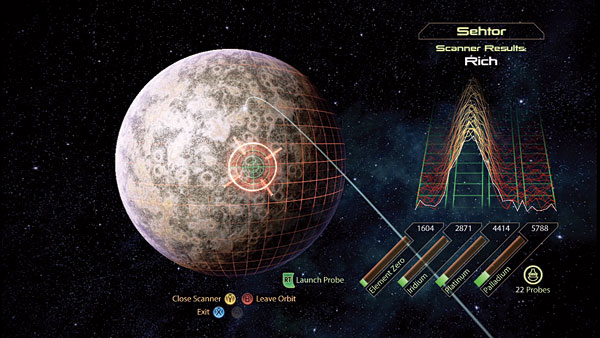
To mine a planet for resources, you must drop into orbital view. From orbital view, choose “scan.” This view drops a grid over the planet’s surface.
The planet automatically rotates, but you can speed the rotation one way or the other by moving the cursor on it either left or right to the edge of the planet view.
Place the scan cursor over the part of the planet you wish to scan and then select “scan” again. Hold scan and move the cursor around to scan a larger area.
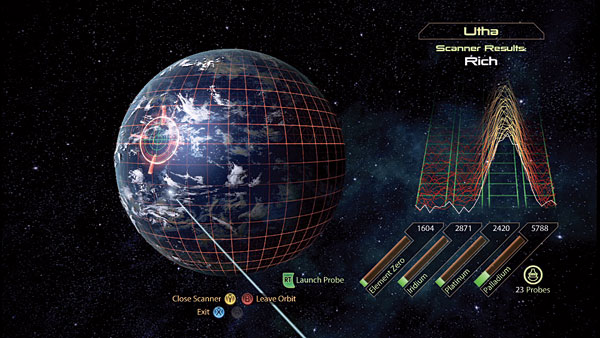
While searching, pay attention to the scanner on the right side of the screen, directly above the four wells—each well is assigned to one of the minerals.
The scanner shows just noise when you are moving the cursor over an empty area. However, when you direct the cursor to an area with a mineral deposit the scanner jumps over one or more of the wells.
The height of the peak reveals the richness of the cursor site. When you find a rich vein, tap the “probe” button to launch a probe down to the planet surface.
The impact of the probe immediately results in the acquisition of minerals.
There are multiple mineral deposits on planets. However, when you probe an area, you drain it of minerals.
So, make sure you are sending a probe down over the richest spots, because even if the scanner would have shown a higher peak just to the south of the probe site, the area around the probe dries up.
Credits
Credits make the galaxy go ‘round. They are the universally accepted currency throughout Citadel space (and beyond).
Credits are primarily used to purchase items from shops, but there are a handful of situations where you may part with some credits to gamble or even spread a little good around.
To spend credits, you have to earn credits. Completing missions is the primary way to bank
large amounts of credits. Completing small special assignments pays credits, too, but not as much as completing a mission from the main plot.
You will find credits in safes, crates, hackable datapads, and computers. You can earn credits by salvaging spare parts and scanning technology valuable to Cerberus.
At the end of each mission, you also receive a lump sum payment from Cerberus.
Shopping
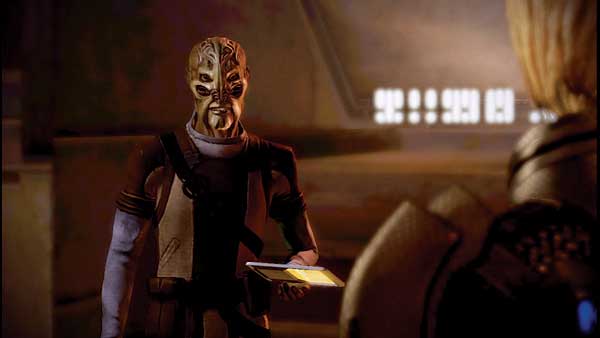
When you visit one of the hub worlds—Illium, the Citadel, or Omega—you will typically locate at least one or two shops.
Shops sell weapons, armor, upgrades, and nonessential items (such as decorations for your private quarters aboard the ship).
Buying from stores is not required, but as the old saying goes: You can’t take it with you. Spend big on useful upgrades to increase your chances of success in future combat situations.
Each shop has a set inventory that remains constant throughout the entire adventure. However, the prices of goods are not set in stone.
If you use Paragon or Renegade conversation options with a shopkeeper upon meeting them, you can sometimes wrangle a discount.