
The HUD
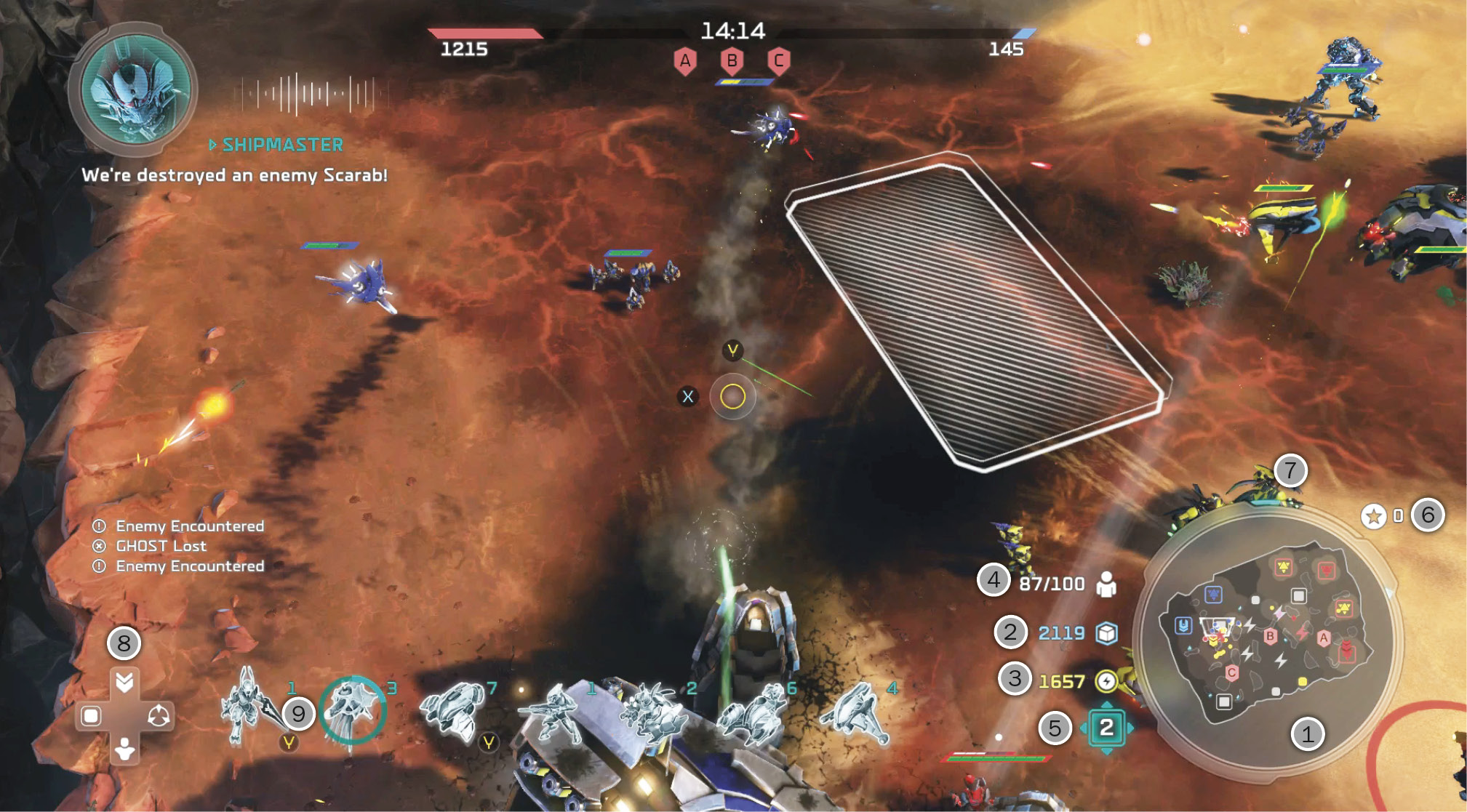
Quickly discerning information on your screen is essential to making fast and effective decisions on the battlefield.
 Minimap: The Minimap shows the location of all units and buildings on the map. Keep in mind that only units you currently have line of sight on are visible, and any buildings done within the fog of war don’t update until you gain vision again.
 Supply: Supply is the main resource used in training units and is not used in research.
 Power: Power is used mainly for research and upgrading buildings. Some units do require a small amount of Power for creation.
 Population: This shows your current/maximum use of the POP cap. This can be upgraded in the Armory/War Council.
 Tech Level: This shows your current Tech Level. Your Tech Level determines what research and units you have available. To upgrade your Tech Level, you must upgrade your base!
 Leader Points: This shows the amount of Points you currently have to invest in Leader Powers. Leader Powers and Power upgrades only cost one Point, so try to keep this number at zero!
 XP: XP is earned by gathering resources, creating units, performing research, and building structures, but is gained at a much higher rate in combat.
 D-Pad Selection: The D-Pad allows for quick selection of units (Down), bases (Left), and notifications (Right), and allows you to set your global spawn point (Up).
 Selected Units: To the right of the D-Pad selection are your currently selected units. Use RT to cycle through them one by one. This allows you to control the use of a single unit group’s abilities without activating the entire army!