
The Legend of Zelda: A Link Between Worlds Guide How to Play
Playing the Hero
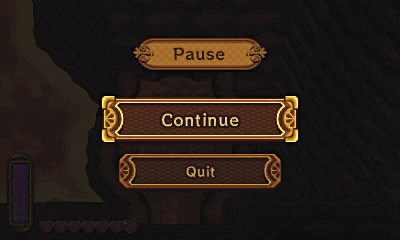
The Pause Menu
Press  bring up the Pause menu. This allows you to pause the game and take a break. From there, you can select Continue to proceed, or tap Quit to return to the Title screen.
Controlling Link
Circle Pad: Move Link in all the necessary directions
 : Move the camera to get a better look at your surroundings/Scroll through menu items and screens
 : Action Button (Speaking to people, lifting and throwing objects, wall merging, opening doors, diving underwater, etc.)
 : Swing your sword/swim/cancel commands, back out of menu screens
 : Use equipped quest item
 : Use equipped quest item
 : Press and hold to sprint with the Pegasus Boots
 : Press to raise your shield to block/Press and hold to keep the shield up for long periods
: Opens the Pause menu, which allows you to select Continue, or Quit to go back to the Title screen
Moving About
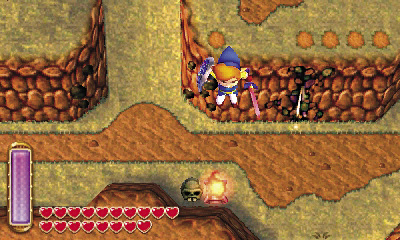
Walking
Use the Circle Pad to move Link in the direction you want to go. This works on land, in the water, and during a wall merge.
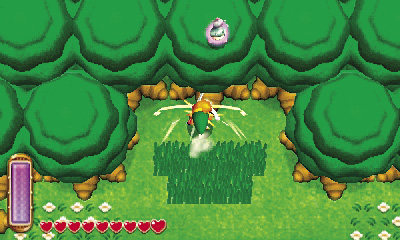
Sprinting
Sprinting becomes available once Link has received the Pegasus Boots. Hold  to make Link run in place, then release to launch Link forward in a sprint. You cannot control his movement once he starts sprinting, so pick your direction wisely and let him go! Sprinting with the Pegasus Boots knocks enemies back and damages them. It also allows Link to plow through bushes. Target a tree or statue to knock down lost Maiamai or Rupees. Beware of Bombs and Bees when sprinting on trees!
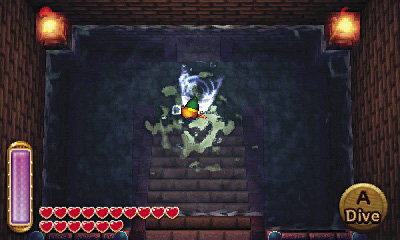
Swimming
Link can swim after he performs a task for the Queen Zora and is given Zora’s Flippers. The Circle Pad still controls Link’s movement. While in deep water, Link can dive by pressing  . This helps you collect Rupees and lost Maiamai. If you feel like staying above water, press
  to command Link to swim. One button press corresponds to a stroke, so repeatedly press
  to have Link swim at a constant pace.
Wall Merge
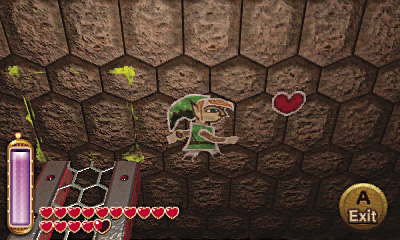
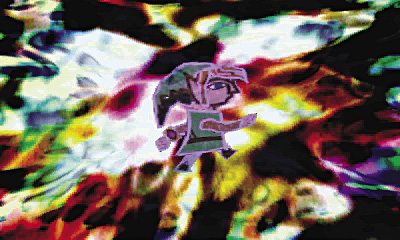
A Link Between Worlds introduces a new and unique move: wall merging. After a certain event early in the game, Link gains the ability to merge into walls in the form of a painting. To use this ability, press  when Link is next to a wall. This ability also allows Link to navigate between the light and dark worlds using fissures. This is also key to solving puzzles in dungeons, accessing lost Maiamai and pieces of heart, as well as reaching pathways to hidden dungeons that are otherwise unreachable.
Pushing/Pulling
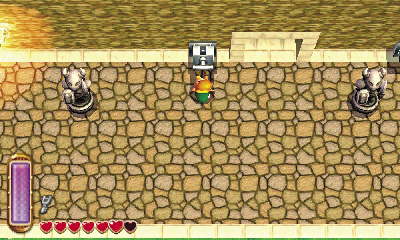
Some dungeons require Link to push and pull objects onto switches, or to pull levers to trigger an event. Dothis by pressing and holding  .
.
Conversing
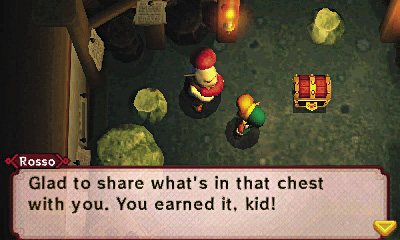
Press  to speak to the locals. This is a great way to gain information or clues. Some people may provide subtle hints concerning important special or hidden objects. On the other hand, some civilians are just plain odd, and provide some comedic relief.
Camera Competency
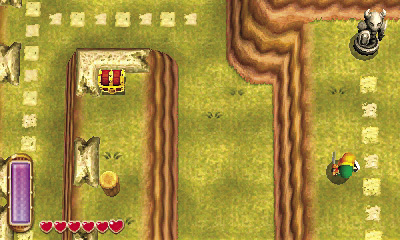
A Link Between Worlds is a traditional, top down style camera angle. While you can’t look straight ahead, you can see everything that is happenening around Link, making answers to puzzles from within rooms much easier to deduce. Wall merging reduces your view sometimes, so memorize the surrounding area before merging.
Live By the Sword
While Link relies on you, the player, to produce the brain power to overcome obstacles and puzzles, you will rely on Link and his precise and true sword strikes. With proper guidance, Link’s sword can overcome even the most monstrous of foul beasts in either world.
Slashing
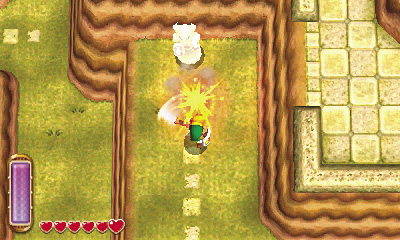
Use  to swing Link’s sword. The faster you press
  , the faster Link will swing his sword. Sometimes you can overcome your enemy by sheer brute force and a constant barrage of sword attacks.
Spin Attack
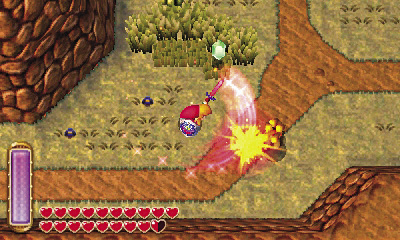
Hold  to charge Link’s sword for a spin attack. A bright flash indicates that the move is ready. A circle appears around Link indicating the move’s area of effect, so move Link so that the enemies are just inside the circle. Release
  to launch the spin attack. Link spins in a circle with his blade outstretched, yelling a resounding battle cry and damaging any enemy in his vicinity. For best results, use this when Link is surrounded by foes.
Defending the Hero
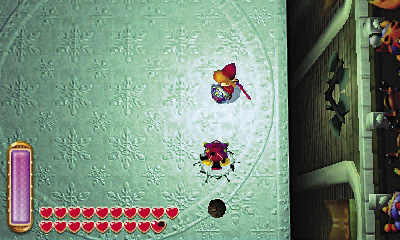
Link can purchase a basic shield in Kakariko Village soon after beginning the game. A shield is great against enemies that shoot projectiles. Press to block an enemy attack or ranged attack. Sometimes you must block continuously until you get an opening to strike. Hold to keep Link’s shield up for as long as the button is held. Later, Link can gain the far superior Hylian Shield, which can block magical projectiles as well as physical attacks.
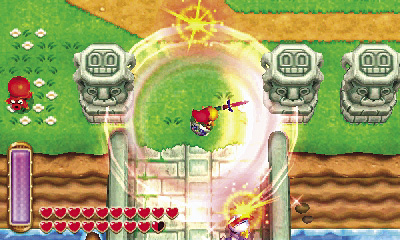
Great Spin
This move becomes unlocked once you have collected all 100 lost Maiamai and returned them to Mother Maiamai. Like the basic spin attack, the great spin attack is an area attack that destroys any enemy near Link. It’s best used when Link is surrounded by foes.
_opt.jpeg)
Linking with Streetpass
The Legend of Zelda: A Link Between Worlds has a StreetPass function for additional content. To activate StreetPass, speak with Gramps and he will then ask whether or not you wish to activate StreetPass. If you choose to activate StreetPass, you can battle against other players who also have a copy of The Legend of Zelda: A Link Between Worlds. To communicate via StreetPass, you and the other player(s) must have StreetPass activated and your wireless switches turned on. Close all the Nintendo 3DS systems involved in wireless communication until the green LED light on the front of the system flashes. This means that your systems have successfully communicated via StreetPass, and the battle can begin!