
Jagged Alliance: Back in Action Guide Essentials Bootcamp
Laptop Menu
The laptop menu is the overall menu system for the game. This is where you will hire mercenaries, buy items, check on your status in the game, and monitor your finances.
This menu is available anytime during the game and should be checked often to view your status and see what resources might be available.
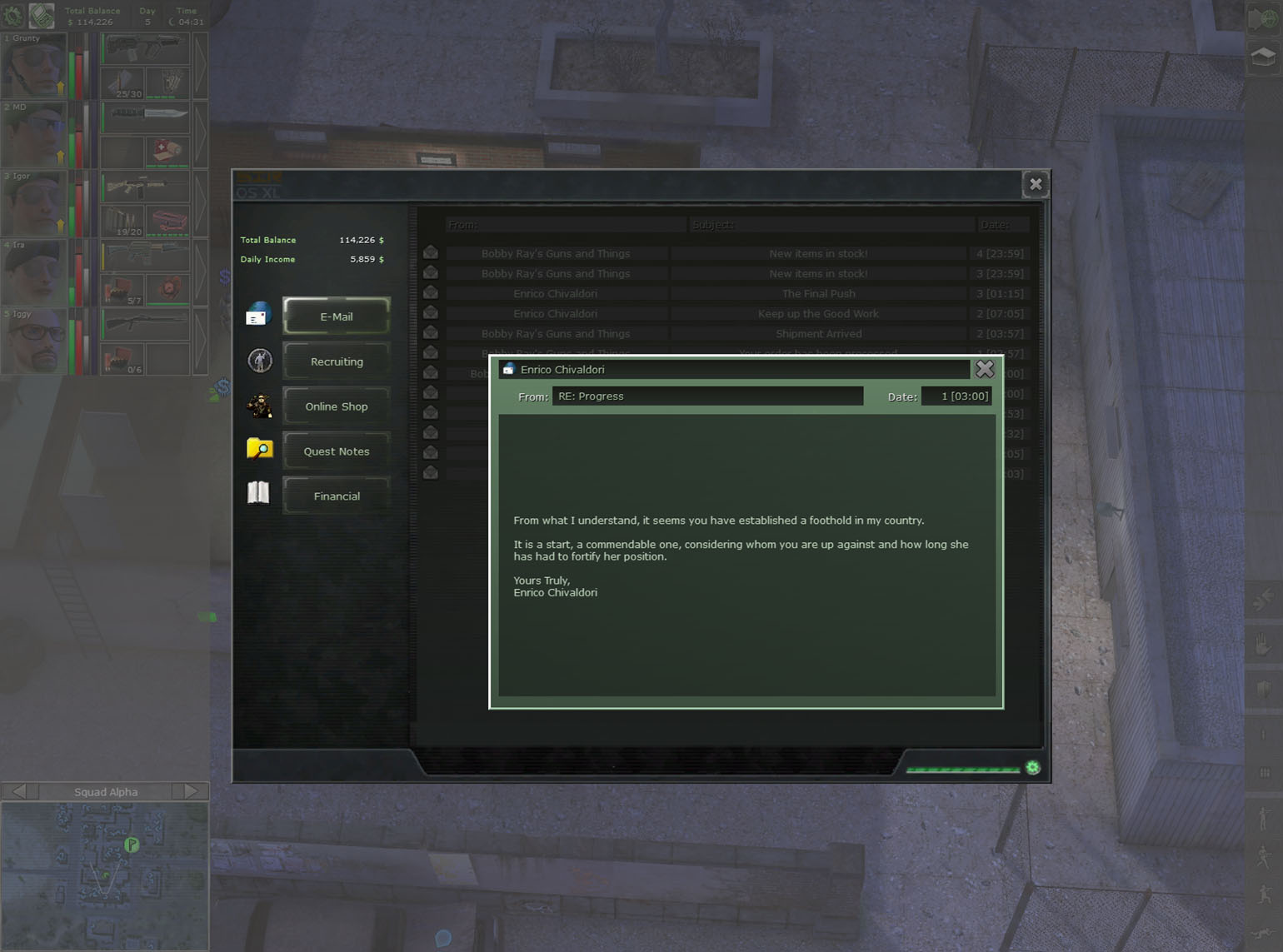
Email messages serve as reminders and updates. They are not essential to the game’s completion, but you will get updates from Enrico and other story elements.
One of the main purposes is the notifications you will receive from the online store Bobby Ray’s. If you order anything online, you will be notified in email when it is ready. Also, Bobby Ray's will solicit you when they acquire new items.
Recruiting: Hire Mercenaries
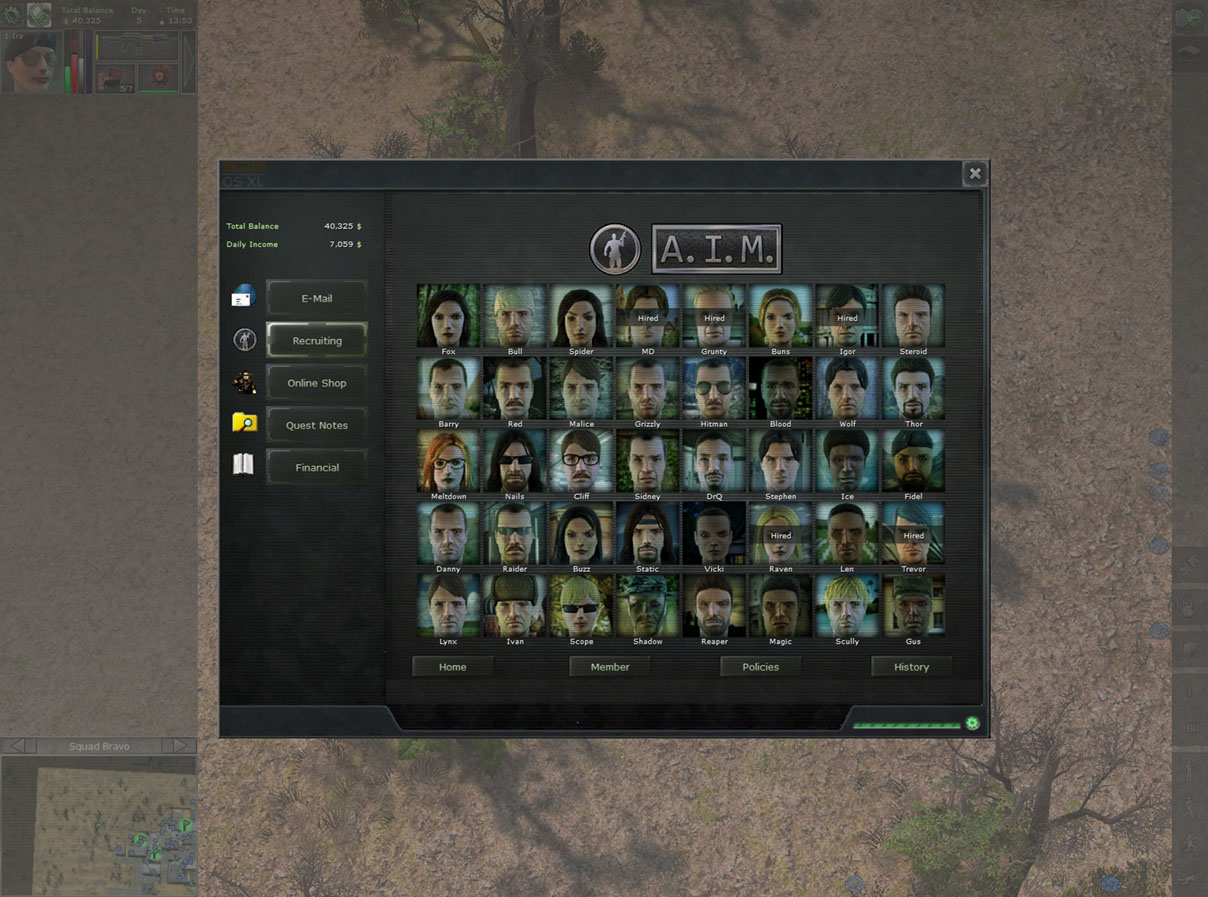
This will connect you to the Association of International Mercenaries (A.I.M.) database. It has some detailed info on the company, but more importantly it is the interface you will use to scout and hire mercs.
There are 40 mercs on file, and when you are ready to hire them the system will contact them via a video phone. Check the mercenary section for complete details on each of the potential guns for hire.
Online Store: Bobby Ray’s Guns and Things
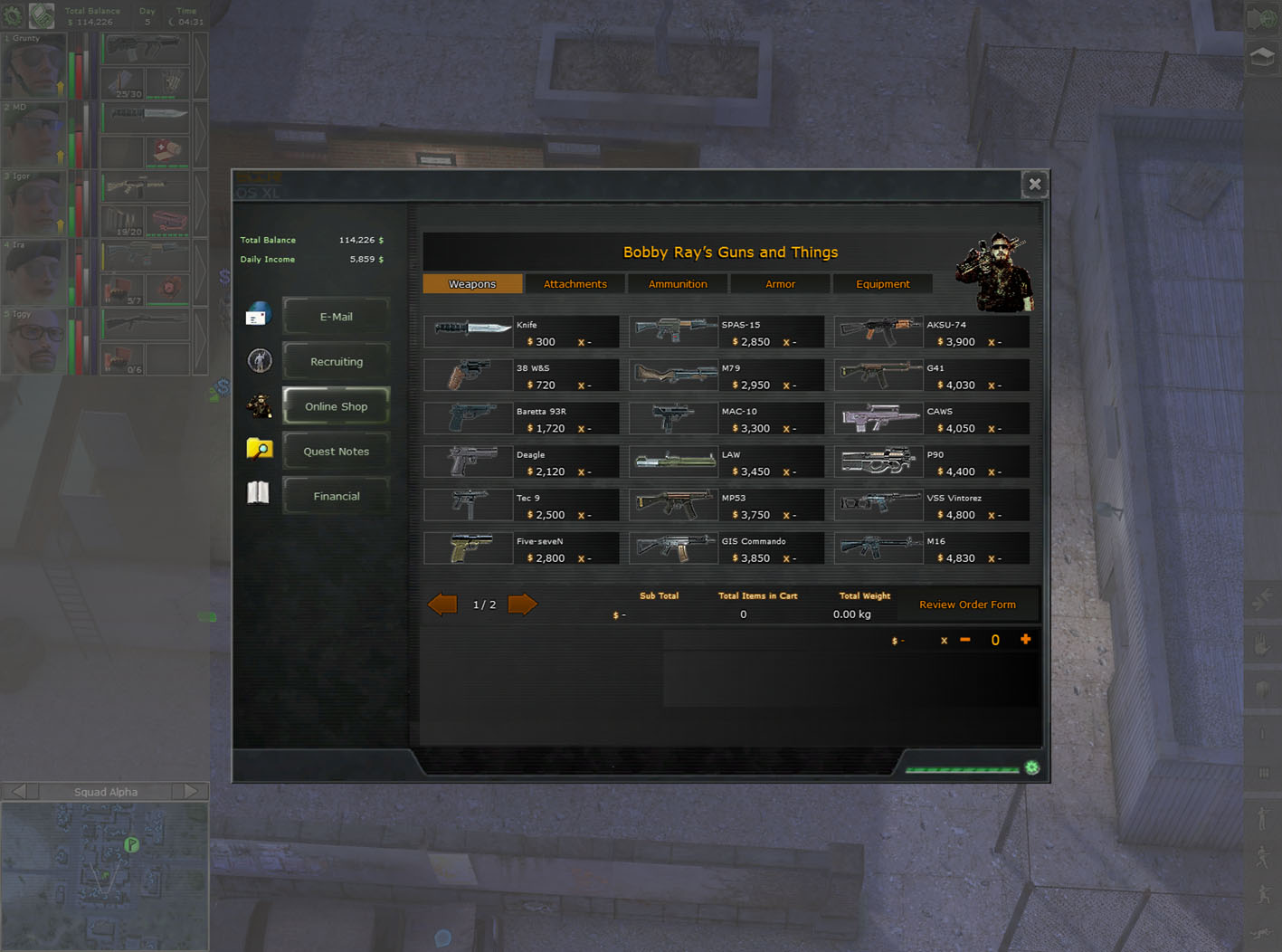
The online store is a great resource for any aspiring merc. Thanks to modern times, the selection of items at Bobby Ray's can’t be beat. Unfortunately, just like the real world, there are some drawbacks to buying online. Shipping items into a warzone is not easy, and you must pay to have the items delivered.
Also, Bobby Ray’s doesn’t air drop the gear you buy, so you must trek to an airport to receive your shipment. Lastly, it does take some time to smuggle the goods into Arulco, so don’t expect to take immediate delivery of your online order.
Still, with all the downsides to ordering online, Bobby Ray's has the best and most complete selection you will find. Just make sure you buy enough that it is worth the trip and time to pick it up.
Quest Notes
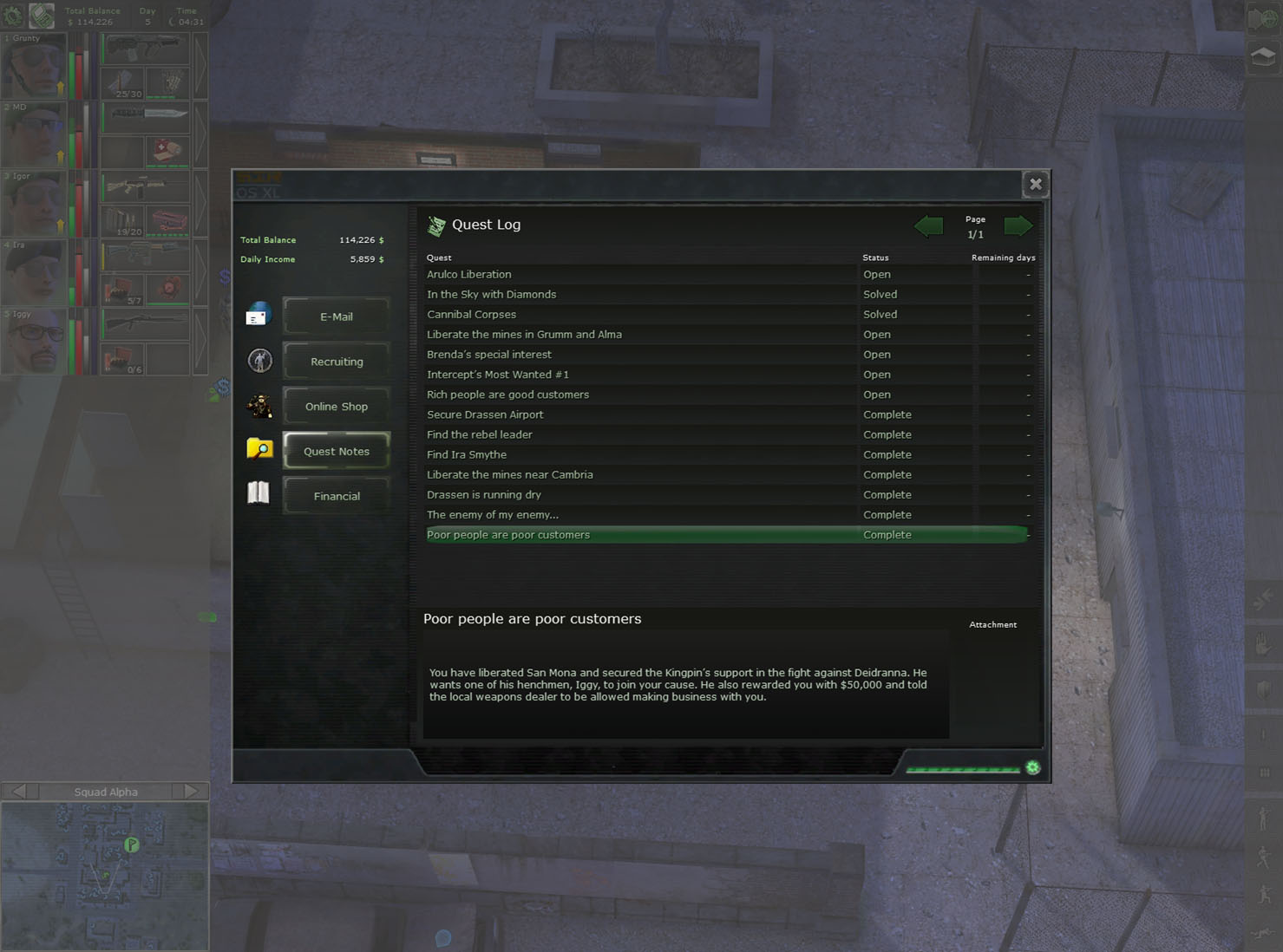
All your quests and your current progress are sorted under this tab. A quest can be open, solved, completed, or failed. All the quests are updated dynamically as you complete each step, and a notification will briefly appear in the upper right hand corner.
If you are ever unclear about what you are supposed to do, come back to this area and read what the next step is for that quest.
Financial
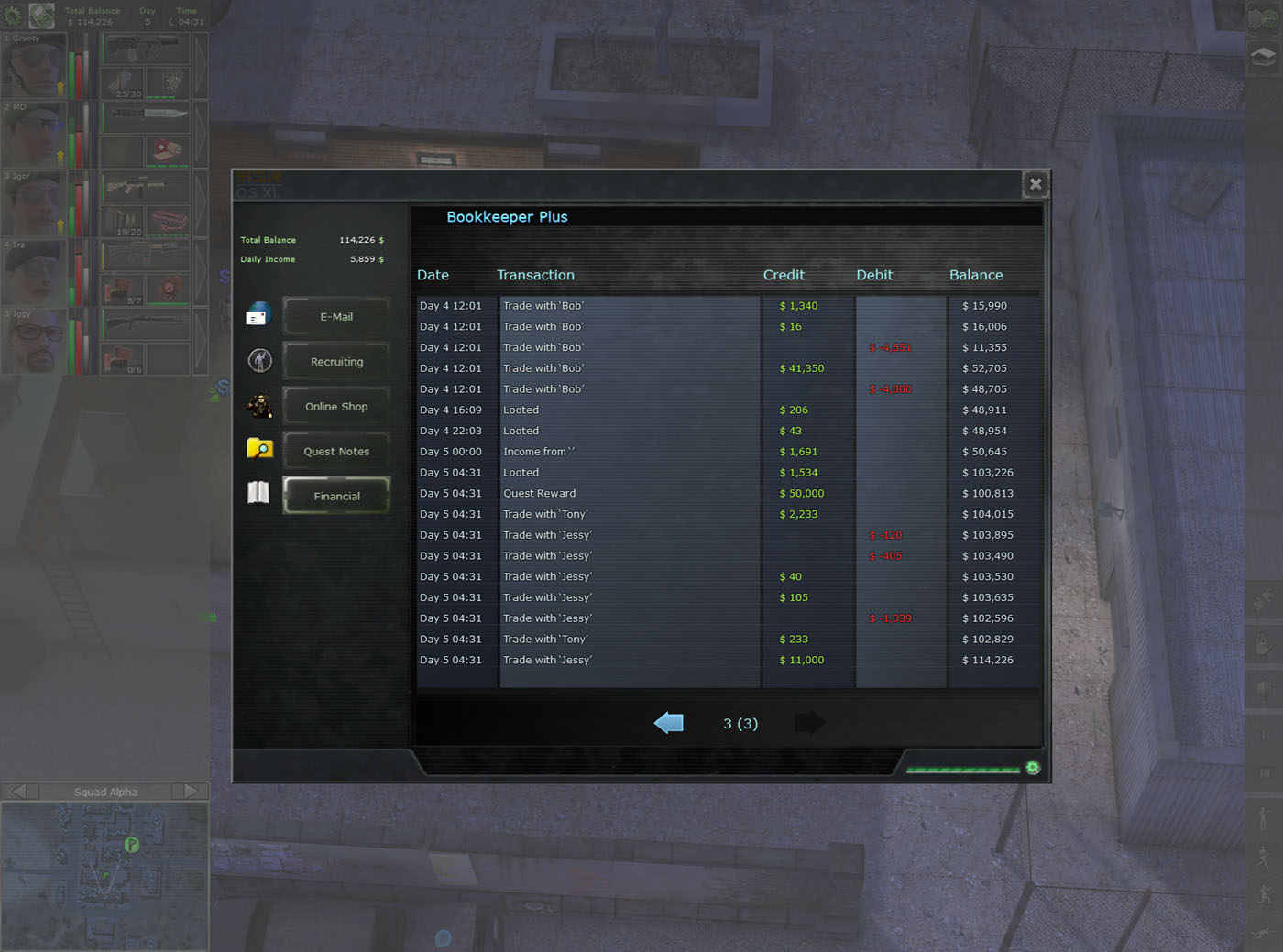
Running a successful war campaign is costly and complicated. Every transaction is recorded under this tab using Bookkeeper Plus. The system displays day and time of each transaction, as well as credits, debits, and ongoing balance.
It gives a great transaction history of your finances, including when you trade with someone, buy something, and even when you loot an area.