
Disgaea D2: A Brighter Darkness Guide Essentials The Basics
Turns and Execution
When you choose an action for one of your units, it doesn’t happen immediately. Instead, it’s placed into a queue with any other recent actions you’ve chosen. For your characters to actually carry out your orders, you must pick Execute from the combat menu.
Upon doing so, your characters will conduct their chosen actions in the order in which you arranged them. In the event that an action is no longer possible, such as an enemy dying before a unit’s turn to attack comes up, that cancels out the unit’s action and you’re free to choose another one for it.
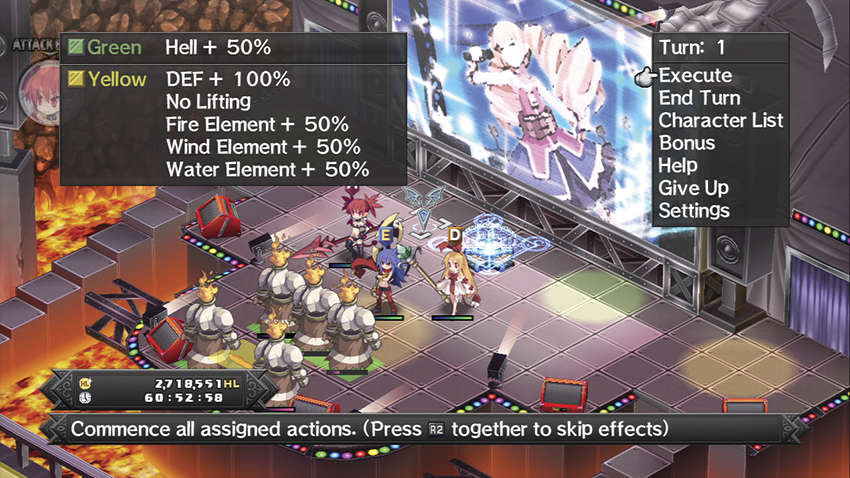
Your turn does not end until you pick End Turn from the menu. At this point, any actions left in the queue will be carried out and the Enemy Turn will begin.
The one type of action that always takes place immediately upon your choosing it is if one of your characters uses an item, such as Fairy Dust or Chocolate. The effects of the item are immediately felt by its target and the character’s action is over for the turn.
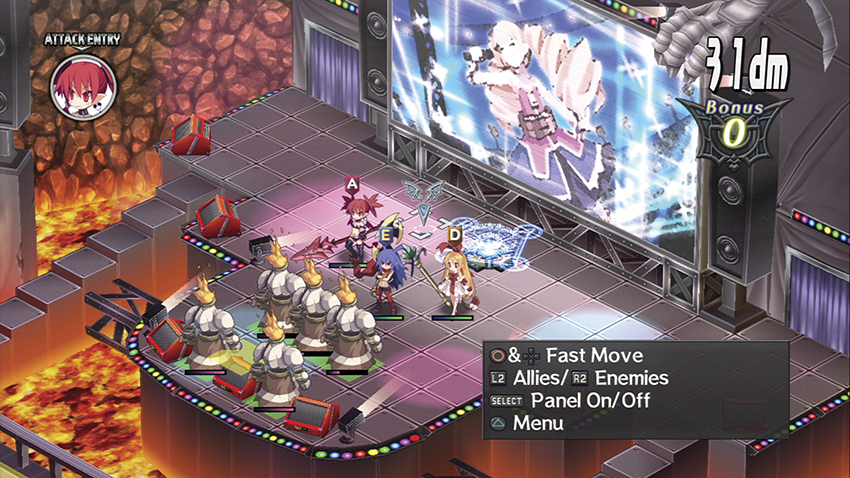
A character that has already acted in a turn has an E icon above its head. A character that’s Defending has a D above its head, and one that has an action queued but has not yet acted has an A.