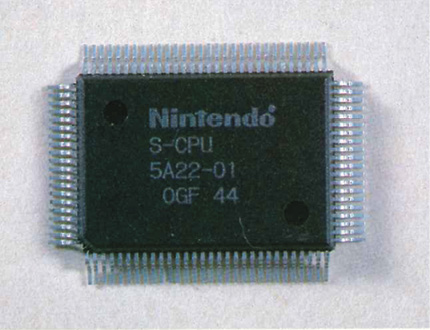
Nintendo Playing with Power Guide Playing with Power
The Inside Story of the NES
Here’s an article that originally appeared in Volume 22 of Nintendo Power magazine. Technology has come a long way since then, but the principles are remarkably familiar—and the story behind the circuits is still fascinating. So, if you remember blowing the dust out of your Game Pak—or even if you don’t—read on, and enjoy how it used to be!
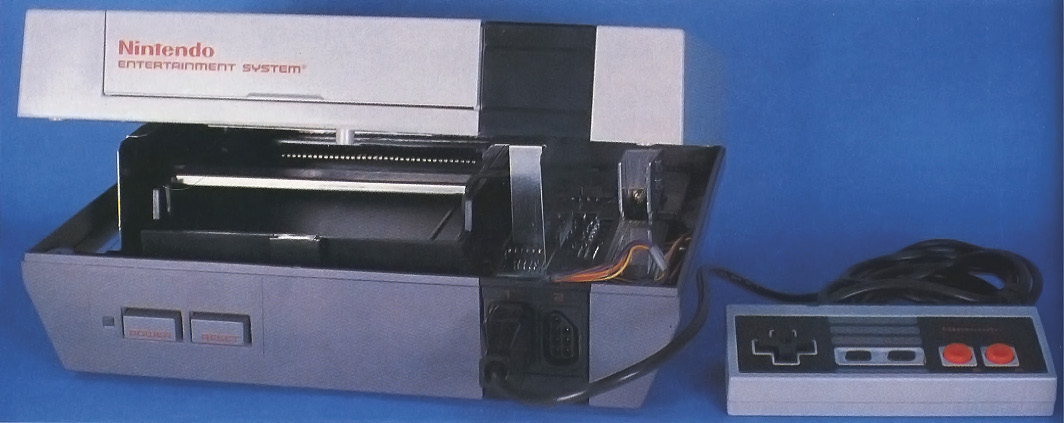
The NES Control Deck
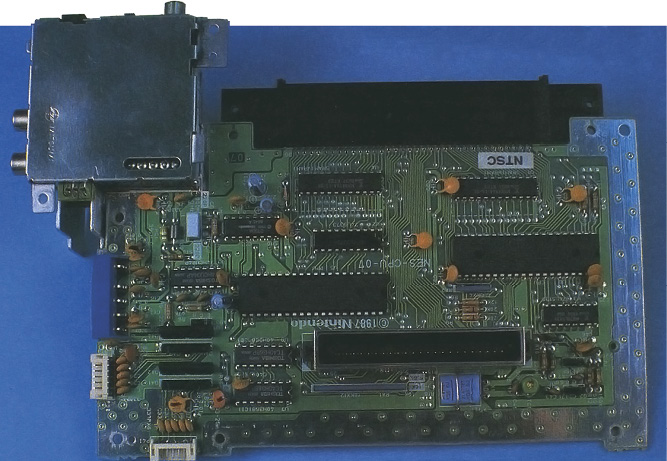
From the outside, the NES Control Deck (CD) looks like a simple box—a few buttons, a few jacks, a little red light—but appearances can be deceptive. In the following pages we’ll open up the hardware and see what goes on inside that world of amazing precision and blinding speed. Our tour into the electronic maze behind with a look at how the CD communicates with the world through Game Paks, Controllers, and your TV.

72 Pin Connector
Like all computers, the NES receives information from software. In this case, that means Game Paks. When you slide your Game Pak into the Control Deck, the open end slips into the 72 Pin Connector. It’s like plugging in your telephone so you can receive calls. Information passes from the microchips inside the Game Pak through the 72 Pin Connector and into the Central Processing Unit (CPU) of the Control Deck or into the Picture Processing Unit (PPU), depending on the information and which Pin Connectors are accessed. If lint or dust gets into the 72 Pin Connector, the signals may not get through and it seems like the Game Pak isn’t working.
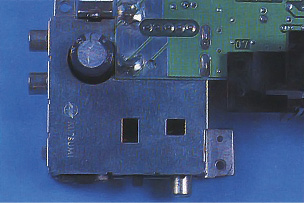
RF Modulator
Did you know that your NES Control Deck is like a television station? The signal sent by the CD to your TV to create the image of Mario and other characters is the same broadcast by TV stations. The signal is called RF or Radio Frequency and it is generated by the RF Modulator inside the CD. But when the PPU creates video information, it sends a Composite Video Signal—the type of signal computer monitors can read. Most TVs receive RF signals, however, so the RF Modulator translates the Composite Signal and sends it to the TV. Strangely enough, once the TV receives the RF information, it translates it back into Composite Video Signals in order to display the picture.
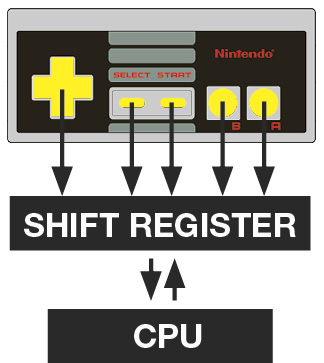
Controllers
The Control Deck is also connected to the outside world through the Controllers. When the CPU needs controller information, it sends a message to a chip in the Controller called the Shift Register. The Shift Register reads the position of every button, either On or Off, then reports back to the CPU on the On or Off status of each button. Although it seems like this might take a long time, actually it all happens in less than a sixtieth of a second—much faster than the human eye can discern. The result is that characters seem to jump at the push of a button.
The Computer Brain
Every aspect of the game, from the picture that appears on the screen to the rules that determine how high a character jumps is controlled by two powerful components—the PPU and CPU. Let’s take a peek.
The PPU
The Picture Processing Unit, like the CPU, is located on the main integrated circuit board of the CD. If you opened up your Control Deck, which you should never do, you’d find that it seems to be upside down. The PPU takes digital information from the CPU and Game Pak and converts it into Composite Video Signals that specify the color of every pixel on your TV screen. Sixty times every second the PPU redraws the entire screen in still frames, just like the multiple still frames of a motion picture. Because this happens so fast, it seems as if characters on the screen are actually moving.
The CPU
The Central Processing Unit is like a tiny switchboard with thousands of calls coming in and going out at the same time. For instance, every sixtieth of a second, or V-Blank period, when an image has been completely drawn on the screen, the CPU checks for commands called Interrupts. The Interrupt from the Game Pak may instruct the CPU to ask for the current position of all Controller buttons, or it may run some other routine, such as sending out a sound effect command. If you imagine the Game Pak as a cook book, the CPU would be the cook who follows the instructions—for every dish in the book at the same time.
The NES at Play
Characters
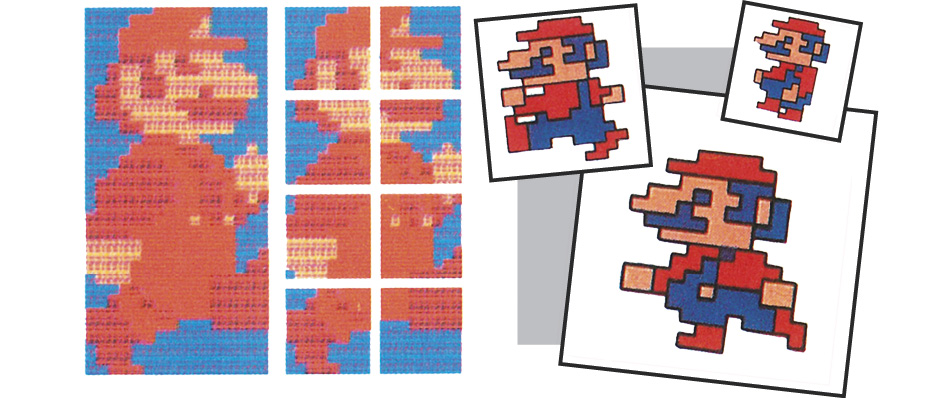
Although Mario and other characters usually seem pretty solid, they are actually composed of several characters. Super Mario consists of eight separate characters, but they are all programmed to appear in a sequence that makes them seem like one unit. Backgrounds are also made up of many separate characters. In fact, every screen has 960 characters!
Scrolling
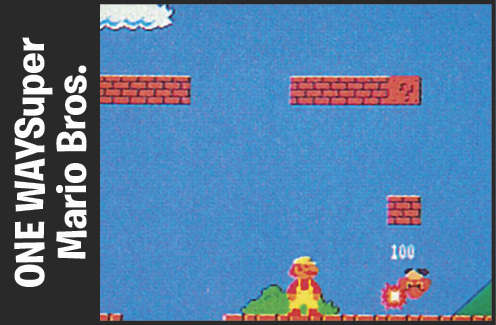
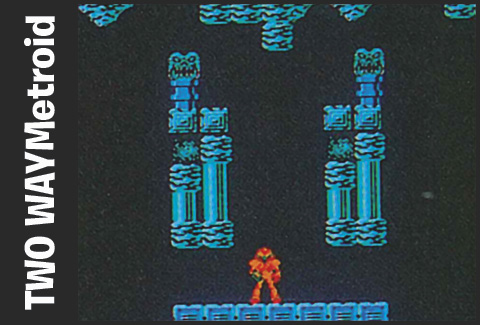
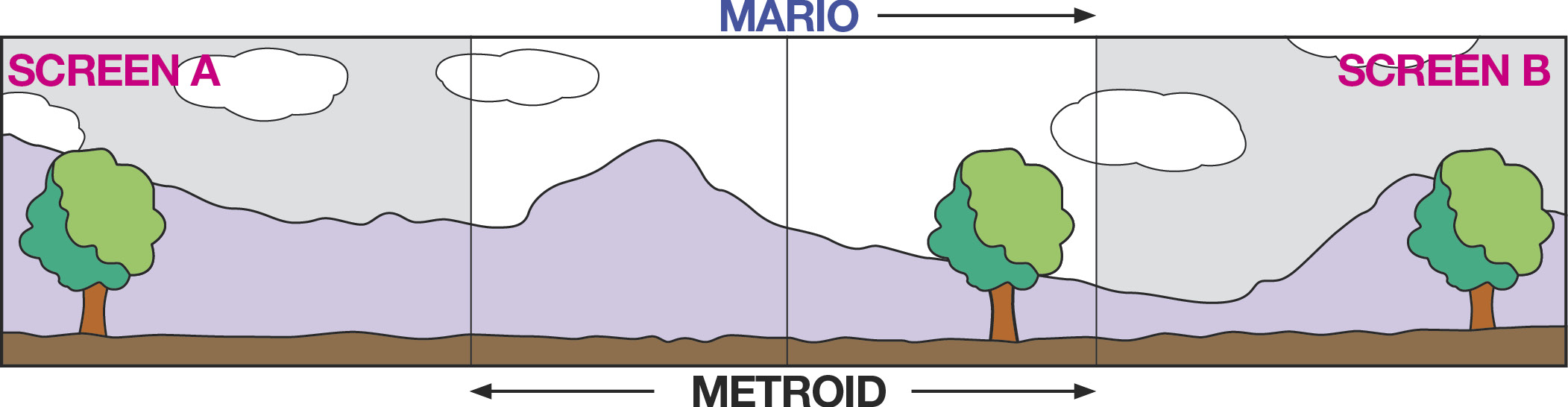
The PPU may display only 960 characters, or one screen at a time, but it actually stores twice that amount. In a one-way scroll, new characters constantly replace old characters behind the scroll. This is why in games like Super Mario Bros. the screen can scroll only one way. In Metroid, however, scrolling occurs in two directions and new characters are continually added in the direction of the scroll.
RF Vs. RGB
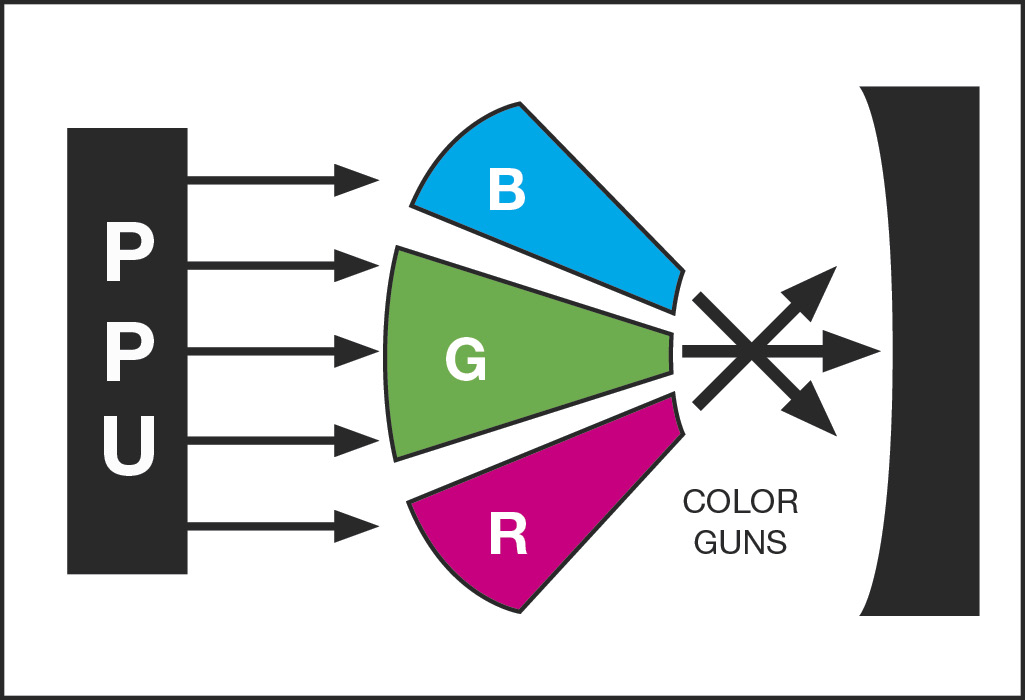
Why do RGB (Red, Green, Blue) monitors seem to have clearer, sharper pictures than standard television monitors? Information can be lost or distorted by interference during RF transmission. But the RGB signal goes straight from CPU to the color guns of the monitor.
RF
The NES sends RF signals to the TV, but can also send Composite Video using the AV Cables.
RGB
Arcade games like the original release of Punch-Out!! use RGB, and the resulting picture is generally better.
Into The Future
Just as in the rest of the computer industry, video game technology is racing forward. New 16-bit game systems like the upcoming Super Nintendo are leading the way, but what is the real difference between the new systems and the traditional 8-bit systems like the NES and Game Boy? Speed of processing is the main difference. In an 8-bit system you can describe 256 individual things such as colors, whereas in a 16-bit system you can describe 65,536 individual things. The possibilities are tremendous, but the final result, as always, depends more on creative programming than the speed of the microprocessor.