
Networks
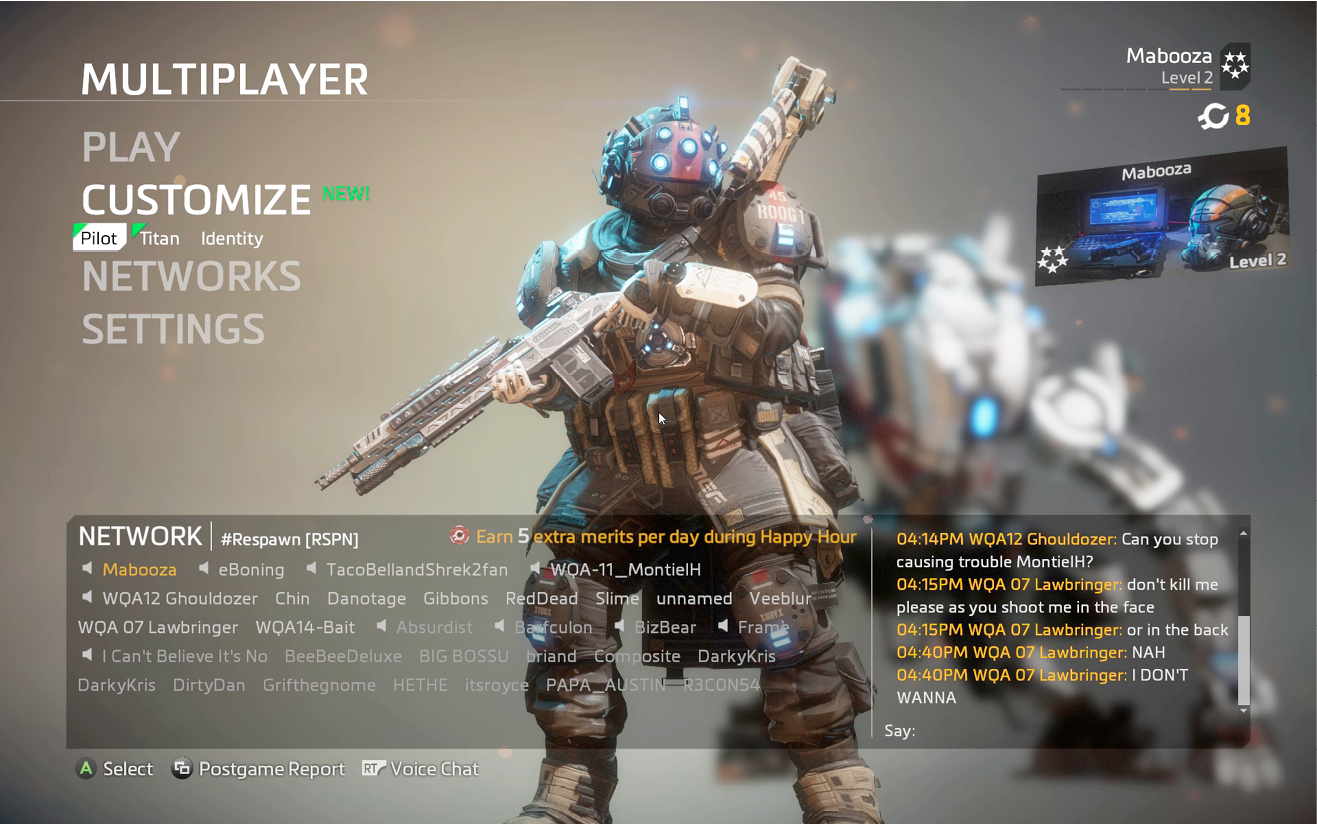
The Networks system is new to Titanfall 2, making it easier to group with friends and other players of similar interests. When you first enter multiplayer, you’re automatically assigned to a default network. All the online players of the network are visible in the network window at the bottom of the screen. If a speaker icon is next to a player’s name, it indicates the player is equipped with a microphone. While in the network, you’re free to talk with others. Just hold down the platform-specific button or key to talk. If you’re on a PC, you can also type messages.
Matchmaking
If you want to start a match, choose Play from the Multiplayer menu and consider sending an invite to other players in the network to initiate matchmaking. If you have enough online players, you can start a match consisting entirely of network members. This is a great way to start games with friends or clans. Otherwise, the matchmaking system will find other players to fill out the match. When teams are assigned, the matchmaking system will try to team you up with other members of your network.
Joining Networks
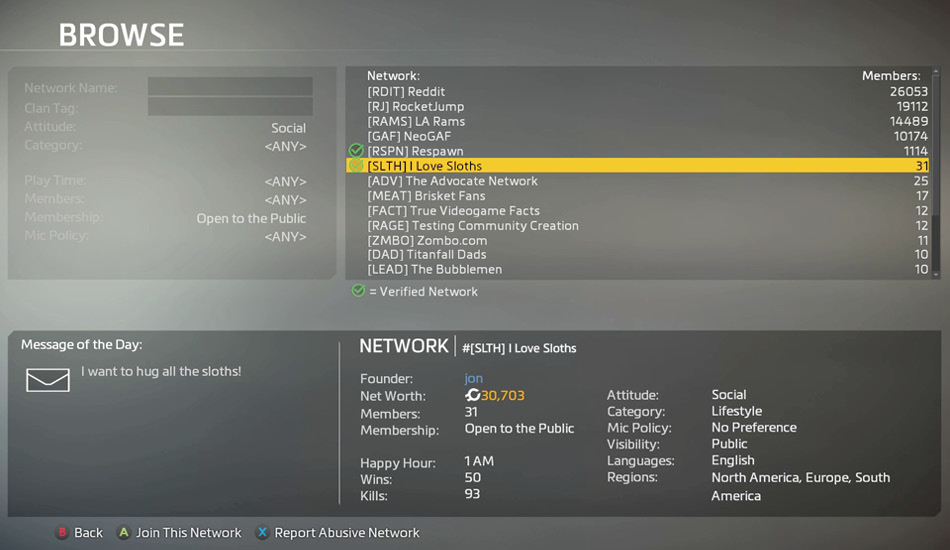
You don’t have to stay in the network to which you’re initially assigned. Choose the Browse option from the Networks submenu to open a browser listing all available Titanfall 2 networks. Only public networks are visible. Highlight the different networks in the browser to reveal more information, including the network’s population, the name of the founder, the group’s net worth (shown in credits), wins, kills, mic policy, languages, region, and a message of the day. Keep browsing networks until you’ve found one you’d like to join. Networks that are open to the public can be joined immediately, putting you in instant contact with any members online. You can join multiple networks, so don’t feel you’ve abandoned one for another. Feel free to hop around from one network to the next until you’ve found an active group of players ready to start a match.
Creating a Network
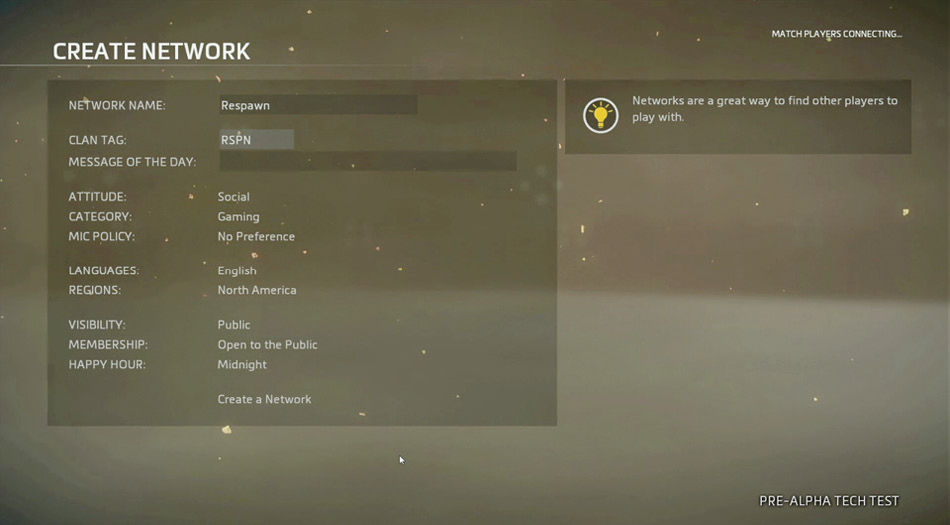
If you prefer, you can start your own network from the Admin submenu within the browser. First, you’ll need to come up with a unique network name. Try to be as descriptive as possible, as this is what other players will see when they’re browsing. Next, you can choose a unique clan tag, consisting of up to four characters. Try to match your clan tag to the network name, using an acronym, if necessary. There are a number of other settings you can set, as well, including your network’s attitude, category, microphone policy, languages, and region. Next, choose whether your network is visible to the public or not. If your network isn’t visible, you’ll need to send invites to potential members. Membership can also be adjusted, making the network private or open to the public. Finally, select a time for your network’s Happy Hour and write a message of the day to finalize your network’s settings. As admin, you can adjust these settings at any time.
Happy Hour
Every network has a Happy Hour where members can earn five merits by playing a match. So be sure to take note of when you network’s Happy Hour is and play at least one match during that hour to earn the bonus. You’re limited to one Happy Hour bonus per twenty-four-hour period. So you can’t jump around from one network to the next to quickly gather merits. Instead, find a network that has a Happy Hour that fits your schedule and endeavor to meet up with members to participate in a match. Over time, you’ll probably encounter the same players and build a rapport. Playing with other members you’re familiar with is far more fun and rewarding than playing with strangers.