
Final Fantasy Type-0 HD Guide Type-0 101: The Fundamentals of War
Squad Command
You can choose from a range of options prior to starting a mission. The three main categories for squad commands are Triad Maneuver, Eidolon, and Vermilion Bird. Some of these commands may only be used once the required conditions have been met, or may entail suffering severe damage.
Triad Maneuver
This is when the three members of your party join forces to unleash a powerful move.
Using Triad Maneuvers
Giving the Signal
Press the appropriate buttons at the same time to signal the start of a Triad Maneuver. Your Ability Gauge will be drained. The active leader will unleash a shock wave hitting all foes in the vicinity.
Triad Maneuver Strikes
The other two members of your party will charge at the target and strike with shock waves and their Triad Maneuver attack. Press the normal attack button and your active leader will unleash a Triad Maneuver attack.
Returning to Original Positions
When your allies have finished their attack, they will instantly return to their initial positions. From the time your allies receive the signal to attack to the end of the Triad Maneuver, they are invulnerable to enemy attacks.

Launch a Triad Maneuver and a shock wave will stop all enemies in their tracks by inflicting Stop status on them.

Triad Maneuvers vary depending on the character. The name of the move is displayed on the top of the screen.
Eidolons
Eidolons refers to powerful creatures that can be summoned to fight in place of the active leader.
When Eidolons Can Be Summoned
You will be able to summon Eidolons after receiving the required Summoning Permit during ”The Capture of Togoreth Stronghold” mission or from the start of Chapter 3. (You will only be able to enable the Eidolon squad command from Chapter 3 onwards.)
Eidolons you have unlocked will level up and gain abilities in the same way as active leaders. During your second playthrough, you’ll be able to use Eidolons from the start of Chapter 2. That being said, you can only summon an Eidolon during missions.
Summoning Eidolons
Opening a Portal

Pressing the two assigned buttons together for 0.4 seconds will open a portal below your active leader. Your active leader will then die and an Eidolon will be summoned.
Controlling Eidolons in Battle

You can control the Eidolon just like your active leader, but it will differ in the ways listed in the section below. Some Eidolons will move automatically and cannot be controlled.
The Eidolon Vanishes
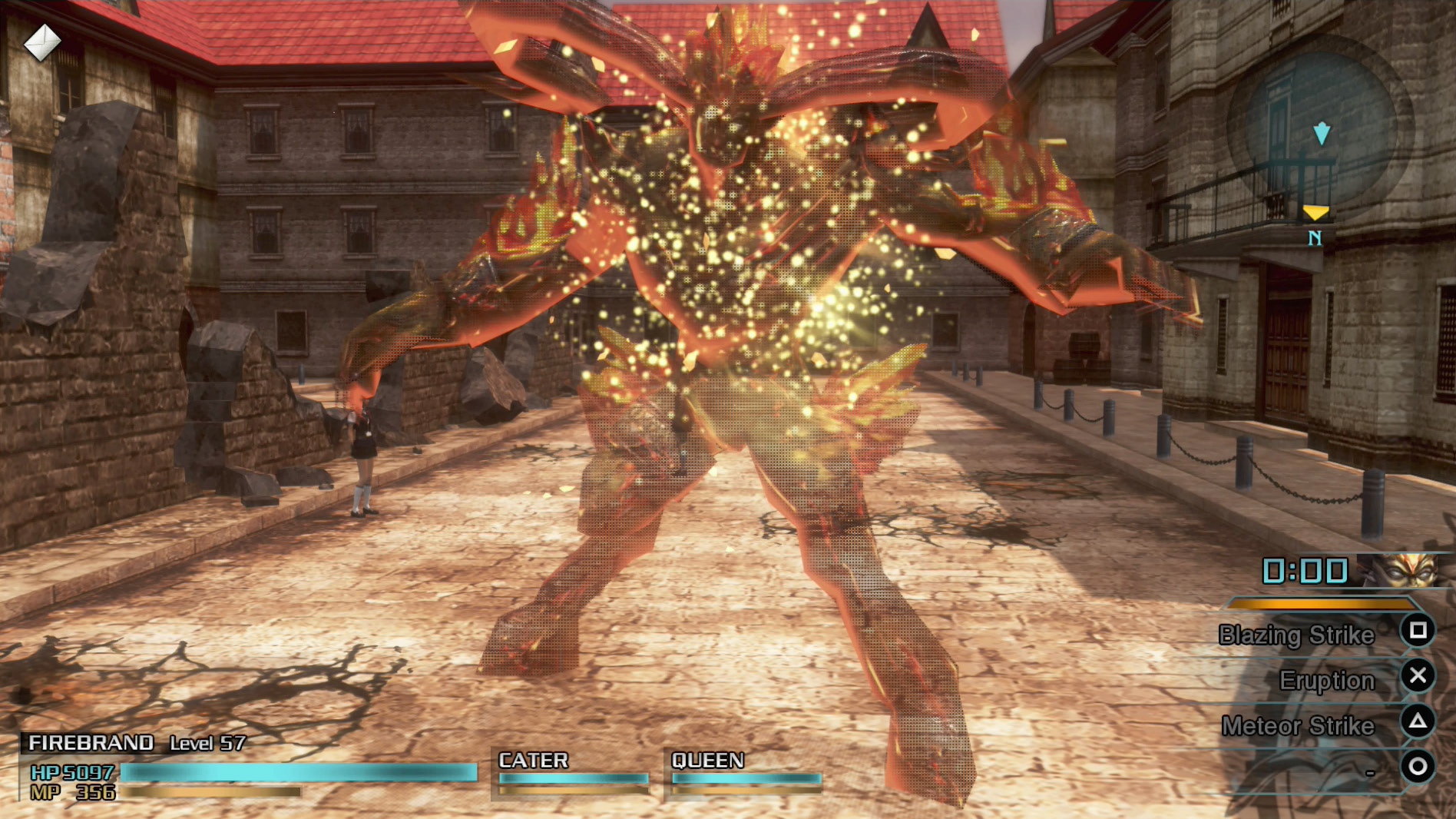
Once the period for the summon expires, the Eidolon will vanish and be replaced by your dead active leader. (You will need to switch active leaders in order to control your party.)
If you try to open a portal in a space that is too narrow, it will not fully open and no Eidolon will be summoned. (Your active leader will not die.)
The remaining time that the Eidolon you have summoned will fight for is displayed above the Ability Gauge.
Eidolons Can Come When You Fall in Battle
The affinity felt towards you by the Eidolon is a hidden stat you won’t see displayed on-screen. If there is an Eidolon with a high affinity for you, they may be automatically summoned and come to the rescue when your party falls in battle. This is known as a surprise summon. Surprise summons will only take place when you are on a mission and have an Eidolon squad command equipped. This will not occur during battles on the Map of Orience.
1. Wiped Out
When all members of your party, including reserve members, have died, the Game Over screen will be displayed.
2. Surprise Summon
If you have met the required conditions and it’s your lucky day, a surprise summon could occur. The summoned Eidolon will do battle automatically for 30 seconds.
3. Resurrection
If the Eidolon falls in battle or the summon period expires, it will disappear. Your entire party will be resurrected and your game will continue.
Eidolons Assigned to Surprise Summons
Which Eidolon appears is determined by which one you have the highest affinity with and whether or not that Eidolon is still alive. The Eidolon that shows up may not be the one you equipped at the start of the mission.
Eidolon affinity levels will increase and only increase at the end of a mission; they do not change during missions. Affinity starts at 50 and has a minimum of 0 and a maximum of 255, which increases or decreases based on whether or not the Eidolon you summoned is killed in combat or disappears naturally after its timer runs out.
If you die more than once during a mission, the probability of a surprise summon will decrease. It will decrease to half the second time you fall, before being reduced to a third, then a quarter, and lower. After clearing a mission or saving and reloading data, the probabilities will return to their original values.
Vermilion Bird
Vermilion Bird is a squad command that inflicts damage on an enemy while also possibly conferring the Reraise status on your active leader.
Using Vermilion Bird
1. Casting the Spell

Press the assigned buttons at the same time to begin casting Vermilion Bird. Keep the buttons held down and, as with other magic spells, you will see light moving from left to right at the command bar’s location. MP will be consumed as you cast the spell.
2. Increasing Vermilion Bird Level

When the light reaches the limit on the right, the spell will reach Level 1 and you will be able to cast it. Keep the button held down and the light will travel from left to right again. Each time it reaches the right side, the level will increase until reaching the maximum level possible.
3. Launching the Attack
Release the buttons to unleash Vermilion Bird. Your allies will encircle the enemy at a high speed and all launch the fiery attack. They will then return to their original positions. Your party will be invulnerable while Vermilion Bird is being used.

Vermilion Bird Power Varies According to Level
Variation According to Level of Vermilion Bird
| Change | Level 5 Vermilion Bird (Default Value) | Variation According to Level of Vermilion Bird |
|---|---|---|
| Casting time before reaching Level 1 | 3.17 seconds | With each additional level, this is reduced by 0.03 seconds. (Minimum value is 0.17 seconds.) |
Variation Depending on Level When Launched
| Change | Value at Lv. 1 | Variation Depending on Level When Launched |
|---|---|---|
| Reraise status probability | 26.5% | For every increase of 2 levels, probability is boosted by 1.5%, up to a maximum of 100%. |