
Atari Flashback: The Essential Companion Guide 1981-82
Realsports Baseball

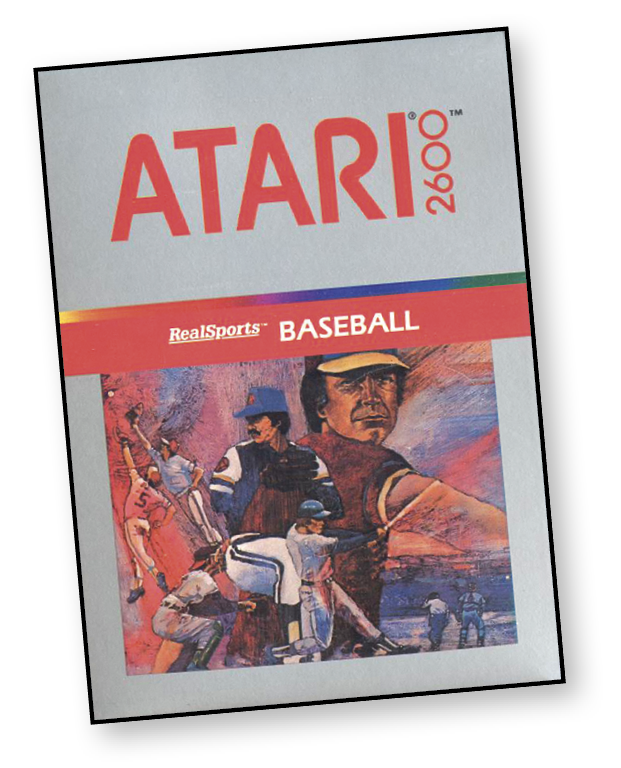
Join the Atari Aces in the World Series of video baseball — RealSports Baseball! It’s a hot day in the ballpark—you can see the hot dog and soda pop vendors making their way up and down the bleachers. The crowd roars after each pitch and filling the stadium is the sound of “STEERIKE! YOU’RE OUT!” Down on the field it’s a different story—just you and the pitcher facing each other in an enormous diamond of brown and green.
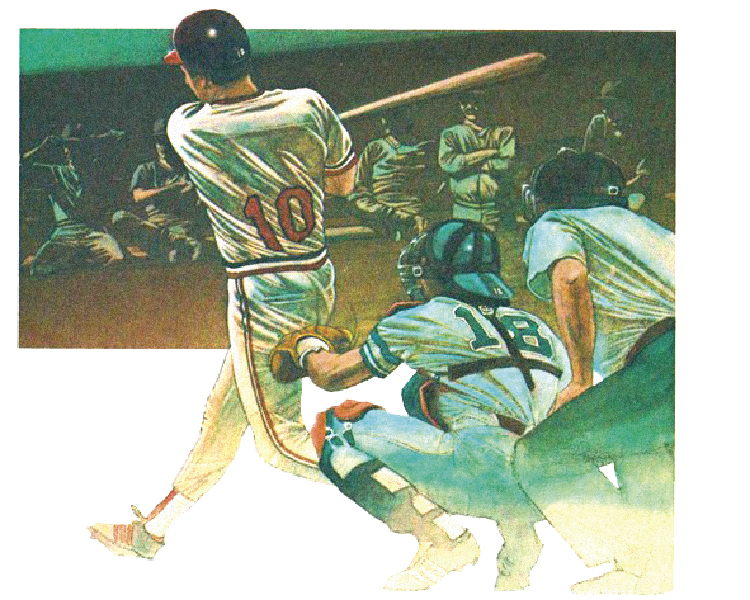
The roar of the spectators fades into the distance as the pitcher winds up. His arm arches back, his leg goes up, and… THUNK! The ball flashes by and hits the catcher’s glove at 90 miles per hour. “STEERIKE!” Another windup, another 90 mile per hour fastball and “STEERIKE TWO!” Gripping the bat tightly, you stare back at the pitcher, see him wind up, and watch as the ball seems to float in slow motion down the field toward you. Everything falls into place as you swing with perfect timing, feel the contact, and see the ball sail over the right fielder’s outstretched glove and over the wall. HOME RUN!
About the Game
RealSports Baseball was the second baseball title from Atari. A vast improvement from Atari’s previous baseball game, Home Run, RealSports Baseball held its own against Mattel’s M-Network title, Super Challenge Baseball.
Although the games were similar, RealSports Baseball held a bit of an edge against its competitor. To make things more interesting, the computer randomly determined the accuracy of your pitches. This means that you could pitch a perfect fastball on one pitch and completely flub it in the next. This added a new layer to the game and kept things a bit more interesting.
Another advantage RealSports Baseball could boast against its competition was the option for single-player games against a computer opponent. This gave RealSports Baseball four game variations, adding a more diverse gaming experience for the player.
Object of the Game
You play RealSports Baseball just like America’s pastime. The object of the game is to score more runs than your opponent.
How to Play
To start the first inning, press one of the red controller buttons. The home team will run to the playing field, the catcher will throw the pitcher a new ball, and a batter from the visiting team will step up to the plate.
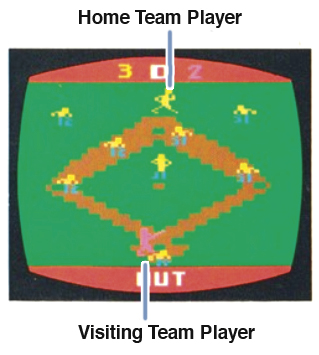
A team remains at bat until three of its players either strike out, fly out, or are tagged out. A base runner can also be “forced out” when an outfielder with the ball tags the base in front of the runner while another base runner is occupying the base behind him. (Force outs are needed to make those double and triple plays!)
Pitchers can throw either a ball or a strike. Three strikes count as an out and four balls result in a walk. A walked batter automatically advances to first base. If a batter swings at a pitch and misses, it always counts as a strike.
A batter can also hit a foul ball outside the baselines. A foul ball is counted as a strike unless the batter has already made two strikes, in which case it does not affect the count.
Controlling the Batter
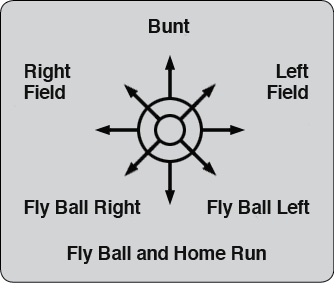
Make the batter swing by holding down your controller button and flicking the joystick at the same time. The direction you move the joystick determines the direction and trajectory of the ball.
Move the joystick straight up to bunt the ball; to the right to hit a ground ball toward left field; to the left to hit a ground ball toward right field; and straight back to hit fly balls and home runs. Fly balls and home runs are also possible by moving the joystick diagonally to the lower left and lower right. The lower-right position hits the ball to left field and the lower-left position hits to right field.
When an outfielder catches a fly ball, the batter is automatically out. If the outfielder misses the ball, however, the ball will sail over the stadium wall, resulting in a home run. After a home run, the ball reappears only after the batter rounds all the bases and touches home plate.
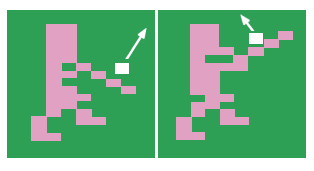
The direction of a hit ball can be affected by the timing of the batter’s swing. Just like in regular baseball, swinging early will “pull” the ball to left field.
Swinging late—that is, swinging when the ball is nearly past you—will tend to slice the ball toward right field. By timing your swing carefully, you should be able to hit the ball to any part of the field.
Controlling Base Runners
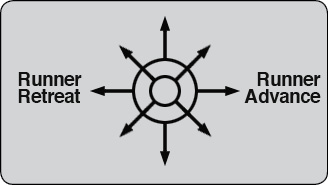
To control a base runner, hold the controller button down and push the joystick to either the right of the left (Right: runner advance, Left: runner retreat). After a batter hits the ball, let the joystick return to the neutral (center) position, then push it to the right to make him advance to first base. To continue running, keep holding the controller button down and push the joystick to the right. To make a runner retreat—if, for example, he must return to a base to avoid being tagged out—simply hold down the controller button and push the joystick to the left.
Stealing Bases
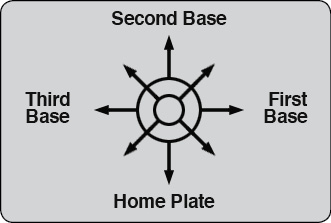
Stealing a base is a two-step process: First, you transfer control from the batter to a base runner and then make him run. To transfer control, move the joystick in the direction of the base that the runner is on without holding down the controller button. Move the joystick right to indicate first base; up to indicate second base; left to indicate third base; and down to indicate home plate. The controlled player will turn slightly brighter in color when doing so.
To make the base runner steal, hold down the controller button and push the joystick to the right. If the pitcher on the opposing team has the ball and is not moving, the base runner will quickly steal the base. If any outfielder with the ball is moving (running or throwing the ball, for example), the runner will move much more slowly toward the base. Therefore, it is best to steal a base when the pitcher is motionless and “isn’t looking.” After the runner steals a base, transfer control back to the batter by pushing the joystick straight down.
Pitching the Ball
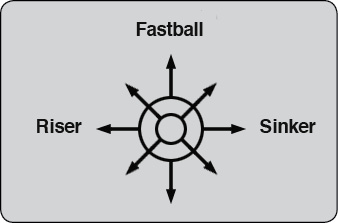
There are two steps involved in pitching the ball: First, select the type of pitch and then you throw the ball. As an ace pitcher, you can select a Fastball, a Riser, or a Sinker. You can also psych out your opponent by throwing an intentional ball. Push straight up to pitch a fastball; directly right to pitch a sinker; directly left pitch a riser; and straight down to pitch an intentional ball. An intentional ball will always be counted as a ball unless the batter swings, in which case it counts as a strike.
Occasionally, a batter can hit an intentional ball (just as a real batter can sometimes hit a ball outside the strike zone), but this happens only rarely. All other pitches deliver more strikes than balls. The computer randomly determines the percentage of strikes to balls; some days your fastball will deliver more strikes than your sinker, other days the reverse will be true. Experiment to discover your best pitch! After selecting a pitch, throw the ball by holding down the controller button and lightly flicking the joystick down.
Throwing the Ball Around the Outfield
The player with the ball can throw to the pitcher or any of the four basemen. Hold down the controller button and push the joystick in the direction of the base to which you want to throw. Push the joystick to the right to throw to first base, straight up to throw to second base, left to throw to third base, and straight down to throw to the catcher. Leave the joystick in the neutral (center) position to throw the ball back to the pitcher. Remember to release the controller button after the ball is thrown, or you may accidentally throw the ball again after it is caught.
If an intended target misses the ball, it will roll and come to a stop on the field. Pick up the ball by running the controlled player over it. You’ll hear the “plop” of the ball hitting the glove when it is picked up.
You can identify a controlled player by color; controlled players are solid yellow or pink. Non-controlled players are two-toned white and blue. If you’re in doubt, move the joystick to see which team member is under your control.
Running in the Outfield
Use the joystick to move a controlled player in the outfield. The player moves up, down, right, left, and diagonally in the same direction you move the joystick.
Game Options
There are four game variations in RealSports Baseball: Two two-player games and two one-player games. In the one-player version, the computer automatically controls one team. The computer always knows what pitch you’re about to throw, so brush up on your best baseball strategy to beat the computer!
|
Game # |
# players |
Features |
|
1 |
2 |
SA |
|
2 |
2 |
LS |
|
3 |
1 |
SA |
|
4 |
1 |
LS |
Features
Swing Away (SA)
The batter can hit every pitch.
Limited Swing (LS)
The batter cannot hit pitches that are classified as balls.
Scoring
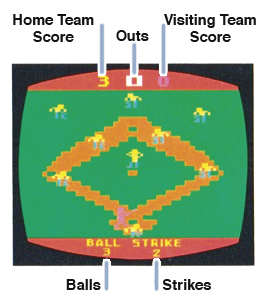
Each time a batter touches all the bases in a counterclockwise direction and reaches home plate, the team scores one run. Scores are kept on the top of the screen; the home team on the left and visiting team on the right. The number of outs in the inning also appears on the top of the screen between the two scores.
Balls and strikes are recorded behind home plate on the bottom of the screen. The umpire’s calls flash after each pitch on the bottom of the screen, too.
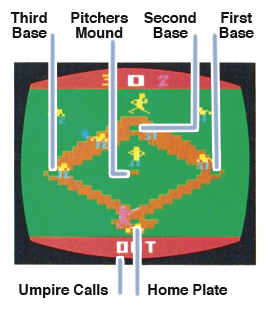
The umpire also calls out the inning number each time a team has three outs and runs to the outfield. Look at the bottom of the screen to see the inning number flash onto the screen before the first pitch.