
Atari Flashback: The Essential Companion Guide 1977
Black Jack

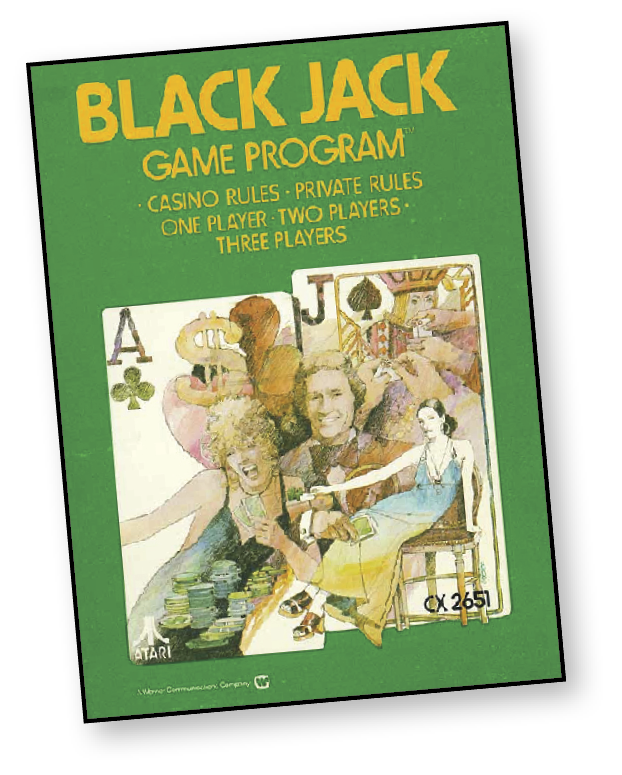
Place your bets, casino gamblers! It’s time to play Black Jack. One, two, or three players compete against the computer dealer. The computer deals each player two cards face up. The computer also deals two cards to itself—one face up and the other facedown. After that, Lady Luck and your sharp skill determines the winner.
About the Game
Based on the wildly popular card game, Black Jack features a more basic ruleset than its casino counterpart. The ability to split pairs, where the player can separate a pair of cards at equal value into two individual hands, is omitted from the Atari version.
Object of the Game
The object of the game is to get 21 points, or as close to 21 points, without “busting” (exceeding 21 points). You automatically score a Black Jack when your first two cards equal 21 points.
If you are satisfied with the total points of your first two cards, “stay” on that hand. If you want to add more points to your hand, request a “hit” and the dealer will give you another card. You can continue to hit until you are satisfied with your hand, or until you exceed 21 points (“bust”).
When all players have played their hands, the dealer reveals the face-down card. Like the players, the dealer hits or stays to get as close as possible to 21 points without busting.
You win the game when:
- Your card hand is equal to more points than the dealer’s hand without exceeding 21 points.
- The dealer busts and exceeds 21 points.
- You score a Black Jack (an Ace and a face card or a 10).
How to Play
Use the joystick and red button on your hand-held controller to:
- Determine and make your bet.
- Determine and indicate whether you want to stay, double, or hit.
A question mark underneath your total number of chips indicates it’s time to place your bet for the next game.
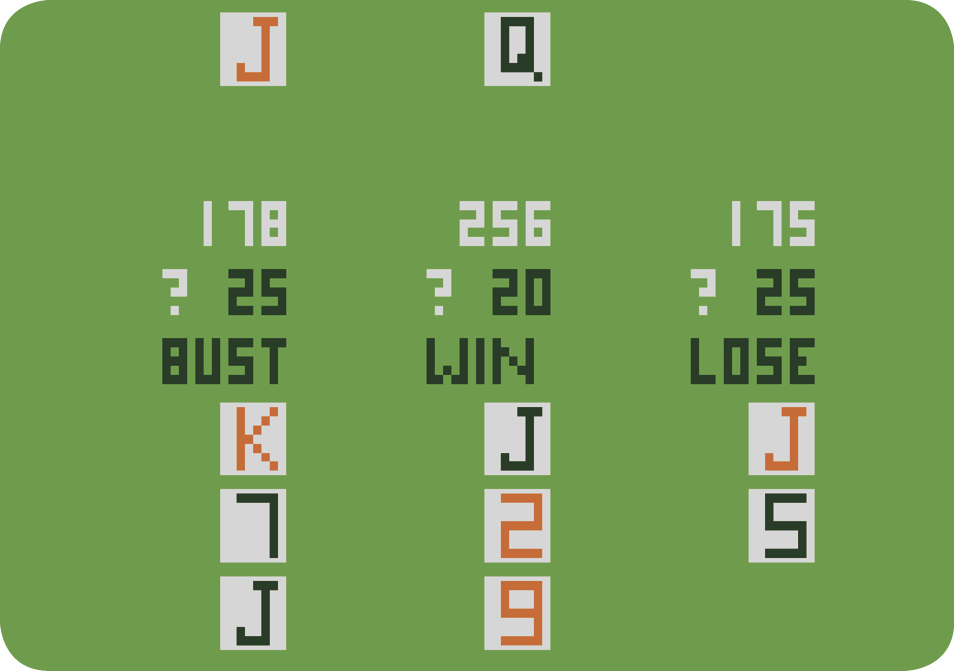
- Use the joystick to change your bet from 1 to 25 chips, displayed to the right of the question mark.
- Press the red controller button to make your bet with the dealer.
If there is more than one player, the last player to make a bet and press the controller button erases the previous game’s card hands from the screen. After the computer deals two cards, players must decide to hit, stay, or double their bets.
- Select HIT or STAY using the joystick.
- If you select HIT, press the red controller button and another card will appear on the playfield. Continue to HIT until you are satisfied with your hand.
- When you are satisfied with your hand, select STAY. Press the red controller button to continue.
Game Options
Use the Game Select Switch for the following:
- Number of Players: Press the Game Select button to cycle through all the positions of game setups for one, two, or three players. Release the switch when the number of setups you want appears on-screen.
- Leaving the Game: A player can leave the game at any time. To do so, push the Game Select Switch until your setup disappears. (The other players’ setup will remain.)
- Returning to the Game: Stop the game action by pressing the Game Select until your setup reappears on-screen along with any other setups of players who had been playing.
- Going Broke: When you “Go Broke” (lose all your chips), you can still play by asking the bank for another setup. Stop the play action and push the Game Select Switch to cycle through all the setups. When a new one appears along with the other players’ previous ones, release the switch. Now place your bets and continue play.
- Breaking the Bank: When you have 1000 chips, you “Break the Bank”! Now you must start play again with 200 chips. To produce another setup, follow the directions for Going Broke. Your 1000 chip score will remain on the screen until you press the Game Select Switch.
Game Reset
Press the reset button to reset your score to 200. You will also hear the computer shuffle the cards.
Left Difficulty Switch
Push the left Skill button to B position and the computer automatically shuffles the cards after every hand. Push the button to A and the computer automatically shuffles the cards after dealing two-thirds of the deck (or 34 cards).
Right Difficulty Switch
Select the A or B position to change the rules of the game:
A Position: Casino Black Jack Rules
- Computer dealer must hit a soft 17 or less.
- Computer dealer must stay on a hard 17 (Aces = 1 point).
- Your score is not affected by tie games between the dealer and you.
- If your hand equals 10 or 11 points, you can double your bet before the first hit. You must take one hit and only one hit is allowed.
- A player is allowed four hits.
B Position: Private Black Jack Rules
- Computer dealer must stay on 17 or more points.
- The computer dealer wins all tie games.
- You can double your bet on any combination of cards before the first hit. You must take one hit and only one hit is allowed.
- A player automatically wins the game when he hits four times without busting.
Scoring
Card Values
|
Object |
Point Value |
|
Number Cards |
Face Value (i.e. 5 = 5 points) |
|
10, Jack (J), Queen (Q), and King (K) |
10 points |
|
Ace (A) |
1 or 11 points |
A card hand is called “soft” when the Ace is used as 11 points. A card hand is “hard” when any combination of cards is used except an Ace worth 11 points. For example, a soft 17 is an Ace (11 points) and a 6. A hard 17 could be a 10, 6 and an Ace (1 point).
Betting
Each player starts play with a total of 200 chips. Bet from 1 to 25 chips on each game. Your bet is added or subtracted from your total score depending on whether you win or lose. When you score a Black Jack, you win 1 1/2 times your bet. For example, you score Black Jack on a bet of 10 chips to win 15 chips! Players are automatically removed from the game when they reach 1000 chips or have no chips remaining.