
Atari Flashback: The Essential Companion Guide 1977
Fun With Numbers

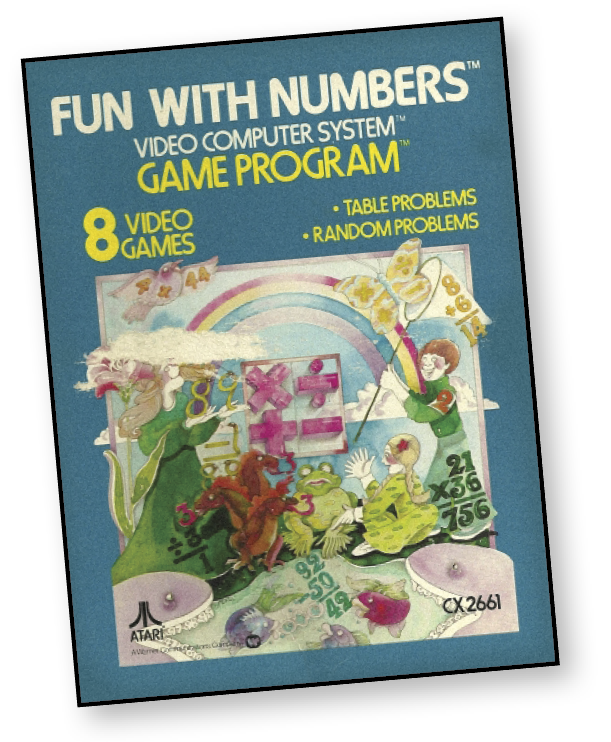
Atari’s first educational game program. Solve addition, subtraction, multiplication, and division problems on your own TV. The computer lets you know if you’re right. If you’re wrong, the correct answer flashes on-screen.
About the Game
Fun With Numbers, or Basic Math, was one of nine launch titles for the Atari 2600 in 1977. Educationally focused, Fun With Numbers was an attempt to show that the Atari VCS could offer many different applications with its cartridges. Unfortunately, the low-level arithmetic and difficult controls didn’t help to portray the VCS as a versatile home computer.
Object of the Game
Sharpen your math skills with Fun With Numbers. The object is to get as many points as possible in a game of 10 math problems covering addition, subtraction, multiplication, or division.
How to Play
Use the joystick to make numbers appear on the Blackboard Screen. Push the joystick forward to cycle through numbers from 0-9. Pull it towards you to make the numbers appear in decreasing order from 9-0. The joystick is also used to move the Answer Line; move the joystick to the right and left to adjust the Answer Line accordingly.
The red controller button records your numbers with the Computer Teacher. Press the button to record your chosen problem numbers, as well as your selected answers to the math problems.
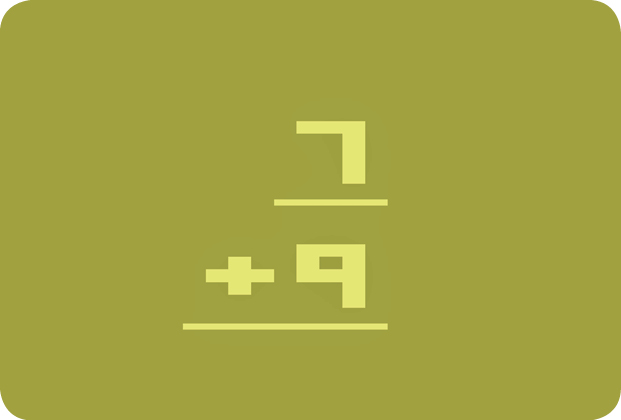
Each game features a set of 10 problems using a specific arithmetic operation (i.e., addition, subtraction, multiplication, and division). After selecting the game you want to play, a problem appears on the Blackboard Screen.
Here is an example addition problem. The top number, 7, will be underlined. Push the joystick forward until you find the number you want to work with. For example, need some practice on additions using number 8? Just follow these two steps:
- Press the joystick forward once until number 8 appears as the underlined top number.
- Record your number 8 with the Computer Teacher by pressing the red controller button.
How to Record an Answer
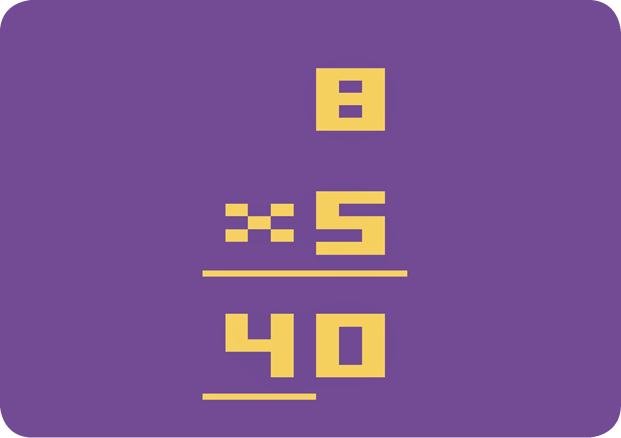
After you’ve selected the type of problem and number, notice the Answer Line below the math problem on the Blackboard Screen.
Use the joystick to show your answer on-screen. Push it forward to cycle through the consecutive numbers 0-9. Pull it towards you to cycle through the numbers in decreasing order, 9-0. For example, if no number is showing, you can put number 2 on the Blackboard Screen by:
- Pushing the joystick forward three times—one time for each of the numbers 0, 1, and 2 or…
- Pressing the joystick forward as the game cycles to number 3, then release the joystick.
The line represents space for one digit of your answer. You can move the Answer Line to the right and left using your joystick. If your answer is more than one digit, you must move the Answer Line. For example, in the image shown previously, the answer is 40. To record your answer:
- Select the number 0 with your joystick; it will appear above the present Answer Line. The last digit of your answer must always appear on this line.
- Move the Answer Line one digit to the left.
- Select the number 4 with the joystick; the number 4 will appear above the Answer Line.
- Now press the red controller button to record your answer, 40.
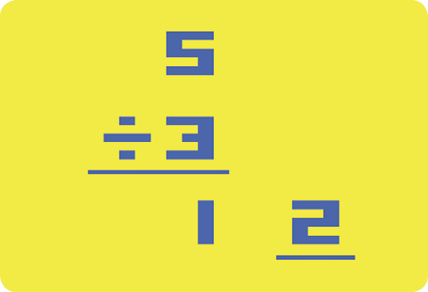
Some division problems will have a remainder. To show the remainder, move the Answer Line two digits to the right of the quotient. Select the remainder number with the joystick. Now record your entire answer by pressing the red controller button.
Correct Answers
Musical tunes determine whether your answer is right or wrong. Correct answers receive a “BEEP” followed by a melodic tune. The Computer Teacher automatically presents the next problem. Wrong answers receive a “BEEP” and a melodic tune, but the wrong answer disappears as the right answer flashes on the Blackboard Screen. The Computer Teacher automatically presents the next problem.
The game ends after 10 problems. At the conclusion of the last problem, the total number of problems (10) and the number of correct answers flashes on the Blackboard Screen.
Difficulty Options
Use the right Difficulty Switch to determine if each round (math problem) will be timed. In the A position, the player has a time limit to produce an answer. In the B position, there is no time limit. Use the left Difficulty Switch to determine the time limit for each round (math problem).
|
Game Number |
Left Difficulty Switch |
Time Limit |
Problem Type |
|
1-4 |
A |
12 seconds |
PS |
|
1-4 |
B |
24 seconds |
PS |
|
5-8 |
A |
24 seconds |
CD |
|
5-8 |
B |
12 seconds |
CS |
Games 1-4
Games 1-4 feature single-digit problems and allow you to select the top number of each problem using your joystick.
Player Selected Single-Digit (PS)
If the left Difficulty Switch is set to the A position, you have 12 seconds to answer each problem. If the Difficulty Switch is in the B position, you have 24 seconds.
Games 5-8
In games 5-8, the computer selects the numbers in each problem. Rounds can be single-digit or double-digit math problems.
Computer Selected Double-Digit (CD)
With the left Difficulty Switch in the A position, problems are double-digit. You have 24 seconds to answer each problem.
Computer Selected Single-Digit (CS)
With the left Difficulty Switch in the B position, problems are single-digit. You have 12 seconds to answer each problem.
Game Options
|
Game Number |
Math Type |
|
1, 5 |
Addition |
|
2, 6 |
Subtraction |
|
3, 7 |
Multiplication |
|
4, 8 |
Division |
Games 1, 2, 3, and 4 allow you to select a top number to work with for practice. Games 5, 6, 7, and 8 are Random Problems. Follow the same rules and procedures to tackle Random Problems as you did to solve Table Problems. Random Problems feature addition, subtraction, multiplication, and division. The only difference between these games and Games 1 through 4 is the absence of a top number selection. You have no control over the numbers in these problems. For example, after you select a subtraction game, the game presents subtraction problems at random. You begin your answer immediately.
Scoring
Each game has 10 math problems with one point awarded for each correct answer. At the end of each game, two numbers flash on-screen: the number of total problems (10) on the right side and your score on the left side.