
Atari Flashback: The Essential Companion Guide 1980
Video Pinball

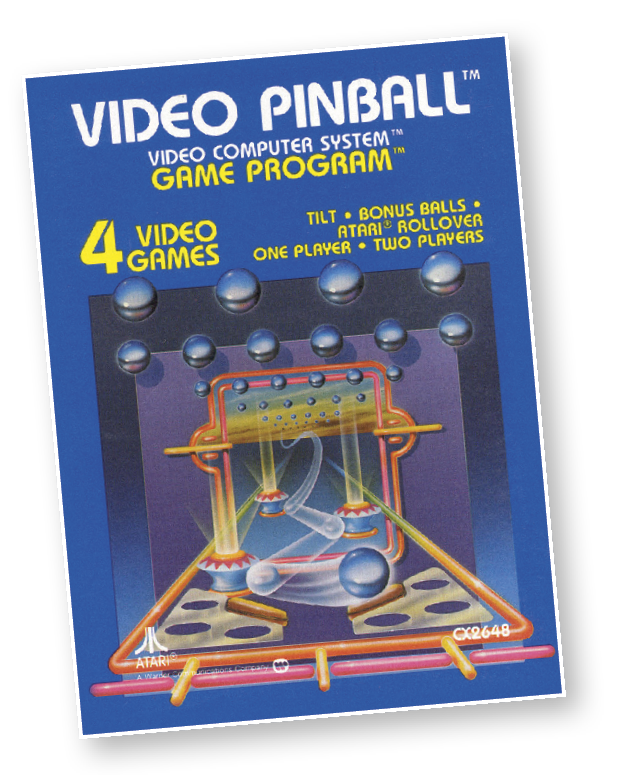
Okay, pinball wizards, get set for the ultimate pinball challenge, complete with sounds and flashing colors. Pull back the plunger, release the spring, and shoot the ball. Hit bumpers, spinners, targets, and rollovers to rack up points. You get three balls to start with. Hit the Atari rollover four times to receive an extra ball.
You can nudge or apply body English, but be careful you don’t tilt or you’re out of action. So flip your flippers and catch the fever. Play against the computer to try your wizardry
So take a deep breath, turn up the stereo, and jump right into Video Pinball. One more thing… Better get yourself a piggy bank for all those quarters you’re going to save.
About the Game
The Atari 2600 was created as a way to bring the arcade to players’ homes for unlimited plays and the ultimate quest for the highest score. Video Pinball is—and was—the perfect example of this concept, as it brought the best version of a digital pinball machine to your home.
The design of this game is a rather simple one, but it can become very addictive. There are only a few objects to use to score points, but that is what keeps the game from becoming too complicated. This precise fact is exactly what makes the game so addicting. Video Pinball has enough of a challenge to pinball friends to compete, but it’s not too difficult for beginners either.
There are all kinds of bonuses to accomplish and unlock while playing Video Pinball, which adds to the excitement of the game. Depending on your skill level, or how much you practice, you may be able to find most of the bonuses which will help increase your score even further.
Video Pinball wasn’t meant as a replacement for a classic pinball machine, however, it was probably the closest thing to it in 1980.
This 4K cartridge will never be as highly praised as some of the other classic arcade ports, but it is still a great game that is still at the top of the list of “must-own” games for the Atari 2600.
Object of the Game
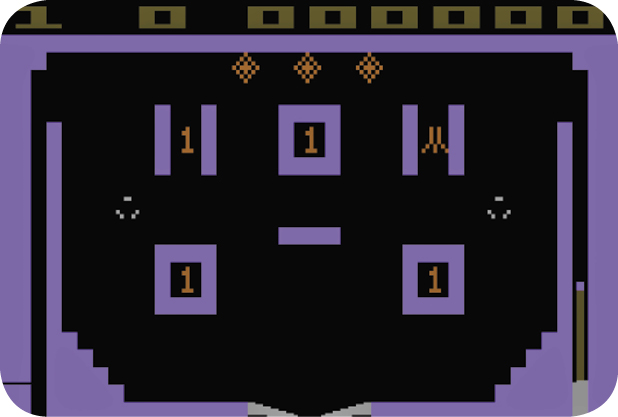
The object of the game is to keep the ball in play as long as possible and score as many points in the process. It is a game of skill and chance. Each player starts with three balls.
How to Play
Using the Controller
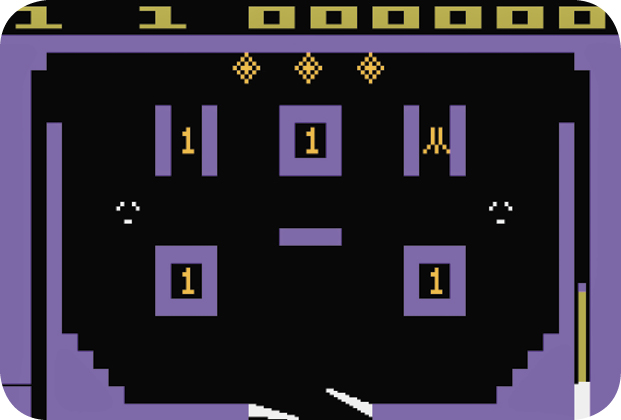
Use the joystick to start the game. Pull the joystick down (toward you) to bring the plunger back. Press the red controller button to release the spring and shoot the ball into the playfield.
You can also use the joystick to “nudge” (or apply “English”) on the ball. These terms refer to forcing the ball to go in a particular direction. To do so, hold down the red controller button while pushing the joystick in the desired direction go. All game variations allow you to nudge the ball.
To select a game, press the game select button. The number of players for each game appears at the upper-left corner of the screen. The game number appears to the right of the player number.
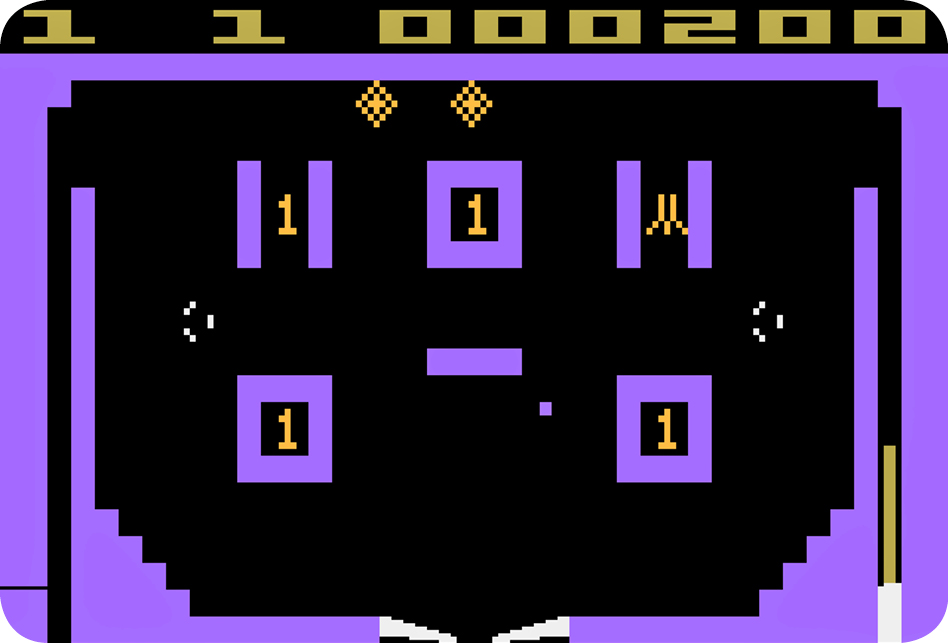
After selecting the game, press the game reset button to start the action. The game starts over each time the game reset is pressed. When gameplay starts, the player number and the ball number appear at the top of the screen (to the left of the score).
Gameplay Tips
Every time you hit the Atari rollover four times, you receive an extra ball. The large “X” at the bottom of the screen signifies an extra ball. Playing Video Pinball requires skillful control of the flippers, which are located at the bottom-center of the screen. When the ball drops here, send it back into the playfield by using the flippers. The flippers are controlled by using the joystick controller. It’s your job to guide the ball within the playfield hitting bumpers, spinners, targets, and rollovers to score points.
Use the joystick to “nudge” the ball, but don’t do it too much or you’ll cause a “tilt”. If you tilt the game, you won’t score any more points and lose any extra balls.
Game Variations
Video Pinball has four exciting game variations. There are two games for one player and two games for two players.
Game 1
Game 1 is a one-player game that allows you to nudge the ball. Too much nudge will cause you to lose a ball (“tilt”) and any extra balls are lost. During Game 1, the bumper values are accumulated for an entire game.
Game 2
In this two-player variant, each player takes a turn playing one ball at a time. The turn lasts until the ball is lost. Each player’s score appears at the top of the screen with each turn. The left player is always number one.
Game 3
This variant is a one-player game that is similar to Game 1, except that the bumper values are not accumulated. The bumper values are reset with each new ball. Game 3 is also just a bit more difficult than Game 1. For a real challenge, try Game 3 with the difficulty set to position A.
Game 4
A two-player version of game 3, each player takes a turn playing one ball at a time. The turn lasts until the ball is lost. Each player’s score appears at the top of the screen with each turn. As is the case with Game 2, the left player starts the game.
Difficulty Options
The A difficulty setting in Video Pinball is for expert pinball players, known as “pinball wizards.” The B setting is for novice players. The A difficulty level has two extra drain holes at the bottom of the playfield. Each Video Pinball player can select his or her own difficulty level. In a one-player game, use the left difficulty button. For two-player games, the left player uses the left difficulty button while the right player uses the right difficulty button. Difficulty levels may be changed at any time during gameplay.
Number of Players
Just as in the arcade versions of pinball, Video Pinball has options for one-player and two-player games.
Scoring
You score points each time your ball hits targets, bumpers, rollovers, or spinners. The scoring happens quickly; listen for special electronic sounds as points are scored. The screen flashes when bonus points are scored. Scores are posted at the top-right of the screen. In two-player games, each player’s score appears after each turn. At the end of a two-player game, both player’s scores alternate at the top of the screen.
|
Object Name |
Points |
|
Spinners |
1 point |
|
Bumpers |
100 times their current value. The value inside the bumper increases each time all of the diamond-shaped drop targets are knocked down. |
|
Drop Targets |
100 points each time a drop target is hit. |
|
Atari Rollover |
100 points. After hitting the Atari rollover four times, you receive an extra ball. Each time it rolls over, the bonus multiplier increases by one. Only one extra ball can be awarded with each turn. The number of Atari rollovers hit is indicated at the bottom of the screen by one Atari symbol for each hit. |
|
Left Rollover |
100 points each time it rolls over. Its value increases by one with each hit. When the ball drains, you receive 1,000 points for each time it has rolled over, (up to 4,000 points). |
|
Special Lit Target |
This target lights up for only four seconds. It is located between the two lower bumpers. Each time it is hit, the screen flashes and you score 1,000 points. |
The bonus multiplier is tallied at the end of the turn. This rapid scoring is accompanied with a “whirring” sound. If you happen to score one million points, the score rolls over and starts again. When this happens, you don’t lose the additional 999,999 points; they remain part of your score.