
Atari Flashback: The Essential Companion Guide 1979
Bowling

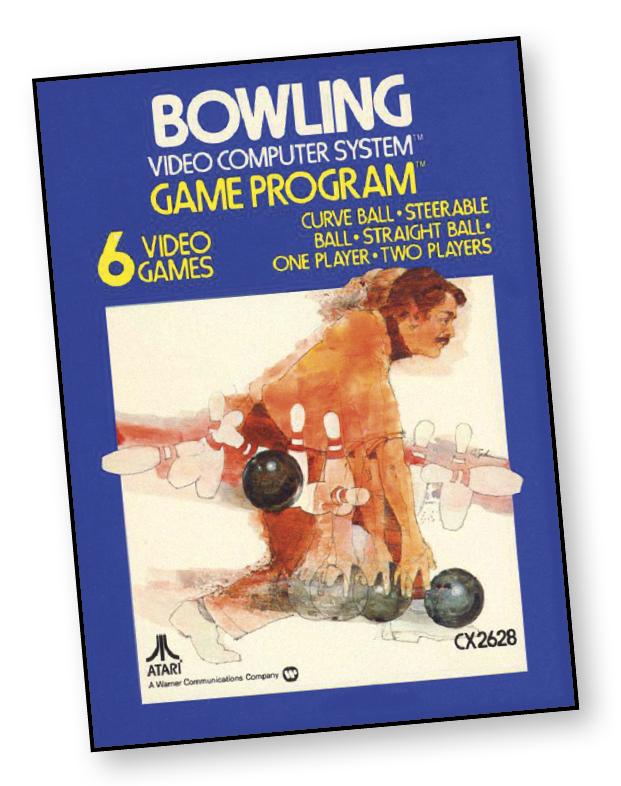
Choose your alley. Pick your spot. Now roll the ball and stay out of the gutter.
It’s all part of Atari’s Bowling, one of the most exciting and challenging ways to bowl.
Your score is automatically kept on-screen, frame by frame. And that includes strikes, spares, and even open frames.
Choose from a selection of six action-packed games. You can roll a curve of a straight ball.
But remember, watch those gutters!
About the Game
Modern bowling games are rightly praised for their level of interactivity, but Atari’s Bowling was embracing this concept all the way back in 1979! Player choice is the name of the game here, with the ability to position the bowler pre-roll, directly control the ball while it rolls, or make sure it never deviates from its originally determined path. With this combination of options, players can recreate true lane bowling, or direct matches straight out of any bowler’s fantasy.
Object of the Game
The objective is to roll as high a score as possible, whether you’re playing a one-player or a two-player game.
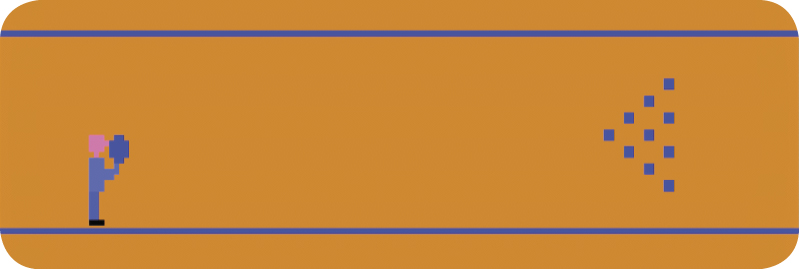
If you knock down all the pins on your first roll, it’s called a “strike.” An “X” on the TV screen indicates a strike.
If there are pins standing but you “pick them up” on your second roll, it’s called a “spare.” A “/” on the screen signifies a spare.
An “open frame” occurs when you fail to knock down all 10 pins after both rolls. A straight horizontal line (-) indicates an open frame.
The ultimate goal of Bowling is to roll 12 consecutive strikes for a “perfect” score of 300. See the Scoring section for a more detailed breakdown of point scoring.
How to Play
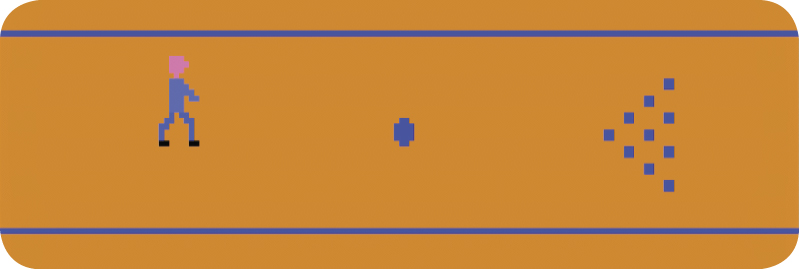
There are 10 “pins” to knock down. You have two tries (or rolls) to knock down the pins on each turn. Each game consists of 10 “frames” (or turns). Move the joystick forward (away from you) and back (toward you) to position the bowler. Press the red button on the joystick controller to release the ball. To start the action:
- Press the game select button to choose the game you wish to play. The number of each game appears in the upper-left corner of the screen. A 1 or 2 is displayed in the upper-right corner to indicate whether the game is for one or two players.
- Press the game reset button to begin play.
Game Options
|
Game # |
# Players |
Features |
|
1 |
1 |
CB |
|
2 |
2 |
CB |
|
3 |
1 |
SB |
|
4 |
2 |
SB |
|
5 |
1 |
NC |
|
6 |
2 |
NC |
Number of Players
In 2-player games, you bowl a frame and then the second player bowls a frame. Games end after each bowler completes 10 frames.
Features
The game features all revolve around control over the bowling ball.
Curve Ball (CB)
Pressing up or down on the joystick curves the ball in that direction. Only the first touch curves the ball.
Steerable Ball (SB)
The bowling ball responds to new controller commands while it rolls down the alley. You must continue to press up or down to guide the ball in a direction. If the joystick is returned to the neutral position, the ball resumes on a straight path.
No Curve (NC)
The bowling ball travels in a straight line from the point it leaves the bowler’s hand. Positioning your bowler before releasing the ball is vital in No Curve games.
During gameplay, the number of each frame is displayed in the upper-left corner of the screen for one-player and two-player games. In two-player games, the number of the player who is currently up is shown in the upper-right corner of the screen. (Player 1 is blue; Player 2 is green.)
Scoring
In two-player games, the score for the left player is displayed at the top-left corner of the screen; the right player’s score is shown on the right. In one-player games, the score is on the left.
You can score anywhere from 0 to 30 points in each frame. However, the difference in your score depends on whether you strike, spare, or leave an open frame.
For instance, the number of pins you pick up (for both rolls) in an open frame is added to your running score.
However, when you pick up all the pins on the second roll (a spare), your running score is not totaled immediately. Instead, the score for that frame remains empty until your next roll. At that time, 10 is added to the number of pins you pick up. This subtotal is then added to your total running score.
After a strike is rolled, your running score is not totaled until after the next two rolls. Ten points are then added to the total number of pins you pick up for those rolls. Therefore, if you roll three consecutive strikes, you score 30 points for the frame in which the first strike occurred.
Tenth Frame Bonus
If you record a spare in the tenth frame, you get one more roll. The number of pins you pick up—plus 10 because of the spare—is then added to your total score. If you get a strike in the tenth frame, the pins you pick up for the next two rolls are added to your total score.
Difficulty Options
With the difficulty button in the A position, the computer makes it more difficult to roll strikes and spares. Use the left difficulty button for one-player games. For the beginning player, it is easier to obtain higher scores when the difficulty button is set to the B position.