
Super Smash Bros. WiiU/3DS Guide 3DS GAME MODES 3DS - Smash
Group
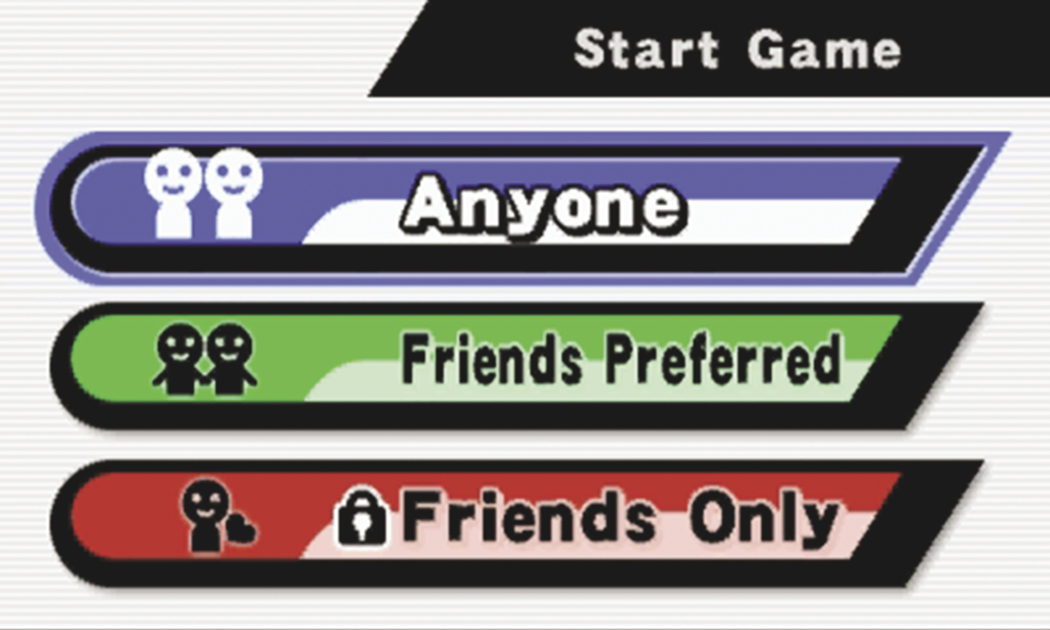
Group Smash allows up to four nearby players to battle each other. Use this menu to search for available games or to start one of your own. If you opt to start a Group Smash game, you must then set the game’s permissions:
- Anyone: Any nearby player can join your game.
- Friends Preferred: Lets everyone know you’d prefer to have friends join your game.
- Friends Only: Only friends are able to join your game.
Once you start a game, you move to character selection. From this point on, you have access to the same options found in Solo Smash.
Rules
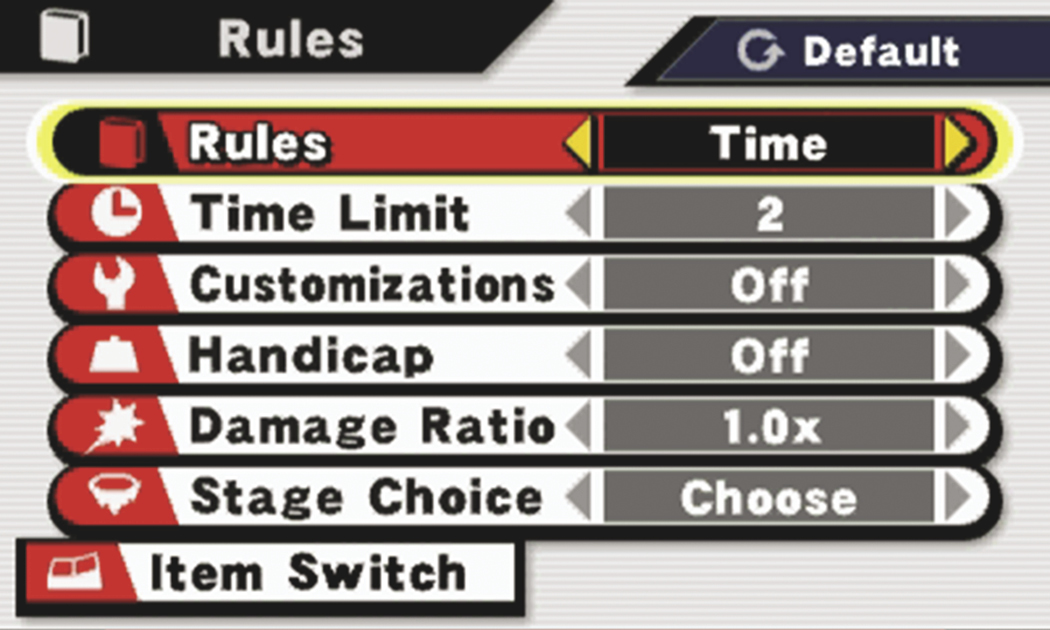
The “Rules” menu contains the available Smash settings. To change the options and features of your upcoming matches, use the Circle Pad to select an item, then cycle through the available settings:
- Rules: This determines the objective of the battle. Select “time” to battle for the best score within a set time limit, or choose “stock” to engage in a battle of pure survival.
- Time/Stock: Adjust the time limit or stock count (depending on the game’s objective).
- Customizations: Allow or prohibit the use of customized fighters.
- Handicap: The “off” setting ensures that each player begins the battle with 0 damage. The “on” setting allows players to increase starting damage, making it easier for them to be launched. With the “auto” setting, the results of a battle will affect the starting damage for the following match.
- Damage Ratio: Adjust the damage done by all fighters. A higher number makes it easier for fighters to launch each other.
- Stage Choice: This setting allows you to bypass stage selection. If you prefer, you can choose random stage selections or you can automatically cycle through the available stages. These options are available for both normal stages and Final Destination forms.
- Item Switch: The Item Switch menu allows you to limit which items have a chance to appear during a battle.
More Rules
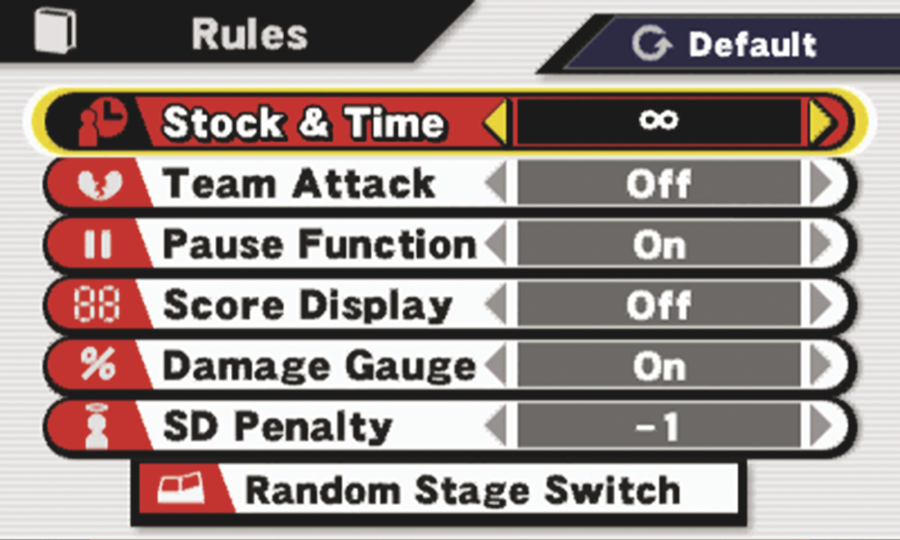
Once you’ve scored at least 200 KOs in Smash, a new tab appears at the bottom of the “Rules” menu. Select “More Rules” to find even more ways to customize your Smash Battles:
- Stock & Time: Set a time limit for stock Smash battles.
- Team Attack: Determine whether or not teammates can damage each other.
- Pause Function: Enable or disable pausing during battle.
- Score Display: Determine whether or not fighter scores are displayed during battle.
- Damage Gauge: Show or hide damage percentages during battle.
SD Penalty: Determine whether a Self-Destruct reduces a fighter’s score by one point or two points.
Random Stage Switch: Limit which stages have a chance to appear during random stage selection.