
Little Big Planet 3 Signature Series Strategy Guide Create Tools Quick Reference: The Tools Bag
Gameplay
Connectors
Connector Adjustments
Adjustment Type |
Adjustment Name |
Effect |
|
Properties |
Interacts With |
Determines whether the Connector interacts with only the Rail Hook, only the Hook Hat, both the Rail Hook and the Hook Hat, or neither. |
|
Hook Motion |
Determines whether or not the Connector’s motion is motorized or non-motorized. |
|
|
Basic Settings |
Rotation |
Determines the range across which the Connector rotates. Set the rotation range between 0º and 2,160º. |
|
Angle |
Set the Connector’s resting position angle. Set the angle between 0º and 360º. |
|
|
Speed |
Control the speed of the Connector’s rotation. Set the speed between 0 and 1,500. |
|
|
Direction |
Determines whether the Connector rotates Clockwise or Anti-Clockwise. |
|
|
Length |
Set the Connector’s length. |
|
|
Maximum Length |
Set the Connector’s maximum length. |
|
|
Minimum Length |
Set the Connector’s minimum length. |
|
|
Stiff |
Determines whether or not the ends of the Connector attach at initial fixed angles to their surfaces. |
|
|
Strength |
Controls how strong the Connector’s tension is. Set the strength between 0% and 100%. |
|
|
Acceleration |
Control the rate of the Connector’s acceleration. Set the rate between 0% and 100%. |
|
|
Deceleration |
Control the rate of the Connector’s deceleration. Set the rate between 0% and 100%. |
|
|
Timing |
Time |
Set the amount of time it takes a Connector to complete its action. |
|
Pause |
Set the amount of time before a Connector repeats its action. |
|
|
Sync |
Use this value to synchronize the movement of your Connector with other objects in your level that support it. |
|
|
Motion |
Input Action |
Determines what effect a connected input has on the Connector (On/Off, Forwards/Backwards, Single Cycle, Speed Scale). |
|
Flipper Type |
Determines whether the Connector snaps Clockwise or Anti-Clockwise back to a starting position. |
|
|
Reversed |
Reverses the initial direction of the Connector’s action. |
|
|
Visuals |
Choose Material |
Determines what material the Connector is made out of. |
|
Bolt and Cable Visibility |
Determines whether or not cables and/or bolts are visible. |
|
|
Visible in Play Mode |
Determines whether or not the Connector can be seen in Play Mode. |
|
|
Audio |
Mute |
Toggle whether or not the audio is muted. |
Bolt
 Like Zeus from Mount Olympus, you too can lord over your creations (only you’ll be using bolts). Connect two objects with one, and they can swing as freely (or not) as you need. Simply place one object in the layer adjacent to another, line your bolt up between the two, then hold
  until you hear the satisfying sound of it attaching.
Bolt Adjustments
|
Strength |
|
Bolt and Cable Visibility |
|
Mute |
Spring Bolt
 When a bit more bounce is needed, add some springtime freshness with the Spring Bolt. Objects connected with these bounce back and forth with as much springiness as you desire before eventually coming to a rest on their own.
Spring Bolt Adjustments
|
Angle |
|
Strength |
|
Visible in Play Mode |
|
Mute |
Motor Bolt
 Motor Bolts aren’t for fishing trips. They let you add rotation to objects at varying speeds of your choosing. Powered by some unknown source of renewable energy, they spin forever in a single direction like a rolling stone gathering no moss.
Motor Bolt Adjustments
|
Speed |
|
Direction |
|
Strength |
|
Input Action |
|
Bolt and Cable Visibility |
|
Mute |
Wobble Bolt
 Wobble Bolts sweep back and forth across a fixed range forever and ever. Unlike Spring Bolts, their momentum and inertia never diminish. Use them to add a little predictable instability and keep players on their toes.
Wobble Bolt Adjustments
|
Rotation |
|
Angle |
|
Time |
|
Pause |
|
Sync |
|
Strength |
|
Input Action |
|
Flipper Type |
|
Reversed |
|
Bolt and Cable Visibility |
|
Mute |
String
 String is for loosely attaching two objects to each other. Attach each end of your string to objects and give them a strong, yet flexible, connection.
String Adjustments
|
Length |
|
Visible in Play Mode |
|
Mute |
Rod
 There’s no need to brace yourself against collapsing creations when using sturdy rods. These Connectors don’t bend for anybody, so stick them to objects when you need their stiffness.
Rod Adjustments
|
Length |
|
Stiff |
|
Visible in Play Mode |
|
Mute |
Elastic
 The gymnast cousin to string and rod, elastic adds a flexible yet taut Connector to your objects. No matter how much a sack person stretches and pulls it, the Connector between two objects always springs back into shape, ready for action.
Elastic Adjustments
|
Length |
|
Strength |
|
Visible in Play Mode |
|
Mute |
Spring
 These gadgets are the life of the party, letting you connect objects with a bouncy spring. Use them to craft a tough suspension for a vehicle you’re making, or simply use them to hang mistletoe from the ceiling with a little bounce.
Spring Adjustments
|
Length |
|
Stiff |
|
Strength |
|
Visible in Play Mode |
|
Mute |
Winch
 The chain links of this Connector hold tight under the greatest of strains. Use a winch when you need a retracting Connector, like a drawbridge or an anchor.
Winch Adjustments
|
Maximum Length |
|
Minimum Length |
|
Time |
|
Pause |
|
Sync |
|
Strength |
|
Input Action |
|
Flipper Type |
|
Reversed |
|
Visible in Play Mode |
|
Mute |
Piston
 The piston’s mechanism works tirelessly to expand and contract while connected to two objects. Objects connected in this manner move together and then apart at regular clockwork intervals. You could probably set your watch by it.
Piston Adjustments
|
Maximum Length |
|
Minimum Length |
|
Stiff |
|
Time |
|
Pause |
|
Sync |
|
Strength |
|
Input Action |
|
Flipper Type |
|
Reversed |
|
Visible in Play Mode |
|
Mute |
Bendy Rail
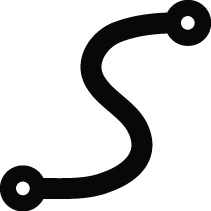 The Bendy Rail is the rail that Hook Hats and Rail Hooks glide along so effortlessly. They are placed in the world like track. You can run them along all 16 layers as a tool for both lateral movement and layer transition.
Bendy Rail Adjustments
|
Interacts With |
|
Choose Material |
|
Visible in Play Mode |
Rail Hook
 Rail Hooks attach to Bendy Rails and can be either motorized for a constant speed along the rail’s path, or guided by gravity. They accept inputs and can have any manner of thing attached to them via Glue.
Rail Hook Adjustments
|
Hook Motion |
|
Speed |
|
Pause |
|
Reversed |
|
Acceleration |
|
Deceleration |
|
Input Action |
|
Visible in Play Mode |
|
Mute |
Getting Around
Bounce Pad
 It’s too bad Bounce Pad airtime doesn’t count toward a pilot’s license. These handy gadgets can propel sack people across as much or as little space as you care to tweak them, ranging from a hop shorter than sack person’s normal jump to a soaring flight half the maximum height of the level.
Bounce Pad Adjustments
Adjustment Type |
Adjustment Name |
Effect |
|
Properties |
Physics Properties |
Dynamic Object/Static Object. |
|
Movement |
Height |
Determines the how high the sack person gets bounced. Toggle between 1.0 and 100.0. |
|
Trigger |
Trigger Automatically |
Yes/No. |
Layer Launcher
 This puppy is as advertised: it launches sack folk between layers. You can’t ask much more from something called a Layer Launcher.
Layer Launcher Adjustments
Adjustment Type |
Adjustment Name |
Effect |
|
Properties |
Physics Properties |
Dynamic Object/Static Object. |
|
Movement |
Edit Arc |
Use the controller to edit the overall path the launcher sends sack people. |
|
Air Steering |
Adjust how much directional control sack people have in the air. Set between 0% and 100%. |
|
|
Trigger |
Trigger Automatically |
Yes/No. |
Slide
 A slippery surface that can transition between layers? Yes, please! This tool goes down like a material, but it creates a diagonal plane between the back and frontmost layer it is placed on. Once placed, a slide can become any material, so it fits into any level’s décor.
Slide Adjustments
Adjustment Type |
Adjustment Name |
Effect |
|
Properties |
Physics Properties |
Dynamic Object/Static Object. |
|
Choose Material |
Select any material to transform the slide into. |
|
|
Movement |
Deceleration on Impact |
0%-100%. |
|
Slide Speed |
0%-100%. |
|
|
Steering |
Adjust how much directional control sack people have while sliding. Set between 0% and 100%. |
|
|
Special Properties |
Base |
Yes/No. Determines whether or not the slide is a diagonal plank or full wedge. |
|
Visuals |
Visible in Play Mode |
Yes/No. |
|
Color |
Color |
Set the slide color (only when no material is selected). |
|
Brightness |
Set brightness between 0% and 200%. |
|
|
Animation |
Animation Speed |
Set the speed of the slide animation. -200%-200%. |
Thruster
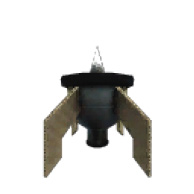 You don’t need to be a rocket scientist to play around with these nifty engines. Stick them onto your creations for a practical, smoky boost of speed, or slap them on simply for looks. Thrusters can be linked to switches and Sensors for player-controlled locomotion.
Thruster Adjustments
Adjustment Type |
Adjustment Name |
Effect |
|
Properties |
Physics Properties |
Dynamic Object/Static Object. |
|
Acceleration |
0%-100%. |
|
|
Currently On |
Yes/No. |
|
|
Input Action |
Set between On/Off, Strength Scale, and Stay On. |
|
|
Audio |
Thruster Sound |
Yes/No. |
Velociporter
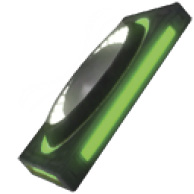 The Velociporter is one of a host of tools built to get your sack person from here to there, with nothing in between. These powerful transporters work in pairs via color coordination and allow for two-way travel, making them an ideal method of moving characters from one place to another.
Velociporter Adjustments
Adjustment Type |
Adjustment Name |
Effect |
|
Properties |
Physics Properties |
Dynamic Object/Static Object. |
|
Transition Type |
Velociporter Color |
Set color (must work in pairs to function correctly). |
|
Select or Tweak a Velociporter Label |
Choose or adjust the target Velociporter name. |
|
|
Visuals |
Show Velociporter Color |
Yes/No. |
|
Audio |
Audio |
Yes/No. |
Wormhole
 Similar to Velociporters, Wormholes are also built for traveling from here to there, but these babies have a few more tricks up their interdimensional sleeves. The biggest thing to remember here is that you need two Wormholes to travel, and the output of one must be connected to the input of the other.
Wormhole Adjustments
Adjustment Type |
Adjustment Name |
Effect |
|
Properties |
Physics Properties |
Dynamic Object/Static Object. |
|
Behavior |
Type |
Entrance, Exit, or Two Way. |
|
Players |
All/Lead. |
|
|
Audio |
Wormhole Sound |
Yes/No. |
Character Teleporter
 The final option in this instantaneous travel triumvirate is the Character Teleporter. Stick this down anywhere in your level, and once activated (by a Sensor or other input), it teleports the wayward traveler to its location.
Character Teleoporter Adjustments
Adjustment Type |
Adjustment Name |
Effect |
|
Behavior |
Teleport All Players |
Yes/No. |
|
Timing |
Transition Time |
Set, in seconds, the gap in time between activation and rematerialization. |
|
Show Loading Screen |
Yes/No. |
|
|
Visuals |
Visible in Play Mode |
Yes/No. |
Switches
Switch Adjustments
Adjustment Type |
Adjustment Name |
Effect |
|
Properties |
Physics Properties |
Dynamic Object/Static Object. |
|
Output |
Invert Output |
Yes/No. |
|
Electronics and Cables Visibility |
No/Switch Visible/Switch and Cables Visible |
Button
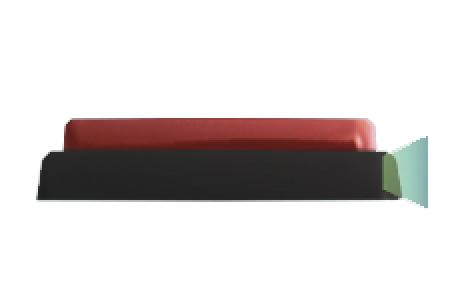 Channel surfers and ATM users agree that pushing buttons is great. Everyone wants to push a button, particularly giant red ones. Let your players give in to temptation by connecting a button to activate some fanciful gadget or output.
Button Adjustments
|
Physical Properties |
|
Invert Output |
|
Electronics and Cable Visibility |
2-Way Switch
 2-Way Switches are straightforward triggers that can be grabbed by a sack person and pulled in one of (surprisingly enough) two directions. It remains neutral when switched to the left, and it activates its connected output when switched to the right.
2-Way Switch Adjustments
|
Physical Properties |
|
Invert Output |
|
Electronics and Cable Visibility |
3-Way Switch
 This 2-Way Switch has one major difference. Can you guess what it is? However, in spite of having two directions to go beyond the neutral position, it can only be connected to one output. Combine it with the Direction Splitter to control the forward and backward motion of outputs like the Advanced Rotator.
3-Way Switch Adjustments
|
Physical Properties |
|
Invert Output |
|
Electronics and Cable Visibility |
Spawning and Ending
Character Changer
 To walk though a door and be totally changed, completely ready to face a new challenge, is the dream of everyone who has ever overslept. The Character Changer does a lot more than manage dreams. This tool lets players swap out characters mid-level or even toggle between a few options.
Character Changer Adjustments
Adjustment Type |
Adjustment Name |
Effect |
|
Properties |
Physics Properties |
Dynamic Object/Static Object. |
|
Character |
Character to Spawn As |
Select an adventurer. |
|
Multiple Characters |
Yes/No. |
|
|
Character To Change Back To |
Select an adventurer (only when Multiple Characters is set to Yes). |
|
|
Reset |
Clear selections and reset to a sack person. |
|
|
Acceleration |
0%-100%. |
|
|
Currently On |
Yes/No. |
|
|
Input Action |
Set between On/Off, Strength Scale, and Stay On. |
|
|
Visuals |
Visible in Play Mode |
Yes/No. |
Entrance
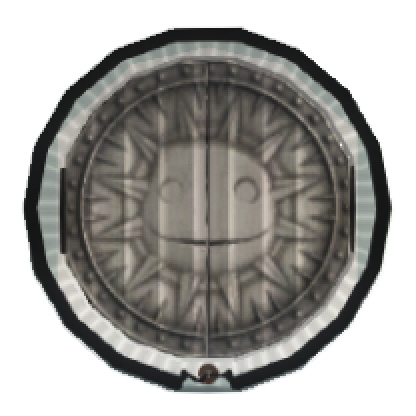 Well, players can’t play your level without a way to get into it, can they?
Entrance Adjustments
Adjustment Type |
Adjustment Name |
Effect |
|
Properties |
Physics Properties |
Dynamic Object/Static Object. |
|
Entrance Type |
Entrance Type |
Determines who can enter your level. Set between All Players, Color Coded, and Last Activated. |
|
Infinite Lives |
Infinite Lives |
Yes/No. |
|
Start Point |
Is A Start Point |
Yes/No. |
|
Select or Tweak Start Point Name |
Set Label. |
|
|
Character |
Character to Spawn As |
Set Character. |
|
Reset |
Default back to a sack person. |
|
|
Visuals |
Visual Style |
Determines the appearance of the entrance to match your level (Plastic, Chrome, Cardboard, Wood). |
|
Audio |
Checkpoint Sounds |
Yes/No. |
Close-Level Post
 Some levels are designed in such a particular manner that having a party crasher show up can be a real drag. Passing a Close-Level Post prevents other players from joining in once a sack person has progressed past that point.
Checkpoints
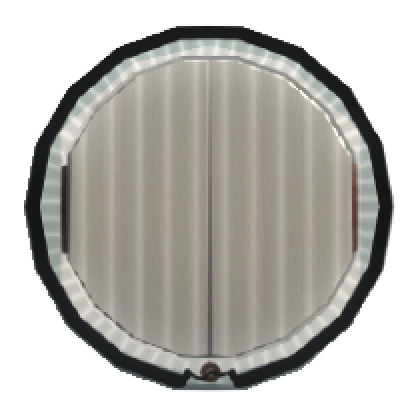
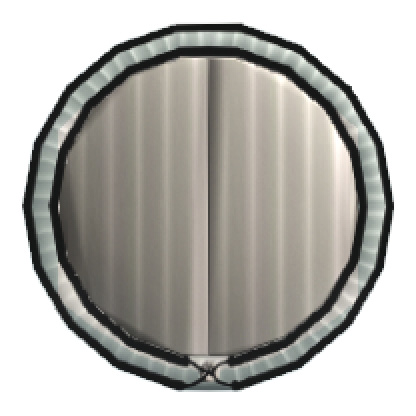
These handy little place-savers can help ease frustration should a terrible fate befall a sack person. They come in three varieties: standard (three lives), Double-Life, and Infinite-Life.
Checkpoint Adjustments
Adjustment Type |
Adjustment Name |
Effect |
|
Properties |
Physics Properties |
Dynamic Object/Static Object. |
|
Entrance Type |
Entrance Type |
Determines who can enter your level. Choose between All Players, Color Coded, and Last Activated. |
|
Lives |
Copy from Previous |
Yes/No (not available on Infinite Lives Checkpoint). |
|
Visuals |
Visual Style |
Determines the appearance of the Checkpoints in your level (Plastic, Chrome, Cardboard, Wood). |
|
Audio |
Checkpoint Sounds |
Yes/No. |
Level Link
 Running a fever in the Create Mode Thermometer? Try splitting your grand idea up and using Level Links to connect your level to any other level you’ve published. There’s (virtually) no limit to the number of linked portals you can place. Keen!
Level Link Adjustments
Adjustment Type |
Adjustment Name |
Effect |
|
Level |
Random MM Picks Level |
Randomly selects a published level to transport players to. Yes/No |
|
Visible on Map |
Yes/No. |
|
|
level |
Select the level you want the Level Link to connect to. |
|
|
Continue Music |
Yes/No. |
|
|
Start Point |
Is a Start Point |
Yes/No. |
|
Select or Tweak a Start Point Name |
Set Label (Only when Level Link is a Start Point). |
|
|
Character |
Character to Spawn As |
Set Character (Only when Level Link is a Start Point). |
|
Reset |
Default back to a sack person (Only when Level Link is a Start Point). |
|
|
Properties |
Physics Properties |
Dynamic Object/Static Object. |
Scoreboard
 Every level started needs a place to finish, so put a Scoreboard at the end of your magnificent creation to total up the victorious sack person’s score. Besides changing the style of its appearance, you can tweak it to assign Level Complete Gifts, Aced Level Gifts, Collected All Gifts, or a Level Link.
Scoreboard Adjustments
Adjustment Type |
Adjustment Name |
Effect |
|
Properties |
Physics Properties |
Dynamic Object/Static Object. |
|
Ends the Adventure |
Yes/No. |
|
|
Level Complete Gifts |
Level Complete Gifts |
Choose up to three items to gift players who complete the level. |
|
Aced Level Gifts |
Aced Level Gifts |
Choose up to three items to gift players who ace the level. |
|
Collected Gifts |
Collected Gifts |
Choose up to three items to gift players who collect all Prize Bubbles in the level. |
|
Level Link |
Level Link |
Determines whether or not sack people are transported directly to a specific level after arriving at the Scoreboard. |
|
Select or Tweak a Start Point Name |
Set Label. |
|
|
Unlock Level |
Set a level to be unlocked by completing this one. |
|
|
Shareable |
Shareable |
Determines whether or not the items awarded via the Scoreboard can be shared. |
|
Visuals |
Visual Style |
Determines the appearance of the Scoreboard to match your level (Plastic, Chrome, Cardboard, Wood). |
Game Ender
 When simply walking up to a Scoreboard doesn’t do justice to the trials and tribulations players have gone through, link an input to the Game Ender. Once a sack person triggers the input, they’re instantly transported to the Scoreboard.
Game Ender Adjustments
Adjustment Type |
Adjustment Name |
Effect |
|
Basic Settings |
Success |
Determines whether activating the Game Ender sends the sack person to the Scoreboard or ends the level without completing it. |
|
Ends the Adventure |
Yes/No. |
|
|
Visuals |
Visible in Play Mode |
Determines whether or not the Game Ender is visible in Play Mode. |
Progress Board
Similar to the Scoreboard, the Progress Board has a few extra options, without any of the bulk. Use this tool to end a level or simply to update players on their status.
Progress Board Adjustments
Adjustment Type |
Adjustment Name |
Effect |
|
Board Name |
Board Name |
Set Board Name. |
|
Properties |
Ends the Adventure |
Yes/No. |
|
Display |
Display |
Yes/No per option. Show progress on Goodies Collected, Score, Collectabell Count, and Quests Completed. |
|
Ace Prizes |
Aced Level Gifts |
Choose up to three items to gift players who ace the level. |
|
Goodies Prizes |
Collected all Prize Bubble Gifts |
Choose up to three items to gift players who collect all Prize Bubbles in the level. |
|
Completion Prizes |
Level Complete Gifts |
Choose up to three items to gift players who complete the level. |
|
Level Link |
Level Link |
Determines whether or not sack people are transported directly to a specific level after arriving at the Progress Board. |
|
Link Level |
Where to next? Set destination for the Pod, a Level Link, or Return to Previous Level. |
Points and Prizes
Score Bubble
 Give a little incentive to players visiting your level by scattering Score Bubbles around.
Score Bubble Adjustments
Adjustment Type |
Adjustment Name |
Effect |
|
Properties |
Physics Properties |
Dynamic Object/Static Object. |
|
Score Value |
Score Value |
Establish Score Bubble worth. Set Between 0 and ∞. |
Prize Bubbles
 You think the knit folk of LittleBigPlanet 3 go gaga for Score Bubbles, but just wait until you see how they react over Prize Bubbles. These are one of the best vehicles through which you can give out your wonderful creations, so get sharing!
Prize Bubble Adjustments
Adjustment Type |
Adjustment Name |
Effect |
|
Properties |
Physics Properties |
Dynamic Object/Static Object. |
|
Prize |
Prize |
Select a Prize to reward from My Objects or My Pictures. |
|
Shareable |
Shareable |
Yes/No. |
Shop Stall
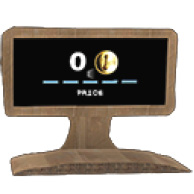 The Shop Stall functions like the bulkiest Sensor in the lot, but good things come in oversized packages! When stood upon, it detects the score of an adventurer and finds them either adequate or wanting. When the threshold is met, the Shop Stall’s output is activated.
Shop Stall Adjustments
Adjustment Type |
Adjustment Name |
Effect |
|
Properties |
Physics Properties |
Dynamic Object/Static Object. |
|
Score Value |
Currency |
Collectabells/Score. |
|
Score Value |
0-∞. |
|
|
Visuals |
Visual Style |
Determines the appearance of the Shop Stall to match your level (Plastic, Chrome, Cardboard, Wood). |
Collectabell
 This is a very particular type of currency accepted by Zom Zom. You can place these delightful goodies in your level for players to collect and spend at Shop Stalls.
Collectabell Adjustments
Adjustment Type |
Adjustment Name |
Effect |
|
Properties |
Physics Properties |
Dynamic Object/Static Object. |
|
Score Value |
Score Value |
Toggle between 0 and 100. |
|
Color |
Color |
Determines the appearance of the Collectabell. |
Score Sensor
 It hardly matters where this Sensor gets attached because it’s always keeping track of the score from any position within the level. When players reach the target score you specify, this gadget triggers an attached output.
Score Sensor Adjustments
Adjustment Type |
Adjustment Name |
Effect |
|
Trigger |
Currency |
Score/Collectabells. |
|
Target Score |
0-∞. |
|
|
Output |
Invert Output |
Yes/No. |
|
Visuals |
Electronics and Cables Visibility |
No/Switch Visible/Switch and Cables Visible. |
|
Color |
Adjust Sensor Color. |
Score Giver
 The Score Giver is a handy way to reward players by connecting it to whatever input you desire. Be creative, and ditch Score Bubbles to give players new ways of setting high scores.
Score Giver Adjustments
Adjustment Type |
Adjustment Name |
Effect |
|
Reward |
Currency |
Score/Collectabells. |
|
Score |
–10000-10000. |
|
|
Scorer |
Scorer |
Determines whether all players or only the one who triggered the Score Giver receives a reward. |
|
Input Action |
Input Action |
One Shot, Every Second, or Scaled Every Second. |
|
Multiplier |
Multiplier Contribution |
Just Score, One Bubbles Worth, One Multiplier, or None. |
|
Multiplier Timer |
Adjust the collection gap to maintain the multiplier. Set between 0 and ∞. |
|
|
Display |
Display |
Select Yes/No to display Scores, Display Score Over Player, and Display Multiplier when the reward is collected. |
|
Visuals |
Visible in Play Mode |
Yes/No. |
Dangerous
Spikes

 Sharp, pointy things sure do have a way of getting the message across without words. If the message you want to send is “beware,” then spikes should do the job nicely. Lay out tracts of them wherever players dare not go… or, when you’re feeling particularly cruel, exactly where they must.
Spikes Adjustments
Adjustment Type |
Adjustment Name |
Effect |
|
Properties |
Physics Properties |
Dynamic Object/Static Object. |
|
Camera Shine |
0%-100%. |
|
|
Position in Layer |
1-16. |
Impact Explosive
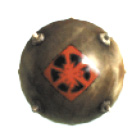 These round explosives sure are touchy. The slightest bump is all it takes to detonate their explosive innards, so avoid leaving them scattered about. Just imagine how uncomfortable sharing a packed bus with one must be.
Impact Explosives Adjustments
Adjustment Type |
Adjustment Name |
Effect |
|
Properties |
Physics Properties |
Dynamic Object/Static Object. |
|
Position in Layer |
1-16. |
Trigger Explosive
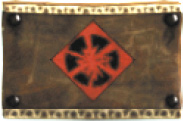 These extremely stable explosives are perfect for construction (more accurately, destruction) work that requires controlled demolitions. They don’t detonate until triggered via an attached input, but steer clear when they do. For all their quiet reserve, these things definitely make a loud bang.
Trigger Explosives Adjustments
Adjustment Type |
Adjustment Name |
Effect |
|
Properties |
Physics Properties |
Dynamic Object/Static Object. |
|
Position in Layer |
1-16. |
Missile
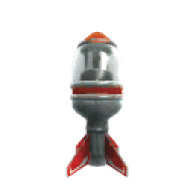 Nothing like strapping a rocket to major ballistics to let players know you mean business! Missiles are essentially Impact Explosives with a built-in Thruster component.
Missile Adjustments
Adjustment Type |
Adjustment Name |
Effect |
|
Properties |
Physics Properties |
Dynamic Object/Static Object. |
|
Acceleration |
0%-100%. |
|
|
Currently On |
Yes/No. |
|
|
Input Action |
On/Off, Strength Scale, or Stay On. |
|
|
Audio |
Thruster Sounds |
Yes/No. |
Danger Tweaker
 Use this when something becomes deadly, rather than starting that way (or vice versa).
Danger Tweaker Adjustments
Adjustment Type |
Adjustment Name |
Effect |
|
Effect |
Lethal Type |
Determines the type of danger the object presents (Fire, Electricity, Plasma, None). |
|
Input Action |
Input Action |
Determines what effect a connected input has on the Danger Tweaker (On/Off, Stay On). |
|
Inverted |
Inverts the default output state of the Danger Tweaker from off to on. |
|
|
Visuals |
Visible in Play Mode |
Yes/No. |
|
Audio |
Lethal Sounds |
Yes/No. |
Projectiles
Electricity
 These spheres undeniably lend a highly charged atmosphere to your level. Confront players with the shocking mortality of their little sack people with these projectiles.
Fire
 The traditional weakness of many supernatural creatures, good old Fire always heats up the action. Players better know how to stop, drop, and roll when facing these fireballs. So long as a sack person only grazes Fire, they can withstand a single touch—something not possible with any of the other dangers.
Electricity/Fire Adjustments
Adjustment Type |
Adjustment Name |
Effect |
|
Audio |
Lethal Sounds |
Toggles whether or not the sound associated with the lethal type is audible. |
Plasma
 Unlike the plasma flowing in your warm-blooded veins, this variety is decidedly lethal. Purple Plasma projectiles, while fun to say, are less pleasant to touch.
Plasma Adjustments
Adjustment Type |
Adjustment Name |
Effect |
|
Color |
Color |
Set the color of the Plasma. |
|
Audio |
Lethal Sounds |
Toggles whether or not the sound associated with the lethal type is audible. |
Water
 Players can splish-splash away without worry using Water, the only non-lethal projectile. Great for cooling off on a hot day or giving the car a good wash, water makes a fine projectile for those less interested in absolute destruction.
Projectile Sensor
 A Projectile Sensor is on the lookout for these little orbs and is happy to activate whenever they are around.
Projectile Sensor Adjustments
Adjustment Type |
Adjustment Name |
Effect |
|
Projectiles |
Target Count |
0-100. |
|
Current Counter |
0-100 (maxes out at Target Count setting). |
|
|
Reset When Full |
Yes/No. |
|
|
Trigger |
Projectile Types Detected |
All, Fire, Electricity, Plasma, or Water. |
|
Include Rigid Connections |
Yes/No. |
|
|
Output |
Invert Output |
Yes/No. |
|
Visuals |
Length |
1.0x-100.0x. |
|
Electronics and Cables Visibility |
No/Switch Visible/Switch and Cables Visible. |
|
|
Visible in Play Mode |
Yes/No. |
|
|
Audio |
Sounds |
Yes/No. |
Racing
Finish Gate/Top-Down Finish Gate
 Everyone wants a photo finish, but few stop to realize that the finish line is just as important as the photo. Make sure players don’t sprint their tiny sack peoples’ stuffed hearts out for nothing by always placing a Finish Gate at the end of a race.
Finish Gate Adjustments
Adjustment Type |
Adjustment Name |
Effect |
|
Properties |
Physics Properties |
Dynamic Object/Static Object. |
Start Gate/Top-Down Start Gate
 The hardest part of organizing a race is getting all the competitors at the Start Gate on time. The second hardest part is remembering to put up a Start Gate! No race can begin without a starting line, so make this your first step when setting up time trials.
Start Gate Adjustments
Adjustment Type |
Adjustment Name |
Effect |
|
Properties |
Physics Properties |
Dynamic Object/Static Object. |
|
Time |
Race Time |
Set the amount of time players have to reach the finish line. |
|
Behavior |
Ignore Controlinator |
Yes/No. |
Lights
Light
 From a Lamp to a Plasma Globe, these decorative tools shed light in the darkness and add to the overall look of your levels.
Light Adjustments
Adjustment Type |
Adjustment Name |
Effect |
|
Properties |
Physics Properties |
Dynamic Object/Static Object. |
|
Color |
Color |
Set color. |
|
Brightness |
Set brightness between 0% and 200%. |
|
|
Settings |
Radius |
Set radial glow from 0.0-∞. |
|
Foggyness |
0%-400%. |
|
|
Light Patterns |
Strength |
0%-100%. |
|
Width |
0%-100%. |
|
|
Input Action |
Input Action |
Dimmer or On/Off. |
|
Color When Off |
Color |
Set color. |
|
Brightness |
Set brightness between 0% and 200%. |