Little Big Planet 3 Signature Series Strategy Guide A Second Term at Popit Academy
Sackbots
Are you ready for the final course in Popit Academy? It’s hard to believe that you’ve come so very far in such a short amount of time. In this ultimate lesson, you learn to manipulate the versatile Sackbots. These adorable automatons respond to the programming and commands you give. Class is in session for the last time.
Can You Hack It?
Stunt Doubles
Victoria has a simple request: press a button. Easy, right? Not quite when it’s out of your sack person’s reach. That’s where Sackbots come in.
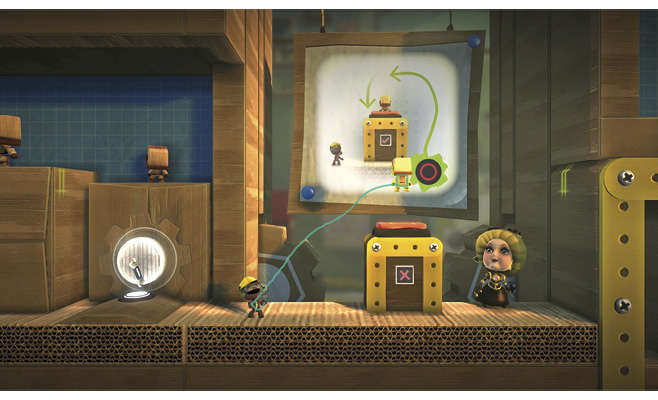
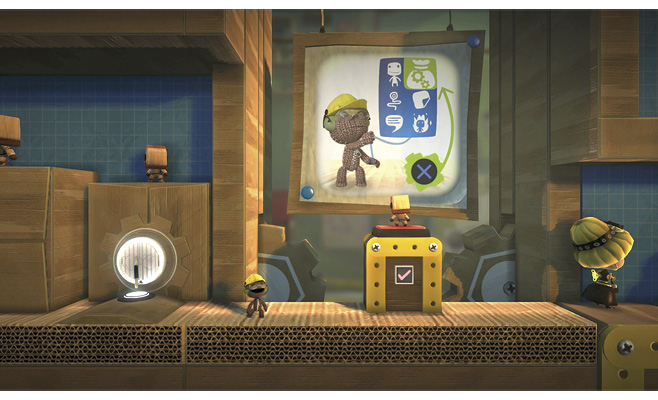
Open your Popit, and navigate to the Tools bag. Select the sole item, the Sackbot, and place it directly above the button. When time resumes its normal flow, gravity pulls the Sackbot down onto the button. This opens up the passage for you to proceed.
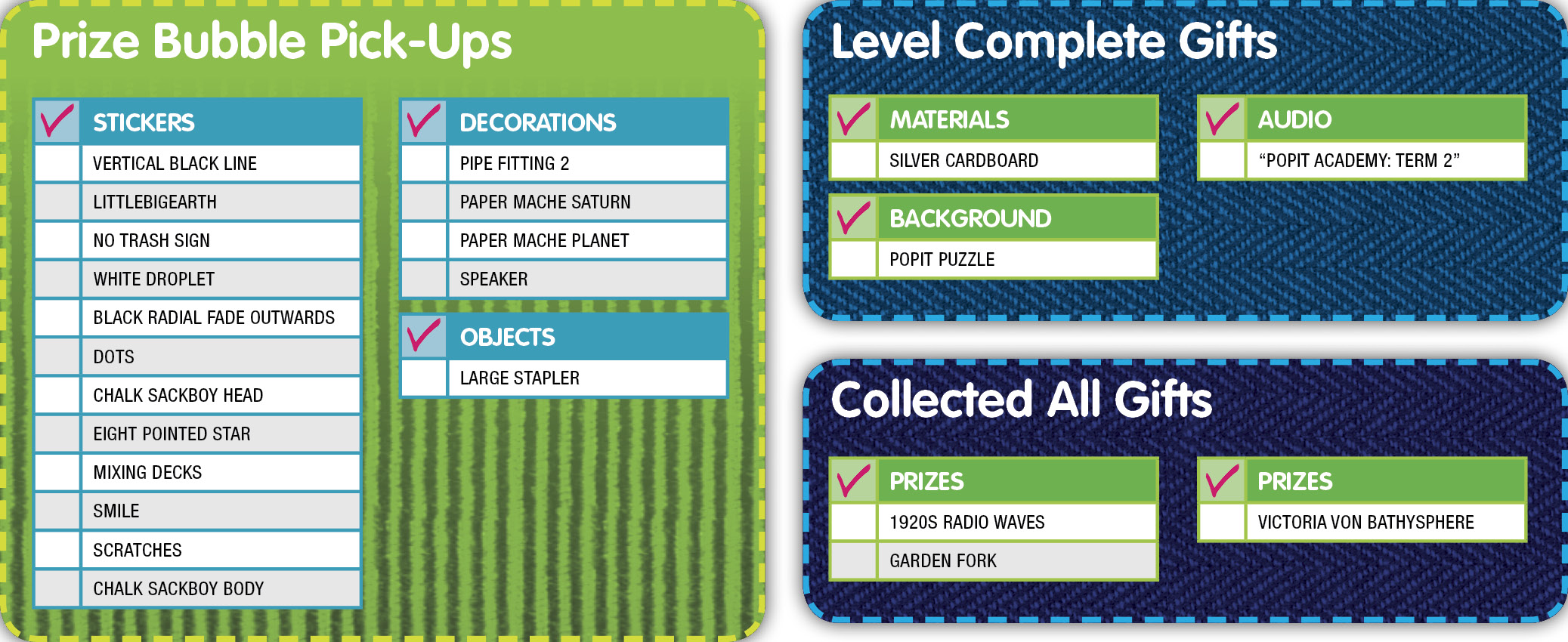
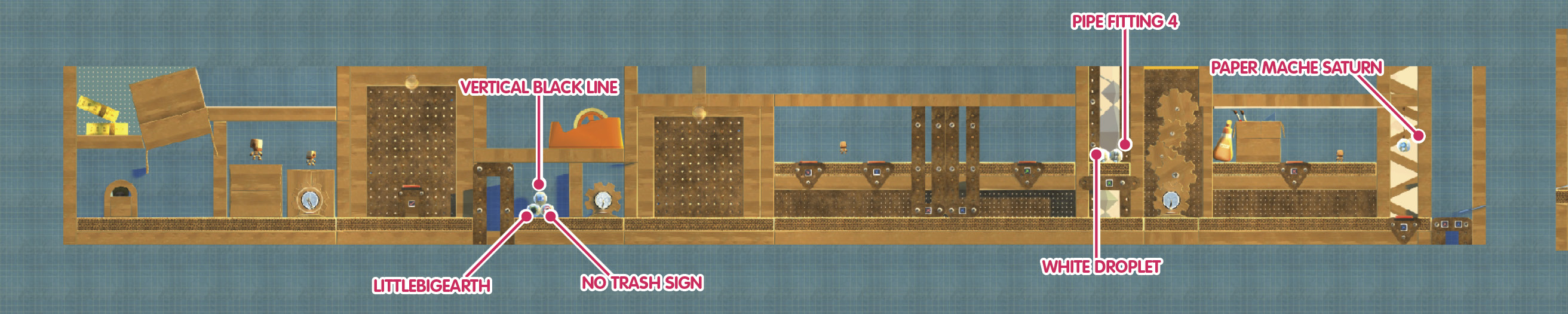
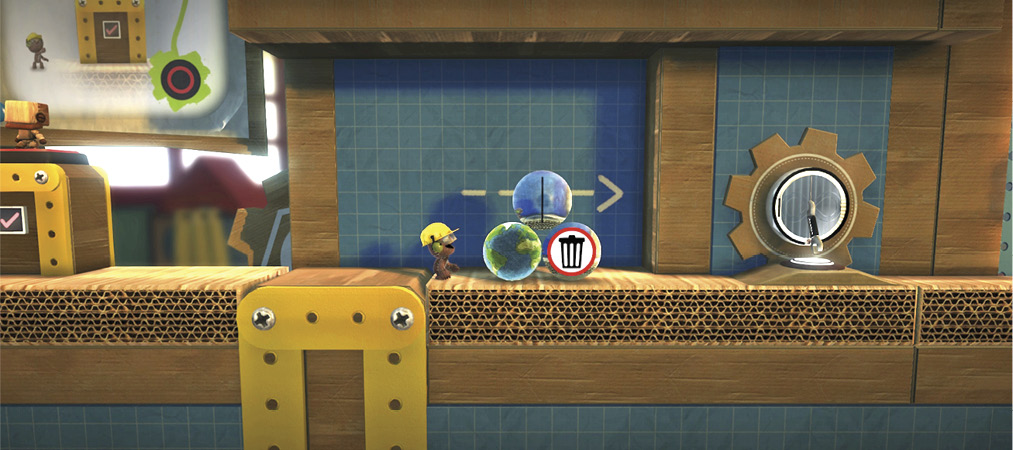
On just the other side, a stack of three Prize Bubbles provides the Vertical Black Line Sticker, LittleBigEarth Sticker, and No Trash Sign Sticker. Collect them, and head to the next Checkpoint.
Good Behavior
As with an abundance of the various gizmos and doodads you find in Create Mode, Sackbots have their own Tweak menus to allow for nuanced and advanced adjustments. One of the most interesting and useful among these is controlling a Sackbot’s behavior.
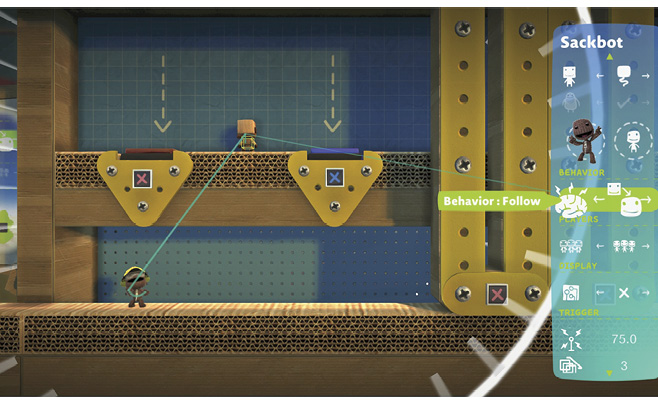
The resident Sackbot must trigger a series of otherwise inaccessible switches ahead in order to grant your sack person access to the next part of the lesson.
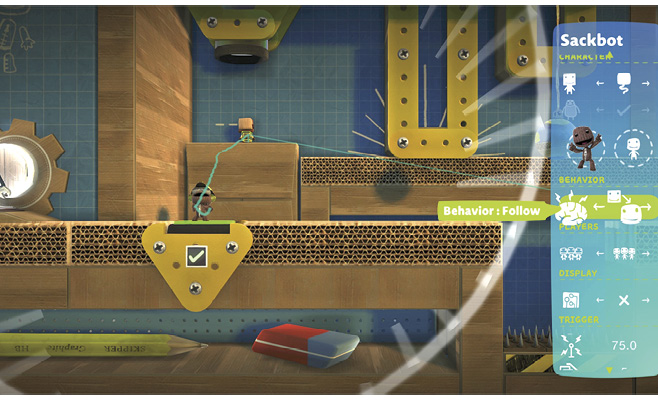
While standing directly beneath the red button on the far left, hover your Popit Cursor over the Sackbot, and press  to open its Tweak menu. Scroll down to Behavior, and toggle it to Follow. Now, the Sackbot is naturally drawn to meander in whichever direction your sack person happens to be.
Exit the Popit, and the Sackbot immediately demonstrates the assigned behavior, moving to directly above your sack person and on top of the button.
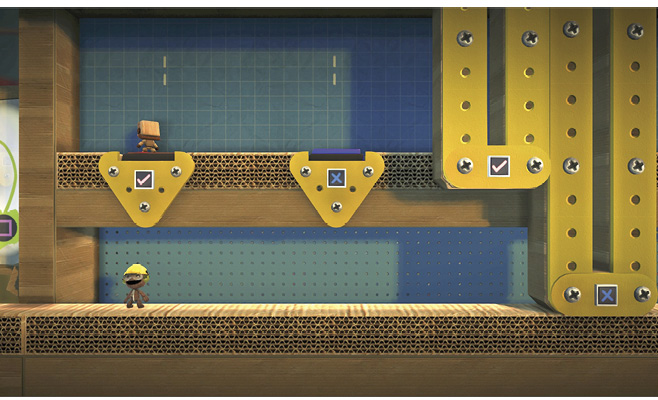
Wait for the pillar operated by the red button to be fully lifted. Once it has reached its maximum height, quickly move to underneath the blue button. Your Sackbot follows dutifully.
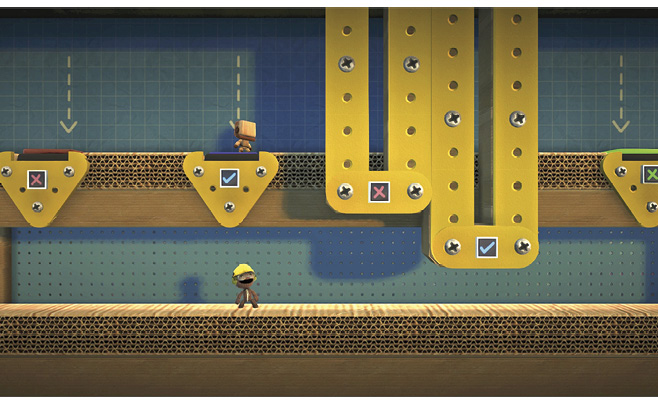
Linger there only long enough for the second pillar blocking your path to rise to your sack person’s height. Wait any longer, and the first pillar drops into place (since your sack person isn’t pressing the red button anymore and cutting things short).
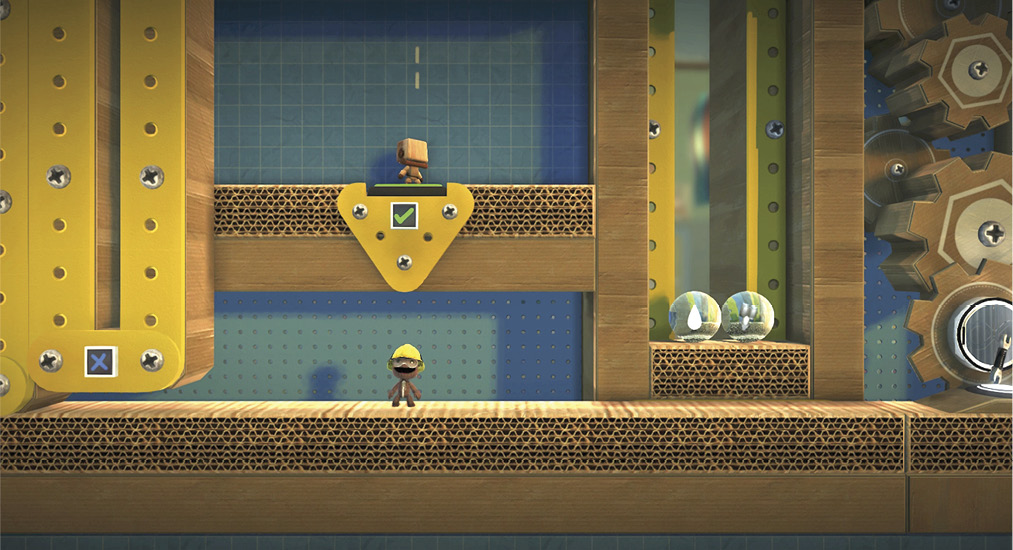
Keep guiding the Sackbot forward, and stop under the green button. Use your Popit Cursor to access the Sackbot’s Tweak menu once more. Switch Behavior to Idle to ensure that it doesn’t step off the button. This ensures the two Prize Bubbles bearing the White Droplet Sticker and Pipe Fitting 2 Decoration.
Staying Put
Two buttons need simultaneous pressing here, with your sack person and a Sackbot splitting the duties. Once again, tweak the Sackbot’s Behavior to Follow while standing under the red button. To keep it in place, switch its Behavior to Idle once it is in position.
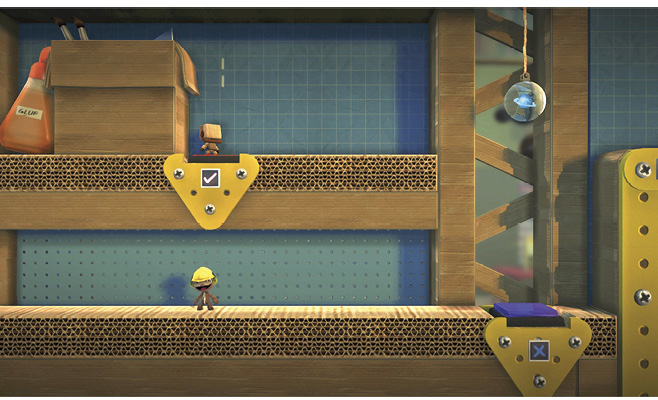
Now, when your sack person steps on the blue button simultaneously, a platform lowers. Hop on top of it, and ride it up now that the blue button is no longer being pressed. Jump off the top, and pop the overhead Prize Bubble for its Paper Mache Saturn Decoration. Land upon the blue button again to lower the platform, and continue on to the next area.
Running for Its Life
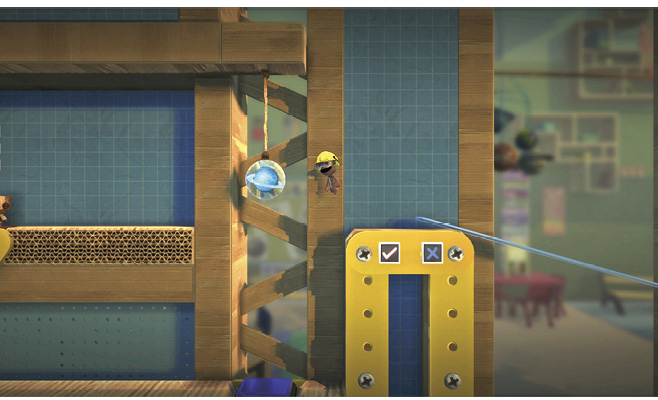
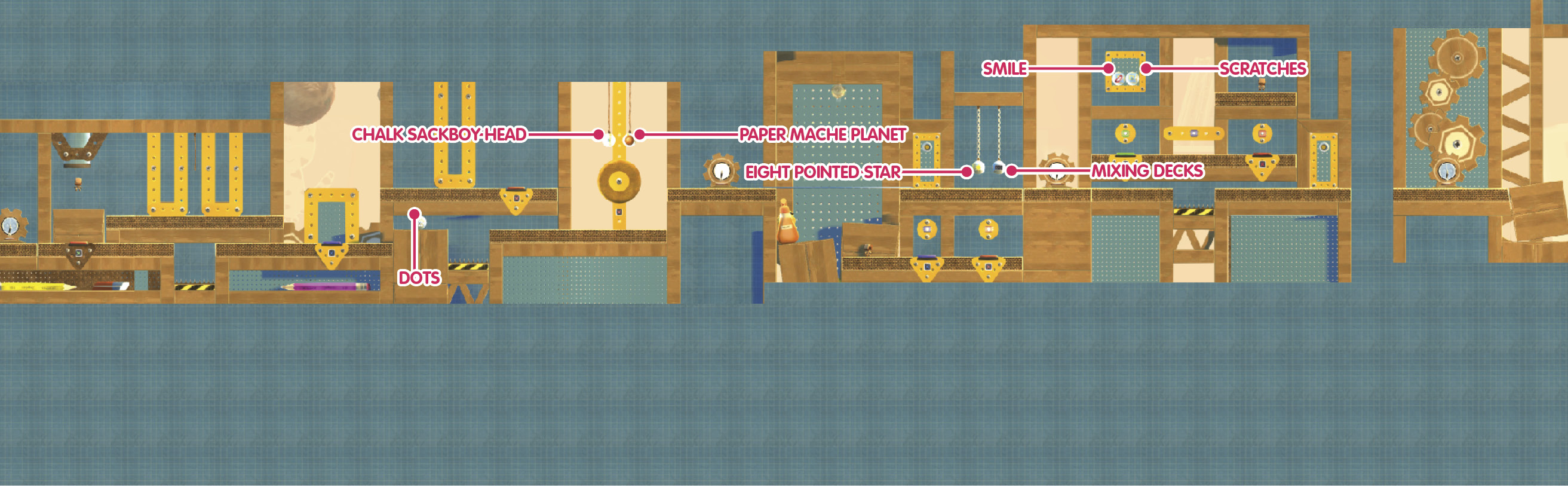
Cross the blue bridge to the next Checkpoint, and step on the green button. This drops a Sackbot into the background layer. Your goal is to safely guide the Sackbot past the crushing dangers to the right. As before, tweak the Sackbot’s Behavior to Follow.
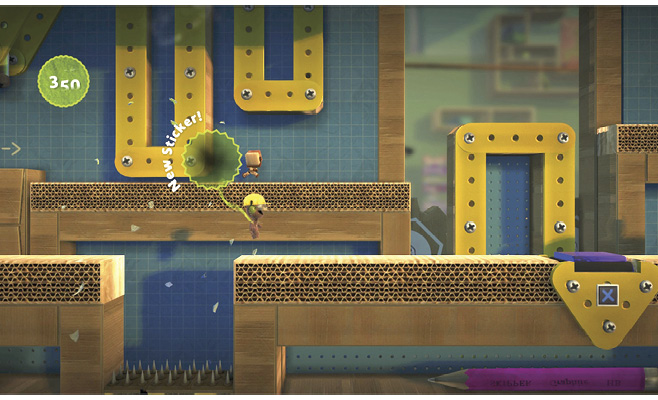
Move to the right so that the Sackbot is clear of the first mashing wooden column. Take a deep breath, and as soon as the column rises, run to the right. Jump over the bed of spikes to pop the Prize Bubble containing the Black Radial Fade Outwards Sticker.
Keep running, and stop at the blue button. Depressing it lowers a platform in the background so your Sackbot can continue. Your Sackbot doesn’t mind the gap, and once the platform is low enough, it automatically jumps on top of it.
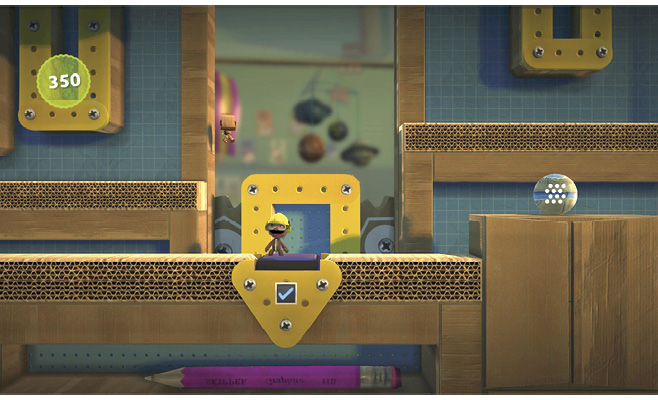
Step off the button and keep going right, where the Dots Sticker awaits in a Prize Bubble. The Sackbot follows, again automatically jumping a small gap to continue.
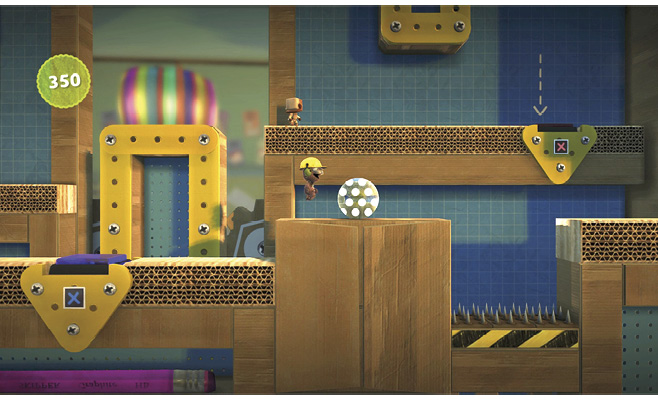
Again, wait for the pulverizing pillar to rise out of the Sackbot’s way, and then run to the right and stop so that the Sackbot is standing atop a red button. Tweak its Behavior to Idle so that it stays there.
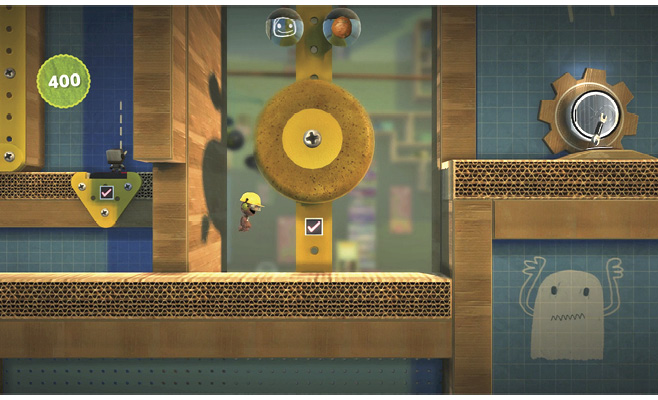
This lets your sack person proceed to where a spongy wheel is spinning, thanks to the discipline of your stationary Sackbot. Grab onto the spinning wheel, and use it to reach two Prize Bubbles that grant the Paper Mache Planet Decoration and Chalk Sackboy Head Sticker.
Tag, You’re It!
Sackbots are capable of getting things done, even without following your sack person’s lead. For the next test, Victoria needs you to direct the Sackbot to follow a certain Tag Color.
Note the colored Tags above the colored buttons on the lower level where the Sackbot stands idle. Tweak the Behavior of the Sackbot, this time selecting Follow Waypoint. Make sure to highlight and press  to select the blue Tag Color, as well. This causes the Sackbot to follow Tags of the selected color, just as the normal Follow Behavior causes it to trail your sack person.
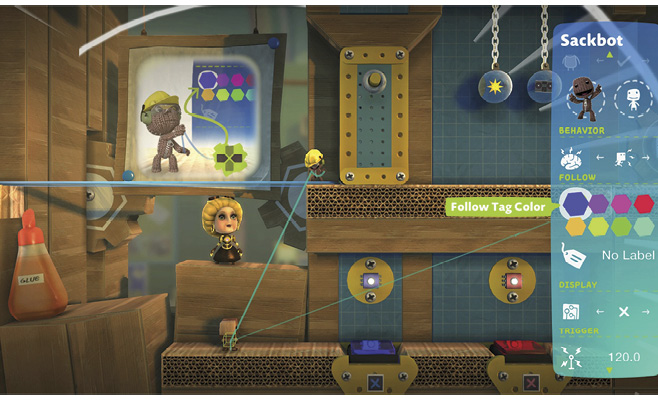
Once past the first barrier, tweak the Sackbot Behavior to follow the red Tag Color. Obediently, the Sackbot stands atop the red button and lowers two Prize Bubbles for you. Pop them for the Eight Pointed Star Sticker and Mixing Decks Sticker.
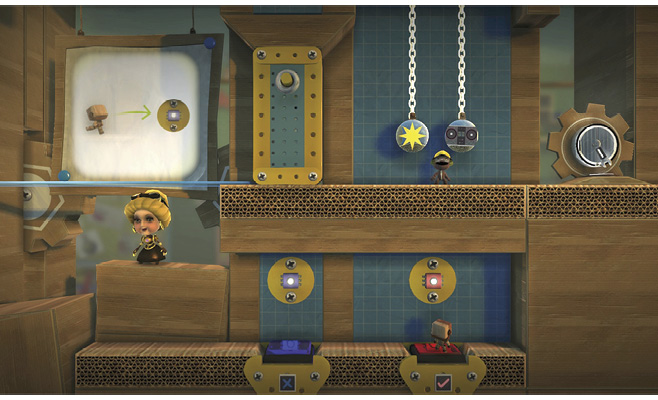
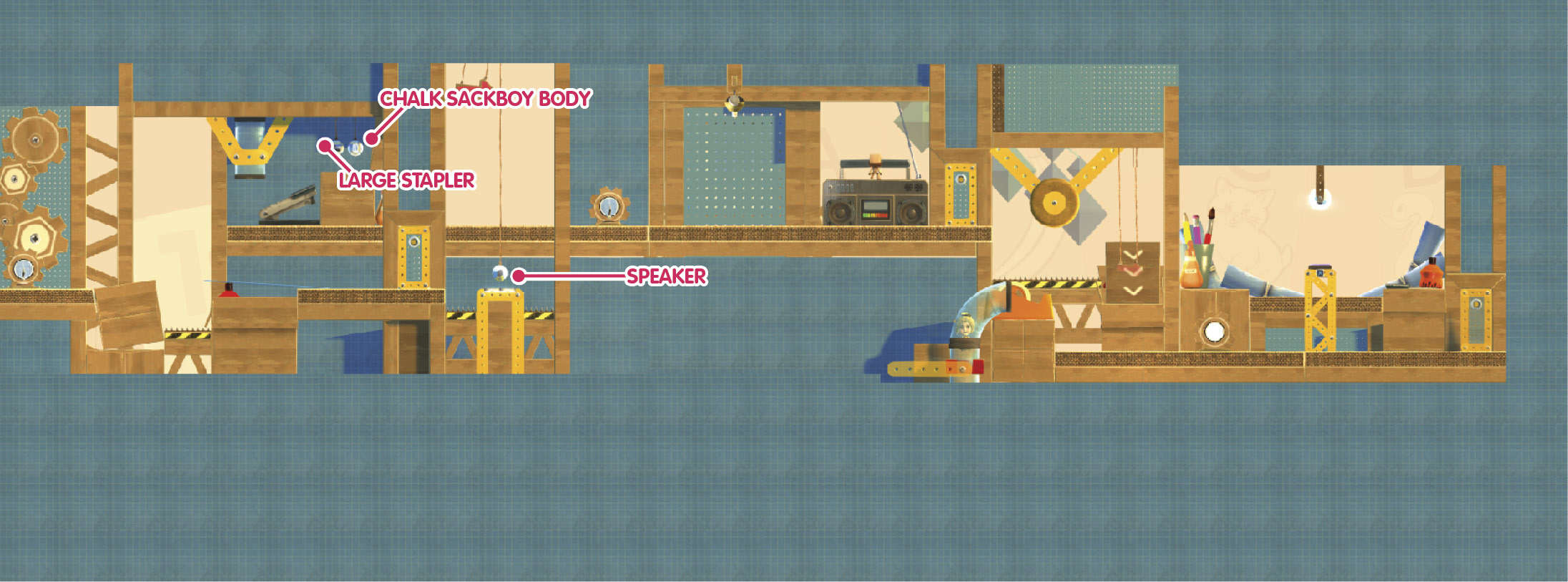
More Tags await ahead. Tweak this area’s Sackbot Behavior to Follow Waypoint, and set the Tag Color to green. The Sackbot drops down a level and stands on top of the green button, showering your sack person with two Prize Bubbles yielding the Smile Sticker and Scratches Sticker.
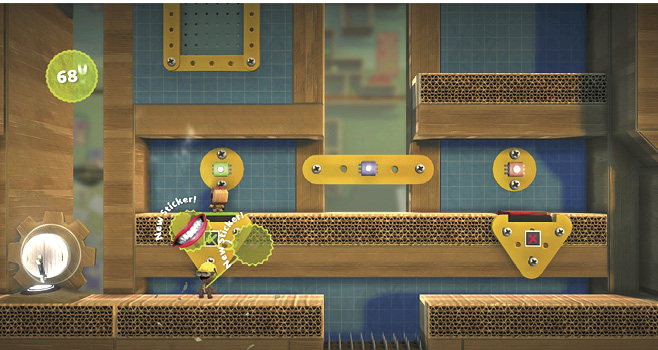
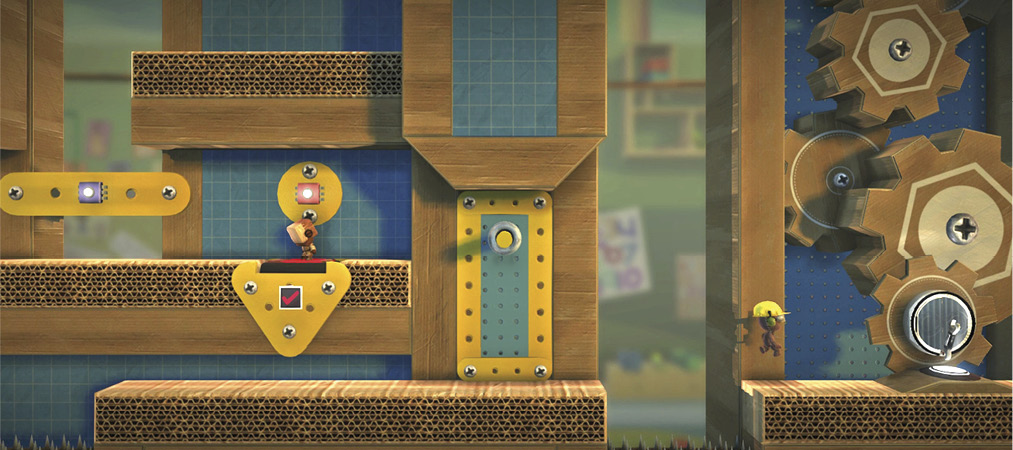
With your goodies acquired, tweak the Sackbot Behavior to follow the red Tag Color. When it stands on the red button and clears the way, continue to the right.
Jump onto the Layer Launchers, and pop the Speaker Decoration Prize Bubble.
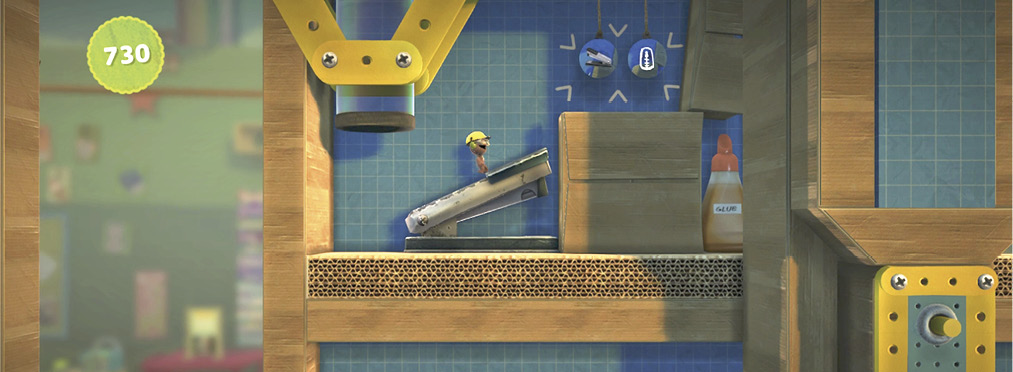
Head to the left, and climb the stapler to reach two more Prize Bubbles that give up the Large Stapler Object and Chalk Sackboy Body Sticker.
Hop back down, and then return to your rightward journey.
Sweet Dance Moves
Sackbots are capable of much more complex behavior than following the leader or tag. Get your groove on for this next task Victoria assigns.
First, tweak the Sackbot Behavior, setting it to Act. Next, select the Record option below in the Tweak menu. Notice the big red circle in the upper-right corner. This lets you know that you are recording the Sackbot’s behavior. Whatever you command your sack person to do, the Sackbot mimics.
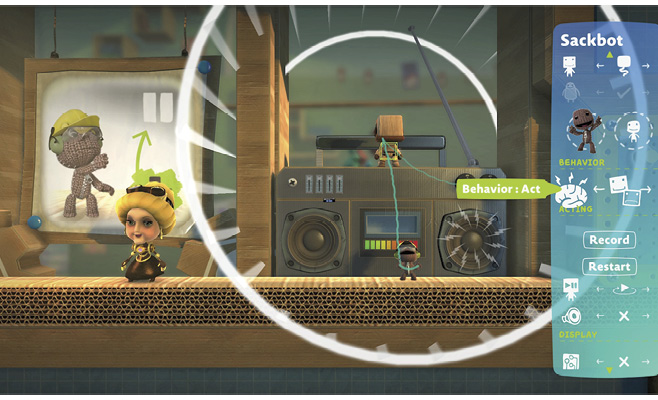
In this case, hold  and
and  to control your sack person’s arms. Move the left and right sticks to bust some sweet moves. When you’re done recording your Sackbot’s dance, press
  to back out into the Tweak menu. Everything is still paused, so press
  to unpause and see your Sackbot dance to your choreography.
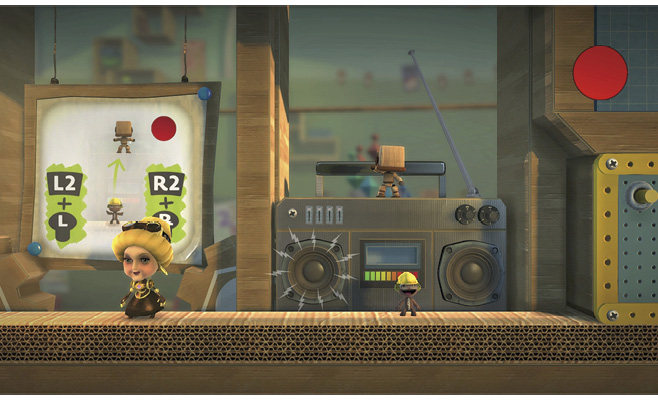
Once you’re done appreciating your handiwork, run to the right. Grab onto the spinning sponge wheel to reach the slide ahead. Glide along it into the foreground, and continue to the right.