
Yo-Kai Watch Guide Game Basics
Yo-kai Battles
When you tap “FIGHT!” in the center of your Yo-kai Wheel to trigger a battle, your three current front-line Yo-kai appear on the top screen, facing your foe(s). The fight immediately begins against the enemy Yo-kai. Spin the Yo-kai Wheel on the bottom screen at any time (even before the fight) to switch Yo-kai between the front and rear lines. Battles proceed in real time, although they pause whenever you’re spinning the Yo-kai Wheel.
Viewing the Battle Screen
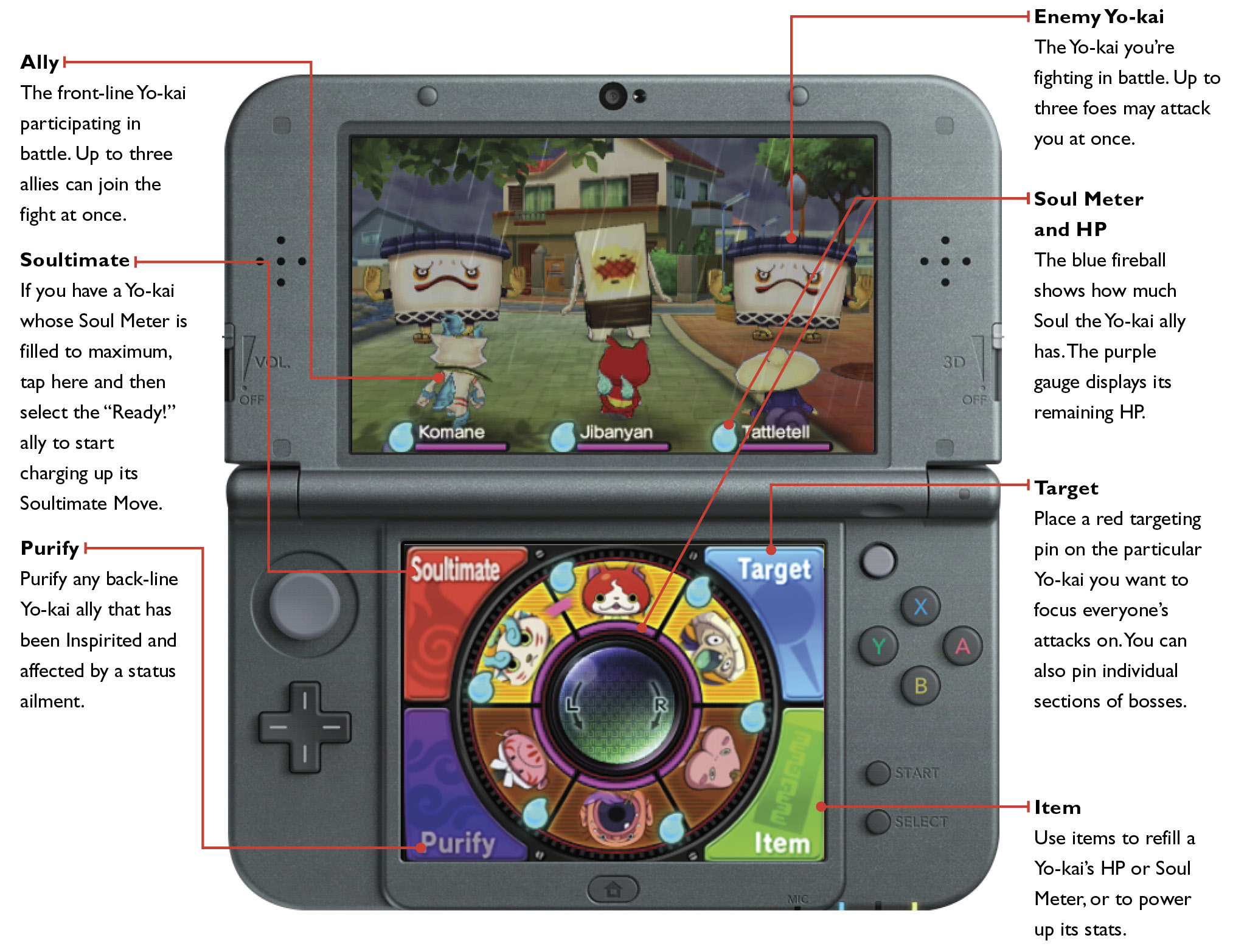
How Your Yo-kai Fight
During battle, each of your Yo-kai picks one of the four actions below, operating on its own volition. It makes these decisions based on how the battle is going, so it won’t make inappropriate moves like trying to refill its HP when it’s already maxed out.
Attack
Attack the enemy Yo-kai with fists or other physical weapons. There’s a chance you’ll land a critical hit, dealing more damage to your foe than usual.
Technique
Two general types of Yo-kai Techniques are available: attack and recovery. Each offensive Technique is infused with an element; striking with an element that your foe is weak against deals more damage.
Inspirit
Infect or take over the enemy to lower its stats or give it a status ailment. You can also Inspirit an ally to boost its stats.
Guard
Defend against attack. Guarding halves any damage taken from attacks or Techniques that hit you. It also reduces the chance of being Inspirited.
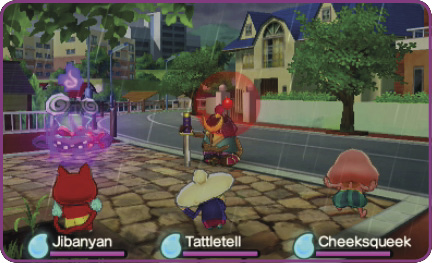
If an enemy Yo-kai’s been weakened, pin it to target it with everything you’ve got.
Books Change Attitudes! Attitudes Change Actions!
Each Yo-kai has a pair of attitudes that affects the way it fights. You can change these attitudes using books from your Items list. If you keep a Yo-kai on your team for long periods of time, its attitude types also change, drifting away from laziness in battle toward taking a more serious approach.
What You Control in Battle
You can’t directly control a Yo-kai’s action, but you can perform the following four actions in battle: Soultimate, Target, Item, and Purify.
Soultimate
Each Yo-kai has a Soultimate Move. Select the front-line Yo-kai you want to use the move, and then charge up your power on the bottom screen to launch the Soultimate. Most Soultimates are powerful attacks that punish your foes, but some do things like refill your allies’ HP or boost their stats.
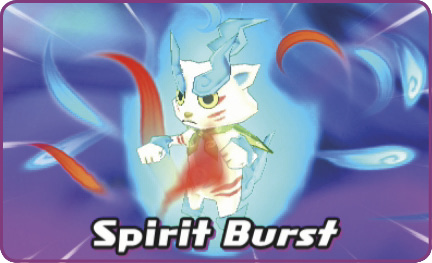
Soul Meter
Your Yo-kai’s blue Soul Meter gets filled up to max when you visit an Eyepo or rest in bed before battle. The meter drops to zero when you unleash a Soultimate Move, but it gradually refills during battle. Your front and rear lines automatically get their Soul Meters refilled over the course of a fight, but the Yo-kai actually fighting at any given moment refill a lot faster. If the battle drags on long enough (especially during boss fights), your team members may have several chances to trigger Soultimate Moves.
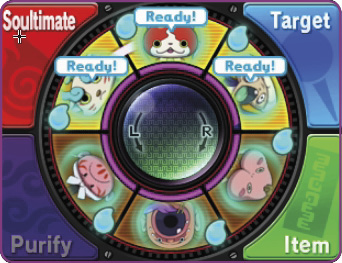
When a Yo-kai’s Soul Meter is filled up, you’ll see “Ready?” over its icon on the Yo-kai Wheel. Tap “Soultimate,” then select the ready Yo-kai you want to use.
Charge Up the Move
To charge up the power needed to unleash the Soultimate Move, you must perform one of three charging actions, selected randomly. Tip: Break out the stylus for these—it’s easier to mess it up if you just use your finger.

This one’s pretty easy. Just spin the stylus around and around on the screen.
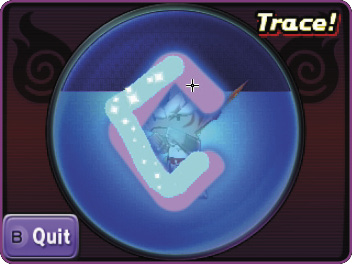
Trace the lines on-screen. Finish tracing three lines, and you’re charged up.

Tap on the flying yellow spirits. You charge up a little bit with each one.
Target
This action lets you target a specific enemy. Place a pin on the enemy Yo-kai (or section of a boss Yo-kai) you want to have your team focus their attack on. Once you place the pin, your Yo-kai team targets only the pinned enemy, ignoring everyone else. Tip: Don’t accidentally leave a pin in place during boss battles when you don’t mean to.
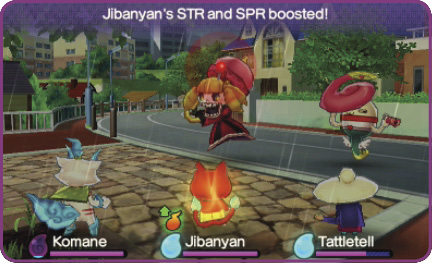
If there’s a foe you want out of the picture first, pin it right when battle begins!
Pin the Wisps!
Wandering spirits called Wisps occasionally flutter across your battlefield. Try to pin them! If you succeed, you can earn bonuses like items or Soul Meter and HP refills.
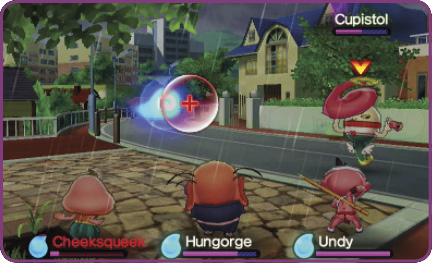
You may see blue or gold Wisps. The gold ones often grant you better bonuses.
Items
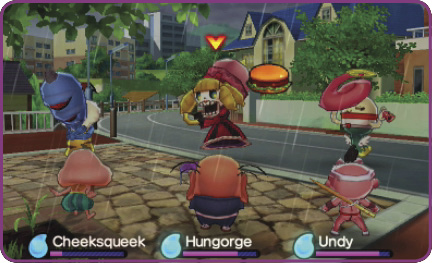
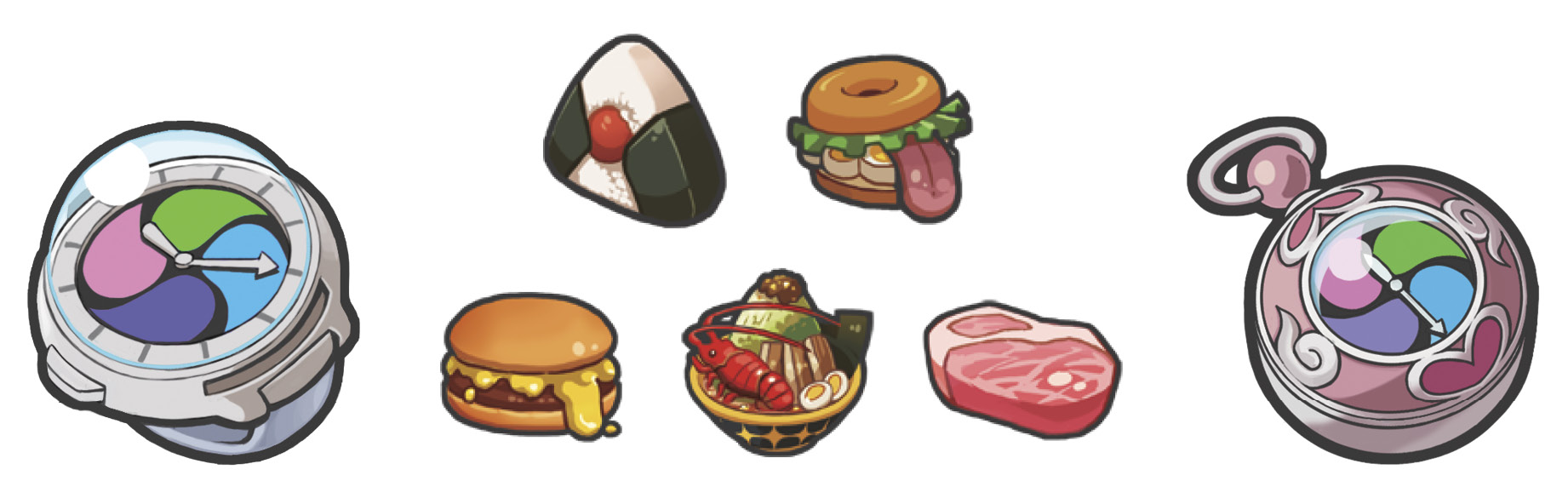
Use food to replenish Yo-kai low on HP or Soul power, or administer medicine to revive unconscious Yo-kai. Some magical talismans boost a Yo-kai’s stats for a short time! Once you use an item, you’ll have to wait awhile before you can use another one. Timing can be key here.
You can also give food to Yo-kai foes once per battle. Why feed an enemy? Well, if you give a Yo-kai its favorite food, you increase the chance it’ll befriend you after the fight!
Purify
Use the bottom screen to “purify” Yo-kai that have been Inspirited with status ailments. There are four types of cleansing actions you may be asked to perform. Succeed, and you’ll earn extra EXP.

Spin the stylus around the screen to ward off the evil aura.

Tap away to pop all the purple spheres.

Tap at the screen to crack through the barrier.

Rub away at the screen to clear the haze.