
Yo-Kai Watch Guide Game Basics
Network Features
Yo-kai Watch has all kinds of features that take advantage of your 3DS’s connectivity. Access most of these at Lambert Post Office in Uptown Springdale. You can interact and fight with other players and access the game server to earn new Yo-kai and items.
PvP: Battle with a Buddy!
You can engage in battles against enemy Yo-kai squads managed by other human players. Make sure Wireless is on, then visit Window 1 at Lambert Post Office and speak to the receptionist. If you’re starting the battle, select “Start Battle.” If not, select “Join Battle.” Once the starting player selects a battle stage and the other player joins, the fight soon begins. There’s no complex configuration required; it’s super easy to jump right into a match.
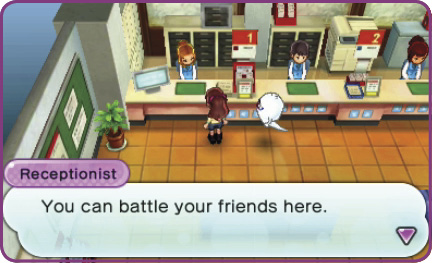
Gather your best team, then speak to the woman here.
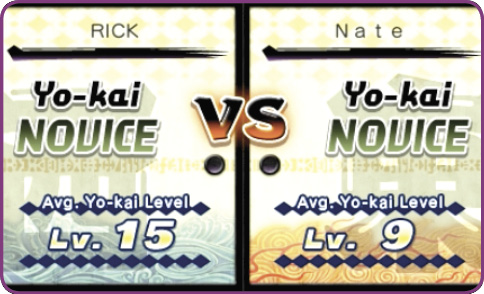
Once you start or join a battle, you see your rank and the average level of your six active Yo-kai.
Rank Up!
Winning online battles earns you points. When you hit certain point milestones, you rank up, and the title attached to your name changes. However, if you have a long enough losing streak, your title progression can actually take backward steps.

StreetPass
Speak to the landlord at Wayfarer Manor in the middle of Blossom Heights and agree to manage the property. This gives you access to the game’s StreetPass features. If you pass by another 3DS system that also has StreetPass activated for this software, one of that player’s Yo-kai friends will automatically move into Wayfarer Manor as a “wandering Yo-kai.” The manor has 10 Yo-kai rooms, so you can keep a maximum of 10 Yo-kai earned via StreetPass.
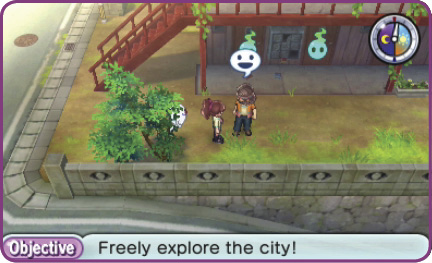
Talk to the Wayfarer Manor landlord to turn on StreetPass.
What Is StreetPass?
Every Nintendo 3DS system has StreetPass, a wireless feature that allows users to exchange “tags” that include Mii characters and game data. When StreetPass is enabled, it works even when your 3DS is in sleep mode, and it automatically connects when another 3DS carrier moves within your console’s range.
Battle the Wanderers!
Enter one of the Manor’s occupied rooms and talk to the Yo-kai inside. The creature gives you an item gift. Then, if your character is ranked high enough, you can choose to fight the wandering spirit. Win, and you may have a chance to befriend it. (Note that you cannot befriend Rare, Legend, or S-rank Yo-kai.)
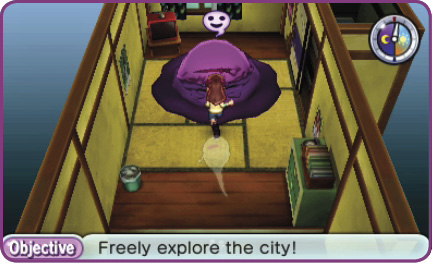
Watch for Rare Yo-kai!
A reclusive Yo-kai named Pandanoko occasionally visits Wayfarer Manor. If it has a room, the landlord will tell you. This is the only way to find and befriend this extremely rare Yo-kai!

Internet Download and Password
Connect to the Internet and use downloads and passwords to obtain special items like Crank-a-kai coins. Visit the Lambert Post Office, and talk to the woman at Window 2 to access the game server. Select Internet Download to receive distributed items, or select Password to enter passwords. You might earn rare coins you can’t find anywhere else!
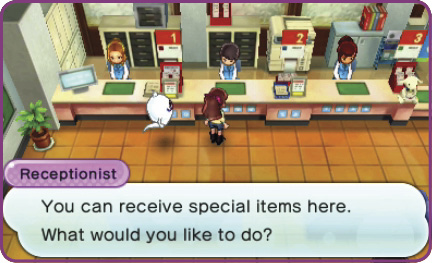
A rotating set of items is available via Internet. Check in regularly at Window 2 in the post office!
QR Codes
Use your 3DS camera to shoot the special Yo-kai Watch QR codes, and you can earn valuable special items. Go to Piggleston Bank in Uptown Springdale, and talk to the receptionist at Window 1. Use the camera to shoot the promotional code in order to exchange it for a Crank-a-kai coin! Important: Make sure you talk to the bank receptionist before you shoot the code. It won’t work if you try taking the picture from the Home Screen.
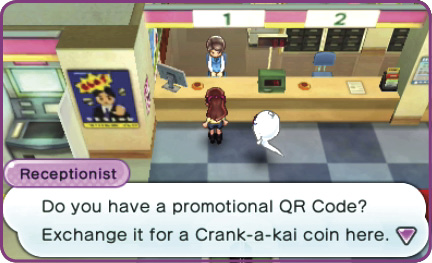
Put the QR code in the middle of the shot, inside the dotted lines, to read the code.