Yo-Kai Watch Guide Game Basics
Using the Menus
Press  while moving around to bring up the Menu screen. You’ll have six options to select from: Medals, Quests, Inventory, Info, Settings, and Diary. Each selection offers its own set of helpful data. Use the Control Pad or tap on the bottom screen to select menu options.

You can see how much money you have in the upper-right corner of the Main Menu.
Main Menu: Medals
This option lets you check on the stats and abilities of the Yo-kai in your active party or on reserve in the Yo-kai Medallium. You can also change the positions of the Yo-kai on your Yo-kai Wheel. However, this screen doesn’t let you swap Medals between your Yo-kai Wheel and Medallium. Again, that can be done only at an Eyepo or in your character’s bedroom.
Equip
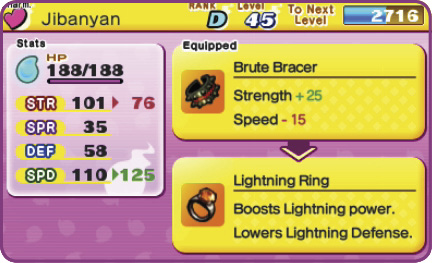
Equip your Yo-kai with useful items. Each Yo-kai can use only one piece of equipment. You can remove equipment on this screen, too.
Pose
Select one of four possible poses the Yo-kai strikes after winning a battle. Select “Random” to have the Yo-kai randomly pick one each time.
Drop
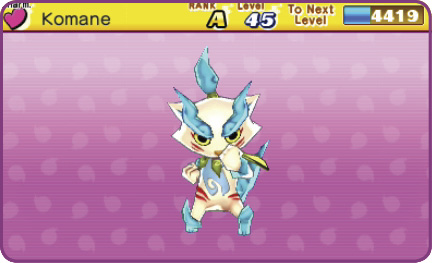
Dismiss a befriended Yo-kai from your Medal collection. You cannot drop Yo-kai that joined you as part of a story event.

Main Menu: Quests
Yo-kai Watch features three types of quests. This menu option lets you check which ones you’ve completed, as well as the current status of any quests you’ve taken on. The main story of Yo-kai Watch is your primary quest, but you also receive a number of sub-quests from the townsfolk. These sub-quests are divided into two types: Requests and Favors. Most sub-quests aren’t related to the main story, but completing them can earn you EXP and useful items.
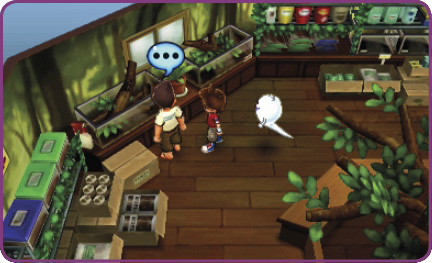
Anyone with a blue or orange word balloon overhead has a quest for you. They appear on the map as a blue or orange flag.
 Requests

Requests come from people marked by blue flags. Some are simple, while others require a bit of work. Once you complete a Request, it’s finished for the rest of the game.

Some quests require you to have certain Yo-kai on your team to finish.
 Favors

People marked by orange flags have Favors to ask of you. Complete them once, and they’ll reappear after awhile, letting you complete them again and again.

Many of these quests involve collecting items or defeating a certain number/type of Yo-kai.
Main Story
Here, you can view the progress you’ve made through the game’s central story. This includes a rundown of any objectives currently in progress, as well as a chance to review quests you’ve already completed. You’ll also get to check on the names of important Yo-kai that have shown up in the story.

The quests you’re currently tackling are shown on top. After that, completed quests are listed in the order you wrapped them up.
Main Menu: Inventory
This is where you view and use your items. Items are divided into five categories, making it easier to find what you want. Just press the L/R Buttons to switch item types.
Food
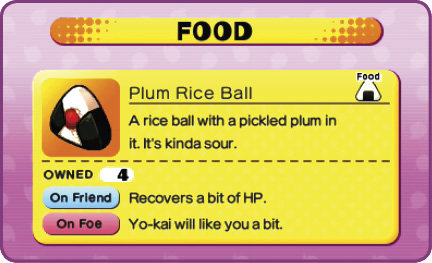
Food refills your Yo-kai’s HP. There’s a large variety of food, from rice balls and bread to meat and vegetables, and they’ll refill HP at differing levels depending on what your Yo-kai likes best. Drinks like Y-Cola are also classified as food on this screen. Those are used to refill your Yo-kai’s Soul Meter.
Items
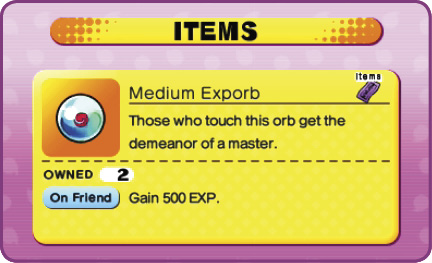
You can use items like books and Exporbs to boost Yo-kai stats while you’re moving around town. Meanwhile, talismans and medicines can be used in battle. You can trade Bronze, Silver, or Golden Dolls for money. Coins are fed into the Crank-a-kai, and things like Black Syrup and Fish Bait make it easier to snag bugs or fish. This screen lets you view all of these consumable items at once.
Animals
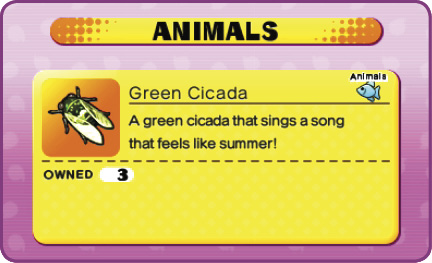
This tab lists all of the insects and fish you’ve caught. Deliver the critters you catch to Jungle Hunter in Uptown Springdale to exchange them for items. Certain rare, valuable items can only be obtained this way. Note that some creatures are more rare than others. Will you be lucky enough to find the rarest of the rare?
Equipment
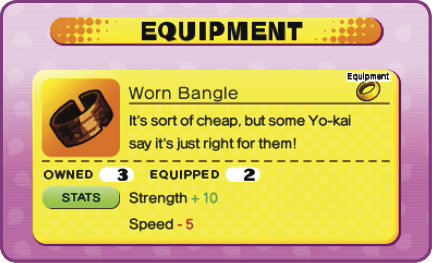
This lists all items you can equip on your crew. Select an item, and you’ll see a full lineup of befriended Yo-kai. The six active in your Yo-kai Wheel are listed first, followed by the rest in the order you befriended them. Make sure you check what a piece of equipment does before you equip it!
Key Items
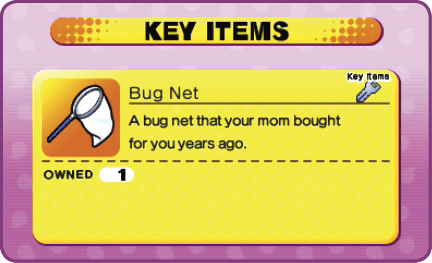
Key items like your Yo-kai Watch, Bicycle, Bug Net, and Fishing Rod are obtained as part of the main story and most of them are used to fulfill quests. Some are automatically used when needed. Others may be assigned to a unique button. Check in now and then to see what kind of items you currently have.
Main Menu: Info
This menu option gives you access to four types of data: the Medallium, Yo-kai Spots, Records, and Help. All of this data is vital as you work your way through the game. You’ll probably look through this menu frequently as you play, so make sure to read up on what you can do here.

Medallium


Tap this selection to peruse your Yo-kai Medallium. Any Yo-kai you can befriend has an assigned slot in the first 20 pages. Medals are displayed for Yo-kai you’ve befriended so far. Slots with a fireball icon indicate a Yo-kai you’ve encountered but haven’t yet befriended; you see “???” in the Bio box. Numbered slot are for Medals of Yo-kai you haven’t encountered yet.
After page 20, you can see the boss Yo-kai you’ve defeated so far. Then, scroll further through five more spreads displaying the seals that unlock the five Legend Yo-kai.
Yo-kai Spots

You can discover certain Yo-kai lurking around town by using your Yo-kai Lens. Select this Info menu option to see the “Yo-kai Spots” where you can find them. There’s a total of 30 spots, and more are added as you work through the main quest. Once you find a spot, you’ll see “FOUND!” on this screen. You can also see how many you’ve discovered so far. Note that Yo-kai Spots will have new Yo-kai periodically. Use the hints in the spot descriptions to help find them around town.

Finding a Yo-kai Spot can earn you items and trigger battle events!
Records
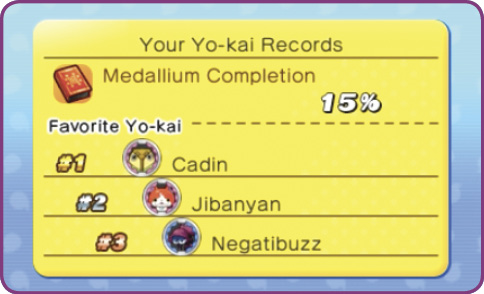
This is where you check up on your play record, including playtime, number of StreetPass Tags, top three most-used Yo-kai, and PvP win/loss record. Check it out and see what kind of discoveries you make!
Help
This is your in-game instruction manual. Let Whisper guide you through the game’s basic controls and setup. You can also review the tutorials shown in the early stages of the game.

Main Menu: Settings
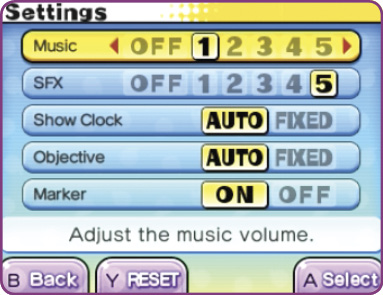
Use these options to customize the game to your liking. Adjust the volume on the game’s music and sound effects (SFX), decide how to display the clock and objectives, and toggle the objective arrow on or off. Press  to reset all options back to their default settings.
Main Menu: Diary
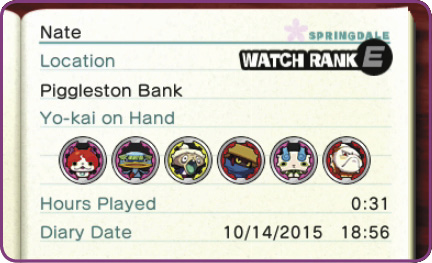
Use your diary to save your progress through the game. You can access the diary only when walking around outside or while inside a building without any Yo-kai. However, Eyepo will allow you to save in a building with Yo-kai. Otherwise, you won’t be able to save from the menu. Note that your previous data is overwritten whenever you save.