
Pikmin 3 Guide Essentials The KopPad
The KopPad
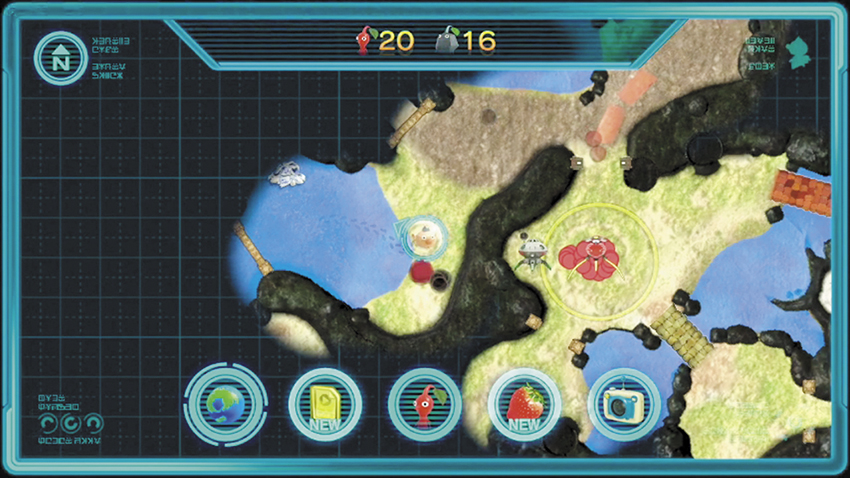
The KopPad is a special piece of equipment that becomes available near the beginning of the Story. Use the Wii U GamePad to access the KopPad’s various features. While you’re in the field, the KopPad’s default function is to display all of the explored terrain within an area. The KopPad Map can be set to rotate as the player moves around the field, or it can be locked in a fixed position—tap the compass in the upper-left corner of the KopPad Map to toggle between these two options.
As you progress through the Story, you’ll find additional uses for the KopPad. Tap the icons along the bottom of the Wii U GamePad’s Touch Screen to select the indicated KopPad mode.