
Pikmin 3 Guide Bingo Battle Starting a Bingo Battle
Starting a Bingo Battle
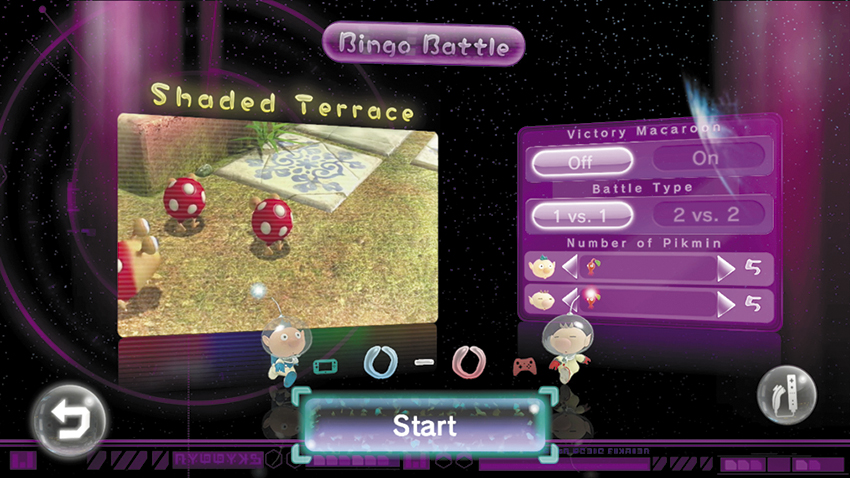
Before starting a Bingo Battle, each player must choose the controller he or she will use during the game. You can then select one of the available maps and adjust the Bingo Battle settings. When you’re ready, select “Start” to begin the battle.
Bingo Battle Settings
Before starting a Bingo Battle, you can adjust three settings:
Victory Macaroon: Activate this setting to place a Victory Macaroon near each player’s Onion. If you manage to collect your opponent’s Victory Macaroon, you’re rewarded with an instant win.
Battle Type: Select “1 vs. 1” to have each player control a single crew member. Select “2 vs. 2” to provide each player with two crew members.
Number of Pikmin: Use this setting to adjust the number of Pikmin assigned to each player at the beginning of the battle.